What Is LM Mini?
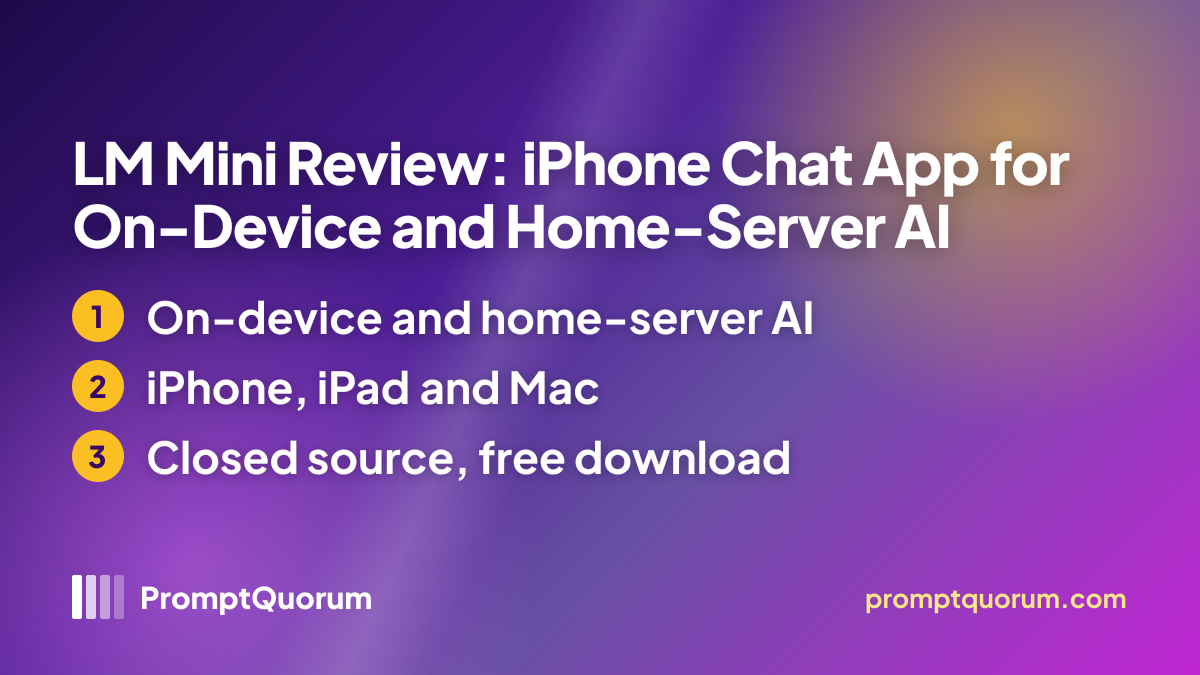
LM Mini is a chat client for local and remote language models on Apple devices. The App Store subtitle is "AI Chat for Ollama & LM Studio", and the listing describes one app for "phone-side models and your desktop local setup".
The developer is listed as Sultan Haider; the App Store shows no company name or website, and the listing names no affiliation with LM Studio, Ollama, Jan AI or oMLX.
Where Your Chats Run
LM Mini is hybrid, not purely local: the listing describes four paths, and where a chat runs depends on the mode you pick.
- On the phone. You download a model and chat with no internet. The listing says phone models are smaller than hosted ones and that speed depends on the device. Apple Intelligence chat uses the model built into the device and needs no download.
- On your own computer. The app connects to LM Studio, Ollama, Jan AI or oMLX over Wi-Fi or USB; the model then runs on that computer, not on the phone.
- Through LM Mini Connect. A remote mode for reaching your computer away from home, "encrypted with your key". How the traffic is routed is not described.
- In the cloud, if you add it. Optional API providers such as OpenAI, OpenRouter, Mistral, DeepSeek and Google Gemini receive your requests, and web search through SearXNG sends queries to a search server. Optional encrypted cloud backups also exist.
Get It
Platform | Where to get it |
|---|---|
| iPhone and iPad | App Store (free download, iOS or iPadOS 16.0 or later) |
| Mac | Same App Store listing (macOS 14.0 or later); it does not say whether this is a native Mac build |
| Website | No official website found; the App Store listing links none |
| Privacy policy | LM Mini privacy policy (last updated 16 August 2025) |
Version reviewed: 1.10.4, released on 19 October 2026. Connected mode needs LM Studio, Ollama, Jan AI or oMLX running on a computer. The 1.10.4 notes add Apple Intelligence chat, a simpler setup that shows servers found on Wi-Fi, a choice between bubble and full-width chat style, and an improved Pro page.
Pricing
The app is a free download with a paid tier sold as in-app purchases: $4.99 per month, $29.99 per year or $119.99 once for lifetime access, as shown on the US App Store.
The listing does not say which features need a purchase. Prices differ by storefront.
Features Listed by the Developer
Everything below comes from the App Store description and release notes; none of it was tested.
- Chat. Conversation history with folders and context-usage tracking, personas, group chat with up to five models, memory, on-device semantic search across chats and background generation.
- Models and servers. Download and run on-device models, connect to custom servers with custom headers, manage and download models on LM Studio from the phone, and import chats from LM Studio.
- Voice and images. Voice chat with Kokoro, and image generation through ComfyUI and Automatic1111.
- Tools and search. Web search through SearXNG and MCP tool calling; since version 1.10.3, LM Studio MCP tools are also available from Siri and Shortcuts.
- Apple devices. An Apple Watch app since version 1.10.0, and Apple Intelligence chat since version 1.10.4.
Privacy Policy and Data Flow
The privacy policy says the app does not collect, store or transmit personal data to external servers or third parties, and that all processing happens between your device and your local LM Studio server. It lists chat history, settings and server connection details as stored on the device and names no analytics or advertising services.
The policy was last updated on 16 August 2025, five weeks before the first release, and it does not mention on-device models, Ollama, Jan AI, oMLX, LM Mini Connect, cloud API providers or encrypted cloud backups. The App Store privacy label says "Data Not Collected" and notes that Apple has not verified it; the description adds that requests to optional cloud providers go to the provider you pick.
📌Note: The app is closed source, so none of these statements can be checked in code, and PromptQuorum has not inspected network traffic. Anyone using cloud APIs, LM Mini Connect or cloud backups should confirm in the app which data leaves the device.
Who Should Use It
- iPhone and iPad owners who already run LM Studio, Ollama, Jan AI or oMLX. One app covers the home server and, when away from it, the phone-side models.
- People who want to try on-device models without a server. Download a model, or use Apple Intelligence on supported devices.
- Users of ComfyUI, Automatic1111 or MCP tools who want them inside a phone chat client.
What We Could Not Verify
- Hands-on behavior. This review did not time answers, test offline use or measure battery and storage.
- The on-device runtime and models. The listing names no inference engine, model list or storage need for on-device mode.
- How LM Mini Connect works. The listing says it is encrypted with a key you control; it does not describe the route the traffic takes.
- What the paid tier unlocks. The listing does not separate free from paid features.
- Setup friction. Two public App Store reviews describe problems: one reports that iOS never asked for local network access (March 2026), the other says a desktop companion app is required, which the developer rejects (July 2026).
- Source code and Mac build. The app is closed source with no public repository found, and the listing does not say whether the Mac version is native or the iPad app running on a Mac.
- Languages. The listing shows English as the only language, although the release notes mention German and Russian voices.
Competitors and Alternatives
Enchanted
- Platforms:
- iOS, macOS
- Price / license:
- Free / Apache 2.0
- Key difference:
- Ollama-only client with no models of its own
Articles about Enchanted (4)
- Enchanted Review: Native macOS/iOS Ollama ClientUpdated September 5, 2026
- Best Local LLM Frontends in 2026: Open WebUI, Enchanted UI, and MoreUpdated October 23, 2026
- Local Chat Apps & Assistants Compared (2026): Desktop, Mobile, Self-Hosted, Assistants and RoleplayUpdated September 20, 2026
- BoltAI Review: Native Mac AI App, Ollama ReadyUpdated September 6, 2026
Also mentioned in:
- GPT4All Review: Free Offline AI Chat App by Nomic AIUpdated October 24, 2026
- OpenClient Review: Free Apple Chat App for Ollama and LiteLLMUpdated October 24, 2026
- LocalMind Review: Free Chat App for On-Device and Self-Hosted ModelsUpdated October 17, 2026
- Tina Review: iPhone Client for Ollama, llama.cpp and ComfyUIUpdated October 4, 2026
- Sidekick Review: A Free, Native macOS Local AI Chat AppUpdated September 19, 2026
- Ekorbia Review: Free Open-Source Local AI Desktop AppUpdated September 7, 2026
+7 more not shown
PocketPal AI
- Platforms:
- iOS, Android
- Price / license:
- Free / MIT
- Key difference:
- Open-source on-device chat with its own model library
Articles about PocketPal AI (10)
- PocketPal AI Review: Free, Open-Source On-Device ChatUpdated September 5, 2026
- Best Local AI Apps for iPhone in 2026 (Run LLMs Without WiFi)Updated October 23, 2026
- Loci AI Review (2026): Offline AI for iPhone, Android, iPad, Mac and WindowsUpdated October 23, 2026
- Private LLM Review: On-Device AI Chat for iPhone, iPad, and MacUpdated October 23, 2026
- Run a Local LLM on Your Tablet: iPad Pro M5, Galaxy Tab S10, OnePlus Pad 2 (2026)Updated October 23, 2026
- Best Local LLM Apps for Android in 2026: 6 Apps Compared on Real PhonesUpdated October 19, 2026
- Best Mobile LLM Models for Phones in 2026: Phi-4 Mini vs Gemma 3 vs SmolLMUpdated October 19, 2026
- Local AI Chat Pocket Review: Offline LLM and Image Chat for iPhone and iPadUpdated October 6, 2026
- PAIOS Review: Offline Gemini Nano Chat for AndroidUpdated October 5, 2026
- Oscilla Review: Free On-Device AI Chat for iPhoneUpdated October 4, 2026
+36 more not shown
Private Mind
- Platforms:
- iOS, Android
- Price / license:
- Free / MIT
- Key difference:
- Open-source offline chat with on-device document Q&A
Articles about Private Mind (2)
- Private Mind Review: Open-Source Offline AI Chat for iPhone and AndroidUpdated October 3, 2026
- Local AI Chat Pocket Review: Offline LLM and Image Chat for iPhone and iPadUpdated October 6, 2026
Also mentioned in:
- CompactifAI APP Review: Free Chat App with Offline and Cloud ModelsUpdated October 24, 2026
- Frankly AI Review: iPhone Chat App With Downloadable On-Device ModelsUpdated October 24, 2026
- Haplo AI Review: Offline Chat and Image App for iPhone and MacUpdated October 24, 2026
- On-Device AI Translator Review: Offline LLM Translation for iPhoneUpdated October 24, 2026
- Llamatik Review: Free Open-Source Offline AI Chatbot for Android, iPhone and DesktopUpdated October 23, 2026
- MemoryAI Review: Free Offline AI Chat for iPhone and AndroidUpdated October 23, 2026
- Secret AI Review: Private Offline AI Chat for iPhone, Android and MacUpdated October 23, 2026
+7 more not shown
AnythingLLM Mobile
- Platforms:
- iOS, Android
- Price / license:
- Free / MIT
- Key difference:
- Remote access to your local AnythingLLM workspace
Articles about AnythingLLM Mobile (2)
- AnythingLLM Mobile Review: On-Device Chat + RAGUpdated September 6, 2026
- AnythingLLM Review: Open-Source RAG and Document ChatUpdated September 11, 2026
Also mentioned in:
- Liquid Apollo Review: On-Device LFM2 Chat, Plus Optional CloudUpdated September 12, 2026
- Chapper Review: AI & LM Studio Client for iPhone, iPad, and MacUpdated September 6, 2026
Competitor details change often; confirm each app's current price, license and platforms on its own listing.
Frequently Asked Questions
Does LM Mini run on Android?
No Android build was found; the listing covers iPhone, iPad, Mac, Apple Watch and Apple Vision devices only.
What is Apple Intelligence chat in LM Mini?
Added in version 1.10.4, it chats with the model built into the device, with no download, on supported iOS 26 and macOS 26 devices. It is separate from downloaded models and from your own server.
Where does LM Mini store API keys?
The version 1.10.3 release notes say API keys, tokens and server headers are now kept in the Keychain / Keystore instead of plain settings.
Verdict
LM Mini is a feature-rich, actively updated iPhone and iPad client that treats "local" as a spectrum: models on the phone, models on your own computer, a remote route to it and optional cloud APIs. Its limits are a closed-source codebase, a privacy policy that describes only the LM Studio connection and an unexplained remote service. It suits readers who already run LM Studio, Ollama or Jan AI; anyone who needs a fully on-device, open-source app should compare Private Mind or PocketPal AI.
Sources
- LM Mini on the App Store — description, version history, in-app purchases, privacy label and ratings, checked 24 October 2026.
- LM Mini privacy policy — data handling; last updated 16 August 2025.
- Apple lookup data for LM Mini — version, release dates, supported devices and file size, checked 24 October 2026.
- LM Mini on SiliconShelf — a third-party directory summary that tags the app "on-device" and "offline" by keyword and says it did not test it.