What Private LLM Is
Private LLM is a native Apple app that downloads and runs open-source language models directly on an iPhone, iPad, or Mac, with no server-side component. Once a model is downloaded, the app needs no internet connection to generate a response — everything runs locally using the device's own CPU, GPU, and Neural Engine.
It is built and maintained by Numen Technologies Limited, which describes itself on its own site as "built by two engineers, not VCs" — a small, bootstrapped team rather than a venture-backed company. The app first appeared on the App Store in June 2023 as Private LLM - Local AI Chat (App Store ID 6448106860), and has been updated continuously since — the current release, version 1.9.15, shipped in July 2026.
Unlike apps that dispatch chat requests to a remote API, Private LLM's entire value proposition rests on local inference: the developer's marketing copy states "no cloud, no tracking, no logins" and "every conversation stays on-device." This review evaluates that claim against what the App Store privacy label and the developer's own FAQ document, rather than taking the tagline at face value.
How to Get Started
Setting up Private LLM takes four steps and no account creation. The whole process, from App Store download to a first response, typically takes a few minutes plus however long the chosen model takes to download.
- 1Buy and install the app
Why it matters: Download [Private LLM from the Apple App Store](https://apps.apple.com/us/app/private-llm-local-ai-chat/id6448106860) for $4.99. This is a one-time purchase — there is no free trial tier and no recurring subscription to manage. - 2Pick a model that fits your device
Why it matters: Open the in-app model browser and choose a model sized for your hardware. The developer's own guidance suggests most iPhones run Llama 3.2 3B or Qwen3 4B comfortably, iPhone 15 Pro and newer can handle Llama 3.1 8B, and a Mac with 48 GB of unified memory can run Llama 3.3 70B. - 3Download the model
Why it matters: Model files range from roughly 2 GB to tens of gigabytes depending on parameter count and quantization level. This step requires an internet connection; every step after it does not. - 4Chat entirely offline
Why it matters: Once the model is downloaded, turn on airplane mode if you want to verify the offline claim yourself — chat, summarization, and rephrasing (on Mac) all run without a network connection. - 5Optional: connect Siri and Shortcuts
Why it matters: Private LLM exposes two App Intents for Siri and the Shortcuts app, letting you trigger a model response from a voice command or an automation without opening the app directly.
Pricing: One-Time Purchase Explained
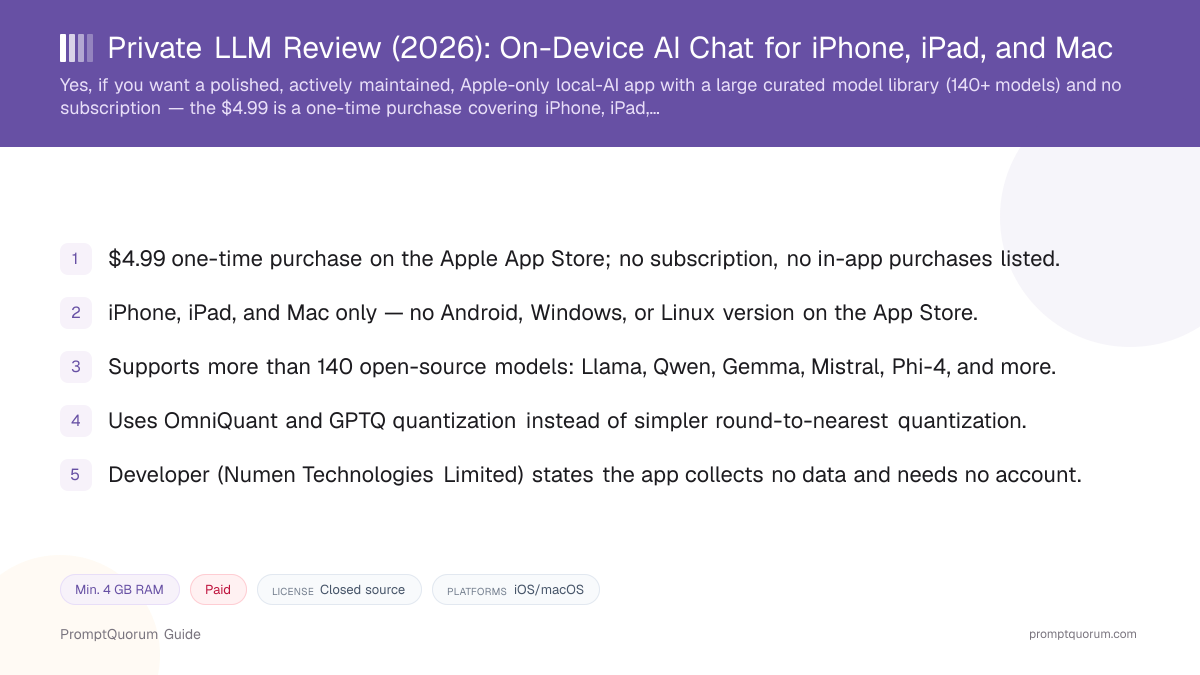
Private LLM costs $4.99 as a single, one-time purchase on the Apple App Store — there is no subscription and no in-app purchases listed on the current listing. That price was verified directly against the App Store listing for this review.
$4.99 (one-time)
- What it covers:
- Full app on iPhone, iPad, and Mac; access to the full 140+ model library; Family Sharing for up to six people
- What it does not include:
- Any Android, Windows, or Linux version — the App Store purchase does not unlock a cross-platform license
App Store prices can change without notice and may differ by region. Confirm the current price on the App Store listing before purchasing. Verified for this review on 2026-10-23.
Supported Models and OmniQuant Quantization
Private LLM's library includes more than 140 open-source models, spanning general-purpose, coding, and language-specific fine-tunes. Named families in the developer's own documentation include Llama 3, 3.1, 3.2, and 3.3; Qwen2.5 and Qwen3-based models; Gemma 2 and Gemma 3; Phi-4; Mixtral; and DeepSeek-R1 Distill-based models, alongside region-specific options such as SauerkrautLM (German), DictaLM (Hebrew), RakutenAI (Japanese), and Yi (Chinese).
The app quantizes these models using OmniQuant, paired with GPTQ for some models — both are optimization-based quantization methods rather than the simpler round-to-nearest (RTN) approach some competing local-AI apps use. According to the developer's own comparison pages, optimization-based quantization tunes the quantization range against calibration data, which can preserve more of the original model's output quality at a given bit-width than RTN. This is the developer's own technical claim, sourced from their documentation — it has not been independently benchmarked by PromptQuorum against Private LLM's specific quantized model files.
Hardware guidance from the developer: most iPhones run Llama 3.2 3B or Qwen3 4B comfortably; iPhone 15 Pro and newer can run Llama 3.1 8B; and a Mac with 48 GB of unified memory can run Llama 3.3 70B. These are the developer's own recommendations, not independently benchmarked figures — actual performance depends on quantization level, context length, and background app load.
Platforms: iPhone, iPad, Mac, and Vision Pro
iPhone
- What to expect:
- Requires iOS 17.0 or later and an A12 Bionic chip or newer (iPhone XS and later, per the App Store listing). Model size choice should match RAM.
- Important note:
- Most iPhones handle 3B–4B parameter models well; only iPhone 15 Pro and newer are recommended for 8B models, per the developer.
iPad
- What to expect:
- Runs the same app and model library as iPhone. The developer's FAQ recommends 4 GB RAM minimum, with an iPad Pro (16 GB) recommended for larger models.
- Important note:
- Older, lower-RAM iPads are limited to smaller quantized models.
Mac
- What to expect:
- Native app for Apple Silicon Macs (M-series). Also includes macOS-specific writing services (grammar correction, summarization, rephrasing) that other apps can call into.
- Important note:
- The developer's FAQ states Intel Macs are technically supported but not recommended — inference is noticeably slower without Apple Silicon's unified memory and Neural Engine.
Apple Vision Pro
- What to expect:
- The App Store listing shows Vision Pro compatibility for the same app.
- Important note:
- This review did not independently test the Vision Pro experience; treat it as App Store-listed compatibility, not a hands-on verified feature.
Android, Windows, Linux
- What to expect:
- No official listing on Google Play, the Microsoft Store, or any Linux package repository.
- Important note:
- An unofficial beta APK has circulated outside the Google Play Store at points in the app's history; it is not part of the developer's primary marketing site or supported release channel, so this review does not treat Android as a supported platform.
Privacy: What Private LLM Does and Does Not Collect
Private LLM's App Store privacy label states the developer does not collect any data from the app, and the app requires no account, login, or sign-up to use. The developer's own marketing describes the product with the phrases "no cloud, no tracking, no logins" and states that conversations "never leave the device."
Because inference runs locally after a model is downloaded, there is no chat data to transmit to a server during normal use — the architecture itself, not just a policy promise, is what keeps conversations on-device.
- No account required. You can download, purchase, and use the app without creating a profile or signing in.
- No data collection, per the App Store label. Apple's privacy nutrition label for this listing shows no data collected from the app.
- Chat history is stored on the device since version 1.9.16. The release notes describe a saved conversation list with search, rename, and delete that can be turned off or cleared in Settings.
- iCloud sync of chat history is not documented. The developer's public FAQ does not describe iCloud sync of conversations across devices — this review treats that as unconfirmed rather than assuming it exists. If cross-device chat sync matters to you, verify current behavior directly in the app before relying on it.
- Sandboxed execution. The app runs within Apple's standard app sandbox, the same isolation every App Store app is subject to — this is an Apple platform guarantee, not a Private LLM-specific feature.
Company History and Version Milestones
Private LLM launched on the App Store in June 2023, with version 1.0.1 for iOS and version 1.0.2 for macOS both shipping on June 2, 2023. It is developed by Numen Technologies Limited, which describes itself as a small, bootstrapped team without venture-capital funding.
- June 2023. Initial App Store release (iOS 1.0.1, macOS 1.0.2) with a fine-tuned baseline model.
- July 2023. Siri and Shortcuts support (App Intents) added.
- September 2023. Compatibility added for the iPhone 15 series.
- December 2023. Support extended to older iPhones and iPads with as little as 3 GB of RAM.
- January 2024. Multi-model downloading introduced, expanding the library to include TinyLlama, StableLM, Phi-2, Mistral, Llama, and Gemma family models.
- February 2024. macOS-specific writing services added: grammar correction, summarization, and rephrasing that other Mac apps can call into.
- March 2024. Model switching without leaving the active chat interface.
- July 2026. Version 1.9.15 (8 July 2026) moved model downloads to a CDN instead of Hugging Face, which the release notes describe as faster.
- July–September 2026. Version 1.9.16 (dated 29 July 2026 in the developer's release notes; live on the App Store from 14 September 2026) added saved on-device chat history with search, rename, and delete, export to Markdown or PDF, faster inference and model switching, and Siri and Shortcuts replies that now reach the requesting app; this is the current version as of 2026-10-23.
Trade-Offs: Benefits vs. Limitations
One-time $4.99 purchase
- What it means in real use:
- No subscription to track or cancel; pay once, use indefinitely across your Apple devices.
- Limitation / caveat:
- It is not free — readers who want a no-cost option should compare it with PocketPal AI or Enclave AI.
140+ model library
- What it means in real use:
- Wide choice of general-purpose, coding, and language-specific models without hunting for GGUF files yourself.
- Limitation / caveat:
- The library is curated by the developer; you cannot import an arbitrary custom fine-tune the way some open-source apps allow.
OmniQuant and GPTQ quantization
- What it means in real use:
- The developer states this preserves more model quality per bit than simpler round-to-nearest quantization.
- Limitation / caveat:
- This is the developer's own technical claim; PromptQuorum has not independently benchmarked Private LLM's specific model files against RTN-quantized equivalents.
No account, no data collection
- What it means in real use:
- Use the app immediately after purchase with nothing to sign up for; the App Store privacy label shows no data collected.
- Limitation / caveat:
- Because the app is closed-source, the no-collection claim cannot be independently code-audited the way an open-source app's can.
Siri and Shortcuts integration
- What it means in real use:
- Trigger model responses from voice commands or automations without opening the app.
- Limitation / caveat:
- iOS restricts background GPU access, so Shortcuts-triggered generation may be slower or more limited than foreground chat.
Family Sharing for up to six people
- What it means in real use:
- One $4.99 purchase can cover an entire Apple Family Sharing group.
- Limitation / caveat:
- Each family member still needs their own supported device and enough storage/RAM for the models they choose.
Private LLM vs. Alternatives
Private LLM
- Platforms:
- iPhone/iPad/Mac (Apple only)
- Price:
- $4.99 one-time purchase
- Model flexibility:
- 140+ curated models; OmniQuant/GPTQ quantization
- Key difference:
- Paid, closed-source, curated library — no arbitrary GGUF import
Articles about Private LLM (9)
- Best Local AI Apps for iPhone in 2026 (Run LLMs Without WiFi)Updated October 23, 2026
- Loci AI Review (2026): Offline AI for iPhone, Android, iPad, Mac and WindowsUpdated October 23, 2026
- Local Chat Apps & Assistants Compared (2026): Desktop, Mobile, Self-Hosted, Assistants and RoleplayUpdated September 20, 2026
- AI on Device Review: A $4.99 Apple Intelligence-Only AppUpdated September 12, 2026
- Google AI Edge Gallery Review: Gemma 4 On-Device Chat for iPhoneUpdated September 12, 2026
- Liquid Apollo Review: On-Device LFM2 Chat, Plus Optional CloudUpdated September 12, 2026
- Noema Review: Multi-Format Local AI for iPhone, iPad, and MacUpdated September 12, 2026
- Off Grid AI Review: Cross-Platform Local AI for iOS, Android, macOS, and WindowsUpdated September 12, 2026
- Pocket AI Review: Offline On-Device AI Chat for iPhoneUpdated September 11, 2026
+12 more not shown
PocketPal AI
- Platforms:
- iPhone/iPad, with some Android support
- Price:
- Free, open source
- Model flexibility:
- Any GGUF file the user sources from Hugging Face or elsewhere
- Key difference:
- Free and open-source; requires more manual model management
Articles about PocketPal AI (9)
- PocketPal AI Review: Free, Open-Source On-Device ChatUpdated September 5, 2026
- Best Local AI Apps for iPhone in 2026 (Run LLMs Without WiFi)Updated October 23, 2026
- Loci AI Review (2026): Offline AI for iPhone, Android, iPad, Mac and WindowsUpdated October 23, 2026
- Run a Local LLM on Your Tablet: iPad Pro M5, Galaxy Tab S10, OnePlus Pad 2 (2026)Updated October 23, 2026
- Best Local LLM Apps for Android in 2026: 6 Apps Compared on Real PhonesUpdated October 19, 2026
- Best Mobile LLM Models for Phones in 2026: Phi-4 Mini vs Gemma 3 vs SmolLMUpdated October 19, 2026
- Local AI Chat Pocket Review: Offline LLM and Image Chat for iPhone and iPadUpdated October 6, 2026
- PAIOS Review: Offline Gemini Nano Chat for AndroidUpdated October 5, 2026
- Oscilla Review: Free On-Device AI Chat for iPhoneUpdated October 4, 2026
+36 more not shown
Enclave AI
- Platforms:
- Varies by release — check current listing
- Price:
- See current listing
- Model flexibility:
- See full review for current model support
- Key difference:
- See the full Enclave AI review for a detailed comparison
Articles about Enclave AI (3)
- Enclave AI Review: On-Device AI for iPhone, iPad, MacUpdated October 17, 2026
- Local Chat Apps & Assistants Compared (2026): Desktop, Mobile, Self-Hosted, Assistants and RoleplayUpdated September 20, 2026
- Liquid Apollo Review: On-Device LFM2 Chat, Plus Optional CloudUpdated September 12, 2026
Also mentioned in:
- On Device AI Review: 200+ Local Models for iPhone, iPad, MacUpdated September 12, 2026
- Maid Review: Open-Source Local LLM Chat App for AndroidUpdated September 6, 2026
- RikkaHub Review: Multi-Provider AI Chat for AndroidUpdated September 6, 2026
Locally AI
- Platforms:
- iPhone/iPad/Mac
- Price:
- Free
- Model flexibility:
- Built on Apple MLX; access to Apple's on-device foundation model
- Key difference:
- Free alternative built specifically on Apple's MLX framework
Articles about Locally AI (5)
- Locally AI Review: Private Offline LLMs on iPhone, iPad and MacUpdated September 4, 2026
- Best Local AI Apps for iPhone in 2026 (Run LLMs Without WiFi)Updated October 23, 2026
- Run a Local LLM on Your Tablet: iPad Pro M5, Galaxy Tab S10, OnePlus Pad 2 (2026)Updated October 23, 2026
- Oscilla Review: Free On-Device AI Chat for iPhoneUpdated October 4, 2026
- Local Chat Apps & Assistants Compared (2026): Desktop, Mobile, Self-Hosted, Assistants and RoleplayUpdated September 20, 2026
Also mentioned in:
- LocalMindAI Review: On-Device AI Companion for iPhoneUpdated October 24, 2026
- Tina Review: iPhone Client for Ollama, llama.cpp and ComfyUIUpdated October 4, 2026
Arbiter
- Platforms:
- See full review for current platform support
- Price:
- See current listing
- Model flexibility:
- See full review for current model support
- Key difference:
- See the full Arbiter review for a detailed comparison
Articles about Arbiter (2)
- Arbiter Local AI Chat Review: Private Offline AI for iPhoneUpdated September 4, 2026
- Local Chat Apps & Assistants Compared (2026): Desktop, Mobile, Self-Hosted, Assistants and RoleplayUpdated September 20, 2026
Also mentioned in:
- Liquid Apollo Review: On-Device LFM2 Chat, Plus Optional CloudUpdated September 12, 2026
LLM Farm
- Platforms:
- iOS/Mac (open source, GitHub: guinmoon/LLMFarm)
- Price:
- Free, open source
- Model flexibility:
- Load custom GGUF models via llama.cpp/ggml
- Key difference:
- Was pulled from the App Store and TestFlight in August 2025 per its own GitHub README — verify current availability before relying on it
Articles about LLM Farm (4)
- LLM Farm Review: Open-Source GGUF App, Off the App StoreUpdated September 6, 2026
- Best Local AI Apps for iPhone in 2026 (Run LLMs Without WiFi)Updated October 23, 2026
- Run a Local LLM on Your Tablet: iPad Pro M5, Galaxy Tab S10, OnePlus Pad 2 (2026)Updated October 23, 2026
- Build a Local Voice Assistant on Your Phone: Whisper + Local LLM (No Cloud) — 2026Updated August 29, 2026
Also mentioned in:
- Best Mobile LLM Models for Phones in 2026: Phi-4 Mini vs Gemma 3 vs SmolLMUpdated October 19, 2026
Layla
- Platforms:
- iOS and Android
- Price:
- $19.99 plus in-app purchases
- Model flexibility:
- Custom GGUF models; character/roleplay focus with 100+ voices
- Key difference:
- Cross-platform (unlike Private LLM) but priced higher, with a roleplay/character focus
Articles about Layla (4)
- Layla Review: On-Device AI Companion App for Android and iOSUpdated September 6, 2026
- Best Local LLM Apps for Android in 2026: 6 Apps Compared on Real PhonesUpdated October 19, 2026
- PAIOS Review: Offline Gemini Nano Chat for AndroidUpdated October 5, 2026
- Build a Local Voice Assistant on Your Phone: Whisper + Local LLM (No Cloud) — 2026Updated August 29, 2026
Also mentioned in:
- Local Chat Apps & Assistants Compared (2026): Desktop, Mobile, Self-Hosted, Assistants and RoleplayUpdated September 20, 2026
- ToolNeuron Review: Open-Source Encrypted Android AI AppUpdated September 12, 2026
Maid
- Platforms:
- Cross-platform Flutter app (Android primary; also runs on other platforms Flutter supports)
- Price:
- Free, open source (MIT license)
- Model flexibility:
- Any GGUF file via llama.cpp; also connects to Anthropic, DeepSeek, Ollama, Mistral, OpenAI remotely
- Key difference:
- Free, fully open source, and not limited to local-only inference
Articles about Maid (4)
- Maid Review: Open-Source Local LLM Chat App for AndroidUpdated September 6, 2026
- Best Local LLM Apps for Android in 2026: 6 Apps Compared on Real PhonesUpdated October 19, 2026
- Local Chat Apps & Assistants Compared (2026): Desktop, Mobile, Self-Hosted, Assistants and RoleplayUpdated September 20, 2026
- Layla Review: On-Device AI Companion App for Android and iOSUpdated September 6, 2026
Also mentioned in:
- Tina Review: iPhone Client for Ollama, llama.cpp and ComfyUIUpdated October 4, 2026
- Ollama Local AI Review: Android LLM Runner and LAN API ProxyUpdated October 2, 2026
- Chapper Review: AI & LM Studio Client for iPhone, iPad, and MacUpdated September 6, 2026
- LLM Farm Review: Open-Source GGUF App, Off the App StoreUpdated September 6, 2026
RikkaHub
- Platforms:
- Android
- Price:
- Free, open source
- Model flexibility:
- Multiple cloud provider APIs plus local execution
- Key difference:
- Android-only; positions itself as a multi-provider client, not a local-first app
Articles about RikkaHub (2)
- RikkaHub Review: Multi-Provider AI Chat for AndroidUpdated September 6, 2026
- LocalAI Review: ApexCreator's Offline Android AI Chat AppUpdated September 12, 2026
Also mentioned in:
- AnyLLM Review: BYOK AI Chat Client for AndroidUpdated October 17, 2026
- Local Chat Apps & Assistants Compared (2026): Desktop, Mobile, Self-Hosted, Assistants and RoleplayUpdated September 20, 2026
- ToolNeuron Review: Open-Source Encrypted Android AI AppUpdated September 12, 2026
- Chapper Review: AI & LM Studio Client for iPhone, iPad, and MacUpdated September 6, 2026
- LLM Farm Review: Open-Source GGUF App, Off the App StoreUpdated September 6, 2026
AnythingLLM Mobile
- Platforms:
- Android (iOS planned)
- Price:
- Free, open source
- Model flexibility:
- Runs GGUF models on-device via Cactus Compute (llama.cpp for React Native), or pairs with a self-hosted AnythingLLM server
- Key difference:
- Designed to pair with a self-hosted AnythingLLM workspace, not a standalone chat app
Articles about AnythingLLM Mobile (2)
- AnythingLLM Mobile Review: On-Device Chat + RAGUpdated September 6, 2026
- AnythingLLM Review: Open-Source RAG and Document ChatUpdated September 11, 2026
Also mentioned in:
- Liquid Apollo Review: On-Device LFM2 Chat, Plus Optional CloudUpdated September 12, 2026
- Chapper Review: AI & LM Studio Client for iPhone, iPad, and MacUpdated September 6, 2026
Platform, price, and feature details for third-party apps change frequently — verify current specifics on each app's own listing before deciding. LLM Farm's App Store availability in particular should be re-checked, since its own GitHub README described it as pulled from the App Store as of August 2025.
Who Should Use Private LLM
- Apple-only users who want a polished, curated app and are fine paying once. iPhone, iPad, and Mac owners who value a maintained, actively updated app over assembling their own GGUF file collection get a large model library out of the box for $4.99.
- Readers who value quantization quality over raw model count. If OmniQuant and GPTQ's claimed quality-per-bit advantage over round-to-nearest quantization matters to your use case, Private LLM is one of the few consumer apps built specifically around that approach.
- Families sharing one Apple ID group. Family Sharing means a single $4.99 purchase can cover up to six people, which is cheaper per person than setting up several free apps individually for non-technical family members.
- Users who want Siri/Shortcuts automation. The two App Intents let you wire local AI responses into existing iOS automations without opening the app.
- Privacy-conscious users comfortable with a closed-source app. If "no data collected" per the App Store privacy label and "no account required" meet your bar without needing to audit the source code yourself, Private LLM's on-device architecture delivers that.
Who Should Not Use Private LLM
- Android, Windows, or Linux users. Private LLM has no official app on any of these platforms — choose PocketPal AI (partial Android support), Maid, ChatterUI, or RikkaHub instead.
- Readers who want a completely free option. $4.99 is inexpensive, but it is not free — PocketPal AI and Locally AI both cost nothing.
- Readers who want to run the largest open-weight models. Mobile hardware limits what fits in memory — even the developer's own guidance caps most iPhones at 3B–8B parameter models; only a Mac with 48 GB+ unified memory reaches the 70B tier, and even that ceiling is far below the largest open-weight models available for server-class hardware.
- Teams or organizations wanting a shared, centrally managed deployment. Private LLM is a single-user, single-device consumer app with no admin console, shared license management, or team billing — organizations should look at self-hosted, server-side local-LLM infrastructure instead.
- Readers who want to audit the app's source code themselves. Private LLM is closed-source. If independent code review matters to you, an open-source alternative like PocketPal AI or Maid lets you verify behavior directly.
Frequently Asked Questions
How much does Private LLM cost?
Private LLM costs $4.99 as a one-time purchase on the Apple App Store, verified for this review on 2026-10-23. There is no subscription and no in-app purchases listed on the current App Store listing. App Store prices can vary by region and change over time — confirm the current price before buying.
Is Private LLM available on Android or Windows?
No official version exists on Google Play, the Microsoft Store, or any Linux package repository. Private LLM is built specifically for iPhone, iPad, and Mac. An unofficial beta APK has circulated outside the Play Store at points in the app's history, but it is not part of the developer's primary supported release channel, so this review treats Android as unsupported.
Who develops Private LLM?
Private LLM is developed by Numen Technologies Limited, which describes itself on its own site as a small, bootstrapped, two-engineer team without venture-capital funding.
What is OmniQuant, and why does Private LLM use it?
OmniQuant is an optimization-based quantization method that tunes the quantization range against calibration data, rather than using the simpler round-to-nearest (RTN) approach. Private LLM pairs OmniQuant with GPTQ for some models. The developer states this preserves more of a model's original output quality at a given bit-width than RTN quantization; this is the developer's own technical claim, not an independent PromptQuorum benchmark of Private LLM's specific model files.
Does Private LLM work completely offline?
Yes, once a model is downloaded. The app needs an internet connection only to download a model or an app update; chat, and macOS-specific services like grammar correction and summarization, run without a network connection afterward.
Does Private LLM collect any personal data?
Apple's App Store privacy nutrition label for this listing states the developer does not collect any data from the app. No account or sign-in is required to use it. This review relies on the App Store's privacy label rather than an independent audit of the app's closed-source code.
Does Private LLM sync chat history across devices via iCloud?
This is not documented in the developer's public FAQ. This review treats iCloud sync of conversations as unconfirmed rather than assuming it exists — verify current behavior directly in the app before relying on cross-device chat continuity.
What models can I run on an iPhone with Private LLM?
Per the developer's own guidance, most iPhones run 3B–4B parameter models comfortably (for example, Llama 3.2 3B or Qwen3 4B), while iPhone 15 Pro and newer can handle 8B-parameter models like Llama 3.1 8B. These are the developer's recommendations, not independently benchmarked results — actual performance depends on quantization level and available RAM.
How does Private LLM compare to PocketPal AI?
Private LLM is a paid ($4.99), closed-source, Apple-only app with a curated 140+ model library and OmniQuant/GPTQ quantization. PocketPal AI is free and open source, runs on iPhone/iPad with some Android support, and lets you import any GGUF file rather than choosing from a curated list. Choose Private LLM for a maintained, one-time-purchase experience with a wide built-in model library; choose PocketPal AI for a free, auditable, more manually configured setup.
Does one Private LLM purchase cover multiple devices or family members?
Yes. The $4.99 purchase covers iPhone, iPad, and Mac for the purchasing Apple ID, and Apple's Family Sharing extends that single purchase to up to six people in the same Family Sharing group.
Verdict
Private LLM earns its place among the better-documented mobile local-AI apps covered on this site: a clear $4.99 one-time price verified directly against the App Store, a curated library of more than 140 open-source models, and a specific, named quantization approach (OmniQuant plus GPTQ) rather than a vague "optimized for mobile" claim. The developer's own release notes show three years of continuous updates since the June 2023 launch, which is a meaningfully longer track record than several smaller apps in this cluster. The trade-offs are equally clear: it is Apple-only, it is not free, its model list is curated rather than fully open to custom GGUF imports, and its closed-source code means the "no data collected" claim rests on the App Store privacy label rather than independent code review. Readers who want a maintained, curated, one-time-purchase app across their Apple devices should buy it; readers on Android/Windows/Linux, readers who want a free option, or readers who want to audit source code themselves should start with PocketPal AI instead.
Sources
- Private LLM on the App Store — price, platform compatibility, privacy label, ratings, and version history.
- Private LLM official site — product overview, pricing model, and privacy claims.
- Private LLM FAQ — supported models, quantization approach, hardware requirements, Family Sharing, and Siri/Shortcuts integration.
- Private LLM release notes — version history and feature milestones from June 2023 to September 2026.