What Is On Device AI?
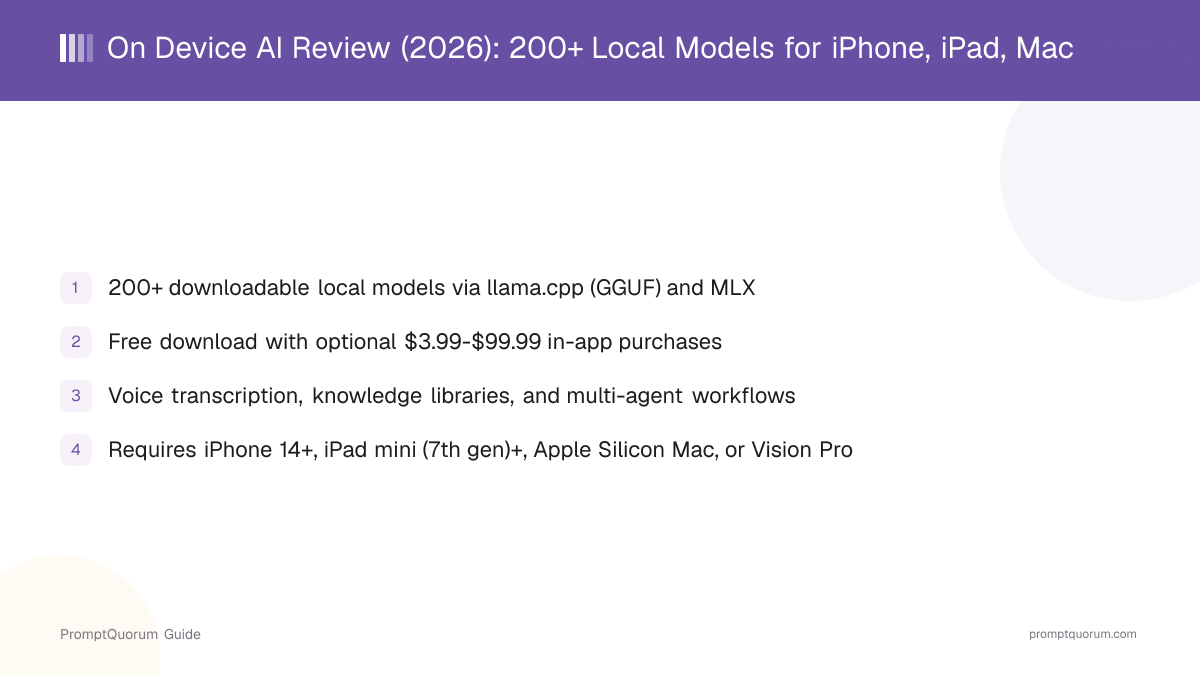
On Device AI is an app for iPhone, iPad, Apple Silicon Mac, and Apple Vision Pro that runs AI models directly on the device, rather than sending conversations to a cloud server. Instead of bundling one model, it gives you a library of more than 200 open-weight models to browse and download, so the model you run is a choice you make based on your device's storage and memory rather than a fixed decision the developer made for you.
- Model selection: 200+ open-weight models available to browse and download, including Llama 3, Gemma 3, Qwen3, DeepSeek, Phi-4, and Mistral families
- On-device execution: models run using the device's own compute via llama.cpp or MLX, not a cloud API call
- Custom models: supports importing compatible GGUF models from Hugging Face, beyond the built-in library
- Platform scope: iPhone, iPad, Apple Silicon Mac, and Apple Vision Pro — an Apple-only app with no Android or Windows version
- Developer: Zijie Deng, an independent developer, not a company with a publicly disclosed size or funding
Not to Be Confused With "AI on Device"
On Device AI (this review's subject, at ondevice-ai.app) and AI on Device (a separate app, reviewed separately) are two different products with confusingly similar names. Both run models locally on Apple devices, but they come from different developers and take opposite approaches to model choice and pricing.
Aspect | On Device AI (this review) | AI on Device (separate app) |
|---|---|---|
| Developer | Zijie Deng | Eduardo Dominguez Menendez |
| Model choice | 200+ downloadable models (GGUF + MLX) | One fixed 3B model (2-bit) |
| Pricing | Free + optional IAP ($3.99-$99.99) | $4.99 one-time purchase |
| Hardware requirement | iPhone 14+ / iPad mini 7+ / Apple Silicon Mac / Vision Pro | Apple Intelligence-compatible device only (iOS/macOS 26+) |
| App Store ID | id6497060890 | id6753206463 |
If a link, search result, or App Store search brought you here looking for the other app, read the dedicated AI on Device review instead — the two apps are not related, and this review does not cover the fixed-model, Apple Intelligence-only app.
How Local Inference Works: llama.cpp and MLX
On Device AI runs models through two separate local inference engines, chosen based on the model format: llama.cpp for GGUF-format models, and MLX for models optimized for Apple Silicon. Both engines execute the model using the device's own chip rather than a remote server, so no request needs to leave the device once a model is downloaded.
- Step 1: Browse the model library (200+ options) and pick one sized for your device's storage and memory
- Step 2: Download the model file to the device (requires an internet connection for this step only)
- Step 3: Chat, transcribe, or run agent workflows with the downloaded model — no internet connection needed from this point on for local processing
- Step 4: Optionally import a custom GGUF model from Hugging Face if the built-in library does not cover your specific need
What Else Can On Device AI Do?
Beyond running a chosen local model for chat, On Device AI bundles voice transcription, document and RSS import, multi-agent workflows, on-device text-to-speech, and automation hooks into the same app. These features extend it from a model-chat client into a broader on-device productivity workspace.
- Voice transcription with speaker diarization: records audio and identifies which speaker said what
- Knowledge libraries: import PDFs, notes, transcripts, images, and web captures for AI-powered document analysis
- Listen Library and RSS feeds: convert documents and RSS feeds into a reading/listening queue with playback controls
- Multi-agent teams: deploy specialized AI agents (for example, Researcher, Analyst, Writer roles) that collaborate on a task
- On-device text-to-speech: three engines, including Apple Voices, Kokoro, and PocketTTS
- AI search and tool calling: web search with cited results, plus tool calling for compatible models
- Automation: Siri Shortcuts, widgets, Calendar, and Reminders integration
- Native Apple Vision Pro support with spatial computing integration
- Mac-specific extras: menu bar access, global hotkeys, instant-messaging integrations (Discord, Slack, Telegram), and a remote inference server capability
Get On Device AI: Requirements and Download
On Device AI is distributed exclusively through the Apple App Store — there is no direct download, Android version, or Windows version. Device requirements vary by hardware type, so check the table below against your specific device before downloading.
Device | Minimum requirement |
|---|---|
| iPhone | iPhone 14 or later, iOS 18+ — get it on the App Store |
| iPad | iPad mini (7th gen), iPad Air (5th gen), iPad Pro (3rd gen), or iPad (11th gen) or later, iPadOS 18+ — get it on the App Store |
| Mac | Apple Silicon only, macOS 15+ — get it on the App Store |
| Vision Pro | visionOS 2.0+ — get it on the App Store |
On Device AI's own listing recommends 6GB or more of device RAM for optimal performance. There is no Android or Windows release — if you need a cross-platform option, check the Local LLM Software Directory for local-model apps that cover those platforms.
On Device AI Pricing: Free, Pro, and Cloud Providers
On Device AI is free to download and use for its core local workflows, with optional in-app purchases and optional cloud provider connections layered on top. The App Store listing shows an in-app purchase range of $3.99 to $99.99 for Pro features; the exact feature gating behind each price tier was not itemized in the sources reviewed here.
- Free tier: core local model chat and workflows, no account required
- Pro features: optional in-app purchases, $3.99-$99.99 per the App Store listing — specific feature gating per tier is not published in the sources this review draws on
- Cloud providers: optional and require your own account/API key from providers such as OpenAI, Anthropic, Google Gemini, Groq, OpenRouter, Nvidia, LM Studio, or Ollama — these are not part of the free or Pro tiers, and any usage cost is billed by that provider directly, not by On Device AI
- Distribution: Apple App Store only
How Private Is On Device AI, Really?
On Device AI states that local AI processing involves no account, analytics, or telemetry, and that conversations, documents, and recordings never leave the device during that processing. This is a claim about the app's design, not an independently verified compliance certification — treat it as the developer's stated privacy posture rather than a third-party-audited guarantee.
- No account requirement for local use removes one common way apps tie usage to an identity
- On-device processing for local models means, by design, conversation content does not need to leave the device to generate a response
- This review has not independently tested network traffic or audited On Device AI's code to confirm the no-data-collection claim during local processing
- Connecting an optional cloud provider is a separate, opt-in step that sends data to that provider under its own terms, not On Device AI's local-processing claim
Who Should Try On Device AI?
Whether On Device AI fits depends on whether you want a broad choice of local models plus a wider productivity toolset, rather than a single simple chat app.
Try On Device AI if
- You use an iPhone 14+, a recent iPad, an Apple Silicon Mac, or a Vision Pro and want to choose from a large library of local models rather than one fixed model
- You want voice transcription, document/RSS analysis, and multi-agent workflows in the same app as your local chat model
- You want the option to add cloud provider API keys later without switching apps
- You are comfortable evaluating an independent developer's privacy claims yourself rather than relying on a third-party audit
Wait, or look elsewhere, if
- You use Android or Windows — On Device AI is Apple-only with no version for either platform
- Your device falls below the minimum requirements (iPhone 13 or earlier, an Intel Mac, or an iPad older than the 7th-generation mini) — the app will not run
- You are looking for the separate, single-fixed-model "AI on Device" app instead — see the AI on Device review and this article's naming disambiguation section
- You need exact, itemized Pro-tier feature gating before deciding — that detail is not published in the sources this review draws on, so check the current App Store listing directly
Competitors and Alternatives
On Device AI competes with a small set of apps that also run open-weight models locally on Apple devices. Here is how it sits next to the closest options — see the Local LLM Software Directory for the full catalog.
- Enclave AI — a free iPhone/iPad/Mac app from a different independent developer offering hundreds of downloadable open-source models plus personalized assistants, document interaction, and Siri/Shortcuts automation; a closer feature-for-feature peer to On Device AI than the fixed-model apps below.
- Noema — another on-device model-chat app for Apple platforms; see the dedicated review for its specific model library and feature set.
- Solair AI — an additional on-device AI app covered separately; compare its model selection and pricing against On Device AI's $3.99-$99.99 in-app purchase range.
- "AI on Device" — not the same app as this review's subject, despite the near-identical name. It is a $4.99 one-time-purchase app from a different developer (Eduardo Dominguez Menendez) that runs a single fixed 3-billion-parameter, 2-bit-quantized model and requires an Apple Intelligence-compatible device, rather than offering a 200+ model library.
Common Mistakes When Evaluating On Device AI
Most confusion about On Device AI comes from mixing it up with the similarly named "AI on Device" app, or assuming its optional cloud features change its local-processing privacy claim.
Mistake 1: Confusing it with "AI on Device"
On Device AI (this review) and AI on Device are separate apps from different developers with opposite approaches: this app offers 200+ downloadable models for free with optional in-app purchases, while AI on Device is a $4.99 one-time purchase bundling a single fixed 3B model and requiring an Apple Intelligence-compatible device. Check the App Store ID before downloading if you are unsure which app a link points to.
Mistake 2: Assuming it works on Android or Windows
On Device AI is available only on iPhone, iPad, Apple Silicon Mac, and Apple Vision Pro. There is no Android or Windows version.
Mistake 3: Treating optional cloud providers as covered by the local-processing privacy claim
The no-account/no-telemetry claim applies to local AI processing. Connecting an optional cloud provider (OpenAI, Anthropic, and others) is a separate, opt-in step that sends data to that provider under its own terms.
Mistake 4: Expecting the model download step to work offline
Downloading a model from the 200+ library requires an internet connection. Only the processing that follows, once the model is on the device, runs fully offline.
Frequently Asked Questions
What is On Device AI?
On Device AI (ondevice-ai.app) is a free app for iPhone, iPad, Apple Silicon Mac, and Apple Vision Pro from developer Zijie Deng that runs more than 200 downloadable open-weight AI models locally, using llama.cpp for GGUF models and MLX for Apple Silicon.
Is On Device AI the same app as "AI on Device"?
No. On Device AI (this review's subject) and AI on Device are two separate apps from different developers. On Device AI offers 200+ downloadable models for free with optional in-app purchases; AI on Device is a $4.99 one-time-purchase app from developer Eduardo Dominguez Menendez that bundles a single fixed 3B model and requires an Apple Intelligence-compatible device. See the dedicated AI on Device review if that is the app you are looking for.
How many models does On Device AI support?
More than 200 downloadable open-weight models, including Llama 3, Gemma 3, Qwen3, DeepSeek, Phi-4, and Mistral families, run through two local engines: llama.cpp for GGUF-format models and MLX for models optimized for Apple Silicon.
Is On Device AI free?
On Device AI is free to download from the App Store with free access to core local model workflows. It offers optional in-app purchases ranging from $3.99 to $99.99 for Pro features, and optional cloud provider connections that require your own API key.
What devices does On Device AI support?
iPhone 14 or later (iOS 18+), iPad mini (7th generation) or later plus other recent iPads (iPadOS 18+), any Apple Silicon Mac (macOS 15+), and Apple Vision Pro (visionOS 2.0+). It does not support Android, Windows, or Intel Macs.
Does On Device AI work without an internet connection?
Once a model is downloaded, local chat and other on-device processing work without an internet connection. Downloading a model, and using an optional cloud provider connection, both require internet access.
Does On Device AI collect my data?
According to On Device AI's own site, local AI processing involves no account, analytics, or telemetry, and conversations, documents, and recordings do not leave the device during that processing. This review has not independently audited that claim — it is the developer's stated design, not a third-party-verified guarantee.
Can On Device AI import custom models?
Yes. Beyond the built-in library of 200+ models, On Device AI supports importing compatible GGUF models from Hugging Face.
Does On Device AI support voice features?
Yes. It includes voice transcription with speaker diarization and on-device text-to-speech through three engines, including Apple Voices, Kokoro, and PocketTTS.
Who develops On Device AI?
On Device AI is developed by Zijie Deng, an independent developer, per the App Store listing — not a company with a publicly disclosed size or funding.
Does On Device AI support Apple Vision Pro?
Yes. On Device AI includes native visionOS integration with spatial computing support, requiring visionOS 2.0 or later.