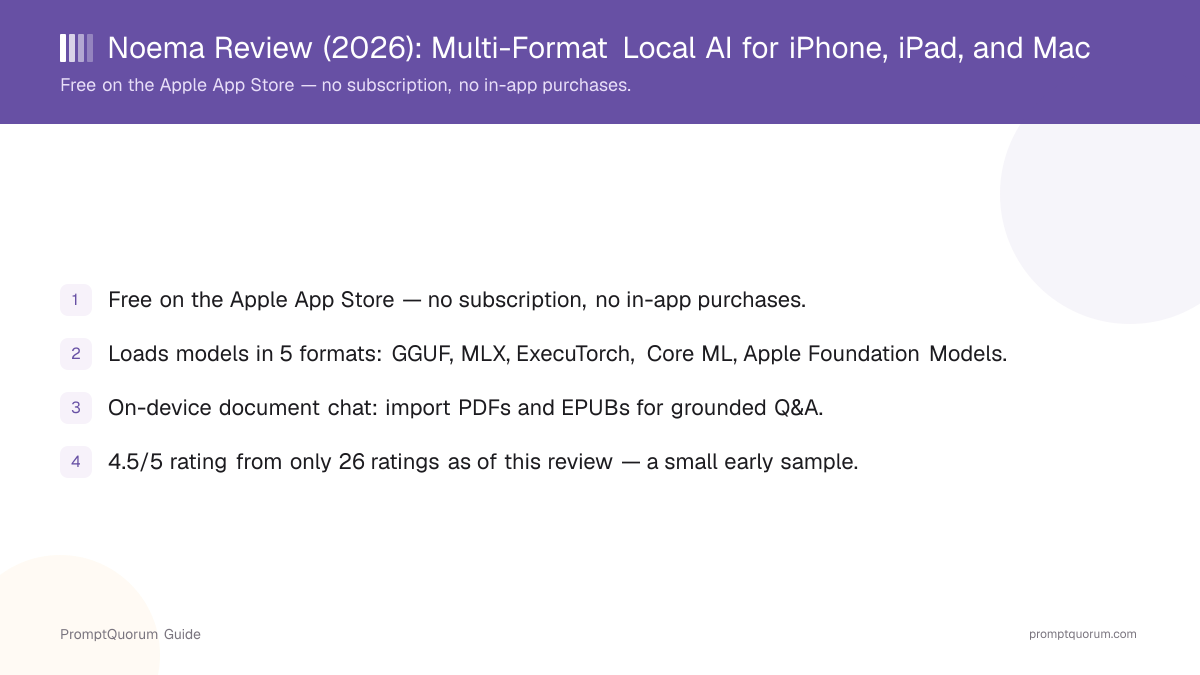
What Noema Is
Noema is a native Apple app that downloads and runs open-source language models directly on an iPhone, iPad, Mac, or Vision Pro headset, with no server-side component required for local chat. Once a model is downloaded, the app can generate a response without an internet connection.
It is built by Alexandru Stamate, whose company NoemaAI LLC owns and operates both the app and the noemaai.com site, per the site's own ownership page. The app is listed on the App Store under App Store ID 6751169935. This review evaluates the developer's own claims — "0 cloud required for local chat," no account requirement, no data collection — against the App Store privacy label and the app's public description, rather than taking the marketing copy at face value.
The app updates unusually often: the version checked for this review, 3.9, had shipped within hours of this review being written, and the "what's new" notes for that release described fixes to MLX model stability, document indexing, vision models, and Core ML compatibility — evidence of active, ongoing maintenance rather than a stalled or abandoned project.
How to Get Started
Getting Noema running takes a few minutes and no account creation.
- 1Download the app
Why it matters: Get [Noema from the Apple App Store](https://apps.apple.com/us/app/noema-local-ai-offline-llm/id6751169935) for free. There is no trial tier to worry about and no subscription to cancel later — the full app is free from the first launch. - 2Pick a model format and source
Why it matters: Browse and download a GGUF model from Hugging Face directly inside the app, or use an MLX, ExecuTorch, or Core ML model, or fall back to Apple's built-in on-device Foundation Model if you would rather not download anything at all. - 3Import a document for document chat
Why it matters: Add a PDF or EPUB from the Files app or iCloud Drive. Noema indexes the document's passages on-device so you can ask grounded questions about its content instead of only chatting from the model's general knowledge. - 4Chat, summarize, or generate flashcards
Why it matters: Once a model and, optionally, a document are loaded, use the app entirely offline for chat, document summaries, notes, or flashcard generation. - 5Optional: enable web search or a remote provider
Why it matters: By default Noema runs local-only. The developer's own site describes an "Off-grid Mode" that blocks external HTTP and HTTPS traffic; web search or a remote model provider is an explicit, separate opt-in rather than the default behavior.
Supported Model Formats
Noema's stated differentiator is loading models in five different formats rather than one. Most mobile local-AI apps commit to a single runtime — llama.cpp and GGUF is the most common choice across this cluster of reviews. Noema instead supports GGUF, MLX, ExecuTorch, Core ML, and Apple's own on-device Foundation Models side by side, per the app's own App Store description and noemaai.com.
GGUF
- What it is:
- The llama.cpp quantized model format used by most open-source local-AI apps and the majority of community-quantized models on Hugging Face.
- Why it matters here:
- Gives access to the largest pool of ready-to-use community model files without waiting for a format-specific conversion.
MLX
- What it is:
- Apple's own machine-learning array framework, built to use Apple Silicon's unified memory and Metal GPU acceleration directly.
- Why it matters here:
- Can run noticeably faster on Apple Silicon than a generic CPU-bound format, at the cost of only working well on Apple hardware.
ExecuTorch
- What it is:
- PyTorch's on-device inference runtime, designed for exporting PyTorch models to run efficiently on mobile and edge hardware.
- Why it matters here:
- Broadens the pool of models Noema can load beyond the GGUF/MLX ecosystem to models exported directly from PyTorch.
Core ML
- What it is:
- Apple's native machine-learning model format, optimized to run across the CPU, GPU, and Neural Engine on Apple devices.
- Why it matters here:
- Lets the app load models specifically optimized for Apple's Neural Engine rather than only general-purpose formats.
Apple Foundation Models
- What it is:
- Apple's own built-in, on-device large language model, available system-wide starting with iOS 18 on supported hardware.
- Why it matters here:
- Lets a user try document chat or general chat immediately with zero model download, using the model already on the device.
Format support and the exact model list can change between App Store updates. Confirm current format compatibility and hardware requirements for a specific model inside the app before relying on it.
Document Chat: PDF and EPUB Q&A
Noema imports PDFs and EPUBs, including textbooks, and indexes their passages on-device so a loaded model can answer questions grounded in that specific document. The developer's own site describes this as reading a document "more thoroughly" and grounding answers "in your own datasets with retrieval that stays on device" — a retrieval-style workflow similar in spirit to server-side retrieval-augmented generation (RAG), but running locally rather than against a cloud vector database.
Beyond question answering, the app can generate summaries, notes, and flashcards from an imported document, and supports vision-capable models for documents or images that include diagrams or scanned pages.
This review has not independently benchmarked the retrieval accuracy of Noema's document indexing against dedicated desktop RAG tools — the description above reflects the developer's own stated feature set, not an independent accuracy test.
Platforms and Requirements
iPhone / iPad
- What to expect:
- Requires iOS or iPadOS 18 or later, per the App Store listing. Runs the full model-format lineup and document chat.
- Important note:
- Larger models and larger imported documents need more free storage and RAM; smaller quantized models are the safer starting point on older devices.
Mac
- What to expect:
- Native app for Apple Silicon Macs (M1 or later), per the App Store listing.
- Important note:
- Apple Silicon's unified memory generally allows larger models than an equivalent iPhone or iPad.
Apple Vision Pro
- What to expect:
- Listed as a supported device on the App Store.
- Important note:
- This review did not independently test the Vision Pro experience; treat it as App Store-listed compatibility rather than a hands-on verified feature.
Android, Windows, Linux
- What to expect:
- No official app on Google Play, the Microsoft Store, or any Linux package repository, per the developer's own site.
- Important note:
- Readers on these platforms should look at PocketPal AI (Android/iOS) or another cross-platform option instead.
App size was approximately 368 MB at time of review, with the interface available in English plus ten additional languages (Arabic, French, German, Hindi, Japanese, Korean, Romanian, Simplified Chinese, Spanish, Turkish), per the App Store listing. The App Store lists a 13+ age rating.
Privacy: What Noema Does and Does Not Collect
Noema's App Store privacy label states the developer does not collect any data from the app, and the app requires no account, login, or sign-up to use.
The developer's own site describes an "Off-grid Mode" that blocks external HTTP and HTTPS traffic, and states that local chat requires zero cloud connectivity. Optional features — web search and connecting to a remote model provider — are described as explicit opt-ins, not defaults.
- No account required. Download and use the app without creating a profile or signing in.
- No data collection, per the App Store label. Apple's privacy nutrition label for this listing shows no data collected from the app.
- Off-grid Mode. The developer's own site describes a mode that blocks external HTTP and HTTPS traffic for readers who want a hard guarantee against any outbound network call.
- Optional network features are opt-in. Web search and remote-provider connections are described as features the user must explicitly enable, not the default state.
- Local API and Noema Relay. The developer's site describes a private local-network API for connecting other apps to models running in Noema, and a "Noema Relay" feature for cross-device model access — this review treats these as developer-described features rather than independently verified network-security audits.
Trade-Offs: Benefits vs. Limitations
Free, no subscription
- What it means in real use:
- Every feature, including document chat, is available at no cost from the first launch.
- Limitation / caveat:
- A free, one-developer app has less institutional backing than a paid app from a larger, longer-established team.
Five supported model formats
- What it means in real use:
- GGUF, MLX, ExecuTorch, Core ML, and Apple Foundation Models cover a wider slice of the model ecosystem than a single-format competitor.
- Limitation / caveat:
- More formats can mean more edge cases; the app's own July-to-September release notes describe ongoing fixes to MLX and Core ML compatibility.
On-device document chat
- What it means in real use:
- Import a PDF or EPUB and ask grounded questions, generate summaries, or build flashcards, without uploading the document anywhere.
- Limitation / caveat:
- Retrieval accuracy on long or complex documents has not been independently benchmarked by PromptQuorum against dedicated desktop RAG tools.
No account, no data collection
- What it means in real use:
- Use the app immediately with nothing to sign up for; the App Store privacy label shows no data collected.
- Limitation / caveat:
- This review did not independently source-audit the app's code; it relies on the App Store privacy label and the developer's own claims.
Very active update cadence
- What it means in real use:
- Frequent releases suggest an actively maintained app rather than an abandoned one.
- Limitation / caveat:
- A high release frequency also means specific version numbers, feature details, and bug states in this review can go stale faster than for a slower-moving app — verify current behavior in the app.
Rated 4.5 out of 5
- What it means in real use:
- The average rating is strong.
- Limitation / caveat:
- That average is based on only 26 ratings at time of review — a small sample that should not be treated as equivalent to an app with a large, established rating base.
Noema vs. Alternatives
Noema
- Platforms:
- iPhone/iPad/Mac/Vision Pro (Apple only)
- Price:
- Free
- Model flexibility:
- Five formats: GGUF, MLX, ExecuTorch, Core ML, Apple Foundation Models
- Key difference:
- Multi-format loading plus on-device document chat; small rating sample so far
Articles about Noema (1)
- AI on Device Review: A $4.99 Apple Intelligence-Only AppUpdated September 12, 2026
Also mentioned in:
- Local Chat Apps & Assistants Compared (2026): Desktop, Mobile, Self-Hosted, Assistants and RoleplayUpdated September 20, 2026
- On Device AI Review: 200+ Local Models for iPhone, iPad, MacUpdated September 12, 2026
Private LLM
- Platforms:
- iPhone/iPad/Mac (Apple only)
- Price:
- $4.99 one-time purchase
- Model flexibility:
- 140+ curated models; OmniQuant/GPTQ quantization
- Key difference:
- Paid, closed-source, curated library with three years of public release history
Articles about Private LLM (9)
- Private LLM Review: On-Device AI Chat for iPhone, iPad, and MacUpdated October 23, 2026
- Local LLM App Alternatives in 2026: Options to LM Studio, Ollama, Open WebUI and PocketPal AIUpdated October 31, 2026
- Best Local AI Apps for iPhone in 2026 (Run LLMs Without WiFi)Updated October 30, 2026
- Layla Review: On-Device AI Companion App for Android and iOSUpdated October 30, 2026
- Google AI Edge Gallery Review: Gemma 4 On-Device Chat for iPhoneUpdated October 26, 2026
- Liquid Apollo Review: On-Device LFM2 Chat, Plus Optional CloudUpdated October 26, 2026
- Loci AI Review (2026): Offline AI for iPhone, Android, iPad, Mac and WindowsUpdated October 23, 2026
- Local Chat Apps & Assistants Compared (2026): Desktop, Mobile, Self-Hosted, Assistants and RoleplayUpdated September 20, 2026
- AI on Device Review: A $4.99 Apple Intelligence-Only AppUpdated September 12, 2026
+13 more not shown
PocketPal AI
- Platforms:
- iPhone/iPad, with some Android support
- Price:
- Free, open source
- Model flexibility:
- Any GGUF file the user sources from Hugging Face or elsewhere
- Key difference:
- Free and open-source; GGUF only, no built-in document chat
Articles about PocketPal AI (10)
- PocketPal AI Review: Free, Open-Source On-Device ChatUpdated September 5, 2026
- Local LLM App Alternatives in 2026: Options to LM Studio, Ollama, Open WebUI and PocketPal AIUpdated October 31, 2026
- Best Local AI Apps for iPhone in 2026 (Run LLMs Without WiFi)Updated October 30, 2026
- Layla Review: On-Device AI Companion App for Android and iOSUpdated October 30, 2026
- Best Local LLM Apps for Android in 2026: 6 Apps Compared on Real PhonesUpdated October 26, 2026
- Google AI Edge Gallery Review: Gemma 4 On-Device Chat for iPhoneUpdated October 26, 2026
- Loci AI Review (2026): Offline AI for iPhone, Android, iPad, Mac and WindowsUpdated October 23, 2026
- Private LLM Review: On-Device AI Chat for iPhone, iPad, and MacUpdated October 23, 2026
- Run a Local LLM on Your Tablet: iPad Pro M5, Galaxy Tab S10, OnePlus Pad 2 (2026)Updated October 23, 2026
- Best Mobile LLM Models for Phones in 2026: Phi-4 Mini vs Gemma 3 vs SmolLMUpdated October 19, 2026
+44 more not shown
Enclave AI
- Platforms:
- See current listing
- Price:
- See current listing
- Model flexibility:
- See full review for current model support
- Key difference:
- See the full Enclave AI review for a detailed comparison
Articles about Enclave AI (3)
- Enclave AI Review: On-Device AI for iPhone, iPad, MacUpdated October 17, 2026
- Liquid Apollo Review: On-Device LFM2 Chat, Plus Optional CloudUpdated October 26, 2026
- Local Chat Apps & Assistants Compared (2026): Desktop, Mobile, Self-Hosted, Assistants and RoleplayUpdated September 20, 2026
Also mentioned in:
- On Device AI Review: 200+ Local Models for iPhone, iPad, MacUpdated September 12, 2026
- Maid Review: Open-Source Local LLM Chat App for AndroidUpdated September 6, 2026
- RikkaHub Review: Multi-Provider AI Chat for AndroidUpdated September 6, 2026
Locally AI
- Platforms:
- iPhone/iPad/Mac
- Price:
- Free
- Model flexibility:
- Built on Apple MLX only; access to Apple's on-device foundation model
- Key difference:
- Free MLX-only alternative, versus Noema's five-format support
Articles about Locally AI (6)
- Locally AI Review: Private Offline LLMs on iPhone, iPad and MacUpdated September 4, 2026
- Local LLM App Alternatives in 2026: Options to LM Studio, Ollama, Open WebUI and PocketPal AIUpdated October 31, 2026
- Best Local AI Apps for iPhone in 2026 (Run LLMs Without WiFi)Updated October 30, 2026
- Run a Local LLM on Your Tablet: iPad Pro M5, Galaxy Tab S10, OnePlus Pad 2 (2026)Updated October 23, 2026
- Oscilla Review: Free On-Device AI Chat for iPhoneUpdated October 4, 2026
- Local Chat Apps & Assistants Compared (2026): Desktop, Mobile, Self-Hosted, Assistants and RoleplayUpdated September 20, 2026
Also mentioned in:
- Cloak: Local AI Review: Offline AI Chat for iPhone and MacUpdated October 30, 2026
- Compass - Local AI Review: Free On-Device AI Chat for iPhoneUpdated October 26, 2026
- KernelAI Review: Free Offline AI Chat for iPhone and AndroidUpdated October 24, 2026
- LocalMindAI Review: On-Device AI Companion for iPhoneUpdated October 24, 2026
+2 more not shown
Platform, price, and feature details for third-party apps change frequently — verify current specifics on each app's own listing before deciding.
Who Should Use Noema
- Apple users who want format flexibility. Readers who already have model files in different formats — or who want to try GGUF, MLX, ExecuTorch, and Core ML models without switching apps — get all four plus Apple's built-in Foundation Model in one place.
- Readers who want on-device document Q&A. Importing a PDF or EPUB and asking grounded questions locally is a distinct feature not every mobile local-AI app offers.
- Budget-conscious users. The app is free with no subscription, which matters for readers who want to try local AI without committing money up front.
- Early adopters comfortable with a young rating history. Readers who do not mind that the 4.5-star average rests on only 26 ratings, and who value an actively, frequently updated app over one with a longer public track record.
Who Should Not Use Noema
- Android, Windows, or Linux users. Noema has no official app on any of these platforms — choose PocketPal AI (partial Android support) or another cross-platform option instead.
- Readers who want a long, established rating history before trusting an app. With only 26 ratings as of this review, readers who prioritize social proof should also weigh Private LLM, which has a multi-year public release history.
- Readers who want the largest possible curated model library. Noema's format flexibility is broad, but it does not ship a 140+ model curated library the way Private LLM does.
- Teams wanting a centrally managed deployment. Noema is a single-user, single-device consumer app with no admin console or team billing — organizations should look at self-hosted, server-side local-LLM infrastructure instead.
- Readers who need independent, third-party benchmarks of document-retrieval accuracy. This review relies on the developer's own description of the document-chat feature, not an independent accuracy benchmark against dedicated RAG tools.
Frequently Asked Questions
How much does Noema cost?
Noema is free on the Apple App Store, verified for this review on 2026-09-12. There is no subscription and no in-app purchases listed on the current App Store listing. App Store availability can change over time — confirm the current price before downloading.
What model formats does Noema support?
Noema loads models in five formats: GGUF, MLX, ExecuTorch, Core ML, and Apple's own on-device Foundation Models, per the app's App Store description and noemaai.com. This multi-format support is broader than most single-format competing apps, which typically commit to only GGUF or only MLX.
Is Noema available on Android or Windows?
No official version exists on Google Play, the Microsoft Store, or any Linux package repository. Noema is built specifically for iPhone, iPad, Mac, and Apple Vision Pro.
Who develops Noema?
Noema is developed by Alexandru Stamate; the noemaai.com site and app are owned and operated by NoemaAI LLC, per the site's own ownership page.
What is document chat in Noema?
Document chat lets you import a PDF or EPUB, including textbooks, and ask questions grounded in that specific document. Noema indexes the document's passages on-device, a retrieval-style workflow similar in spirit to server-side RAG but running locally. The app can also generate summaries, notes, and flashcards from an imported document.
Does Noema work completely offline?
Yes, for local chat and document chat once a model and any document are loaded. The developer's own site describes an "Off-grid Mode" that blocks external HTTP and HTTPS traffic; optional features like web search or a remote model provider are separate, explicit opt-ins rather than the default.
Does Noema collect any personal data?
Apple's App Store privacy nutrition label for this listing states the developer does not collect any data from the app, and no account or sign-in is required. This review relies on the App Store's privacy label and the developer's own claims, not an independent source-code audit.
How reliable is Noema's 4.5-star rating?
The 4.5-out-of-5 average is based on only 26 ratings as of this review — a small sample compared to apps with hundreds or thousands of reviews. Treat it as an early, positive signal rather than proof of a long, proven track record, and re-check the current rating count on the App Store before relying on it.
How does Noema compare to Private LLM?
Noema is free and supports five model formats (GGUF, MLX, ExecuTorch, Core ML, Apple Foundation Models) plus on-device document chat, but has only 26 ratings as of this review. Private LLM costs $4.99 one-time, ships a curated 140+ model library, and has a three-year public release history. Choose Noema for format flexibility and document chat at no cost; choose Private LLM for a longer-established, curated experience.
Verdict
Noema stands out in the mobile local-AI cluster for one specific, verifiable reason: it loads models in five different formats — GGUF, MLX, ExecuTorch, Core ML, and Apple's own Foundation Models — where most competing apps commit to just one or two. It pairs that with on-device document chat for PDFs and EPUBs, all for free with no subscription. Its very frequent update cadence, evidenced by a version that shipped within hours of this review, points to active maintenance rather than an abandoned side project. The honest caveat is its youth as a rated product: a 4.5-star average sitting on only 26 ratings is a positive early signal, not the kind of large-sample track record that Private LLM or PocketPal AI can show after years on the App Store. Readers who want format flexibility and document chat at zero cost should try it; readers who weight social proof and a longer public history more heavily should start with Private LLM or PocketPal AI instead, and revisit Noema once its rating count grows.
Sources
- Noema on the App Store — price, platform compatibility, privacy label, rating, version, and size.
- Noema official site (noemaai.com) — product overview, supported model formats, document chat and privacy claims.
- Noema ownership page — legal entity (NoemaAI LLC) behind the app and site.
- Alexandru Stamate on the App Store — developer account listing.