What Is Maid?
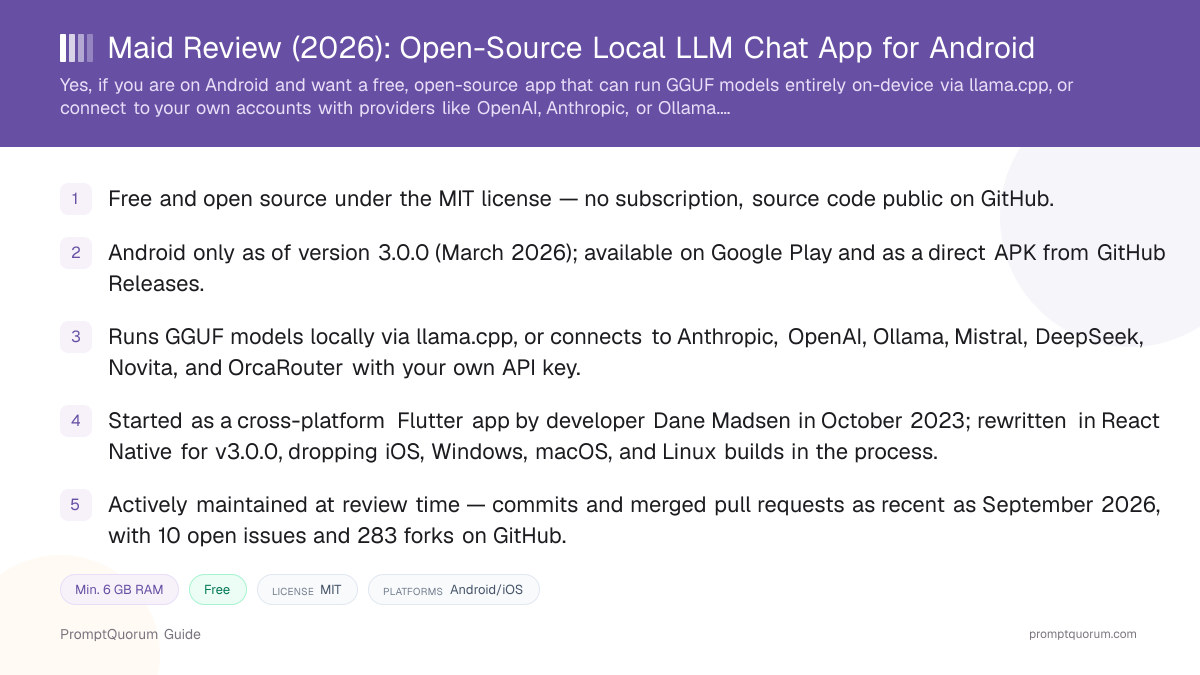
Maid is an Android app that either downloads and runs open-weight language models in the GGUF format locally on the device via llama.cpp, or sends chat requests to a remote provider using an API key you supply yourself. The app is MIT-licensed, meaning the full source code is public and free to inspect, fork, or modify.
That dual mode is the app's defining trait: it is not exclusively a local-inference client. The same interface can run a GGUF file entirely offline, or route a conversation to a cloud provider like OpenAI or Anthropic through your own account, or to a self-hosted Ollama server on your network. According to its README, the project describes itself as "not affiliated with Huggingface, Meta (Facebook), MistralAi, OpenAI, Google, Microsoft or any other company providing a model compatible with this application."
Who Built Maid, and What Changed in the Rewrite?
Maid was created by Dane Madsen, who started the project in October 2023 as a cross-platform Flutter app for running GGUF and llama.cpp models. The project is now hosted under the Mobile-Artificial-Intelligence GitHub organization rather than Madsen's personal account; his original repository, danemadsen/maid, is now listed by GitHub as a fork of the organization's repository, and its description still reads "cross-platform Flutter app" even though that description no longer matches the current codebase.
The version history shows a clear split. Releases through v2.0.7 (April 2025) were built with Flutter and shipped installable artifacts for Android (APK/AAB), iOS (a sideloadable .ipa, not an App Store listing), Linux (.zip/.AppImage), macOS (.dmg for both Intel and Apple Silicon), Windows (.zip), and even a web build. Version 3.0.0 (published March 10, 2026) is a full rewrite in React Native, and its release only includes Android artifacts (APK and AAB variants) — no iOS, Windows, macOS, or Linux files are attached. That release's changelog lists vision-model support, system text-to-speech, system speech recognition, reasoning-model support, Markdown rendering, and an upvote/downvote report feature the notes describe as a Google Play requirement.
Development has continued past that rewrite: the repository shows merged pull requests and commits dated as recently as early September 2026, including a fix to the chat system and the addition of OrcaRouter as a remote provider. At review time the repository had roughly 2,700 stars, 283 forks, and 10 open issues — evidence of an actively used and actively maintained project, though a single-organization open-source one rather than a funded company with a support team.
- Founder: Dane Madsen (GitHub: danemadsen), who started the project in October 2023.
- Current maintainer: the Mobile-Artificial-Intelligence GitHub organization; Madsen's personal repository is now a fork of the organization's repository.
- License: MIT — permissive open source, free to use, fork, and modify.
- Major architecture change: Flutter (cross-platform, through v2.0.7, April 2025) → React Native, Android-only (from v3.0.0, March 2026).
- Roughly 2,700 GitHub stars, 283 forks, and 10 open issues at review time, with commits and merged pull requests dated as recently as September 2026.
How to Get Started with Maid
Getting a working chat in Maid takes a few steps after installing the current Android release. There is no mandatory account for local, on-device chat; an optional sign-in exists only for the app's cloud-backup feature.
- 1Install the app on Android
Why it matters: Download Maid from [Google Play](https://play.google.com/store/apps/details?id=com.danemadsen.maid), or install the APK directly from the [GitHub Releases page](https://github.com/Mobile-Artificial-Intelligence/maid/releases) if you prefer to sideload it. No iOS, Windows, macOS, or Linux build is currently available. - 2Choose local or remote mode
Why it matters: Decide whether you want to download a GGUF model and run it fully on-device via llama.cpp, or connect the app to a remote provider (Anthropic, OpenAI, Ollama, Mistral, DeepSeek, Novita, or OrcaRouter) using an API key or server address you already have. - 3Download or import a model (local mode)
Why it matters: For on-device chat, download a GGUF model sized for your phone's RAM (see the hardware section below), or load a custom GGUF file from local storage or [Hugging Face](https://huggingface.co). - 4Start chatting
Why it matters: Once a local model is loaded or a remote provider is configured, start a conversation. Chats can be created, renamed, deleted, and exported or imported as JSON files from within the app.
Which Models Does Maid Support?
Local (on-device)
- What it connects to:
- Any GGUF-format model, loaded via llama.cpp
- Notes:
- No fixed curated model list — the app runs whichever GGUF file you download or import, including files from Hugging Face.
Remote providers
- What it connects to:
- Anthropic, OpenAI, Ollama, Mistral, DeepSeek, Novita, OrcaRouter
- Notes:
- Requires your own account and API key (or, for Ollama, your own server address); Maid does not bundle or resell access to these providers.
Because Maid can load any GGUF file, its practical model support is defined by llama.cpp compatibility rather than an app-curated shortlist — this is different from apps like PocketPal AI or Private LLM, which ship a specific quick-download catalog alongside custom-file support.
Is Maid Available on iPhone, Windows, or Mac?
Android
- Availability:
- Available now
- Notes:
- Distributed via Google Play and as a direct APK/AAB from GitHub Releases. This is the only platform the current version 3.0.0 targets.
iPhone / iPad
- Availability:
- Not currently available
- Notes:
- Older Flutter releases (through v2.0.7, April 2025) shipped a sideloadable
.ipafile, but there was never an App Store listing, and no iOS artifact is attached to the current v3.0.0 release.
Windows / macOS / Linux
- Availability:
- Not currently available
- Notes:
- Desktop builds (
.zip,.AppImage,.dmg) existed for the Flutter-based releases through v2.0.7, but the React Native rewrite (v3.0.0) does not ship desktop artifacts. Desktop users who want a local GGUF chat client should look at Ollama, LM Studio, or Jan AI instead.
How Much Does Maid Cost?
Maid is free to download and free to use, for both local on-device chat and remote-provider chat, and the source code is public under the MIT license. No in-app purchase, subscription, or paid tier was found in the app's repository, release notes, or Google Play listing at review time.
The costs a Maid user actually pays are indirect: device storage for downloaded GGUF model files (typically several gigabytes each), and, for remote-provider mode, whatever Anthropic, OpenAI, Mistral, DeepSeek, Novita, Ollama, or OrcaRouter separately charge for API usage under your own account with that provider — Maid itself does not add a markup or subscription on top of those provider costs.
- Base app: Free, no subscription, MIT-licensed open source.
- Local chat (on-device GGUF models): Free — no per-message or per-token charge, since inference runs on your own device.
- Remote-provider chat: Free to use through Maid, but you pay whatever the provider (OpenAI, Anthropic, etc.) charges under your own account and API key.
- Optional cloud backup: The app supports registering or logging in to back up settings and chat history via Supabase; this review found no separate charge tied to that feature.
- Storage cost: Not monetary, but real — each downloaded GGUF model consumes device storage, typically several gigabytes per model.
What Features Does Maid Have?
Beyond the core local/remote chat split, Maid's README and release notes describe a set of features added across its release history. These include:
- Local and remote inference in one app. Switch between fully offline GGUF chat via llama.cpp and cloud providers (Anthropic, OpenAI, Ollama, Mistral, DeepSeek, Novita, OrcaRouter) with your own credentials.
- Conversation management. Create, rename, delete, export, and import chats as JSON files.
- Custom system prompt. Set a global system prompt to adjust the assistant's behavior and tone.
- Adjustable generation parameters. Tune settings such as temperature, top-p, top-k, and context length per session.
- Voice output via a companion app. Maid pairs with Maise, a separate open-source Android text-to-speech engine from the same GitHub organization, for reading responses aloud.
- Optional cloud backup. Users can register or log in to sync settings and chat history via Supabase; this is opt-in, not required to use the app.
- Material You theming. Light and dark themes that follow the Android system preference.
- No telemetry or ads, per the project's own README.
What Hardware Do You Need to Run Maid?
The GGUF model you pick, not the app itself, sets your real hardware floor for local chat — as general guidance for GGUF models on phones, a quantized 2–4B parameter model needs roughly 3–4 GB of free RAM, while a 7–8B parameter model needs 6–8 GB or more. This is standard local-LLM sizing guidance, not a Maid-specific benchmark; PromptQuorum has not independently benchmarked Maid's exact memory usage per model.
Because Maid runs local inference through llama.cpp, general Android llama.cpp performance guidance applies: a recent device with more RAM and a modern chipset will load and run larger models more comfortably than an older, storage- or memory-constrained phone. If you use remote-provider mode instead of local inference, on-device hardware requirements are minimal — the model runs on the provider's servers, and your phone just needs a working internet connection.
- Small models (2–4B parameters, quantized): usable on most recent Android phones with 4 GB+ of free RAM.
- Mid-size models (7–8B parameters, quantized): recommended device RAM of 8 GB or more for acceptable responsiveness.
- Storage: budget several gigabytes of free device storage per downloaded GGUF model file.
- Remote-provider mode: no meaningful local hardware requirement beyond a working internet connection, since inference runs on the provider's infrastructure.
Who Should Use Maid
- Android users who want both local and cloud chat in one free app. The ability to switch between fully offline GGUF inference and your own accounts with providers like OpenAI or Anthropic, in a single open-source client, is Maid's clearest differentiator.
- Users who want to run an unrestricted GGUF file, not a curated model list. Because the app loads any GGUF model via llama.cpp rather than shipping a fixed catalog, it suits people who already have a specific model in mind.
- Developers and technically curious users comfortable with open-source projects. The public GitHub repository, issue tracker, and active release history suit users willing to read release notes or file an issue rather than expect dedicated customer support.
- Users who want to inspect or modify the code themselves. The MIT license permits forking and modification, which matters to anyone who wants to audit exactly what the app does before trusting it with private conversations or provider API keys.
Who Should Not Use Maid
- iPhone, iPad, Windows, macOS, or Linux users. The current version 3.0.0 is Android-only; there is no App Store listing and no supported desktop build. Users on those platforms should look at Private LLM or PocketPal AI (Apple), or Ollama, LM Studio, or Jan AI (desktop) instead.
- Users who want a fully guided, zero-configuration experience. Choosing between local and remote modes, picking a model size for your device, and managing API keys is part of the workflow; users who want the app to make those decisions for them may prefer a more curated app like Loci or Enclave AI.
- Users who want the most demanding models (70B+ parameters) run locally. Phone hardware, even flagship Android devices, cannot practically run models at that scale on-device — those workloads need a desktop, workstation, or a cloud API/remote provider regardless of which mobile app is used.
- Users who expect dedicated commercial support. Maid is maintained by an open-source GitHub organization rather than a funded company with a support team; users who need guaranteed response times or an enterprise support agreement should look at a commercially backed alternative.
- Users who need the old cross-platform build. Anyone relying on Maid's previous iOS, Windows, macOS, or Linux support from the Flutter-based v2.x releases should know those platforms are not part of the current, actively maintained version.
Maid vs. Alternatives
Maid
- License / cost:
- Free, open source (MIT)
- Platforms:
- Android only (from v3.0.0)
- Model flexibility:
- Any GGUF file via llama.cpp, or remote providers (Anthropic, OpenAI, Ollama, Mistral, DeepSeek, Novita, OrcaRouter) with your own API key
Articles about Maid (4)
- Private LLM Review: On-Device AI Chat for iPhone, iPad, and MacUpdated October 23, 2026
- Best Local LLM Apps for Android in 2026: 6 Apps Compared on Real PhonesUpdated October 19, 2026
- Local Chat Apps & Assistants Compared (2026): Desktop, Mobile, Self-Hosted, Assistants and RoleplayUpdated September 20, 2026
- Layla Review: On-Device AI Companion App for Android and iOSUpdated September 6, 2026
Also mentioned in:
- Tina Review: iPhone Client for Ollama, llama.cpp and ComfyUIUpdated October 4, 2026
- Ollama Local AI Review: Android LLM Runner and LAN API ProxyUpdated October 2, 2026
- Chapper Review: AI & LM Studio Client for iPhone, iPad, and MacUpdated September 6, 2026
- LLM Farm Review: Open-Source GGUF App, Off the App StoreUpdated September 6, 2026
PocketPal AI
- License / cost:
- Free, open source (MIT)
- Platforms:
- iPhone/iPad, Android
- Model flexibility:
- Quick-download shortlist plus any GGUF file from Hugging Face
Articles about PocketPal AI (10)
- PocketPal AI Review: Free, Open-Source On-Device ChatUpdated September 5, 2026
- Best Local AI Apps for iPhone in 2026 (Run LLMs Without WiFi)Updated October 23, 2026
- Loci AI Review (2026): Offline AI for iPhone, Android, iPad, Mac and WindowsUpdated October 23, 2026
- Private LLM Review: On-Device AI Chat for iPhone, iPad, and MacUpdated October 23, 2026
- Run a Local LLM on Your Tablet: iPad Pro M5, Galaxy Tab S10, OnePlus Pad 2 (2026)Updated October 23, 2026
- Best Local LLM Apps for Android in 2026: 6 Apps Compared on Real PhonesUpdated October 19, 2026
- Best Mobile LLM Models for Phones in 2026: Phi-4 Mini vs Gemma 3 vs SmolLMUpdated October 19, 2026
- Local AI Chat Pocket Review: Offline LLM and Image Chat for iPhone and iPadUpdated October 6, 2026
- PAIOS Review: Offline Gemini Nano Chat for AndroidUpdated October 5, 2026
- Oscilla Review: Free On-Device AI Chat for iPhoneUpdated October 4, 2026
+36 more not shown
Private LLM
- License / cost:
- Paid, one-time purchase; closed source
- Platforms:
- iPhone/iPad/Mac (Apple only)
- Model flexibility:
- 140+ models, with OmniQuant and GPTQ quantization formats
Articles about Private LLM (10)
- Private LLM Review: On-Device AI Chat for iPhone, iPad, and MacUpdated October 23, 2026
- Best Local AI Apps for iPhone in 2026 (Run LLMs Without WiFi)Updated October 23, 2026
- Loci AI Review (2026): Offline AI for iPhone, Android, iPad, Mac and WindowsUpdated October 23, 2026
- Local Chat Apps & Assistants Compared (2026): Desktop, Mobile, Self-Hosted, Assistants and RoleplayUpdated September 20, 2026
- AI on Device Review: A $4.99 Apple Intelligence-Only AppUpdated September 12, 2026
- Google AI Edge Gallery Review: Gemma 4 On-Device Chat for iPhoneUpdated September 12, 2026
- Liquid Apollo Review: On-Device LFM2 Chat, Plus Optional CloudUpdated September 12, 2026
- Noema Review: Multi-Format Local AI for iPhone, iPad, and MacUpdated September 12, 2026
- Off Grid AI Review: Cross-Platform Local AI for iOS, Android, macOS, and WindowsUpdated September 12, 2026
- Pocket AI Review: Offline On-Device AI Chat for iPhoneUpdated September 11, 2026
+12 more not shown
Enclave AI
- License / cost:
- Free with paid tier; closed source
- Platforms:
- iPhone/iPad/Mac (Apple only)
- Model flexibility:
- Curated on-device model list; Siri and Shortcuts integration
Articles about Enclave AI (3)
- Enclave AI Review: On-Device AI for iPhone, iPad, MacUpdated October 17, 2026
- Local Chat Apps & Assistants Compared (2026): Desktop, Mobile, Self-Hosted, Assistants and RoleplayUpdated September 20, 2026
- Liquid Apollo Review: On-Device LFM2 Chat, Plus Optional CloudUpdated September 12, 2026
Also mentioned in:
- On Device AI Review: 200+ Local Models for iPhone, iPad, MacUpdated September 12, 2026
- RikkaHub Review: Multi-Provider AI Chat for AndroidUpdated September 6, 2026
ChatterUI
- License / cost:
- Free, open source (AGPL-3.0)
- Platforms:
- Android (build from source)
- Model flexibility:
- Runs GGUF files on-device via llama.cpp, or connects to remote APIs; Character Card v2 support
RikkaHub
- License / cost:
- Free, open source
- Platforms:
- Android
- Model flexibility:
- Multi-provider client (OpenAI/Google/Anthropic-compatible APIs); Material You design
Articles about RikkaHub (2)
- RikkaHub Review: Multi-Provider AI Chat for AndroidUpdated September 6, 2026
- LocalAI Review: ApexCreator's Offline Android AI Chat AppUpdated September 12, 2026
Also mentioned in:
- Private LLM Review: On-Device AI Chat for iPhone, iPad, and MacUpdated October 23, 2026
- AnyLLM Review: BYOK AI Chat Client for AndroidUpdated October 17, 2026
- Local Chat Apps & Assistants Compared (2026): Desktop, Mobile, Self-Hosted, Assistants and RoleplayUpdated September 20, 2026
- ToolNeuron Review: Open-Source Encrypted Android AI AppUpdated September 12, 2026
- Chapper Review: AI & LM Studio Client for iPhone, iPad, and MacUpdated September 6, 2026
- LLM Farm Review: Open-Source GGUF App, Off the App StoreUpdated September 6, 2026
AnythingLLM Mobile
- License / cost:
- Free, open source
- Platforms:
- iPhone/iPad, Android
- Model flexibility:
- On-device inference, connection to a self-hosted AnythingLLM instance, or any OpenAI-compatible provider
Articles about AnythingLLM Mobile (2)
- AnythingLLM Mobile Review: On-Device Chat + RAGUpdated September 6, 2026
- AnythingLLM Review: Open-Source RAG and Document ChatUpdated September 11, 2026
Also mentioned in:
- Liquid Apollo Review: On-Device LFM2 Chat, Plus Optional CloudUpdated September 12, 2026
- Chapper Review: AI & LM Studio Client for iPhone, iPad, and MacUpdated September 6, 2026
LLM Farm, a formerly popular open-source iOS GGUF chat app, was delisted from the App Store and marked "temporarily unavailable" on its own GitHub repository at review time — it is omitted from active recommendations above for that reason. Layla, another on-device assistant app, reportedly had its free "Layla Lite" tier removed from Google Play; check layla-network.ai directly for current availability before assuming it is installable.
Frequently Asked Questions
Is Maid free?
Yes. Maid is free to download and free to use for both local on-device chat and remote-provider chat, and the app is open source under the MIT license. No paid tier or in-app purchase was found in the app or its documentation at review time; remote-provider mode still bills through your own account with that provider.
Who developed Maid?
Maid was created by Dane Madsen, who started the project in October 2023 as a cross-platform Flutter app. It is now maintained under the Mobile-Artificial-Intelligence GitHub organization rather than as a personal project.
Is Maid open source?
Yes, the full source code is published on GitHub under the MIT license, a permissive license that allows free use, modification, and redistribution.
Does Maid work on iPhone, Windows, or Mac?
No. As of version 3.0.0 (March 2026), Maid is Android-only. Earlier Flutter-based releases through v2.0.7 (April 2025) shipped builds for iOS (sideload only, no App Store listing), Windows, macOS, and Linux, but those platforms are not supported by the current, actively maintained version.
Which models can Maid run?
For local chat, Maid can run any GGUF-format model via llama.cpp — there is no fixed curated list. It can also connect to remote providers, including Anthropic, OpenAI, Ollama, Mistral, DeepSeek, Novita, and OrcaRouter, using an API key or server address you supply yourself.
How much RAM does Maid need for local models?
This depends on the GGUF model you choose, not a fixed app requirement. As general guidance, 2–4B parameter quantized models typically need 3–4 GB of free RAM, and 7–8B parameter models typically need 8 GB or more. Devices with more RAM can run larger, more capable models locally.
Does Maid require an internet connection?
No internet connection is required for local chat once a GGUF model is downloaded — inference runs entirely on-device via llama.cpp. An internet connection is required to download models initially, to use remote-provider mode, and for the optional Supabase-based cloud backup feature.
Is Maid still actively maintained?
At review time, yes: the GitHub repository shows commits and merged pull requests dated as recently as early September 2026, including a fix to the chat system and the addition of OrcaRouter as a remote provider. It is maintained by an open-source GitHub organization rather than a funded company, so check the repository's recent activity yourself before relying on it for anything time-sensitive.
What happened to Maid's iOS, Windows, and Mac support?
Maid was originally a cross-platform Flutter app, with releases through v2.0.7 (April 2025) shipping installable builds for iOS (sideload), Windows, macOS, and Linux alongside Android. Version 3.0.0 (March 2026) rewrote the app in React Native and narrowed the project to Android only; the desktop and iOS builds are not part of the current release line.
How does Maid compare to PocketPal AI or Private LLM?
Maid is free, open source, Android-only, and unusual in supporting both fully local GGUF inference and remote cloud providers in one app. PocketPal AI is also free and open source but covers iPhone/iPad and Android with local-only GGUF inference. Private LLM is a paid, closed-source, Apple-only app with a larger built-in model catalog. Choose Maid if you are on Android and want both local and cloud options in one client; choose PocketPal AI if you need iOS support with a similar free/open-source local model; choose Private LLM if you want a paid, more polished Apple-only experience. See the comparison table above for details.
Verdict
Maid is a genuinely free, genuinely open-source Android app with an unusual combination for this category: it runs local GGUF models via llama.cpp and lets you connect to remote providers like OpenAI or Anthropic in the same client. That flexibility comes with real trade-offs worth knowing before installing it. The app went through a significant architecture change in 2026 — a rewrite from cross-platform Flutter to Android-only React Native — that dropped iOS, Windows, macOS, and Linux support the older version had. It is maintained by an open-source GitHub organization rather than a company, with development that is active as of review time but not guaranteed to continue at any particular pace. Choose Maid if you are an Android user who wants a free, open, dual-mode (local and remote) chat client and are comfortable with a community-maintained project. Choose a different app — PocketPal AI or Private LLM for Apple devices, or Ollama, LM Studio, or Jan AI for desktop — if you need a platform Maid's current release does not cover.
Sources
- Maid on GitHub — source code, license (MIT), README, and release history referenced in this review.
- Maid releases page — version history, changelogs, and build artifacts for v2.0.4 through v3.0.0.
- Maid repository commit history — recent commit and pull-request activity used to assess maintenance status.
- Maid on Google Play — Android availability.
- danemadsen/maid on GitHub — the founder's original repository, now a fork of the current organization repository.
- Maise on GitHub — Maid's companion open-source Android text-to-speech engine.