Key Takeaways
- Developer: Google Play identifies FreeRouter Team as the developer (category Productivity) and provides developer contact information; no public source repository, developer website, or detailed developer documentation was identified from the listing.
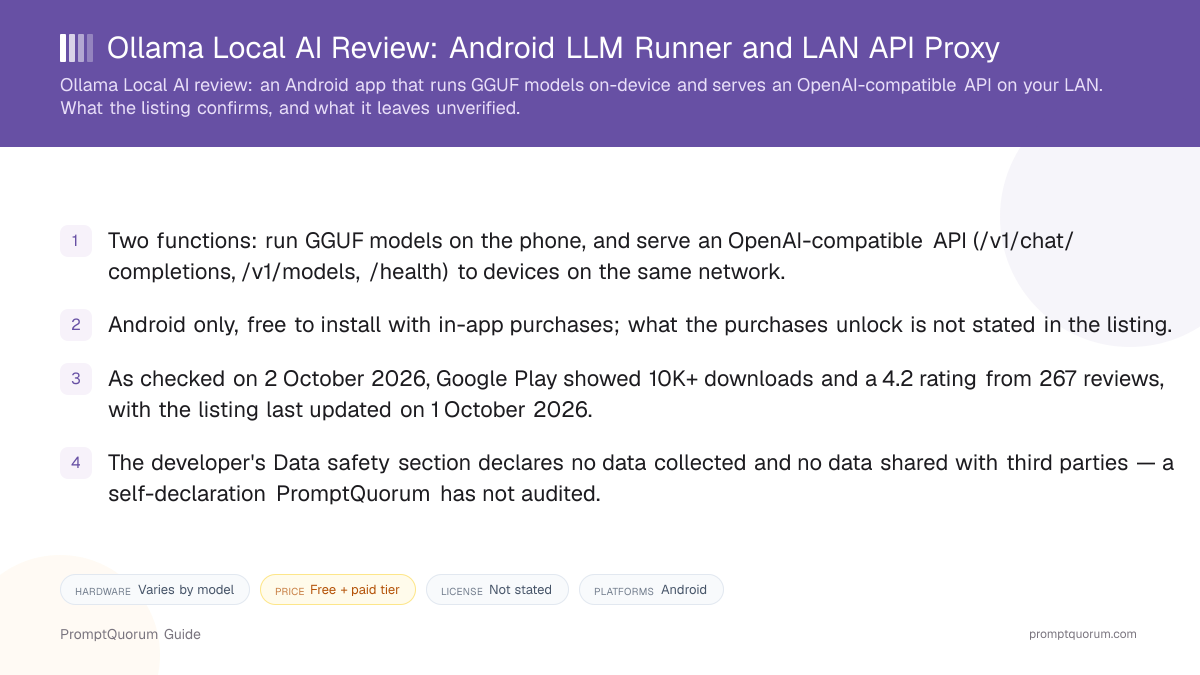
- Price: free to install, with in-app purchases whose contents are not described.
- On-device models: GGUF files run through an embedded llama.cpp engine; the listing names Llama 3, Mistral, Phi, Gemma, and Qwen as examples.
- LAN gateway: exposes OpenAI-style endpoints to other devices on your Wi-Fi and can route to local models, self-hosted Ollama, llama.cpp servers, OpenAI, Anthropic, NVIDIA NIM, and Hugging Face.
- Store signals as checked on 2 October 2026: 10K+ downloads, 4.2 stars from 267 reviews, listing last updated on 1 October 2026.
📍 In One Sentence
Ollama Local AI is an Android app by FreeRouter Team that runs GGUF models on-device via llama.cpp and serves an OpenAI-compatible API on your local network, and it is not affiliated with the Ollama project.
💬 In Plain Terms
You install it on an Android phone, load a model or add your cloud API keys, tap Start Server, and then point tools like Cursor or VS Code at the phone's local address instead of at OpenAI — so the phone does the work, or relays the request, instead of your computer.
📌Note: Entity warning: despite using "Ollama" in its product name, Ollama Local AI is an independent third-party Android application. It is not made by, affiliated with, sponsored by, or endorsed by the Ollama project. The app can connect to Ollama servers, but Ollama Local AI itself is not the Ollama software.
📌Note: This review is based only on the Google Play listing, checked on 2 October 2026. PromptQuorum did not identify a public source repository, a stated license, a version number, or detailed developer documentation, and has not tested or benchmarked the app.
What Is Ollama Local AI?
Ollama Local AI is an Android app that combines an on-device model runner with a local-network API gateway. According to its Google Play listing, it runs quantized GGUF models directly on the phone's CPU or GPU through an embedded llama.cpp engine, and it can also act as a router that forwards requests to other backends you configure.
The name is the main source of confusion. The listing's closing disclaimer says the app is an independent developer utility and not affiliated with, sponsored by, or endorsed by Ollama, OpenAI, Anthropic, or any mentioned provider. The app can connect to an Ollama server that you host elsewhere, but connecting to an Ollama server does not establish any affiliation, and per the listing the app runs its own embedded llama.cpp engine rather than Ollama. Search results and the Play package name (com.llmproxy) refer to the same app.
Three terms are used strictly in this review: Ollama is the separate open-source project and its software; Ollama Local AI is the independent Android app reviewed here; an Ollama server is an Ollama installation that you run yourself and that the app can connect to.
Get It
The only download channel the listing points to is Google Play; no iOS build, desktop build, APK mirror, or GitHub release is linked.
Platform | Where to get it |
|---|---|
| Android | Google Play |
| iOS / desktop | Not offered, per the listing |
This page is companion material to the app's entry in the Local LLM Software Directory. No version number is shown in the listing text PromptQuorum could read, so none is stated here; check the Play listing for the build available when you read this.
How to Connect Your IDE Over Wi-Fi
The listing's own quick start has four steps, all done on the phone and the same private network. PromptQuorum has not run these steps.
- 1Launch the server
Why it matters: Open the app, pick a local GGUF model or enter cloud provider keys, and tap "Start Server". - 2Note the endpoint
Why it matters: The app displays the phone's local IP and port, for example http://192.168.1.50:8080/v1 in the listing's own example. - 3Point your tool at it
Why it matters: In Cursor, enter any placeholder as the OpenAI key and override the base URL. In VS Code extensions such as Continue, Cline, or Roo Code, set the provider type to openai and the apiBase or baseUrl to the phone's address. In Windsurf, point custom OpenAI model endpoints at it. - 4Start coding
Why it matters: Requests and agent loops from the desktop tool are then handled by the phone, either by the on-device model or by the provider it routes to.
Features Confirmed by the Listing
Every item below comes from the developer's own Play description; none has been independently tested.
- OpenAI-style endpoints. /v1/chat/completions, /v1/models, and /health, reachable by any machine on the same Wi-Fi or LAN subnet.
- Multi-provider routing. Switch between on-device models, self-hosted Ollama instances, llama.cpp servers, and direct cloud APIs (OpenAI, Anthropic Claude, NVIDIA NIM, Hugging Face).
- Proxy controls. Request pools, provider timeouts, rate limiting, automatic failover, and round-robin distribution.
- LAN Master/Worker clustering. Pair several Android devices on one network to pool memory and compute into an inference cluster.
- Cross-device WebUI. A chat interface and server management console reachable from a PC or tablet browser on the same network.
- WebX Live Canvas. Generate and preview HTML, Tailwind CSS, and JavaScript inside the chat.
- Traffic Observatory. Token-generation speed, latency metrics, and request payloads shown as proxy diagnostics.
- Compatible clients named. Cursor, VS Code, Windsurf, JetBrains, LangChain, LlamaIndex, LiteLLM, AutoGen, CrewAI, Continue.dev, Cline, Roo Code, Aider, and Open WebUI.
Privacy and Data Safety
The app's Google Play Data safety section declares that no data is collected and no data is shared with third parties. That is a self-declaration by the developer, not an audit result, and PromptQuorum has not inspected the app's network traffic or code.
The description adds specific claims: provider credentials are stored on-device with AES-256 EncryptedSharedPreferences, and requests to custom cloud endpoints travel directly from the phone to the provider with no intermediary server. The privacy picture also depends on routing: a request sent to OpenAI, Anthropic, or another cloud provider leaves your network and is governed by that provider's terms, regardless of the app's own declaration. Only requests answered by an on-device model stay on the phone.
📌Note: No public source code for the app was identified, so the claims above cannot be checked against code. Anyone handling regulated or confidential data should verify behavior themselves before relying on them.
Trade-Offs: Benefits vs. Limitations
Phone as an API endpoint
- What it means in real use:
- Desktop coding tools can use the phone's model or routes without a separate server.
- Limitation / caveat:
- Speed is bounded by phone hardware, and the listing gives no benchmarks.
On-device GGUF models
- What it means in real use:
- Chats with local models need no internet connection, per the listing.
- Limitation / caveat:
- Usable model size depends on the phone's RAM; the listing states no minimum.
One gateway, many backends
- What it means in real use:
- Local models, Ollama, llama.cpp servers, and cloud APIs sit behind one address.
- Limitation / caveat:
- Cloud-routed requests leave your network and follow the provider's data terms.
Free to install
- What it means in real use:
- You can try the core flow without paying first.
- Limitation / caveat:
- In-app purchases exist and their contents are not described in the listing.
Who Should Use It
- Developers with a spare Android phone. The Cursor, VS Code, and Windsurf quick start is the app's central use case, and the phone offloads work from the main PC.
- Users who want one OpenAI-style address in front of several backends. The routing, failover, and rate-limit controls target that setup.
- Home-lab users comfortable testing an unaudited utility on a private network. A free install makes a trial cheap.
What We Could Not Verify
- License and source code. License: not stated in the Google Play listing, and no public source repository was identified. Any license of the separate Ollama project says nothing about this app. Readers who need auditable code should choose an open-source app from the alternatives below.
- Version number. The listing text PromptQuorum could read shows no version, so this page cannot tie its claims to a specific build.
- In-app purchases. The listing says they exist but not what they unlock or what they cost.
- Hardware floor and performance. No minimum RAM, Android version, or speed figures are published.
- Developer identity versus verifiability. Google Play identifies FreeRouter Team as the developer and provides developer contact information. However, no developer website, public source repository, or detailed developer documentation was identified from the listing, so the app's behavior cannot be checked beyond what the listing states.
- Not for iOS or desktop users. The app is Android-only.
Competitors and Alternatives
PocketPal AI
- Platforms:
- Android, iOS
- Price / license:
- Free / MIT
- Key difference:
- Open-source on-device chat client
Maid
- Platforms:
- Android
- Price / license:
- Free / MIT
- Key difference:
- Open-source chat app for local GGUF or remote providers
RikkaHub
- Platforms:
- Android
- Price / license:
- Free / open source
- Key difference:
- Multi-provider chat client
Layla
- Platforms:
- Android, iOS
- Price / license:
- Paid / closed source
- Key difference:
- Companion and roleplay focus with an optional cloud mode
Competitor details change often; confirm each app's current price and license on its own listing.
Frequently Asked Questions
Is Ollama Local AI made by the Ollama team?
No. The listing's disclaimer says the app is independent and not affiliated with or endorsed by Ollama. It can connect to an Ollama server you run yourself, but it ships its own llama.cpp engine.
Who makes Ollama Local AI, and does the developer have a website?
Google Play identifies FreeRouter Team as the developer and provides developer contact information. No developer website, public source repository, or detailed developer documentation was identified from the listing, and the developer is not presented as the developer of Ollama.
What is the Google Play package name?
The package ID is com.llmproxy, which is why the app turns up under "LLM Proxy" searches although its store name is Ollama Local AI.
Does it work on iPhone or desktop?
Not according to the listing: Google Play is the only channel it links, and no iOS or desktop build is mentioned.
Which models can it run on the phone?
GGUF-format models through llama.cpp. The listing names Llama 3, Mistral, Phi, Gemma, and Qwen as examples; which sizes fit depends on your phone's RAM, which the listing does not specify.
Can I use it with Cursor or VS Code?
The listing describes exactly that: start the server on the phone, then set the tool's OpenAI base URL to the phone's local address. PromptQuorum has not tested the steps.
Does my data stay on the phone?
Only for requests answered by an on-device model. Requests routed to OpenAI, Anthropic, NVIDIA NIM, or Hugging Face go to those providers, and the developer's no-data-collected declaration is unaudited.
Is it open source?
License: not stated in the Google Play listing, and no public source repository was identified, so PromptQuorum cannot confirm the app is open source. If the developer publishes a license or source, this review will be updated.
What do the in-app purchases unlock?
The listing does not say. Check inside the app before buying, and use Google Play's refund window if the result is not what you expected.
Verdict
Ollama Local AI addresses a narrow, real need: using an Android phone as an OpenAI-compatible endpoint for desktop coding tools while also running GGUF models on the device. The Play listing describes a feature set that goes beyond plain on-device chat — LAN serving, multi-provider routing, failover, clustering, and traffic diagnostics — and store signals as of 2 October 2026 (10K+ downloads, a 4.2 rating) suggest real use. Against that, the app is an unaudited utility: Google Play identifies FreeRouter Team as the developer and gives contact information, but no developer website or public source repository was identified, its version, license, hardware floor, and purchase scope are not stated in the listing, and its name invites confusion with the separate Ollama project, with which it is not affiliated. It suits developers who want to experiment with a phone-as-gateway setup on a private network; readers who need auditable code or iOS support should start with PocketPal AI or Maid.
Sources
- Ollama Local AI on Google Play — description, developer name and contact information, Data safety declaration, download count, rating, and last-updated date, checked 2 October 2026.