What Is LiteLLM?
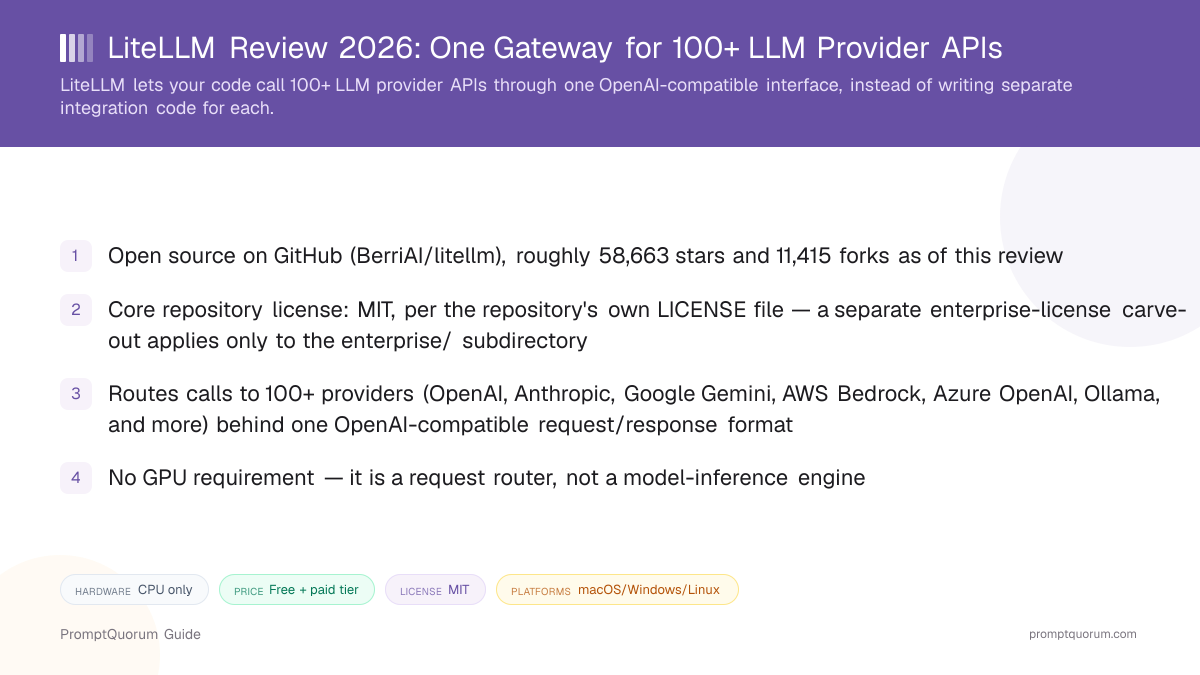
LiteLLM is a gateway that translates one OpenAI-compatible request format into calls against 100+ different LLM provider APIs. Its GitHub repository description calls it "the fastest, litest AI Gateway," built with a Rust core and a Python SDK on top — a change from the pure-Python implementation the project shipped in its earlier years. Instead of writing separate client code for OpenAI's API, Anthropic's API, and a local Ollama server, an application calls LiteLLM once, and LiteLLM forwards the request to whichever provider is configured for that model name.
- Core function: accept a request in OpenAI's
chat/completionsformat (or the target provider's native format), forward it to the configured provider, and return a normalized response - Two access modes: the
litellmPython SDK, imported directly into an application's code, and the LiteLLM Proxy Server, a standalone service other applications call over HTTP - Developer: BerriAI, the organization behind the github.com/BerriAI/litellm repository
- Not a model runtime: LiteLLM does not load model weights or perform inference itself — it routes requests to providers that do, including cloud APIs and local servers like Ollama or vLLM
- Production-grade proxy features per the docs: virtual API keys, per-key and per-user spend budgets, rate limiting, load balancing across multiple deployments of the same model, and automatic fallback when a provider errors out
What Can You Do With LiteLLM?
LiteLLM's feature set spans request routing, cost control, and reliability — the parts of running an LLM-backed application that get harder as you add more providers and more users, per LiteLLM's own documentation.
- Unified API surface — send an OpenAI-format request; LiteLLM translates it to whichever provider's native format the target model requires, and normalizes the response back
- Routing and load balancing — spread traffic across multiple deployments of the same model (for example, several Azure OpenAI regions) to avoid a single point of failure or rate-limit ceiling
- Fallback and retry logic — automatically retry a failed request against a different provider or model deployment instead of surfacing the error to the end user
- Cost tracking and budgets — log spend per API key, per user, or per team, and set hard budget limits that block further requests once exceeded
- Rate limiting — cap requests per minute/token per key or user, enforced across multiple proxy instances via Redis
- Guardrails and logging — hooks for content moderation and observability integrations, plus structured request/response logging for auditing
- Admin dashboard — a web UI (served at
/uion the proxy) for managing virtual keys, viewing spend, and configuring models without editing the config file directly - Works with local runtimes too — the same routing layer that calls OpenAI or Anthropic can equally point at a local Ollama or vLLM endpoint, letting one gateway mix cloud and local models
Usage Examples: Two Ways to Use LiteLLM
These are concrete workflows built from LiteLLM's documented install paths above — not hypothetical use cases.
Call multiple providers from one Python script
Install the SDK (pip install litellm), then replace direct openai, anthropic, or provider-specific client calls with `litellm.completion(model="gpt-4o", messages=[...]) or litellm.completion(model="claude-opus-4", messages=[...])`. Both calls return the same normalized response shape, so switching providers is a one-line model-name change, not a rewrite.
Run a self-hosted gateway for a team
Deploy the LiteLLM Proxy Server (Docker or Helm), define a config.yaml model_list mapping friendly model names to real provider deployments, and issue a virtual API key per developer or per app. Every app now calls one internal endpoint instead of holding its own OpenAI/Anthropic keys, and spend is tracked centrally in the admin UI.
Mix cloud and local models behind one endpoint
Add both a cloud model (e.g. openai/gpt-4o) and a local model served by Ollama or vLLM to the same config.yaml model_list. Route routine or privacy-sensitive traffic to the local model and only escalate to the cloud model when needed, without changing how the calling application talks to the gateway.
Install LiteLLM: SDK, Proxy, and Docker
LiteLLM is a framework and self-hosted gateway, not a downloadable end-user app — there is no installer to "get" from an app store. Below are the actual install and quickstart commands, per LiteLLM's own documentation and Docker quickstart; always check the docs directly before deploying, since exact flags and image tags can change between releases.
Python SDK
- Command:
pip install litellm(oruv add litellm)
Proxy Server (pip)
- Command:
- `pip install 'litellm[proxy]'
thenlitellm --model gpt-4o`
Proxy Server (Docker)
- Command:
docker run -v $(pwd)/config.yaml:/app/config.yaml -e OPENAI_API_KEY=<key> -e LITELLM_MASTER_KEY=sk-1234 -p 4000:4000 docker.litellm.ai/berriai/litellm:latest --config /app/config.yaml
Helm (Kubernetes)
- Command:
helm install litellm oci://ghcr.io/berriai/litellm-helm -f values.yaml
AWS ECS Fargate
- Command:
- Official Terraform module
BerriAI/litellm/aws(provisions VPC, Aurora PostgreSQL, ElastiCache Redis, ALB, ECS)
Google Cloud Run
- Command:
- Official Terraform module
BerriAI/litellm/google(provisions Cloud SQL, Memorystore Redis, GCS, HTTPS load balancer)
The proxy defaults to port 4000, with the admin dashboard at http://localhost:4000/ui (default login: username admin, password equal to your LITELLM_MASTER_KEY). A minimal config.yaml needs a model_list array mapping a model_name to litellm_params (the real provider model string plus its API key) — see the proxy quick start for a full example. Render and Railway also offer one-click deploy buttons for the proxy, per LiteLLM's deployment docs.
LiteLLM Pricing: Is LiteLLM Really Free?
The open-source SDK and Proxy Server are free — you pay only for the underlying provider API calls you route through LiteLLM, plus your own hosting costs. LiteLLM itself does not charge per request or per token for the open-source path. A separate, paid LiteLLM Enterprise tier exists at litellm.ai/enterprise, covering SSO, prioritized feature requests, and dedicated support, per the project's own site — this review did not find published Enterprise pricing and recommends contacting LiteLLM directly for a quote.
- Open-source SDK and Proxy Server: no license fee, MIT-licensed core repository (see the licensing note below)
- You still pay the provider you route to — LiteLLM does not reduce OpenAI, Anthropic, or Bedrock API pricing, it only unifies and tracks it
- Self-hosting the proxy has its own infrastructure cost: a server or container host, plus PostgreSQL and Redis for production use
- LiteLLM Enterprise adds SSO, prioritized support, and other business features on top of the same open-source core, per litellm.ai/enterprise — pricing is not published and requires contacting the company
- Enterprise pricing is annual and sized to gateway request capacity, deployment architecture and support needs, and is never per token, per litellm.ai/pricing; a 30-day Enterprise trial key is available and quotes come from sales
- Single sign-on is free for up to 5 users from v1.76.0 onward; beyond that an enterprise license is required, per the LiteLLM SSO documentation
LiteLLM vs. vLLM vs. LocalAI
LiteLLM, vLLM, and LocalAI solve different problems that are easy to confuse because all three expose an OpenAI-compatible API. LiteLLM routes requests to models running elsewhere; vLLM and LocalAI actually run the model weights themselves.
Aspect | LiteLLM | ||
|---|---|---|---|
| What it does | Routes requests to providers | Serves models itself | Serves models itself |
| Runs model weights | No | Yes | Yes |
| License | MIT (+ enterprise carve-out) | Apache-2.0 | MIT |
| GPU needed | No (router only) | Yes, for real-time serving | Depends on model |
| Best for | Multi-provider routing & spend tracking | High-throughput self-hosted serving | Single self-hosted OpenAI-compatible API |
These tools are commonly used together rather than as substitutes: LiteLLM can sit in front of a vLLM or LocalAI deployment as the routing and cost-tracking layer, while vLLM or LocalAI does the actual model inference. See the dedicated vLLM explainer and LocalAI explainer for details on those two.
Who Should Use LiteLLM?
Whether LiteLLM fits depends on whether your application already calls, or plans to call, more than one LLM provider — a single-provider app gets less benefit from a routing layer.
Use LiteLLM if
- Your application calls two or more LLM providers (or plans to) and you want one code path instead of per-provider integration code
- You need centralized cost tracking and per-key or per-user budgets across multiple apps, teams, or customers
- You want automatic fallback to a second provider when the primary one errors out or rate-limits you
- You want to mix cloud models with a locally hosted model (via Ollama or vLLM) behind the same endpoint
- You need the routing layer to be open source (MIT core) rather than a closed-source hosted-only service
Wait, or look elsewhere, if
- Your application only ever calls one provider and you have no plans to add a second — the routing layer adds operational surface (a proxy to run, or an SDK dependency) for no immediate benefit
- You want a model-serving engine, not a router — you actually need something to run the model weights (see vLLM or LocalAI)
- You want a fully managed, zero-ops routing service instead of self-hosting a proxy — a hosted router like OpenRouter avoids the PostgreSQL/Redis operational overhead, at the cost of running through a third party
- A licensing decision depends on code specifically inside the
enterprise/directory — readenterprise/LICENSEdirectly rather than assuming the whole repository's MIT license applies there
LiteLLM vs. Other Gateways and Frameworks
LiteLLM belongs to the routers and gateways segment of PromptQuorum's Local LLM Software Directory, which has three other dedicated reviews, listed first below. The remaining comparisons come from adjacent tools in the same "Run & Serve" part of the directory, plus one widely known hosted alternative outside the directory.
- Plano — a self-hosted, Envoy-based AI proxy and data plane for agentic apps, with LLM routing, observability and guardrails (Apache-2.0).
- ClawRouter — a self-hosted, agent-native LLM router that makes routing decisions locally across frontier and free open-weight models (MIT).
- AIClient2API — a self-hosted proxy that converts Gemini CLI, Codex, Grok, Kiro and Antigravity client protocols into one OpenAI-compatible API (GPL-3.0).
- vLLM — a self-hosted inference engine that actually serves model weights (GPU required); commonly paired with LiteLLM rather than competing with it, with LiteLLM as the routing layer in front of one or more vLLM deployments.
- LocalAI — a self-hosted, OpenAI-compatible API server for running open models locally; solves a different problem than LiteLLM (serving vs. routing) but exposes a similar OpenAI-format API, which is a common source of confusion between the two.
- LangChain — an application framework for building LLM-powered apps (chains, agents, memory); it can call LiteLLM (or any provider directly) as its model-access layer rather than replacing what LiteLLM does.
- OpenRouter (external, not in PromptQuorum's directory) — a hosted, managed routing service covering a similar multi-provider use case as LiteLLM's proxy, but as a third-party service you call rather than infrastructure you self-host; worth comparing directly if you want zero-ops routing instead of running your own proxy.
Common Mistakes When Evaluating LiteLLM
Most confusion about LiteLLM comes from conflating it with a model-serving engine, or from oversimplifying its license.
Mistake 1: Assuming LiteLLM runs the models itself
LiteLLM is a router — it forwards requests to provider APIs or to a local runtime you point it at (Ollama, vLLM, and others). It does not load model weights or perform inference on its own, unlike vLLM or LocalAI.
Mistake 2: Treating the whole repository as plain MIT
The core codebase is MIT-licensed per the repository's own LICENSE file, but content inside the enterprise/ subdirectory is licensed separately under enterprise/LICENSE. Check which files you are actually using before assuming blanket MIT terms apply.
Mistake 3: Skipping PostgreSQL and Redis, then hitting missing spend data or inconsistent rate limits
The litellm SDK alone needs no database. The self-hosted Proxy Server needs PostgreSQL to persist virtual keys and spend records, and Redis for rate limiting that stays consistent across more than one proxy instance — running the proxy without them works for a quick test but loses these features at scale.
Mistake 4: Expecting LiteLLM to lower provider API pricing
LiteLLM tracks and unifies cost across providers; it does not negotiate or discount the underlying OpenAI, Anthropic, or Bedrock pricing you already pay. The savings come from routing/fallback avoiding wasted retries and rate-limit stalls, not from a different price per token.
Frequently Asked Questions
What is LiteLLM?
LiteLLM (github.com/BerriAI/litellm) is an open-source gateway that lets applications call 100+ LLM provider APIs through one OpenAI-compatible interface, available as a Python SDK or a self-hosted proxy server with routing, cost tracking, and rate limiting.
Is LiteLLM free?
The open-source SDK and Proxy Server are free — you pay only for the underlying provider API calls and your own hosting. The paid LiteLLM Enterprise tier adds SSO beyond five users, audit logs and 24/7 support with SLAs; it is sold annually through sales, sized to request capacity and never per token. A 30-day trial key is available; no prices are published.
Is LiteLLM suitable for company use?
Yes. The MIT-licensed core (everything outside enterprise/) can be used commercially, and teams run it as a shared internal gateway with virtual keys, budgets and spend tracking. SSO beyond five users, SCIM, audit logs and SLA-backed support need the paid Enterprise license; its page lists SOC 2 Type 2 and ISO 27001 (vendor statement, not verified here). GDPR compliance depends on the providers you route to and your configuration; this is not legal advice, so involve your data-protection officer.
What license does LiteLLM use?
The core repository is MIT-licensed, per its own LICENSE file. A separate license applies only to the enterprise/ subdirectory, under enterprise/LICENSE — verified directly against the repository's LICENSE file for this review.
Does LiteLLM need a GPU?
No. LiteLLM is a request router, not a model-inference engine — it forwards calls to providers (cloud APIs or local runtimes like Ollama) rather than running model weights itself, so it runs fine on CPU-only hardware.
How do I install LiteLLM?
For the Python SDK: pip install litellm. For the self-hosted proxy: `pip install 'litellm[proxy]' then litellm --model gpt-4o, or run the Docker image docker.litellm.ai/berriai/litellm:latest with a mounted config.yaml`. See the install table above for Helm, AWS ECS Fargate, and Google Cloud Run options.
Does the LiteLLM proxy require a database?
For production use, yes — PostgreSQL persists virtual keys and spend data, and Redis keeps rate limiting consistent across multiple proxy instances, per LiteLLM's own deployment documentation. A quick local test can run without either, but loses those features.
Can LiteLLM route to a locally hosted model?
Yes. The same config.yaml model_list that points at OpenAI or Anthropic can equally point at a local Ollama or vLLM endpoint, letting one gateway mix cloud and local models.
How does LiteLLM compare to OpenRouter?
Both unify multiple LLM providers behind one interface. LiteLLM is self-hosted infrastructure you run yourself (open-source proxy or SDK); OpenRouter is a third-party hosted routing service you call instead of running your own. Choose based on whether you want zero-ops (OpenRouter) or full control and no per-request markup from a router provider (self-hosted LiteLLM).
Who develops LiteLLM?
BerriAI, the organization behind the github.com/BerriAI/litellm repository, which reports more than 61,000 stars as of this review.