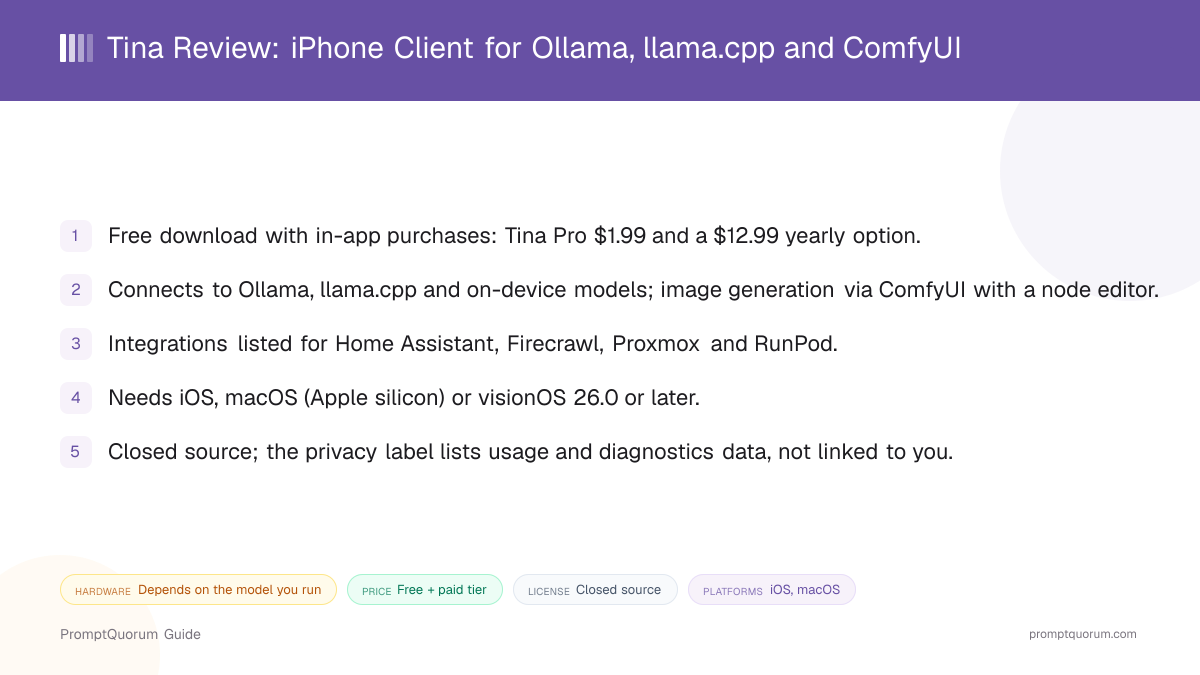
Key Takeaways
- Version reviewed: 1.3.8, as shown on the App Store listing.
- Price: free to download; Tina Pro $1.99 and a $12.99 yearly option are listed as in-app purchases.
- Connections: Ollama, llama.cpp, on-device models and ComfyUI, plus Home Assistant, Firecrawl, Proxmox and RunPod integrations.
- Platform: iPhone, Mac with Apple silicon, and Apple Vision Pro, all on version 26.0 or later.
- Openness: closed source; no public repository or product site was found.
📍 In One Sentence
Tina, by developer Wes Wickwire, is a freemium Apple-platform client that chats with your own Ollama or llama.cpp server, generates images through ComfyUI, and also runs on-device models.
💬 In Plain Terms
Think of it as a remote control for the AI you host at home, with a small on-device option added: the heavy models stay on your server, and the app on your phone is the interface.
Get Tina
Tina is distributed through the Apple App Store. The download is 56.3 MB and the listing is rated 4+.
This review is a companion to PromptQuorum's Local LLM Software Directory, which lists Tina alongside other mobile and desktop local AI tools.
Channel | Get It |
|---|---|
| Apple App Store | Tina - Private Local AI on the App Store |
| Privacy policy | Tina privacy policy |
No dedicated product website or source repository was found for Tina. The App Store listing is the main public source.
Tina at a Glance
Attribute | Tina |
|---|---|
| Platform | iOS, macOS, visionOS (26.0+) |
| Price | Free, in-app purchases |
| License | Closed source |
| Runs fully offline | On-device models only; server mode needs a link |
| Built-in engine | Yes, on-device models are listed |
| Works with Ollama | Yes |
| Image generation | Yes, via ComfyUI with a node editor |
| Voice input / output | Yes, voice and text-to-speech |
Attributes follow the mobile-chat comparison used in the Local LLM Software Directory. They come from the App Store listing alone, which does not cover every feature.
What Tina Is
Tina is a client first and an on-device runner second. The listing's pitch is "connect to local models: your own server, on your device, or your homelab", with Ollama, llama.cpp and on-device models named as sources.
It is published by Wes Wickwire, an individual developer, and is categorized as a Utility. No inference engine for the on-device models is named, so this review does not state which runtime it uses.
This review draws on the App Store listing only. It does not include hands-on testing, so speed, stability and answer quality are not rated here.
How to Get Started
Setup is an App Store install, then pointing the app at a server or a model. The listing does not document the first-run flow, so the steps below follow what it states.
- 1Check your OS version
Why it matters: The listing requires iOS, macOS or visionOS 26.0 or later, and on Mac an Apple M1 chip or newer. - 2Install Tina
Why it matters: Get it from the [App Store](https://apps.apple.com/us/app/tina-private-local-ai/id6751924571); the download is 56.3 MB. - 3Connect a model source
Why it matters: Add your Ollama or llama.cpp server address, or choose an on-device model, depending on where you want inference to run. - 4Optional: add ComfyUI and integrations
Why it matters: Link a ComfyUI instance for image generation, and Home Assistant, Firecrawl, Proxmox or RunPod if you use them.
Features and Integrations
Tina's selling point is reach: one app for chat, images and homelab tools. Everything below comes from the App Store listing.
- Chat with LLMs. Talk to models served by Ollama or llama.cpp, or to models on the device.
- ComfyUI image generation. The listing describes full ComfyUI support with a node editor inside the app.
- Voice. Voice and text-to-speech support are listed.
- Homelab integrations. Home Assistant, Firecrawl, Proxmox and RunPod are named; the listing gives no detail on what each integration can do.
- Multiple Apple platforms. One listing covers iPhone, Mac and Apple Vision Pro.
Device Requirements
Tina requires version 26.0 or later of iOS, macOS or visionOS, and an Apple M1 chip or newer on Mac. The listing gives no RAM figure.
Where inference runs decides the real hardware need. With a remote Ollama or llama.cpp server the phone only needs to show the chat; with on-device models, the iPhone's memory is the limit.
Pricing and Privacy
Tina is free to download, with Tina Pro at $1.99 and a yearly option at $12.99 listed as in-app purchases. The listing does not say which features Pro unlocks, so check the paywall in the app before relying on a feature.
Apple's privacy section says Tina collects usage data and diagnostics (crash and performance data) that are not linked to your identity. Apple notes these labels are self-reported by the developer and not verified.
Chats sent to your own server travel to that server, so your privacy there depends on how you host and secure it. The app is closed source and this review did not inspect network traffic.
Trade-Offs: Benefits vs. Limitations
Bring your own server
- What it means in real use:
- Run large models on a home machine and chat from the phone.
- Limitation / caveat:
- You must set up and expose Ollama or llama.cpp yourself.
ComfyUI built in
- What it means in real use:
- Chat and image generation live in one app, including a node editor.
- Limitation / caveat:
- It needs your own ComfyUI instance; the listing does not name supported workflows.
On-device option
- What it means in real use:
- Some chats work without any server.
- Limitation / caveat:
- No model list, size or runtime is published for the on-device mode.
Low entry price
- What it means in real use:
- Free to try; Pro is $1.99 as listed.
- Limitation / caveat:
- The listing does not explain what Pro adds, or whether $1.99 is one-time.
Apple-wide support
- What it means in real use:
- One purchase path covers iPhone, Mac and Vision Pro.
- Limitation / caveat:
- Everything requires version 26; there is no Android or Windows app.
Tina vs. Alternatives
Tina
- Platforms:
- iOS, Mac, Vision Pro
- Price and license:
- Freemium, closed source
- Model source:
- Ollama, llama.cpp, on-device
- Key difference:
- Adds ComfyUI images and homelab integrations; not open source
Enchanted
- Platforms:
- iOS, Mac
- Price and license:
- Free, Apache 2.0
- Model source:
- Ollama
- Key difference:
- Open-source Ollama client with no built-in engine of its own
Articles about Enchanted (4)
- Enchanted Review: Native macOS/iOS Ollama ClientUpdated September 5, 2026
- Local Chat Apps & Assistants Compared (2026): Desktop, Mobile, Self-Hosted, Assistants and RoleplayUpdated September 20, 2026
- BoltAI Review: Native Mac AI App, Ollama ReadyUpdated September 6, 2026
- Best Local LLM Frontends in 2026: Open WebUI, Enchanted UI, and MoreUpdated August 31, 2026
Also mentioned in:
- Sidekick Review: A Free, Native macOS Local AI Chat AppUpdated September 19, 2026
- Ekorbia Review: Free Open-Source Local AI Desktop AppUpdated September 7, 2026
- GPT4All Review: Free Offline AI Chat App by Nomic AIUpdated September 7, 2026
- Jan Review: The Open-Source, Offline ChatGPT AlternativeUpdated September 6, 2026
- Msty Review: Local + Cloud Chat in One Desktop AppUpdated September 5, 2026
+5 more not shown
Maid
- Platforms:
- Android, iOS
- Price and license:
- Free, MIT
- Model source:
- On-device, Ollama, OpenAI API
- Key difference:
- Open source and on Android too; ComfyUI not listed
Articles about Maid (5)
- Maid Review: Open-Source Local LLM Chat App for AndroidUpdated September 6, 2026
- Local Chat Apps & Assistants Compared (2026): Desktop, Mobile, Self-Hosted, Assistants and RoleplayUpdated September 20, 2026
- Layla Review: On-Device AI Companion App for Android and iOSUpdated September 6, 2026
- Private LLM Review: On-Device AI Chat for iPhone, iPad, and MacUpdated September 5, 2026
- Best Local LLM Apps for Android in 2026: 6 Apps Compared on Real PhonesUpdated August 24, 2026
Also mentioned in:
- Ollama Local AI Review: Android LLM Runner and LAN API ProxyUpdated October 2, 2026
- Chapper Review: AI & LM Studio Client for iPhone, iPad, and MacUpdated September 6, 2026
- LLM Farm Review: Open-Source GGUF App, Off the App StoreUpdated September 6, 2026
- Run a Local LLM on Your Tablet: iPad Pro M5, Galaxy Tab S10, OnePlus Pad 2 (2026)Updated July 14, 2026
AnythingLLM Mobile
- Platforms:
- iOS, Android
- Price and license:
- Free, MIT
- Model source:
- Your AnythingLLM workspace
- Key difference:
- Remote access to one AnythingLLM instance rather than raw model servers
Articles about AnythingLLM Mobile (2)
- AnythingLLM Mobile Review: On-Device Chat + RAGUpdated September 6, 2026
- AnythingLLM Review: Open-Source RAG and Document ChatUpdated September 11, 2026
Also mentioned in:
- Liquid Apollo Review: On-Device LFM2 Chat, Plus Optional CloudUpdated September 12, 2026
- Chapper Review: AI & LM Studio Client for iPhone, iPad, and MacUpdated September 6, 2026
Platform, price, and feature details for third-party apps change frequently. Verify current specifics on each app's own listing before deciding.
Who Should Use Tina
- Homelab owners who run Ollama or llama.cpp. Tina is built around connecting to those servers from an Apple device.
- ComfyUI users who want mobile access. The node editor and generation controls are part of the app.
- Users who want a server and an on-device fallback in one app. Both modes are listed.
Who Should Not Use Tina
- Anyone who needs open source. The code is not public; Enchanted is open source for Ollama.
- Android or Windows users. Only Apple platforms are listed; Maid covers Android.
- People below iOS or macOS 26. The listing requires version 26.0 or later.
- Anyone without a server who wants a model catalogue. The on-device mode has no published model list; see Locally AI.
Frequently Asked Questions
Is Tina free?
It is free to download with in-app purchases: Tina Pro at $1.99 and a yearly option at $12.99, as shown on the App Store listing.
Who makes Tina?
Wes Wickwire, an individual developer listed on the App Store. A GitHub profile of the same name hosts open-source Swift libraries, but no Tina repository.
Do I need my own server to use Tina?
No, the listing also names on-device models. A server is only needed for Ollama, llama.cpp and ComfyUI features.
Does Tina work on Android?
No. The listing covers iPhone, Mac with Apple silicon and Apple Vision Pro only.
Which integrations does Tina list?
Home Assistant, Firecrawl, Proxmox and RunPod. The listing gives no detail on how each one works.
Verdict
Tina is a good fit on paper for someone who already hosts models at home and wants a single native Apple app for chat, ComfyUI images and a few homelab hooks, with an on-device fallback.
The caveats are transparency and age: it is closed source, the on-device engine and Pro features are undocumented, and the only public source is the App Store listing, which showed three ratings at the time of review.
If you run Ollama and want open source, start with Enchanted. If you want ComfyUI and homelab integrations in the same app, try Tina's free tier first.
Sources
- Tina - Private Local AI on the App Store — version, price, requirements, features and privacy section.
- Tina privacy policy — policy page linked from the listing.
- wickwirew on GitHub — developer profile, checked for a public Tina repository.