What Is Ekorbia?
Ekorbia is a native desktop chat and productivity app for running AI models on your own computer, built in Rust and Tauri. Per its own homepage, it pairs multi-tab local chat with a handful of workspace features not found in a plain chat window: folder attachments answered with citations, background monitoring of RSS feeds and web pages, a global quick-query overlay, and a prompt library stored as plain markdown files on disk.
- Core function: a desktop chat client that runs AI models locally and stores all conversations, embeddings, and attachments only on your own machine — Ekorbia states it has "no analytics, no crash reporter, no accounts, and no servers," per its FAQ
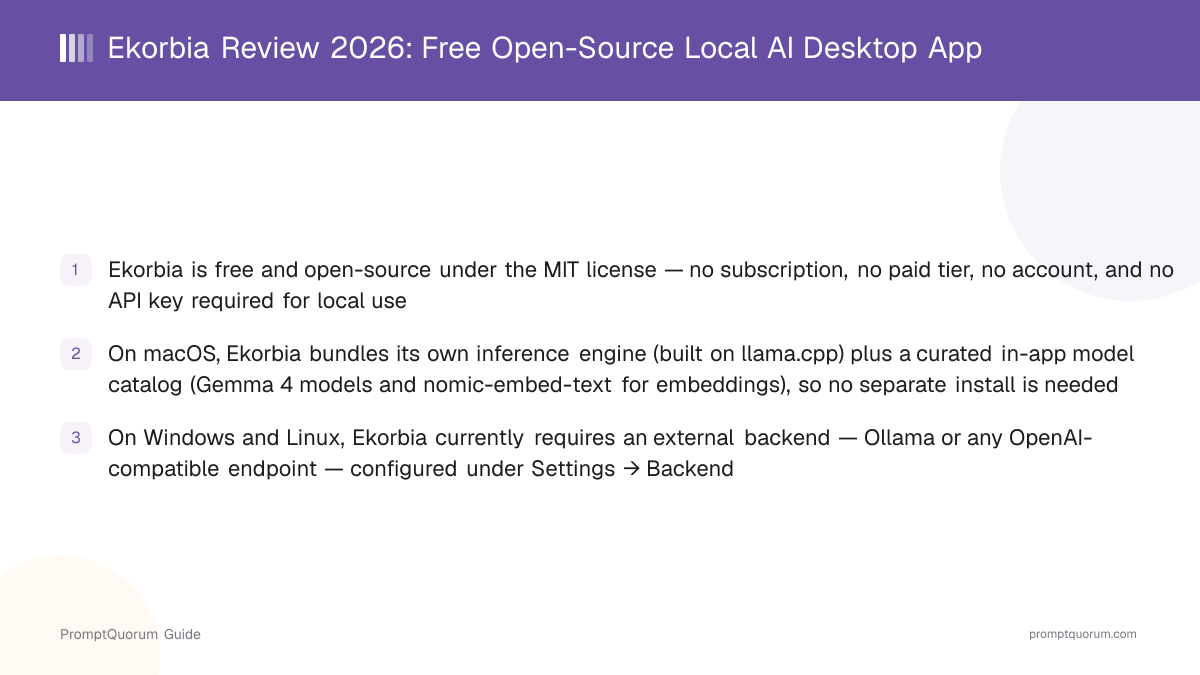
- On-device inference, technically: on macOS only, Ekorbia bundles its own inference engine (built on llama.cpp) plus an in-app model catalog you download without leaving the app — no separate Ollama install is required. On Windows and Linux, per the official FAQ, "that's currently how you supply models": you point Ekorbia at Ollama or any OpenAI-compatible endpoint under Settings → Backend, because Ekorbia does not yet bundle an inference engine for those two platforms
- Local embeddings: folder-RAG attachments are embedded on-device using nomic-embed-text, per the homepage's technical description
- Storage: chats, embeddings, prompts, and saved files live in the platform's local application-data directory and a user-chosen prompts folder — nothing is uploaded except when downloading a model, polling a Watch URL, or reaching a backend endpoint you configured
- Developer: no founder, team, or company page is published on ekorbia.com or the GitHub repository at the time of this review; the copyright notice in the project's LICENSE file reads "Copyright (c) 2026 Ekorbia" with no individual name attached
Ekorbia's Project History and Releases
Ekorbia's public history is short and entirely traceable through its own GitHub releases and blog. The repository was created on May 24, 2026, and the project has shipped roughly one release every one to three weeks since. No pre-2026 history, founder background, or funding status has been published — this review deliberately does not speculate on any of that.
- 1v0.1.0 — May 24, 2026: first release, macOS only, Ollama required
Why it matters: Per the [v0.1 blog post](https://ekorbia.com/blog), the first release was "a native macOS desktop client for local AI models, running entirely against your own Ollama" — the bundled inference engine did not exist yet at this stage. - 2v0.2.0 — May 26, 2026: chat groups and comparison-chat mode
Why it matters: This release added sidebar folders for organizing chat history and the side-by-side model-comparison feature (send one prompt to 2–3 models at once, pick the best answer) that is still a headline feature today. - 3v0.3.0 — June 4, 2026: Windows and Linux support added
Why it matters: Per the [v0.3 blog post](https://ekorbia.com/blog), this was "the first cross-platform Ekorbia release" — native Windows (.msi/.exe) and Linux (.deb/.rpm/.AppImage) builds joined the existing macOS build, at this point still requiring Ollama on every platform. - 4v0.4.0–v0.5.0 — July 3, 2026: Spaces, offline UI, and voice input
Why it matters: This pair of releases added an in-app model manager, guided setup, and on-device voice dictation via [whisper.cpp](https://ekorbia.com), per the [official blog](https://ekorbia.com/blog). - 5v0.6.0–v0.7.1 — July 21–25, 2026: bundled inference engine added
Why it matters: Per the [v0.6/v0.7 blog post](https://ekorbia.com/blog), this was the release where Ekorbia gained the ability to "run models itself — a bundled inference engine with no Ollama and no terminal," alongside a curated model catalog and a Hugging Face model browser with checksum-verified downloads. This bundled-engine capability currently applies to macOS only, per the app's own FAQ.
What Can You Do With Ekorbia?
Ekorbia's feature set centers on turning a single native desktop window into a local-AI workspace, not just a chat box. Here is what each named feature does, per the app's own homepage and documentation.
- Quick-query overlay — a Spotlight-style transparent panel (default hotkey
⌘⇧Spaceon macOS,Alt+Spaceon Windows; not yet available on Linux) pops up over any application to answer a question without stealing focus, with its own independent model preference - Voice input — on-device speech transcription via whisper.cpp, with hands-free auto-stop and auto-send, multilingual coverage across 99 languages, and a translate-to-English toggle; documented as macOS only for now
- Tabs and full-text search — multi-tab chat with independent histories, every reply indexed for BM25-ranked full-text search via SQLite FTS5
- Private chats — an ephemeral session mode (click the lock icon) where nothing is written to the local SQLite database; the conversation exists only in memory and disappears when the tab closes
- Prompt library — prompts stored as individual markdown files with YAML frontmatter in a folder you choose, so they are git-friendly, shareable, and editable in any text editor rather than locked in a proprietary database
- Compare models — send one prompt to 2 or 3 installed models at once, view the replies in side-by-side columns, and click "Keep this" to collapse the losing columns and continue the conversation with the chosen model
- Screenshot → chat — captures a screen region and opens it as a vision-attached chat message, auto-switching to a vision-capable model if the active one cannot see images; documented as macOS only for now
- Watch (folders, RSS, URLs) — polls a folder, RSS feed, or public URL on a set cadence, summarizes only what changed (with a diff-only mode for changelogs), and appends the summary to a notes file, with optional native OS notifications
- Files and folder RAG — attach files or whole directory trees; large files are chunked and embedded locally with nomic-embed-text, and replies return with inline citations linking back to the specific source chunks
- File generation — tool-capable models can call a sandboxed
write_filetool to save generated output (code, configs, HTML) to a per-chat output directory, with permission requested on first use and atomic writes to avoid partial-file corruption on a crash - Memory file — a single markdown file injected as system context on every chat send, read-only from the model's perspective, useful for standing facts you would otherwise retype
Usage Examples: Three Ways to Use Ekorbia
These are concrete workflows built from Ekorbia's own documented features above — not hypothetical use cases.
Chat with a folder of notes and get cited answers
Attach a folder — your project notes, a set of PDFs, a ~/Documents subfolder — to a chat tab. Ekorbia chunks and embeds larger files locally with nomic-embed-text, retrieves the most relevant chunks for each question, and returns an answer with inline `[N]` citations linking to a Sources footer, so you can verify which file actually supports each claim before trusting it.
Watch a project changelog and get diff-only summaries
Point Ekorbia's Watch feature at a public changelog URL or RSS feed. On each poll cycle, Ekorbia sends only the added or removed lines to the model (diff mode) rather than the whole page, and appends a short summary to a notes file — useful for tracking a dependency's release notes without reading every full page yourself.
Compare two local models on the same prompt before picking one
Click the columns button, select two or three installed models, and send one prompt. Each model streams its answer in an adjacent column; click "Keep this" under the better answer to collapse the rest and continue chatting only with the model you picked — useful when deciding which locally-installed model actually suits a recurring task, without swapping tabs to re-run the same question.
Download Ekorbia
Ekorbia is distributed as free installers for macOS, Windows, and Linux, downloadable from the official Releases page on GitHub, with SHA256 checksums published alongside each release. Installers are currently unsigned on macOS and Windows — the app's own README documents the exact one-time bypass steps for each, summarized in the table below.
macOS
- Formats:
- .dmg
- Requirement:
- macOS 12 (Monterey) or newer; unsigned — one-time Gatekeeper bypass needed
Windows
- Formats:
- .msi, .exe (NSIS)
- Requirement:
- Windows 10 (1809+) or 11; unsigned — SmartScreen "Run anyway" needed once
Linux
- Formats:
- .deb, .rpm, .AppImage
- Requirement:
- Ubuntu 22.04+/Fedora 39+/RHEL 9+ or WebKitGTK 4.1-compatible distro; no signing bypass needed
All builds are downloaded from the official Releases page — always verify the published SHA256SUMS.txt against your download. Because the macOS and Windows builds are unsigned (the project does not currently hold a paid Apple Developer or Windows EV code-signing certificate), Gatekeeper and SmartScreen will show a warning on first launch; the README documents a one-line xattr fix for macOS and a "More info → Run anyway" click for Windows. If you would rather avoid unsigned binaries entirely, the project also documents building from source with cargo tauri build.
Ekorbia Pricing: Is It Really Free?
Yes — Ekorbia has no paid tier of any kind. Per its own FAQ, the app is "free, open-source under the MIT license, with no subscription, no API key, no usage tracking, and no telemetry." There is no /pricing page distinct from the homepage on ekorbia.com — the site only has one pricing statement, and it applies to the entire app.
Only tier — everything
- Price:
- $0, no account required
- Includes:
- Full app: chat, folder RAG, Watch, prompt library, model comparison, private chats, file generation, memory file. Bundled inference engine and model catalog on macOS; Ollama/OpenAI-compatible backend on Windows and Linux.
The only cost to using Ekorbia is whatever hardware and (optionally) Ollama models you already provide yourself — the app itself, and every feature it lists, ships with no paywall. This differs from apps like BoltAI, which is a one-time-purchase closed-source app, or Msty, which is free at its core with an optional paid add-on tier — verify which pricing model actually fits before assuming any local-chat app follows the same pattern.
Ekorbia vs. Jan: Two Free, Bundled-Engine Apps
Ekorbia and Jan are the two closest apps in this comparison: both are free, open-source, cross-platform, and bundle their own local inference engine rather than requiring a separate server for every feature. The clearest difference is maturity — Jan has a public license history, a larger contributor base, and years of iteration; Ekorbia is a project a few months old with a single-digit GitHub star count at the time of this review.
Aspect | Ekorbia | |
|---|---|---|
| License | MIT | Apache 2.0 (with attribution request) |
| Bundled engine | macOS only (llama.cpp-based) | macOS, Windows, Linux (llama.cpp-based) |
| Windows/Linux local models | Requires Ollama or OpenAI-compatible endpoint | Built-in, no external backend needed |
| Project age (this review) | Created May 2026; ~4 months old | Multi-year public history |
| Distinct features | Watch (RSS/URL monitoring), quick-query overlay, memory file | MCP tool support, local OpenAI-compatible API server |
| Cost | Free, no paid tier | Free, no paid tier |
If you want a bundled local engine that already works the same way on Windows and Linux today, Jan is the more mature choice. If you specifically want the RSS/URL "Watch" monitoring feature or the quick-query overlay, and you are primarily on macOS, Ekorbia's feature set is closer to what you are looking for — with the caveat that it is a much newer, much smaller project.
Who Should Use Ekorbia?
Whether Ekorbia fits depends on your platform, whether you are comfortable with an early-stage open-source project, and whether its specific workspace features (Watch, the overlay, the prompt library) matter more to you than maturity and community size.
Use Ekorbia if
- You use a Mac and want a bundled inference engine with an in-app model catalog, with no Ollama install required
- You want a genuinely free, MIT-licensed, no-account, no-telemetry local chat app and are comfortable verifying an unsigned installer yourself
- You want the specific Watch feature (background RSS/URL/folder monitoring with diff-only summaries) or the Spotlight-style quick-query overlay
- You keep prompts as plain markdown files and want that to stay true rather than being locked into a proprietary prompt database
- You are comfortable being an early adopter of a small, actively-shipping open-source project, and are willing to read release notes yourself for what has changed since this review
Look elsewhere if
- You are on Windows or Linux and want a bundled local inference engine out of the box — Ekorbia currently requires Ollama or an OpenAI-compatible endpoint on those platforms; see Jan instead
- You want voice input or one-keystroke screenshot capture on Windows or Linux — both are documented as macOS-only for now
- You need a project with an established community, a large contributor base, or a multi-year track record — Ekorbia's GitHub repository is a few months old with a very small following at the time of this review
- You are not comfortable running an unsigned installer and clicking past a Gatekeeper or SmartScreen warning
- You need a published founder, team, or company page for procurement or vendor-vetting purposes — none is currently available
Ekorbia vs. Other Local Chat Apps
Ekorbia is one of several desktop apps built around local AI chat. Here is how it sits next to other options covered on this site — see the Local LLM Software Directory for the full catalog.
- Jan — a free, open-source, cross-platform app that bundles its own llama.cpp-based engine on macOS, Windows, and Linux alike, with a multi-year public history; the more mature choice if you need a working bundled engine outside macOS today.
- Msty — a cross-platform (macOS, Windows, Linux) local+cloud chat app with a genuinely free core tier plus an optional paid add-on, and RAG/agent features built in.
- Enchanted — a free, open-source, native Mac/iOS client built specifically around Ollama, narrower in scope than Ekorbia but with a multi-year track record.
- BoltAI — a closed-source, one-time-purchase Mac app ($79–$199) that connects to both cloud providers and local models via Ollama/LM Studio, with macOS-specific productivity features layered on top.
- GPT4All — an open-source local chat client from Nomic AI focused on running models fully offline, with a simpler, longer-established feature set than Ekorbia's Watch/overlay/memory-file bundle.
- Open WebUI — a self-hosted, browser-based interface typically run alongside Ollama; unlike Ekorbia, it is deployed as a web app rather than a native desktop client.
Common Mistakes When Evaluating Ekorbia
Most confusion about Ekorbia comes from assuming its macOS capabilities apply everywhere, or mistaking its newness for instability.
Mistake 1: Assuming the bundled engine works on every platform
The bundled inference engine and in-app model catalog are documented as macOS-only. On Windows and Linux, you need Ollama or an OpenAI-compatible endpoint configured under Settings → Backend before you can chat with a local model.
Mistake 2: Assuming "freemium" — Ekorbia has no paid tier at all
Unlike several apps in this category, Ekorbia is not freemium. Every documented feature — Watch, folder RAG, model comparison, file generation, the quick-query overlay on supported platforms — is available with no payment, no account, and no usage limit that this review could find on ekorbia.com.
Mistake 3: Treating a "damaged" Gatekeeper message as a broken download
On macOS, an unsigned .dmg downloaded through a browser is quarantined and Gatekeeper reports it as "damaged" rather than showing a bypass dialog. The file is not actually corrupted — the project's README documents the one-line xattr -dr com.apple.quarantine fix.
Mistake 4: Expecting a large community or long track record
Ekorbia's GitHub repository was created on May 24, 2026, and had 1 star and 0 forks at the time of this review. That does not make the software unsafe to try, but it does mean fewer third-party reviews, a smaller pool of community troubleshooting, and no long-term stability track record to point to — factor that into how much you rely on it for anything important.
Frequently Asked Questions
What is Ekorbia?
Ekorbia (ekorbia.com) is a free, open-source (MIT-licensed) desktop chat app, built in Rust and Tauri, for running AI models locally on macOS, Windows, or Linux.
Is Ekorbia free?
Yes, entirely. Per its own FAQ, Ekorbia is "free, open-source under the MIT license, with no subscription, no API key, no usage tracking, and no telemetry." There is no paid tier of any kind.
Does Ekorbia need Ollama?
Only on Windows and Linux, currently. On macOS, Ekorbia bundles its own inference engine and an in-app model catalog, so Ollama is optional. On Windows and Linux, Ekorbia requires Ollama or an OpenAI-compatible endpoint as the model backend, configured under Settings → Backend.
What platforms does Ekorbia support?
macOS, Windows, and Linux, per the official Releases page. Some features — voice input and one-keystroke screenshot capture — are documented as macOS-only for now, and the quick-query overlay is not yet available on Linux.
Is Ekorbia open source?
Yes. The project is released under the MIT license, with the full source code on GitHub.
How does Ekorbia's on-device engine actually work?
On macOS only, Ekorbia bundles an inference engine built on llama.cpp plus a curated model catalog you download in-app, with no separate install. On Windows and Linux, "that's currently how you supply models" via Ollama or an OpenAI-compatible endpoint instead, per Ekorbia's own FAQ — there is no bundled engine on those two platforms yet.
What is the Watch feature in Ekorbia?
Watch polls a folder, RSS feed, or public URL on a set cadence, summarizes only what changed (with an optional diff-only mode for changelogs), and appends the summary to a notes file, with optional native OS notifications.
Who makes Ekorbia?
This review could not find a published founder, team, or company page on ekorbia.com or the GitHub repository. The copyright notice reads "Copyright (c) 2026 Ekorbia" with no individual name attached — treat the developer identity as undisclosed rather than assuming a solo founder or a company.
When did Ekorbia launch?
Its GitHub repository was created on May 24, 2026, with the first tagged release (v0.1.0) published the same day. The latest tagged release at the time of this review is v0.7.1 (July 25, 2026).
Is Ekorbia safe to install given it is unsigned?
The installers are unsigned on macOS and Windows because the project does not currently hold a paid Apple Developer or Windows code-signing certificate — this triggers a one-time Gatekeeper or SmartScreen warning, not a virus detection. Always download from the official Releases page and verify the published SHA256 checksum before installing, since an unsigned build is easier to impersonate on an unofficial mirror.