What Is BoltAI?
BoltAI is a native macOS application that lets you chat with cloud AI models and local models from the same interface. You connect your own API keys for providers such as OpenAI, Anthropic, Google, Mistral, Azure, or Amazon Bedrock, and separately point the app at a local model server — Ollama or LM Studio — running on your own Mac. BoltAI describes itself as a "private AI workspace for Mac power users" that lets you "switch between 300+ AI models from one native Mac app," per its own homepage.
- Core function: a native Mac chat client that talks to cloud provider APIs and local model runtimes from one window, rather than requiring separate apps for each
- Local model support: Ollama and LM Studio, confirmed on BoltAI's own homepage and in its Ollama optimization guide and custom OpenAI-compatible server setup guide
- Cloud provider count: BoltAI's own marketing states "300+ AI models" and "100+ features" — these are the company's own figures, not independently audited by this review
- Data storage: BoltAI states that "all your chats and configurations are stored in your local machine," per its about page
- Developer: a bootstrapped, self-funded indie product built and run by Daniel Nguyen — not a venture-backed company
BoltAI's Project History and Milestones
BoltAI first launched in May 2023 as a solo project by Daniel Nguyen, a product engineer with more than 15 years of prior experience before moving into independent software development, per an interview with Starter Story. The app has since received 160+ updates according to its own about page, and evolved from a single ChatGPT-style client into a broader cloud-plus-local workspace with agent and automation features.
- 1May 2023 — Initial launch
Why it matters: BoltAI shipped as a solo, bootstrapped project — a native Mac client for chatting with cloud AI models using your own API key, avoiding a markup on top of provider pricing. - 2BoltAI v2 — a ground-up rebuild
Why it matters: According to the app's own release notes, version 2 was "a completely new app with a different bundle ID, rebuilt from the ground up targeting macOS 13+ with modern Apple APIs," while the legacy v1 build remained available for existing users during the transition. - 3MCP (Model Context Protocol) client support added
Why it matters: BoltAI added MCP connector support, including OAuth authentication and custom tool integrations, letting the chat client call external tools and data sources rather than only generating text. - 4v2.15.0 — August 2026: app renamed back to "BoltAI"
Why it matters: Per the official [changelog](https://boltai.com/changelog), the v2 rebuild — which had carried "BoltAI 2" branding during its rollout — was renamed back to simply "BoltAI" as it became the primary, stable release, alongside reliability fixes for PDF export on newer macOS versions.
What Can You Do With BoltAI?
BoltAI's feature set centers on making a single native Mac window usable for both cloud-provider chat and local-model chat, plus a set of macOS-specific productivity features layered on top. Here is what each named feature does, per BoltAI's own documentation and changelog.
- Global keyboard shortcut — a customizable hotkey summons the app (or a specific saved command) from inside any other application, without switching windows first; the exact default key can be changed under BoltAI's shortcut settings
- AI Command — highlight text anywhere on the Mac, press the AI Command shortcut, and choose from 38+ built-in commands (or a custom one) to act on that text; results can be inserted before or after the original selection instead of opening a separate window, per BoltAI's AI Command documentation
- AI Inline — type a trigger phrase followed by a request directly inside any text field, and BoltAI responds inline without leaving that field, per its AI Inline documentation
- Screenshot analysis — capture part of the screen and ask BoltAI to explain, fix, or summarize what is shown
- Prompt Library — save frequently used prompts once and reuse them across conversations instead of retyping instructions
- Advanced Agents — configure reusable agents with custom instructions, attached knowledge, and tool access for a defined recurring task
- MCP (Model Context Protocol) client support — connect external tools and data sources (BoltAI's changelog references GitHub Copilot and Jina DeepSearch as examples) with OAuth authentication for connectors that require it
- Local model support — connect to Ollama or LM Studio running on your own Mac for local, offline-capable inference with no per-token cost; setup is done under Settings → Models → Add Model → Ollama, per BoltAI's Ollama optimization guide
- Multimodal input — work with PDFs, screenshots, and other documents directly in a chat, subject to which underlying model you have selected supporting that input type
Usage Examples: Three Ways to Use BoltAI
These are concrete workflows built from BoltAI's documented features above — not hypothetical use cases.
Summarize or fix text from any app with a keyboard shortcut
Highlight a paragraph of text in an email, a browser, or a document — anywhere on macOS — and press BoltAI's AI Command shortcut. Pick a built-in command such as "Fix Grammar" or "Summarize," and BoltAI inserts the result before or after your original selection. This avoids copying text into a separate chat window and copying the answer back.
Chat with a local Ollama model for offline, no-per-token-cost work
Install Ollama and pull a model, then in BoltAI go to Settings → Models → Add Model and select Ollama as the provider. Once connected, you can chat with that local model entirely offline, with no API key and no per-token billing — useful for draft work, testing, or anything where sending data to a cloud provider is not desired.
Build a reusable AI Command for a recurring task
If you repeatedly ask an AI model to do the same kind of edit — for example, translating a paragraph or converting notes into a task list — save it as a custom AI Command in the Prompt Library with its own keyboard shortcut, per BoltAI's command customization documentation. The next time you need it, trigger it directly instead of re-selecting it from a menu each time.
Download BoltAI for Mac
BoltAI is currently distributed as a macOS-only desktop build, downloadable directly from the official download page as a signed .dmg with a published checksum. A companion iPhone/iPad app is referenced on BoltAI's site as being in beta, with no public download link confirmed at the time of this review.
Platform | Requirement | Download |
|---|---|---|
| macOS (Intel + Apple Silicon) | Modern macOS; v2 targets macOS 13+ | Official .dmg |
| iPhone / iPad | Beta, cloud sync | Not publicly linked as of this review |
The direct .dmg link changes with each release (version 2.15.0 was current at the time of research) — always download from boltai.com/download rather than an older direct link, and verify the published SHA-1 checksum if you need to confirm file integrity. There is no Linux build; Windows is referenced in BoltAI's pricing-page wording ("Mac/Windows device activation") but no Windows download currently exists on the official download page — verify this directly before assuming Windows support.
BoltAI Pricing: Trial, Essential, Pro, Pro+
BoltAI is a one-time purchase, not a subscription — each paid tier is a perpetual license that includes one year of app updates, backed by a 30-day money-back guarantee. Figures below are from the official BoltAI pricing page; prices are quoted in USD and this review does not convert them, since BoltAI does not publish separate region-specific pricing.
Free trial
- Price:
- $0
- Includes:
- Basic chat with AI models, native macOS app, multi-model chat, local LLM support, limited cloud sync — no account required. Excludes voice dictation, image generation, document Q&A, agents, workflows, web search, and code interpreter.
Essential
- Price:
- $79 one-time
- Includes:
- 1 Mac (or Windows, per the pricing page) device activation, 512 MB cloud storage, all listed app features, perpetual license, 1 year of updates, 30-day money-back guarantee.
Pro (most popular)
- Price:
- $99 one-time
- Includes:
- 2 desktop devices + 1 mobile device, 1 GB cloud storage, all listed app features, perpetual license, 1 year of updates, 30-day money-back guarantee.
Pro+
- Price:
- $199 one-time
- Includes:
- 3 desktop devices + 2 mobile devices, 5 GB cloud storage, all listed app features, perpetual license, 1 year of updates.
Team Perpetual
- Price:
- $99/seat (5+ seats)
- Includes:
- 10 GB shared team storage, beta mobile app access, priority support; optional annual renewal at $79/seat/year for continued updates.
The "one year of updates" clause means the app keeps working after that year — you simply stop receiving new feature updates unless you upgrade or, for teams, renew. This differs from Msty's model, which is free at its core with an optional recurring or lifetime add-on tier — verify which pricing philosophy fits your budget before comparing the two apps on price alone.
BoltAI vs. Enchanted: Two Native Mac Clients
BoltAI and Enchanted are both native Mac chat clients, but they solve different problems. Enchanted is a free, open-source app built specifically around Ollama; BoltAI is a closed-source, paid app built to unify many cloud providers and local models in one place, with additional macOS productivity features layered on top.
Aspect | BoltAI | |
|---|---|---|
| Cloud providers | OpenAI, Anthropic, Google, Mistral, Azure, Bedrock | None — Ollama only |
| Local models | Ollama, LM Studio | Ollama only |
| Price | $79–$199 one-time (after free trial) | Free |
| Source code | Closed source | Open source (GitHub) |
| Platforms | macOS; iPhone/iPad (beta) | macOS, iOS, visionOS |
| Standout feature | Global shortcut + AI Command text editing | Minimal, native SwiftUI interface |
If you want a free, open-source client focused purely on Ollama with a minimal interface, Enchanted is the closer fit. If you want one paid app that also handles multiple cloud providers, system-wide text commands, and MCP tool connections — and are comfortable with closed-source software — BoltAI covers more ground.
Who Should Use BoltAI?
Whether BoltAI fits depends on whether you want cloud and local models in one native Mac app, and whether a one-time purchase suits your budget better than a subscription.
Use BoltAI if
- You use a Mac and want cloud provider chat (OpenAI, Anthropic, Google, Mistral, Azure, Bedrock) and local models (via Ollama or LM Studio) in the same window
- You prefer paying once for perpetual software over a recurring subscription
- You want macOS-specific productivity features — a global shortcut, system-wide AI Command text editing, and screenshot analysis — rather than a plain chat window
- You want MCP (Model Context Protocol) tool connections built into the client rather than configuring them separately
- You are comfortable with a closed-source app, in exchange for a polished native interface
Look elsewhere if
- You use Windows or Linux — BoltAI's only shipping download is macOS; do not buy it expecting a working Windows build based on the pricing page's "Mac/Windows" wording alone
- You want the application's source code to be open — BoltAI's public GitHub repository is an issue tracker, not the app itself; see Enchanted for a free, open-source alternative
- You want every feature for free — the free trial excludes voice dictation, image generation, document Q&A, agents, workflows, web search, and the code interpreter
- You need a strictly local-only tool with no cloud provider connection at all — BoltAI is built around combining both, not local-only use
BoltAI vs. Other Local Chat Apps
BoltAI is one of several desktop apps that combine local and cloud model chat. Here is how it sits next to other options in that space — see the Local LLM Software Directory for the full catalog.
- Msty — a cross-platform (macOS, Windows, Linux) local+cloud chat app with a genuinely free core tier that includes RAG and agent features; unlike BoltAI, Msty is not macOS-only and its base tier costs nothing rather than requiring a one-time purchase.
- Enchanted — a free, open-source native Mac/iOS client built specifically for Ollama, narrower in scope than BoltAI but with visible source code and no cloud-provider layer.
- Jan — an open-source, local-first chat app for running models on-device, with optional cloud connections; a more open-source-oriented alternative if BoltAI's closed-source model is a dealbreaker.
- GPT4All — an open-source local chat client from Nomic AI focused on running models fully offline, with a simpler feature set than BoltAI's AI Command/agents/MCP bundle.
- AnythingLLM — a document-chat and RAG-focused app; see the AnythingLLM vs. PrivateGPT vs. Open WebUI RAG comparison for a deeper look at RAG-specialized tools if that is your primary need rather than BoltAI's cross-app productivity features.
- Open WebUI — a self-hosted, browser-based interface typically run alongside Ollama; unlike BoltAI, it is open source and deployed as a web app rather than a native macOS client.
- Chatbox — a cross-platform (including mobile) chat client supporting multiple cloud providers and local models via Ollama, without BoltAI's macOS-specific shortcut/AI Command layer.
Common Mistakes When Evaluating BoltAI
Most confusion about BoltAI comes from its pricing model, platform support, or assuming feature parity with free competitors.
Mistake 1: Assuming BoltAI is a subscription
BoltAI's paid tiers (Essential, Pro, Pro+) are one-time purchases with a perpetual license, not recurring subscriptions. Only the separate Team Perpetual tier has an optional annual renewal fee for continued updates.
Mistake 2: Assuming Windows support because the pricing page mentions it
BoltAI's pricing page describes device activations as "Mac/Windows," but the official download page currently only offers a macOS build. Verify directly at boltai.com/download before purchasing if Windows support matters to you.
Mistake 3: Expecting every feature in the free trial
The free trial excludes voice dictation, image generation, document Q&A, agents, workflows, web search, and the code interpreter, per BoltAI's own pricing page. Local model chat via Ollama or LM Studio is included in the trial, but several other headline features are not.
Mistake 4: Assuming local model support means the app is open source
BoltAI supports local inference through Ollama and LM Studio, but the application itself is closed-source — its public GitHub repository is an issue tracker, not the app's source code. If open-source software is a requirement, consider Enchanted or Jan instead.
Frequently Asked Questions
What is BoltAI?
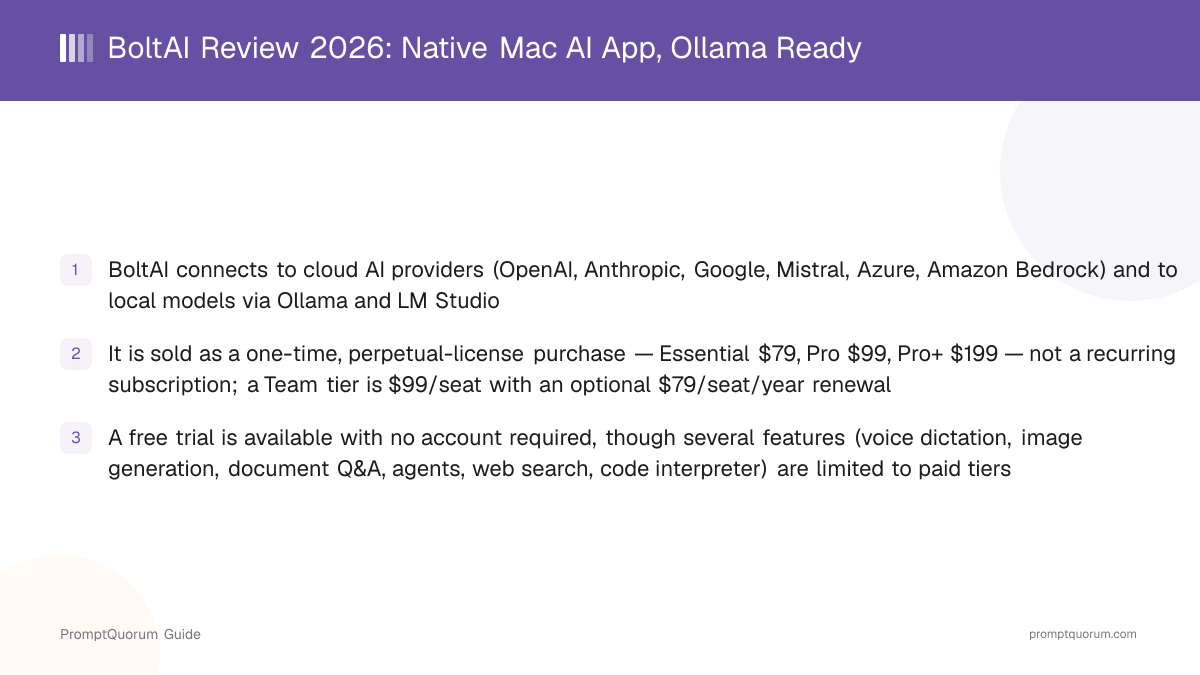
BoltAI (boltai.com) is a native macOS chat app that connects to cloud AI providers (OpenAI, Anthropic, Google, Mistral, Azure, Amazon Bedrock) and to local models via Ollama and LM Studio, all from the same window.
Is BoltAI free?
A free trial is available with no account required, but it excludes voice dictation, image generation, document Q&A, agents, workflows, web search, and the code interpreter. Full access requires a paid tier: Essential ($79), Pro ($99), or Pro+ ($199), each a one-time, perpetual-license purchase.
Does BoltAI work with Ollama and LM Studio?
Yes. BoltAI connects to local models through Ollama or LM Studio, set up under Settings → Models → Add Model, per BoltAI's own Ollama optimization guide. Local model chat is included even in the free trial.
What platforms does BoltAI support?
macOS only, for Intel and Apple Silicon Macs, per the official download page. An iPhone/iPad companion app exists in beta with cloud sync. BoltAI's pricing page mentions "Mac/Windows" device activation, but no Windows download currently exists on the download page — verify directly before assuming Windows support.
Is BoltAI open source?
No. BoltAI is closed-source. Its public GitHub repository (github.com/BoltAI/BoltAI) functions as an issue tracker, not a source-code repository.
Is BoltAI a subscription?
No, for the individual tiers. Essential, Pro, and Pro+ are one-time purchases with a perpetual license and one year of included updates. The separate Team Perpetual tier has an optional annual renewal fee for continued updates.
What is BoltAI's AI Command feature?
AI Command lets you highlight text in any Mac application, trigger a keyboard shortcut, and apply one of 38+ built-in commands (or a custom one) to that text — for example, fixing grammar or summarizing — with the result inserted before or after your selection, per BoltAI's AI Command documentation.
Does BoltAI support MCP (Model Context Protocol)?
Yes. BoltAI added MCP client support, including OAuth authentication for connectors that require it, letting the chat client call external tools and data sources rather than only generating text, per its changelog.
Who makes BoltAI?
BoltAI is built and run by Daniel Nguyen as a bootstrapped, self-funded indie product, per the company's about page and a Starter Story interview.
When did BoltAI first launch?
BoltAI first launched in May 2023, according to founder interviews, and has since received 160+ updates per its own about page. Version 2 was a ground-up rebuild targeting macOS 13+, later renamed from "BoltAI 2" back to simply "BoltAI" in the August 2026 (v2.15.0) release.