What Is Enchanted?
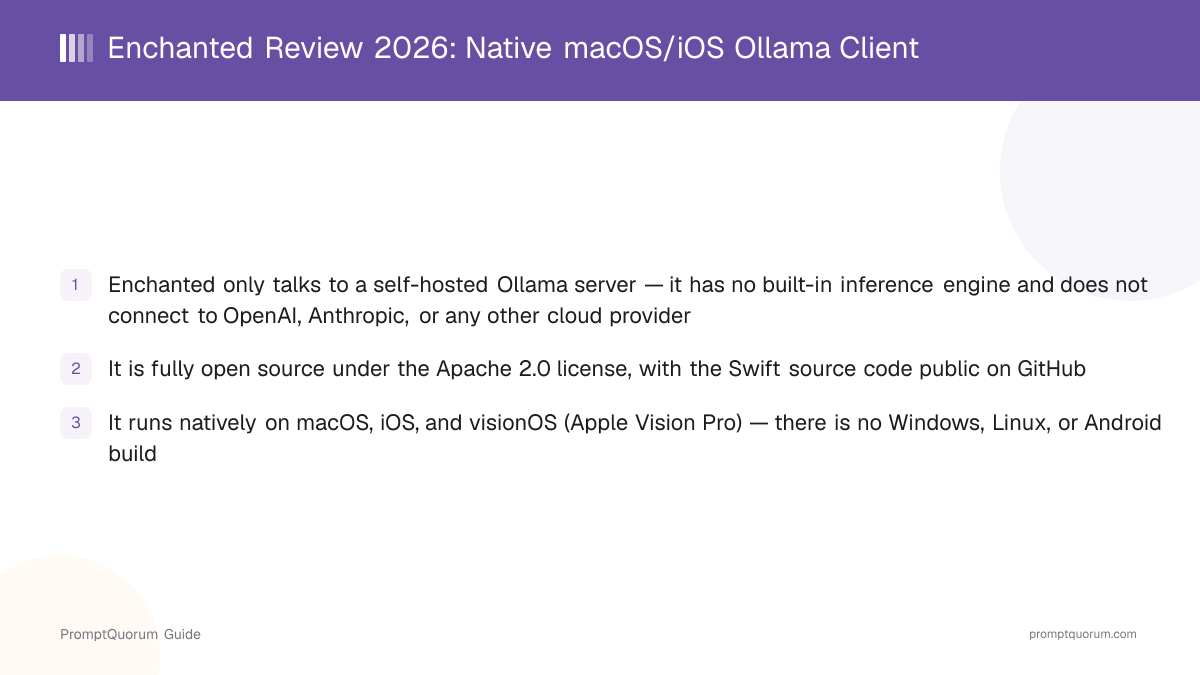
Enchanted is a native chat application for macOS, iOS, and visionOS that acts as a front end for a self-hosted Ollama server. Per its own GitHub description, it is "an open source, Ollama compatible, elegant macOS/iOS/visionOS app for working with privately hosted models such as Llama 2, Mistral, Vicuna, Starling, and more." Enchanted itself never downloads, stores, or runs a model — it sends your prompts to whatever Ollama server address you configure and displays the streamed response.
- Core function: a native SwiftUI chat interface that sends requests to an Ollama server's HTTP API and renders the response — nothing more, nothing less
- Author: Augustinas Malinauskas, who develops under the GitHub username gluonfield (the repository was previously reachable under the username AugustDev, which GitHub now redirects to gluonfield)
- License: Apache 2.0, meaning the source is free to read, modify, and redistribute, with attribution
- "Native" here means it is a real macOS/iOS app built with Apple's SwiftUI framework — not a website wrapped in a browser shell — so it gets platform features like Spotlight-style command panels, native Markdown rendering, and offline-capable local storage of your chat history
- What it does not do: it has no bundled model runtime (unlike LM Studio or GPT4All) and no cloud-provider connections (unlike Msty) — Ollama is the only supported backend
Enchanted's Project History and Version Milestones
Enchanted's first commits date to December 2023, with the GitHub repository created on December 13, 2023 and the App Store listing going live two days later, on December 15, 2023. The project shipped frequent releases through most of 2024, then had a roughly two-year gap in tagged GitHub releases before a burst of community-contributed features shipped in mid-2026.
- 1v1.1.0 — December 22, 2023: Voice recordings and image prompts
Why it matters: Early releases added voice-to-text prompting and image attachments for multimodal models like LLaVA. - 2v1.4.0 — February 12, 2024: macOS support
Why it matters: Enchanted expanded from an iOS-only app to a native Mac build, adding a ⌘+N new-chat shortcut and Mac-specific settings. - 3v1.4.4 — February 14, 2024: macOS Spotlight-style command panel
Why it matters: Added the Ctrl+⌘+K command panel — a system-wide way to run a saved prompt against selected text without opening the main chat window. - 4v1.5.5 "Completions" — March 11, 2024: Custom prompt templates
Why it matters: Let users build reusable prompt templates that combine a saved instruction with text selected in any other Mac app. - 5v1.6.7 — May 26, 2024: macOS text-to-speech and copy chat
Why it matters: Added spoken "Read Aloud" output on macOS and a one-click way to copy an entire conversation. - 6v1.7.0 — May 27, 2024: Apple Vision Pro support
Why it matters: Enchanted became one of the earlier local-LLM chat clients with a dedicated visionOS build, plus access to Apple's higher-quality Enhanced/Premium system voices. - 7v1.8.2 — June 15, 2026: Llama Vision, "think" tag support, and a color refresh
Why it matters: After a long gap since v1.7.0, this release — built from several community pull requests — added support for Llama's vision-capable models, rendering for reasoning models' `<think>` tags, and interface color adjustments.
What Can You Do With Enchanted?
Enchanted's feature list, per its own README, is intentionally narrow: everything on it supports one job — chatting with your own Ollama server through a native app.
- Text to speech ("Read Aloud") — has the app read a response aloud using the system voice, useful for listening to long answers hands-free
- Voice prompts — dictate a prompt instead of typing it
- Image attachments — attach an image to a prompt for multimodal models such as LLaVA or Llama's vision-capable variants (added in v1.8.2)
- Custom system prompts — set a system prompt that applies to a specific conversation
- Edit and resend — edit a previous message and resend it, optionally to a different model than the one that originally answered it
- Markdown rendering — tables, lists, and code blocks (with a copy button) render properly instead of showing raw Markdown syntax
- On-device conversation history — chat history is stored locally on your device, not on a company server, since there is no company server involved at all
- macOS command panel (Ctrl+⌘+K) — a Spotlight-style panel for running a saved custom prompt template against text selected in any other Mac application, without switching to the main Enchanted window
- Reasoning-model support — renders
<think>tags from reasoning-style models as a distinct block rather than raw text (added in v1.8.2)
Usage Examples: Three Ways to Use Enchanted
These three workflows come directly from Enchanted's documented setup instructions and features — not hypothetical scenarios.
Run Ollama and Enchanted on the same Mac
Install Ollama on your Mac, pull a model (for example, a Llama or Qwen model), and start the Ollama server. Open Enchanted on the same machine, point its server-endpoint setting at your local Ollama address, and start chatting. This is the simplest setup — no networking configuration is required because the app and the server are on the same device.
Chat from your iPhone with Ollama running on your Mac
Enchanted's own setup instructions cover this exact case: start Ollama on your Mac, use a tunneling tool like ngrok (ngrok http 11434 --host-header="localhost:11434") to expose it with a temporary public URL, then enter that URL as the server endpoint in Enchanted on your iPhone. Any tool that exposes your Ollama server behind a stable, reachable address — a LAN IP address, a VPN, or a self-hosted reverse proxy — works the same way in principle, since Enchanted just needs one endpoint URL; the project's own documented example uses ngrok specifically.
Build a reusable prompt template for macOS-wide use
On macOS, save a custom prompt template (for example, "rewrite this more concisely") in Enchanted, then use the Ctrl+⌘+K command panel from inside any other app — a text editor, an email client, a browser — to run that template against text you have selected, without switching windows to the main chat interface.
Download Enchanted for macOS and iOS
Enchanted is distributed as a free App Store download or as an open-source Xcode project you build yourself. The GitHub repository itself does not publish ready-to-run desktop binaries as release assets — nearly all of its 16 tagged releases ship with no attached file, so the App Store and building from source are the two real installation paths.
Platform | Requirement | Get it |
|---|---|---|
| iOS / iPadOS | iOS 17.0+, a reachable Ollama v0.1.14+ server | App Store ↗ |
| macOS | Apple Silicon or Intel Mac, reachable Ollama server | App Store ↗ |
| visionOS | Apple Vision Pro, reachable Ollama server | App Store ↗ |
| Build from source | Xcode, an Apple Developer account for signing | GitHub repository ↗ |
The App Store listing shows the app under the name "Enchanted Developers Only," free of charge, rated 4.3 out of 5 from 82 ratings at the time of this review — search for that exact name if a plain "Enchanted" search does not turn it up. There is no separate Windows, Linux, or Android build in any form; those platforms are not supported by this project at all, on the App Store or from source.
Enchanted Pricing: Free and Open Source
Enchanted costs $0. There is no subscription, no paid tier, and no in-app purchase — on the App Store or in the source code. This is a straightforward case, not a freemium product with a limited free layer: every feature described in this review, including image attachments, voice prompts, and the macOS command panel, is available at no cost.
- App Store price: Free (confirmed via the App Store listing's pricing field)
- No subscription tier of any kind exists for this app, unlike several other apps covered in this cluster
- Building from source costs nothing beyond an Apple Developer account, which Apple requires to sign and install any app you compile yourself — a $99/year Apple Developer Program membership if you want to install a self-built copy on a physical device long-term, or a free personal-team signing option that requires periodic re-signing
- The only real "cost" is indirect: you still need to run Ollama and download models yourself, and those use your own machine's compute and storage, not a paid API
Enchanted vs. Msty: Which One Do You Want?
Enchanted and Msty solve a similar surface problem — a desktop chat interface for local models — with almost opposite designs. Enchanted is a narrow, open-source, Ollama-only native app for Apple platforms. Msty is a closed-source, cross-platform app that connects to multiple local runtimes and cloud providers side by side, with a paid tier for extra features.
Aspect | Enchanted | |
|---|---|---|
| Source code | Open source (Apache 2.0) | Closed source |
| Platforms | macOS, iOS, visionOS only | macOS, Windows, Linux |
| Model backends | Ollama only | Ollama, LM Studio, llama.cpp, MLX + cloud APIs |
| Cloud model support | None | Yes, via provider API keys |
| Document RAG search | Not built in | Yes (Knowledge Stacks) |
| Price | Free, no paid tier | Free tier + paid Aurum tier |
Pick Enchanted if you want a minimal, native, open-source app that only talks to your own Ollama server and nothing else. Pick Msty if you also want cloud-provider models, document search over your own files, or a Windows/Linux build — Enchanted does not offer any of those.
Who Should Use Enchanted?
Enchanted fits a specific, narrow use case well; it is a poor fit outside that case.
Use Enchanted if
- You already run Ollama and only want a native macOS/iOS/visionOS chat interface for it — nothing more
- You specifically want the client application itself to be open source, not just "local-first"
- You want to chat with your Mac's Ollama server from your iPhone or iPad while away from your desk
- You value not paying anything, ever, for the chat interface itself
- You are comfortable building an app from source in Xcode if the App Store listing is ever pulled or lags behind
Wait, or look elsewhere, if
- You are on Windows, Linux, or Android — Enchanted has no build for any of those platforms
- You want cloud-model access (OpenAI, Anthropic, Google) alongside local models in the same app — Enchanted only connects to Ollama
- You want built-in document/RAG search over your own files — Enchanted has no equivalent to Msty's Knowledge Stacks or dedicated RAG tools
- You want an actively, frequently updated app with a predictable release cadence — Enchanted had a roughly two-year gap between tagged releases (2024 to 2026), and its own maintainer points newcomers toward a different, newer project called Jaz for more ambitious agent use cases
- You want a local model runtime bundled in the same app — Enchanted has none; you must install and manage Ollama separately
Enchanted vs. Other Local Chat Apps
Enchanted is one of several chat front ends built specifically around Ollama, and one of the few native Apple-platform options among them. Here is how it compares — see the Local LLM Software Directory for the full catalog.
- Msty — a closed-source, cross-platform (macOS/Windows/Linux) app that adds cloud-model support and document RAG search on top of local-model chat; see the full Enchanted vs. Msty comparison above.
- Msty Go — a separate autonomous-agent product from the Msty team, not a chat interface at all; not a direct alternative to Enchanted.
- LM Studio, Jan, and GPT4All — three cross-platform local chat clients that, unlike Enchanted, bundle their own model runtime rather than requiring a separate Ollama installation.
- Jan — an open-source, local-first chat app with a bundled inference engine, running on macOS, Windows, and Linux, unlike Enchanted's Ollama-only, Apple-only scope.
- GPT4All — an open-source local chat client from Nomic AI with its own bundled runtime, available on Windows, macOS, and Linux.
- Open WebUI — a self-hosted, browser-based chat interface commonly paired with Ollama; unlike Enchanted, it runs as a web app accessible from any device with a browser rather than a native mobile/desktop client.
- BoltAI — a macOS/Windows AI assistant with deep OS-level integration (system-wide shortcuts, app integrations) and both local and cloud model support, closer to Msty's scope than Enchanted's.
- Jaz — the same author's newer, separate project: a "personal AI agent" platform (always-on agents, scheduled loops, memory, git control) rather than a simple chat client; not a like-for-like replacement for Enchanted's use case.
Common Mistakes When Evaluating Enchanted
Most confusion about Enchanted comes from assuming it does more than a minimal Ollama front end, or missing its App Store listing name.
Mistake 1: Searching the App Store for just "Enchanted"
The App Store listing's actual name is "Enchanted Developers Only." A plain "Enchanted" search may surface unrelated apps first. Use the direct link in the downloads section above, or search the exact listed name.
Mistake 2: Expecting cloud-model support
Enchanted connects only to a self-hosted Ollama server. It has no OpenAI, Anthropic, Google, or any other cloud-provider integration — if you want local and cloud models in one app, Msty covers that case, Enchanted does not.
Mistake 3: Assuming Enchanted includes a model runtime
Enchanted is a client only. It does not download, store, or run models itself. You must install Ollama separately and pull at least one model before Enchanted has anything to connect to.
Mistake 4: Not noticing the maintainer's own successor-project note
Enchanted's README states that a separate project, Jaz, is "the new iteration of this project." Enchanted is not archived and still receives commits, but if you are choosing between the two for a new project today, read Jaz's own scope carefully first — it is a different kind of tool (an always-on personal agent platform), not simply "Enchanted 2.0" for chat.
Frequently Asked Questions
What is Enchanted?
Enchanted is a free, open-source native chat app for macOS, iOS, and visionOS that connects to a self-hosted Ollama server. It has no built-in model engine — it is a front end only, per its GitHub repository.
Is Enchanted free?
Yes, fully. There is no subscription, paid tier, or in-app purchase, whether you install it from the App Store or build it from source. The only ongoing cost is whatever your own hardware and Ollama setup already cost you.
Does Enchanted work with anything besides Ollama?
No. Per its own documentation, Enchanted is "Ollama compatible" and connects exclusively to a self-hosted Ollama server. It does not connect to LM Studio, llama.cpp directly, or any cloud provider such as OpenAI or Anthropic.
What platforms does Enchanted support?
macOS, iOS, and visionOS (Apple Vision Pro). There is no Windows, Linux, or Android build in any form, on the App Store or from source.
Is Enchanted open source?
Yes. The full Swift source code is published on GitHub under the Apache 2.0 license, meaning it can be freely read, modified, and redistributed with attribution.
Who makes Enchanted?
Augustinas Malinauskas, who develops under the GitHub username gluonfield (the project was previously published under the username AugustDev, which now redirects to gluonfield).
What is the App Store listing called?
The app is listed as "Enchanted Developers Only," not simply "Enchanted." Search for that exact name, or use the direct App Store link, if a plain search does not find it.
Can I use Enchanted on my iPhone with Ollama running on my Mac?
Yes — this is one of the two setups documented in the project's own README. Expose your Mac's Ollama server with a tool like ngrok, then enter the resulting URL as the server endpoint in Enchanted on your iPhone.
Is Enchanted still maintained?
The repository is not archived and its most recent code push was July 2026, but there was a roughly two-year gap between its v1.7.0 (May 2024) and v1.8.2 (June 2026) tagged releases. Its own README also now points to a separate, newer project called Jaz as "the new iteration of this project," so check that project's scope before assuming Enchanted will keep receiving frequent updates.
Does Enchanted support image or vision prompts?
Yes. It supports image attachments for multimodal models such as LLaVA, and added support for Llama's vision-capable models in the v1.8.2 release (June 2026).