What Is Jan?
Jan is a desktop application for chatting with AI models that run on your own computer, or, if you choose, on a cloud provider's servers through your own API key. Its own GitHub description calls it "an open source alternative to ChatGPT that runs 100% offline on your computer." The application itself is a Tauri-based desktop app (per the repository's GitHub topics) with a built-in local inference engine, so the core offline-chat experience does not depend on any other software being installed first.
- Core function: a chat interface that can run models locally via a built-in engine, or route requests to cloud APIs and self-hosted backends you configure
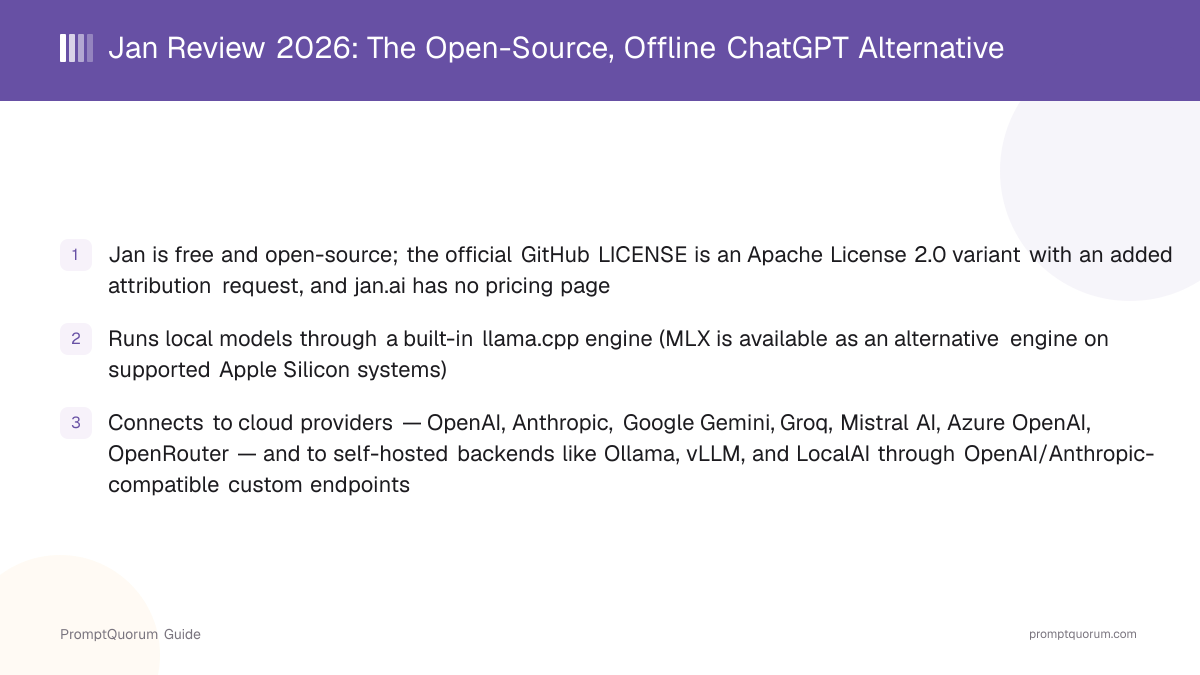
- Local inference engine: llama.cpp and GGML, per Jan's own documentation, with MLX available as an alternative engine on supported Apple Silicon hardware
- Cloud and self-hosted connections: OpenAI, Anthropic, Google Gemini, Groq, Mistral AI, Azure OpenAI, OpenRouter, and HuggingFace, plus custom OpenAI/Anthropic-compatible endpoints for backends such as Ollama, vLLM, and LocalAI
- Developer: Menlo Research, a Singapore-registered company; GitHub lists the repository's copyright holder as "Menlo Research" in its LICENSE file
- Canonical repository: github.com/janhq/jan — the project and organization name in current, active use for Jan's source code, releases, and issue tracker
Jan's Project History and Version Milestones
Jan's GitHub repository was created in August 2023, and the project has shipped continuously since, adding a local API server, a redesigned interface, and — most recently — Model Context Protocol support and native web search. Some third-party company trackers describe Jan's original developer as "Homebrew" (also written "Homebrew Computer Company"), which they identify as an earlier name for the team now operating as Menlo Research; PromptQuorum could not independently confirm this renaming through an official Jan or Menlo Research statement, so treat it as a secondary-source claim rather than a verified fact.
- 1v0.4.3 — December 21, 2023: Faster inference across platforms
Why it matters: Performance improvements to inference speed on Mac, Windows, Linux, and GPU-equipped machines, per the official changelog. - 2v0.4.5 — January 29, 2024: Local API server introduced
Why it matters: Added the OpenAI-compatible local API server, the feature that lets other applications treat Jan as a backend. - 3v0.5.0 — June 3, 2024: Revamped UI and Codestral support
Why it matters: A significant interface overhaul aimed at making the app clearer and easier to use, alongside new model support. - 4v0.6.1 — June 19, 2025: Full interface redesign
Why it matters: Jan's changelog describes this as a complete redesign of the app's look and feel. - 5v0.7.0 — October 2, 2025: Projects feature and Azure support
Why it matters: Added project-based organization for conversations, model renaming, and Azure OpenAI provider support. - 6v0.8.0 — May 22, 2026: Multi-Token Prediction and a unified llama.cpp router
Why it matters: Added Multi-Token Prediction for compatible llama.cpp models and consolidated the app's local inference process into a single llama.cpp router. - 7v0.8.4 — July 21, 2026: Native web search and per-model settings
Why it matters: Added native web_search and web_fetch tools plus per-model chat-template configuration and backend-managed settings storage — the most recent milestone noted on the [official changelog](https://jan.ai/changelog) as of this review.
What Can You Do With Jan?
Jan's feature set centers on running models locally by default, while making cloud models and external tools available as opt-in additions. Here is what each part actually does, per Jan's own GitHub README and documentation.
- Local AI models — download and run open-weight models (Llama, Gemma, Qwen, GPT-oss, and others) from HuggingFace, or from Jan's own curated Model Hub, which includes Jan's own releases such as Jan-Code-4B, Jan-v3-4B, Jan-v2-VL, and the Jan Nano 32k/128k variants
- Cloud integration — connect your own API key for OpenAI (GPT models), Anthropic (Claude models), Google Gemini, Groq, Mistral AI, Azure OpenAI, or OpenRouter, and chat with those models in the same window as your local ones
- Custom endpoints — Jan can also connect to any backend that speaks the OpenAI or Anthropic wire format, which in practice covers self-hosted servers like Ollama, vLLM, and LocalAI, plus routing layers like LiteLLM
- Custom assistants — create assistants configured for a specific task or persona, rather than starting every conversation from a blank default
- Local, OpenAI-compatible API server — Jan can expose an API server at
http://127.0.0.1:1337that mirrors the OpenAI API's request/response format, so other tools can point at Jan instead of a cloud endpoint - Model Context Protocol (MCP) — connect Jan to MCP servers and tools (Jan's documentation names Claude Code and OpenClaw as examples) for agent-style, tool-using workflows
- Privacy-first design — per Jan's own positioning, everything can run locally with no data leaving your machine, provided you only use local models and do not add cloud provider connections
Usage Examples: Three Ways to Use Jan
These are concrete workflows built from Jan's documented features above — not hypothetical use cases.
Download a model and chat fully offline
Open Jan's Model Hub, pick a model sized for your hardware (for example, one of the smaller Jan Nano or Qwen builds for a laptop with limited VRAM), and download it. Once the download finishes, you can turn off your internet connection entirely and keep chatting — the model runs locally through Jan's built-in llama.cpp engine, so no request ever leaves your machine.
Add your own OpenAI or Anthropic API key for cloud models
In Settings > Model Providers, add your OpenAI or Anthropic API key. This puts a cloud model (for example, a GPT or Claude model) alongside your local ones in the same model picker, so you can switch to a larger cloud model for a harder task without leaving Jan or losing your conversation history.
Use Jan's local API server as a drop-in OpenAI API replacement
Start the local API server from Settings > Local API Server. Once it is running at http://127.0.0.1:1337, point any tool or script that expects the OpenAI API format (using any placeholder string as the API key) at that address instead of api.openai.com. Requests to /v1/chat/completions and /v1/models are served by whichever model you have loaded in Jan, letting you reuse existing OpenAI-client code against a fully local model.
Download Jan for macOS, Windows, and Linux
Jan is available on macOS, Windows, and Linux, as a direct download, through the Microsoft Store, and through Flathub. Links below are from the official GitHub README and jan.ai — always verify against those pages directly, since build URLs can change between releases.
Platform | Download |
|---|---|
| Windows | jan.exe or Microsoft Store |
| macOS (Universal) | jan.dmg |
| Linux (.deb) | jan.deb (amd64) |
| Linux (AppImage) | jan.AppImage (amd64) |
| Linux (Flatpak) | Flathub: ai.jan.Jan |
A dedicated Linux ARM64 build is not part of the standard download table; Jan's GitHub issue tracker documents a community how-to for ARM64 Linux instead of an official prebuilt package as of this review — check the linked issue for the current status. As with any local-model tool, actual usability depends on which model you load: Jan itself has no fixed hardware minimum beyond running its host OS, but a given model's RAM/VRAM requirement is a separate, model-specific constraint.
Jan Pricing: Is Jan Really Free?
Yes — Jan has no paid tier. jan.ai does not have a pricing page, and the GitHub LICENSE file applies to the entire application, not a subset of "free" features. The license text is based on the Apache License, Version 2.0, with one addition: a request (not a strict requirement) for attribution "in user-facing documentation and materials, where appropriate." GitHub's own repository metadata classifies this as a custom ("Other") license rather than an unmodified Apache-2.0 license, because of that added clause — it is not the standard OSI-approved Apache 2.0 text verbatim.
- No subscription, no paid tier, no usage limits imposed by Jan itself
- No account or sign-up required to use the app
- Running cloud models (OpenAI, Anthropic, etc.) through Jan still costs whatever that provider charges for API usage — Jan itself does not add a markup or fee on top
- The application license is an Apache License 2.0 variant with an added attribution request, per the official LICENSE file — copyleft obligations associated with licenses like the AGPL do not apply to this text
Jan vs. GPT4All
Jan and GPT4All are two of the more established fully open-source, local-first chat apps, and they get compared often because both emphasize running models offline with no required account. The clearest differences are in how each handles cloud models and how each project is organized.
Aspect | Jan | |
|---|---|---|
| Local engine | llama.cpp (+ MLX option) | llama.cpp-based |
| Cloud model support | Built-in — OpenAI, Anthropic, Gemini, Groq, Mistral, Azure, OpenRouter | Limited / not a core focus |
| Local API server | Yes, OpenAI-compatible (:1337) | Yes, OpenAI-compatible local server |
| Tool/agent support | MCP integration | Not a core focus |
| Developer | Menlo Research | Nomic AI |
| Platforms | macOS/Windows/Linux + MS Store/Flathub | macOS/Windows/Linux |
If your priority is a hybrid local-plus-cloud workflow with tool/agent connectivity (MCP), Jan's feature set is the broader of the two. If your priority is the simplest possible fully offline chat client with minimal surface area, GPT4All is worth evaluating directly at nomic.ai/gpt4all. Both are free and open-source; verify current feature details on each project's own site before deciding, since both ship updates frequently.
Who Should Use Jan?
Whether Jan fits depends on whether you want a single free app that covers both fully offline chat and optional cloud models, plus a local API server for other tools.
Use Jan if
- You want to run AI models entirely offline, on your own hardware, with no account or subscription
- You also want the option to add cloud provider API keys (OpenAI, Anthropic, and others) in the same app, without switching tools
- You want a local, OpenAI-compatible API server so other applications can use your local model as a backend
- You want to connect Jan to MCP-compatible tools for agent-style workflows
- You want the underlying application to be open-source and self-hostable, rather than a closed-source binary
Wait, or look elsewhere, if
- You need a fully open-source app but the exact license terms (Apache-2.0-variant with an attribution request, per the current LICENSE file) do not meet a specific legal requirement your organization has — verify the license text directly for your use case
- You want built-in enterprise features like centralized team administration or SSO — Jan is a single-user desktop app, and this review found no published enterprise/team tier
- You want a chat client with a large built-in RAG (document Q&A) feature set as the primary focus — Jan is chat- and model-management-first; see the RAG-focused tools in the competitors section below if document search is your main need
- You need official support guarantees rather than community/issue-tracker support — Jan's support channels are GitHub Issues and Discord, typical of an open-source project rather than a commercial vendor with an SLA
Jan vs. Other Local Chat Apps
Jan is one of several apps that combine local model inference with optional cloud connections in a single interface. Here is how it sits next to other options in that space — see the Local LLM Software Directory for the full catalog, and the dedicated Jan vs. GPT4All comparison above for the closest head-to-head.
- LM Studio — a local-model-focused chat and model-management app with a polished built-in model browser; see the LM Studio vs. Jan vs. GPT4All comparison for a direct three-way comparison that already covers Jan against this app in detail.
- GPT4All — an open-source local chat client from Nomic AI; see the dedicated comparison section above.
- Msty — a closed-source desktop app that also blends local and cloud model chat, with added features like side-by-side model comparison and document RAG; see the Msty review for full details.
- Enchanted — an open-source native Mac/iOS client built specifically for Ollama; narrower in platform scope than Jan but native to Apple platforms. See the Enchanted review.
- BoltAI — a macOS/Windows AI assistant app with deep OS-level integration (system-wide shortcuts, app integrations) alongside local and cloud model support; see the BoltAI review.
- AnythingLLM — a document-chat and RAG-focused app; if retrieval over your own documents is the main feature you need, see the AnythingLLM vs. PrivateGPT vs. Open WebUI RAG comparison.
- Open WebUI — a self-hosted, browser-based chat interface typically run alongside Ollama; unlike Jan, it is deployed as a web app (often in a container) rather than a native desktop client you install directly.
Common Mistakes When Evaluating Jan
Most confusion about Jan comes from its license terms, its relationship to Menlo Research, or assuming it is purely offline with no cloud option at all.
Mistake 1: Assuming Jan is AGPL-licensed
Some third-party listings, including a prior version of PromptQuorum's own software directory, describe Jan as AGPL 3.0. A direct read of the current LICENSE file shows an Apache License 2.0 variant with an added attribution request instead. Read the license file yourself before relying on this distinction for a legal decision.
Mistake 2: Assuming Jan is local-only with no cloud option
Jan is local-first, not local-only. It ships built-in support for connecting OpenAI, Anthropic, Google Gemini, Groq, Mistral AI, Azure OpenAI, and OpenRouter accounts, alongside its offline local-model capability.
Mistake 3: Confusing Jan with Menlo Research's robotics work
Menlo Research's own current homepage focuses on Asimov, a humanoid-robotics project, and does not describe Jan in detail. Jan's active source code, releases, and documentation live at github.com/janhq/jan and jan.ai — use those as the authoritative source for anything about the Jan application itself.
Mistake 4: Expecting the local API server to be running by default
Jan's local, OpenAI-compatible API server at http://127.0.0.1:1337 has to be started manually from Settings > Local API Server — it is not enabled automatically on install.
Frequently Asked Questions
What is Jan?
Jan (jan.ai, source at github.com/janhq/jan) is a free, open-source desktop app that runs AI models locally through a built-in llama.cpp engine, with optional connections to cloud providers such as OpenAI and Anthropic.
Is Jan free?
Yes. jan.ai has no pricing page, and the GitHub LICENSE file applies to the whole application with no paid tier. If you connect a cloud provider like OpenAI, you pay that provider directly for API usage — Jan itself does not charge anything.
Is Jan open source? What license does it use?
Yes, Jan is open source. Its LICENSE file is based on the Apache License, Version 2.0, with an added request for attribution in user-facing materials. GitHub's repository metadata classifies this as a custom ("Other") license rather than unmodified Apache 2.0, because of that added clause. Some third-party listings describe Jan as AGPL 3.0 — based on a direct read of the current LICENSE file, that does not match; verify the license text yourself for any legal decision.
Does Jan work offline?
Yes. Once you have downloaded a local model through Jan's Model Hub or from HuggingFace, Jan runs that model through its built-in llama.cpp engine with no internet connection required. An internet connection is only needed to download models initially or to use a connected cloud provider.
Does Jan support cloud models like GPT or Claude?
Yes. Jan supports connecting your own API key for OpenAI, Anthropic, Google Gemini, Groq, Mistral AI, Azure OpenAI, and OpenRouter, letting you use cloud models alongside local ones in the same app.
Can Jan connect to Ollama, vLLM, or LocalAI?
Yes, through custom endpoints. Jan can connect to any backend that speaks the OpenAI or Anthropic API format, which covers self-hosted servers such as Ollama, vLLM, and LocalAI, configured under Settings > Model Providers.
What platforms does Jan support?
macOS (universal build), Windows, and Linux (.deb and AppImage packages), per the official GitHub README. Jan is also distributed through the Microsoft Store and Flathub.
Does Jan have a local API server?
Yes. Jan can run a local, OpenAI-compatible API server at http://127.0.0.1:1337, started manually from Settings > Local API Server. Other applications that expect the OpenAI API format can point at this address instead of a cloud endpoint.
Who develops Jan?
Jan is developed by Menlo Research, a Singapore-registered company listed as the copyright holder in Jan's LICENSE file. Some third-party company trackers describe an earlier team name of "Homebrew," which PromptQuorum could not independently verify through an official source.
When was Jan first released?
Jan's GitHub repository was created in August 2023. Public changelog entries this review could verify start at version 0.4.3 (December 21, 2023) and continue through version 0.8.4 (July 21, 2026) — see the official changelog for the complete history.