What Is Ollama?
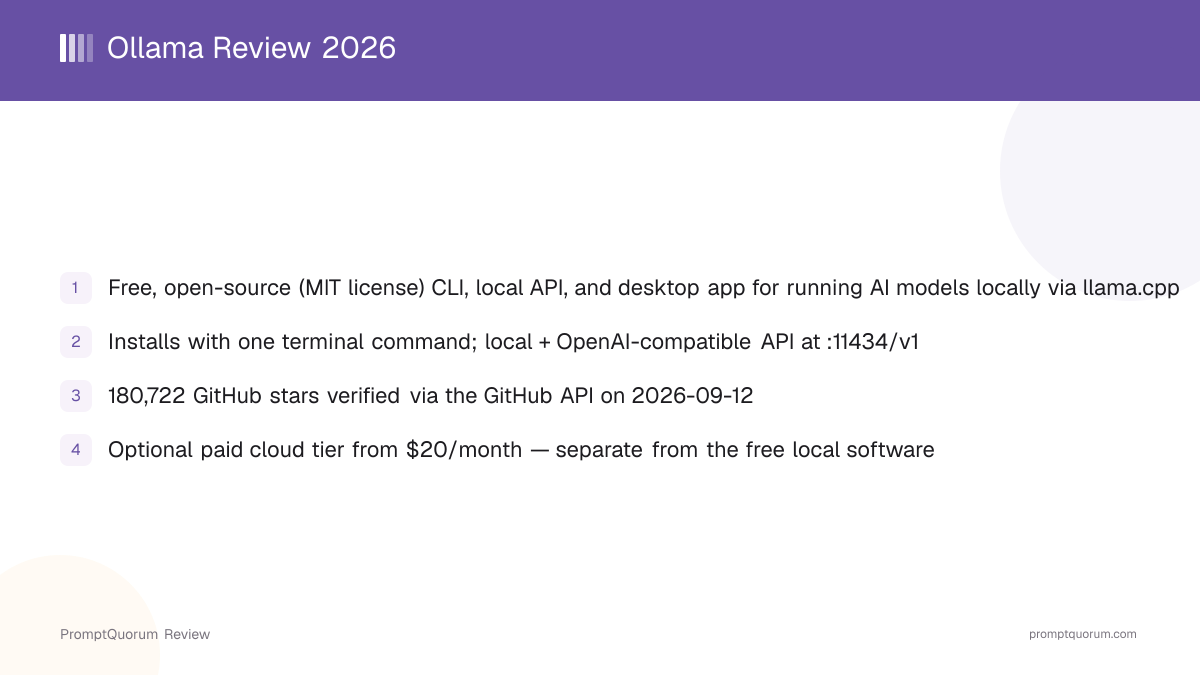
Ollama is a command-line tool, local API server, and (since July 2025) desktop app for running open-weight AI models on your own hardware. Its GitHub repository describes it as software to "get up and running with large language models" locally. The design intentionally mirrors Docker's workflow — the two co-founders previously built Kitematic, a GUI for Docker, which Docker acquired in 2015 — so ollama pull and ollama run work much like docker pull and docker run.
- Core function: download open-weight models and run them locally through a built-in inference engine, with a CLI, a local API, and a desktop chat interface all talking to the same background service
- Local inference engine: built on llama.cpp and GGML, running models packaged in GGUF format from Ollama's own library or imported from GGUF/Safetensors files
- Interfaces: a terminal CLI (
ollama run <model>), an official desktop app for macOS and Windows with drag-and-drop file and image input, and a REST API for programmatic use - Developer: Ollama Inc., a Palo Alto, California company; the GitHub organization hosting the code is ollama
- Canonical repository: github.com/ollama/ollama, MIT-licensed per the repository's LICENSE file
Ollama's Company Background and Milestones
Ollama was founded in 2023 by Jeffrey Morgan and Michael Chiang, who met at the University of Waterloo and had previously built Kitematic, an open-source Docker GUI that Docker acquired in 2015 (later folded into Docker Desktop). Ollama Inc. is based in Palo Alto, California, and has raised venture funding from investors including Benchmark and Theory Ventures, according to public startup-funding trackers; PromptQuorum has not independently verified an exact funding total from a primary source and recommends checking Ollama's own announcements for current figures.
- 12023 — Project launch
Why it matters: Ollama's GitHub repository and first public releases established the `pull`/`run` CLI workflow that remains the core interaction model today. - 2July 2025 — Official desktop app released
Why it matters: Added a native GUI for macOS and Windows with model downloading, chat, drag-and-drop file/image input, and adjustable context length — previously the CLI and third-party GUIs (like Open WebUI) were the only interfaces. - 32025–2026 — OpenAI-compatible API expansion
Why it matters: Ollama added and expanded an OpenAI-compatible endpoint at `/v1`, covering chat completions, completions, embeddings, and model listing, making it a drop-in backend for tools already built against the OpenAI SDK. - 42026 —
ollama launchintegrations
Why it matters: Added one-command setup for pointing coding tools — Claude Code, Codex, VS Code, OpenCode, and Droid — at a locally running model, per the [official CLI reference](https://docs.ollama.com). - 52026 — Cloud tier introduced
Why it matters: Ollama Inc. began offering paid, hosted inference on its own infrastructure (regions including the US, Europe, and Singapore per [ollama.com](https://ollama.com)) as an option alongside the free local software, for users who want to run larger models than their own hardware supports.
What Can You Do With Ollama?
Ollama's feature set centers on making local model inference feel like a package manager rather than a research project. Here is what each part does, per Ollama's official documentation and GitHub README.
- Model library — pull ready-to-run models from ollama.com/library with a single
ollama pull <model>command; current documentation shows examples including Llama, Gemma, Qwen, gpt-oss, DeepSeek, and dedicated embedding models likenomic-embed-textandembeddinggemma - Modelfile customization — define a custom model configuration with a Modelfile using
FROM(base model, required),PARAMETER(runtime settings like temperature and context length),TEMPLATE(prompt format),SYSTEM(system prompt),ADAPTER(LoRA adapters),LICENSE, andMESSAGE(seeded conversation history) instructions, then build it withollama create <name> -f Modelfile - Local REST API — a native API at
http://localhost:11434with endpoints including/api/generate,/api/chat,/api/embeddings,/api/pull, and/api/create, documented in the official API reference - OpenAI-compatible API — a second endpoint at
http://localhost:11434/v1implementing/v1/chat/completions,/v1/completions,/v1/models, and/v1/embeddings, so applications written against the OpenAI SDK can point at Ollama by changing only the base URL - Coding-tool integrations (
ollama launch) — an interactive command that configures external tools — Claude Code, Codex, VS Code, OpenCode, and Droid are named in current CLI documentation — to use a locally running Ollama model as their backend - Multimodal and embedding support —
ollama runaccepts image input for multimodal models (the CLI docs usellavaas an example), and dedicated embedding models can be run for retrieval/RAG pipelines - Desktop app — a native GUI (macOS and Windows, released July 2025) for downloading models and chatting without the terminal, alongside the CLI
- Optional cloud tier — Ollama Inc. sells hosted inference on its own servers as a separate, paid option for running models larger than local hardware can handle; this is not required for any of the local features above
Usage Examples: Three Ways to Use Ollama
These are concrete workflows built from Ollama's documented commands and API above — not hypothetical use cases.
Pull and chat with a model from the terminal
Run ollama run llama3.2 (substituting any model name from ollama.com/library). If the model is not already downloaded, Ollama pulls it automatically, then drops you into an interactive chat prompt in the same terminal window — no separate download step required.
Build a custom model with a Modelfile
Create a text file named Modelfile containing FROM llama3.2, a PARAMETER temperature 1 line, and a SYSTEM line describing a persona or behavior. Run ollama create my-model -f Modelfile, then ollama run my-model to chat with your customized configuration — the base weights are reused, so this does not require retraining anything.
Point an OpenAI-SDK application at a local model
With Ollama running, set an application's OpenAI API base URL to http://localhost:11434/v1 and use any placeholder string as the API key. Requests to /v1/chat/completions are served by whichever model you specify in the request, letting existing OpenAI-client code run entirely against a local model with no cloud API key or internet connection needed.
Install Ollama on macOS, Windows, and Linux
Ollama is available on macOS, Windows, and Linux, through one-line install scripts, signed installers, Docker, and several package managers. Commands and links below are from the official download page and GitHub README — always verify against those pages directly, since install scripts and requirements can change between releases.
macOS
- Install Method:
- Ollama.dmg (requires macOS 14 Sonoma or later) or
curl -fsSL https://ollama.com/install.sh \| sh
Windows
- Install Method:
- Signed installer or
irm https://ollama.com/install.ps1 \| iexin PowerShell
Linux
- Install Method:
curl -fsSL https://ollama.com/install.sh \| sh, or manual install per the official Linux guide
Docker
- Install Method:
docker pull ollama/ollama— official image on Docker Hub
Package managers
- Install Method:
- Homebrew, Pacman, Nix, Guix, Gentoo, Flox, and a Helm chart for Kubernetes — see the GitHub README for exact package names
Ollama has no fixed hardware minimum beyond running its supported OS — the practical limit is whichever model you load, since larger models need more RAM (or VRAM, for GPU acceleration) to run at usable speed. Check a model's size on ollama.com/library before pulling it on constrained hardware.
Ollama Pricing: Free Software, Optional Paid Cloud
The Ollama software — the CLI, local API, and desktop app — is free and open-source. Its GitHub LICENSE file is the standard MIT License, with no feature gated behind payment. Separately, Ollama Inc. sells a hosted cloud service on ollama.com for running larger models on its own servers instead of your local machine.
Local software
- Price:
- Free
- What It Includes:
- CLI, local REST/OpenAI-compatible API, desktop app, Modelfile customization, and the full model library — run entirely on your own hardware
Cloud (free)
- Price:
- Free
- What It Includes:
- Limited hosted access to cloud models per ollama.com's current pricing page
Cloud Pro
- Price:
- From $20/month
- What It Includes:
- Hosted inference credit and higher usage limits on Ollama's own servers (regions include the US, Europe, and Singapore, per Ollama's own site) — this is a separate paid product from the free local software
Prices and cloud-tier details change; check ollama.com's pricing page directly before making a purchasing decision. Nothing about the paid cloud tier is required to install and use Ollama's free local software — the cloud service exists for running models too large for a given machine's own RAM/VRAM.
Ollama vs. LM Studio
Ollama and LM Studio are two of the most commonly recommended tools for running local AI models, and they get compared constantly because both wrap llama.cpp-based inference behind an easier interface. The clearest difference is CLI-first versus GUI-first, and open-source versus closed-source.
Primary interface
- Ollama:
- Command-line first, with an official desktop GUI added in July 2025
- LM Studio:
- Graphical desktop app first; no CLI-first workflow
License
- Ollama:
- MIT (fully open source)
- LM Studio:
- Proprietary — free for personal and business use per its own terms of service, but not open source
Local API
- Ollama:
- Native REST API plus OpenAI-compatible endpoint at
:11434/v1 - LM Studio:
- OpenAI-compatible REST endpoint plus a separate beta LM Studio REST API
Model formats
- Ollama:
- GGUF via its own library and Modelfile system
- LM Studio:
- GGUF (via llama.cpp) and MLX (Apple Silicon)
Built-in document chat (RAG)
- Ollama:
- Not a built-in feature — pair with a client like Open WebUI or AnythingLLM
- LM Studio:
- Built-in "Chat with Documents" feature
Optional cloud tier
- Ollama:
- Yes, from $20/month for hosted inference
- LM Studio:
- Yes, "Bionic+" from $20/month and "Pro" from $100/month for hosted models and higher limits
If you want a scriptable, terminal-first tool that other applications can call as a backend, Ollama's workflow is the more direct fit. If you want a single polished GUI with a built-in model browser and document-chat feature with no terminal use required, evaluate LM Studio directly at lmstudio.ai — see the full LM Studio review for details. Both are free for their core local functionality; verify current features on each project's own site before deciding.
Who Should Use Ollama?
Whether Ollama fits depends on whether you are comfortable with a terminal-first workflow and want a scriptable backend other tools can call.
Use Ollama if
- You want the fastest path from "nothing installed" to a running local model, using one install command and one
ollama runcommand - You want a local API — native or OpenAI-compatible — that other applications, scripts, or coding tools can call as a drop-in backend
- You are comfortable with (or want to learn) a command-line, Docker-like workflow rather than a purely graphical one
- You want the underlying software to be fully open-source (MIT) with no closed-source component required for local use
- You want the option to connect coding tools like Claude Code, Codex, or VS Code to a local model with a single
ollama launchcommand
Wait, or look elsewhere, if
- You want a graphical model browser and chat interface as your primary way of working, with no terminal use at all — LM Studio, Jan, or GPT4All are more GUI-first (see the competitors section below)
- You need built-in document chat (RAG) out of the box — Ollama has no built-in RAG feature; pair it with a client like Open WebUI or AnythingLLM instead
- You need enterprise features like centralized team administration or SSO for the local software — this review found no published team/enterprise tier for the local tool itself, separate from the hosted cloud product
- You need official support guarantees rather than community support — Ollama's support channels are GitHub Issues and Discord for the open-source software, typical of an open-source project rather than a vendor with an SLA
Ollama vs. Other Local Runtimes
Ollama is one of several tools that package local model inference behind a simpler interface. Here is how it sits next to other options in that space — see the Local LLM Software Directory for the full catalog, and the dedicated Ollama vs. LM Studio comparison above for the closest head-to-head.
- LM Studio — a GUI-first desktop app covering similar ground (local inference, OpenAI-compatible API) with a built-in model browser and document-chat feature; see the LM Studio review and the comparison section above for a direct match-up.
- llama.cpp — the open-source inference engine Ollama itself is built on; using it directly gives lower-level control (custom build flags, direct GGUF loading) at the cost of Ollama's package-manager-style convenience. See the llama.cpp explainer.
- KoboldCpp — another llama.cpp-based runtime, historically popular for creative writing and roleplay use cases with a built-in web UI; see the KoboldCpp review.
- LocalAI — an open-source, OpenAI-API-compatible runtime that supports a broader range of model backends beyond llama.cpp (including image and audio models) in one server; see the LocalAI explainer.
Common Mistakes When Evaluating Ollama
Most confusion about Ollama comes from conflating the free local software with the separate paid cloud product, or expecting features (like built-in RAG) it does not include by design.
Mistake 1: Assuming the cloud tier is required to use Ollama
Ollama's CLI, local API, and desktop app are free, MIT-licensed, and run entirely on your own hardware with no account. Ollama Inc.'s paid cloud tier (from $20/month) is a separate, optional product for running larger models on hosted infrastructure — it is never required for local use.
Mistake 2: Expecting built-in document chat (RAG)
Ollama itself is an inference engine and API, not a full chat application with document upload. To chat with your own documents, pair Ollama with a separate client such as Open WebUI or AnythingLLM that adds a RAG layer on top of Ollama's API.
Mistake 3: Confusing Ollama's own model names with the original upstream model release
Ollama's library uses its own tags (e.g., a specific quantization or fine-tune under a familiar model family name). Always check a model's library page on ollama.com/library for its exact parameter count, quantization, and source, rather than assuming it matches every detail of the original model release.
Mistake 4: Assuming stale, third-party star counts
GitHub star counts for a fast-growing project like Ollama go stale quickly. This review verified 180,722 stars directly via the GitHub API on September 12, 2026 — re-check that endpoint yourself for a current figure rather than relying on any cached number, including this one.
Frequently Asked Questions
What is Ollama?
Ollama (ollama.com, source at github.com/ollama/ollama) is a free, open-source command-line tool, local API, and desktop app for downloading and running open-weight AI models on your own computer through a built-in llama.cpp-based engine.
Is Ollama free?
Yes. The core software — CLI, local API, and desktop app — is MIT-licensed and free, with no feature gated behind payment. Ollama Inc. separately sells an optional paid cloud tier (from $20/month) for hosted inference on its own servers; that cloud product is not required to use the free local software.
Is Ollama open source? What license does it use?
Yes. Ollama's GitHub LICENSE file is the standard MIT License, one of the most permissive open-source licenses, with no copyleft obligation.
What platforms does Ollama support?
macOS (14 Sonoma or later), Windows, and Linux, per the official download page. It is also distributed as a Docker image (ollama/ollama) and through package managers including Homebrew, Pacman, Nix, and Guix.
Does Ollama have a graphical interface, or is it CLI-only?
Both. Ollama started as a command-line tool and still centers on the CLI, but Ollama Inc. released an official desktop app for macOS and Windows in July 2025, adding a graphical chat interface alongside the terminal workflow.
Does Ollama have an OpenAI-compatible API?
Yes. Alongside its native REST API at http://localhost:11434, Ollama exposes an OpenAI-compatible endpoint at http://localhost:11434/v1, covering /v1/chat/completions, /v1/completions, /v1/models, and /v1/embeddings.
What is a Modelfile?
A Modelfile is a text configuration file used to build a custom Ollama model. It supports FROM (base model, required), PARAMETER, TEMPLATE, SYSTEM, ADAPTER, LICENSE, and MESSAGE instructions, and is built into a runnable model with ollama create <name> -f Modelfile.
How many GitHub stars does Ollama have?
Ollama's repository (github.com/ollama/ollama) showed 180,722 stars as of September 12, 2026, verified directly via the GitHub API. Check the repository directly for a current count, since it changes daily.
Who develops Ollama?
Ollama Inc., a company based in Palo Alto, California, founded in 2023 by Jeffrey Morgan and Michael Chiang, who previously built Kitematic, a Docker GUI acquired by Docker in 2015.
Does Ollama include Retrieval-Augmented Generation (RAG) or document chat?
Not built in. Ollama provides the inference engine and API; document-chat and RAG functionality typically come from a separate client layered on top, such as Open WebUI or AnythingLLM, both of which can connect to Ollama's API.