What Is LM Studio?
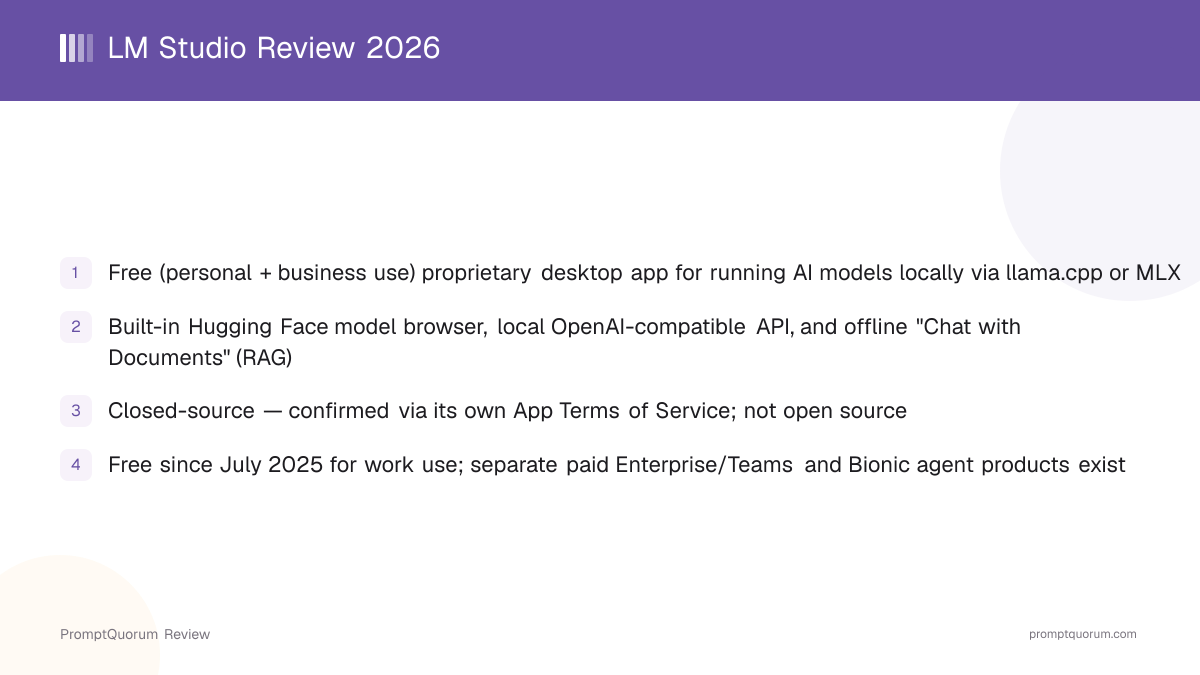
LM Studio is a desktop application for discovering, downloading, and running AI models on your own computer, built around a graphical interface rather than a command line. Its own documentation describes it as software for running large language models locally, with a chat UI, a model browser, and a local server all built into one app. Under the hood, LM Studio uses llama.cpp to run GGUF-format models on any supported platform, and Apple's MLX framework as an additional option on Apple Silicon Macs.
- Core function: browse, download, and run AI models locally through a graphical chat interface, plus expose those models through a local API for other software to use
- Local inference engines: llama.cpp for GGUF-format models (all supported platforms), and Apple's MLX framework for MLX-format models (Apple Silicon Macs only)
- Interfaces: a desktop GUI (the primary way most people use it), a local REST API for programmatic use, and a headless/server mode via the
lmscommand-line tool for running without any GUI at all - Developer: Element Labs, Inc., named as the software's owner in its own App Terms of Service
- Legal status: proprietary and closed-source. The Terms of Service describe the software's "structure, organization, and source code" as "valuable trade secrets and Confidential Information" and prohibit reverse engineering except where a jurisdiction's law expressly permits it
LM Studio's Company Background and Milestones
LM Studio is developed by Element Labs, Inc., the company named as the software's owner in its App Terms of Service. PromptQuorum could not independently verify a precise public founding date or founder names for Element Labs, Inc. from a primary source at the time of this review — check the company's own about and terms pages directly if that detail matters for your use case.
- 1Initial release — desktop app for local model chat
Why it matters: Established the core product: a GUI for downloading and chatting with GGUF-format models via llama.cpp, plus a local API server. - 2MLX support added for Apple Silicon
Why it matters: Added support for Apple's MLX model format as an alternative to GGUF on Apple Silicon Macs, per current [official documentation](https://lmstudio.ai/docs/app). - 3"Chat with Documents" (RAG) feature added
Why it matters: Added the ability to attach documents to a chat and query them, entirely offline, without a separate RAG tool. - 4July 2025 — Free for business/work use
Why it matters: Per the company's own [announcement](https://lmstudio.ai/blog/free-for-work), LM Studio removed its prior requirement that organizations obtain a separate commercial license, making the core app free for teams without a licensing process — while introducing separate paid Enterprise/Teams tiers for SSO, model controls, and team collaboration features. - 5Headless / server-native mode (
llmster)
Why it matters: Added a way to run LM Studio's inference engine without any GUI at all, via the `lms` CLI and a dedicated `llmster` package, for use on servers, in CI, or on headless GPU rigs, per [official headless-mode documentation](https://lmstudio.ai/docs/app/api/headless). - 6January 2026 — LM Studio 0.4.0
Why it matters: Released January 28, 2026, per the [0.4.0 announcement](https://lmstudio.ai/blog/0.4.0): a redesigned interface, the `llmster` headless daemon, parallel requests with continuous batching on the llama.cpp engine, and a first-party REST API with stateful chats and MCP support. - 7July 2026 — Bionic launched as a separate product
Why it matters: Element Labs launched Bionic, a distinct agent-focused desktop app built on top of LM Studio's local model runtime for autonomous coding and work tasks, with its own separate pricing tiers. - 8October 2026 — LM Studio 0.4.26 runs alongside Bionic
Why it matters: Version 0.4.26, released October 13, 2026, lets LM Studio and Bionic run together, with Bionic using LM Studio for local inference (Bionic 1.1.8 or newer required), and adds CUDA 13 support on Windows ARM plus an updated llama.cpp runtime, per the [changelog](https://lmstudio.ai/changelog/lmstudio).
What Can You Do With LM Studio?
LM Studio's feature set centers on making local model discovery, download, and use as approachable as possible through a graphical interface. Here is what each part does, per LM Studio's official documentation.
- Built-in model browser — search and download models directly from Hugging Face inside the app, without visiting a separate website or manually placing model files
- Local chat interface — a graphical chat window for talking to any downloaded model, with support for adjustable context length, system prompts, and per-model configuration presets
- GGUF and MLX support — run GGUF-format models via llama.cpp on any supported platform, or MLX-format models via Apple's MLX framework on Apple Silicon Macs specifically, per official documentation
- Local API server — expose an OpenAI-compatible REST endpoint so other applications and scripts can use a locally running model as a backend, plus LM Studio's own REST API for more LM-Studio-specific functionality
- "Chat with Documents" (RAG) — attach documents directly to a chat message and query them, with LM Studio's own documentation describing this as working "entirely offline"
- Model Context Protocol (MCP) support — connect LM Studio to MCP servers for tool-using, agent-style workflows
- Headless / server mode — run LM Studio's inference engine without any GUI via the
lms daemon upcommand (thellmsterserver-native package) or by enabling background-server mode in the desktop app, useful for servers, CI pipelines, or headless GPU machines - Just-in-time (JIT) model loading — models can be configured to load into memory automatically when an API request arrives and unload after a period of inactivity, for more efficient resource use when running as a backend service
- Parallel requests — since version 0.4.0, the llama.cpp engine can serve several requests to the same model at once through continuous batching instead of queuing them (the MLX engine does not support this yet), per the 0.4.0 announcement
- Anthropic-compatible endpoint — besides the OpenAI-compatible API, LM Studio exposes a
/v1/messagesendpoint in the Anthropic API format, so tools built for that format can point at a local model - Splash engine on Apple Silicon — version 0.4.25 added support for the Splash inference engine on Apple Silicon M3 or newer running macOS 26.4 or later, per the changelog
Usage Examples: Three Ways to Use LM Studio
These are concrete workflows built from LM Studio's documented features above — not hypothetical use cases.
Search, download, and chat with a model — no terminal required
Open LM Studio's built-in model search, browse or search Hugging Face models directly from the app, and download one sized for your hardware. Once the download finishes, open a new chat and start talking to the model — the entire workflow happens inside the GUI with no command-line step at any point.
Chat with your own documents fully offline
Start a new chat, attach a PDF or text document using the built-in "Chat with Documents" feature, and ask questions about its content. Per LM Studio's own documentation, this runs entirely offline once the document is loaded — no cloud upload or internet connection is needed for the query itself.
Run LM Studio headless as a local API backend
Install the lms CLI and run lms daemon up to start LM Studio's inference engine without opening the GUI at all — useful on a server or a headless GPU machine. Point any application that expects the OpenAI API format at LM Studio's local REST endpoint instead of a cloud API, letting existing OpenAI-client code run against a fully local model.
Download LM Studio for macOS, Windows, and Linux
LM Studio is available on Apple Silicon Macs, x64/ARM64 Windows PCs, and x64 and ARM64 Linux PCs, per official documentation. Links below are from lmstudio.ai — always verify against the official site directly, since build requirements and links can change between releases.
macOS
- Requirements / Notes:
- Apple Silicon (M1, M2, M3 or M4) and macOS 14.0 or later; 16 GB+ RAM recommended; no Intel Mac build; download from lmstudio.ai
Windows
- Requirements / Notes:
- x64 (AVX2 required) or ARM64 (Snapdragon X Elite); 16 GB RAM and 4 GB+ dedicated VRAM recommended; download from lmstudio.ai
Linux
- Requirements / Notes:
- x64 or ARM64 (aarch64); Ubuntu 20.04 or later; distributed as an AppImage; download from lmstudio.ai
Headless / server
- Requirements / Notes:
- The
llmsterserver-native package andlmsCLI run without a GUI on Linux, Mac, Windows, cloud servers, and GPU rigs — see official headless-mode docs
LM Studio has no fixed hardware minimum beyond running one of the supported platforms above — the practical limit is whichever model you load, since larger models need more RAM (or VRAM, for GPU acceleration) to run at usable speed. Note that the official macOS build specifically requires Apple Silicon; there is no supported Intel Mac build per current documentation. The current version is 0.4.26, released October 13, 2026, per the official changelog.
LM Studio Pricing and License: Is LM Studio Free?
Yes — the core LM Studio desktop app is free for both personal and business/work use. As of July 2025, Element Labs removed its prior requirement for organizations to obtain a separate commercial license to use LM Studio at work, per the company's own announcement. The software itself is proprietary and closed-source — not open source — per its App Terms of Service, which grants users "a non-exclusive, non-transferable license to use the Software solely for Your personal and/or internal business purposes," while reserving all intellectual property rights to Element Labs, Inc. and prohibiting redistribution, sublicensing, or use as a hosted service for third parties.
LM Studio (personal)
- Price:
- Free
- What It Includes:
- Full desktop app, model browser, local chat, local API server, "Chat with Documents", MCP support — no license required
LM Studio (business/work)
- Price:
- Free
- What It Includes:
- Same core app, free for teams and organizations since July 2025 with no separate licensing process, per the company's own announcement
LM Studio Enterprise/Teams
- Price:
- Paid (contact vendor)
- What It Includes:
- Advanced features referenced in LM Studio's own announcement — SSO, model controls, and team collaboration — not required for individual or small-team use; verify current pricing directly with LM Studio
Bionic (separate product)
- Price:
- Free / "Bionic+" from $20/month / "Pro" from $100/month
- What It Includes:
- A distinct agent-focused app from the same company (launched July 2026) that adds autonomous coding/work-agent features on top of LM Studio's model runtime — not required to use LM Studio itself
This review focuses on the core LM Studio application. Bionic is a separate product with its own pricing, and using LM Studio to download and chat with local models does not require Bionic or its paid tiers. Because LM Studio is closed-source, its exact license terms should be read directly from the official App Terms of Service if a legal or compliance decision depends on them — this summary is not a substitute for that document.
LM Studio vs. Ollama
LM Studio and Ollama are two of the most commonly recommended tools for running local AI models, and they get compared constantly because both wrap llama.cpp-based inference behind an easier interface. The clearest difference is GUI-first versus CLI-first, and closed-source versus open-source.
Primary interface
- LM Studio:
- Graphical desktop app first; no CLI-first workflow
- Ollama:
- Command-line first, with an official desktop GUI added in July 2025
License
- LM Studio:
- Proprietary — free for personal and business use per its own terms of service, but not open source
- Ollama:
- MIT (fully open source)
Local API
- LM Studio:
- OpenAI-compatible REST endpoint plus LM Studio's own REST API
- Ollama:
- Native REST API plus OpenAI-compatible endpoint at
:11434/v1
Model formats
- LM Studio:
- GGUF (via llama.cpp) and MLX (Apple Silicon)
- Ollama:
- GGUF via its own library and Modelfile system
Built-in document chat (RAG)
- LM Studio:
- Built-in "Chat with Documents" feature
- Ollama:
- Not a built-in feature — pair with a client like Open WebUI or AnythingLLM
If you want a single polished GUI with a built-in model browser and document-chat feature, with no terminal use required, LM Studio's workflow is the more direct fit. If you want a scriptable, terminal-first tool that other applications can call as a backend, or you need the underlying software to be fully open-source, evaluate Ollama directly at ollama.com — see the full Ollama review for details. Both are free for their core local functionality; verify current features on each project's own site before deciding.
Who Should Use LM Studio?
Whether LM Studio fits depends on whether you want a fully graphical experience for finding, running, and chatting with local models, and whether closed-source software is acceptable for your use case.
Use LM Studio if
- You want a polished graphical interface for downloading, managing, and chatting with local AI models, with no terminal use required at any point
- You want a built-in model browser that searches Hugging Face directly, rather than downloading model files manually
- You want built-in document chat (RAG) without adding a separate tool
- You want a local, OpenAI-compatible API server that other applications can call, with a GUI available to manage it
- You are comfortable with proprietary, closed-source software as long as it is free for your use case — LM Studio is free for both personal and business/work use
Wait, or look elsewhere, if
- You need the underlying software to be fully open-source — LM Studio is proprietary and closed-source; consider Ollama, Jan, or GPT4All instead
- You want a terminal-first, scriptable workflow as your primary way of working — Ollama's CLI-centric design is a more direct fit
- You need your organization's procurement policy to allow only OSI-approved open-source licenses — verify LM Studio's App Terms of Service against that policy before adopting it
- You specifically want the Bionic autonomous-agent product — that is a separate app with its own pricing, not included in the free LM Studio download covered by this review
LM Studio vs. Other Local Chat Apps
LM Studio is one of several apps that combine local model inference with a graphical interface. Here is how it sits next to other options in that space — see the Local LLM Software Directory for the full catalog, and the dedicated LM Studio vs. Ollama comparison above for the closest head-to-head.
- Ollama — a CLI-first, fully open-source (MIT) tool covering similar ground (local inference, OpenAI-compatible API) with an official desktop GUI added in July 2025; see the Ollama review and the comparison section above for a direct match-up.
- Jan — a free, open-source desktop chat app that runs models locally via llama.cpp and can also connect to cloud providers; see the Jan review and the existing LM Studio vs. Jan vs. GPT4All comparison for a direct three-way comparison that already covers LM Studio against this app.
- GPT4All — an open-source local chat client from Nomic AI, focused on a simple, fully offline experience; see the GPT4All review and the same three-way comparison linked above.
- KoboldCpp — a llama.cpp-based runtime with a built-in web UI, historically popular for creative writing and roleplay use cases; see the KoboldCpp review.
Common Mistakes When Evaluating LM Studio
Most confusion about LM Studio comes from its license terms, its relationship to the separate Bionic product, or assuming it is open source because it is free.
Mistake 1: Assuming "free" means "open source"
LM Studio is free for personal and business use, but it is proprietary, closed-source software. Its own App Terms of Service describes the source code as a trade secret and prohibits reverse engineering except where local law expressly permits it. If an open-source license is a hard requirement, LM Studio does not qualify — consider Ollama, Jan, or GPT4All instead.
Mistake 2: Confusing LM Studio with Bionic
Bionic is a separate desktop app from the same company (Element Labs, Inc.), launched in July 2026, that adds autonomous coding/work-agent functionality on top of LM Studio's model runtime. LM Studio itself — the model browser, chat app, and local API server covered in this review — does not require Bionic and has its own free pricing, independent of Bionic's paid tiers.
Mistake 3: Assuming a commercial license is still required for work use
This was true before July 2025. As of that date, per LM Studio's own announcement, organizations no longer need to contact the company or obtain a separate license to use LM Studio at work — only the separate Enterprise/Teams tier (for SSO, model controls, and team collaboration) remains paid.
Mistake 4: Assuming LM Studio only supports GGUF models
LM Studio supports GGUF models via llama.cpp on all supported platforms, but on Apple Silicon Macs it also supports Apple's MLX model format as a separate option, per official documentation — MLX is not available on Windows or Linux.
Frequently Asked Questions
What is LM Studio?
LM Studio (lmstudio.ai) is a free desktop application, developed by Element Labs, Inc., for downloading and running AI models locally through a graphical interface, a built-in Hugging Face model browser, and a local OpenAI-compatible API server.
Is LM Studio free?
Yes, for both personal and business/work use, as of July 2025, per the company's own announcement. Separate paid Enterprise/Teams tiers exist for features like SSO and team collaboration, but the core app requires no license fee.
Is LM Studio open source?
No. LM Studio is proprietary, closed-source software. Its App Terms of Service describe the software's source code as a trade secret and reserve all intellectual property rights to Element Labs, Inc. It is free to use, but that is a different thing from being open source.
What platforms does LM Studio support?
Apple Silicon Macs, x64/ARM64 Windows PCs, and x64 and ARM64 Linux PCs, per official documentation. There is no supported Intel Mac build.
What are the system requirements for LM Studio?
On Mac, LM Studio requires an Apple Silicon chip (M1, M2, M3 or M4) and macOS 14.0 or later, with 16 GB or more of RAM recommended; there is no Intel Mac build. On Windows it runs on x64 PCs with AVX2 support or on ARM64 PCs, with 16 GB of RAM and 4 GB or more of dedicated VRAM recommended. On Linux it runs on x64 or ARM64 (aarch64) PCs, requires Ubuntu 20.04 or later, and is distributed as an AppImage. Per the official system requirements, 8 GB Macs may still work with smaller models and modest context sizes.
What is the current version of LM Studio?
The current version is 0.4.26, released October 13, 2026, per the official changelog. Version 0.4.0, released in January 2026, added the headless llmster daemon, parallel requests, and a redesigned interface.
Does LM Studio support GGUF and MLX models?
Yes. GGUF-format models run via llama.cpp on any supported platform, and MLX-format models run via Apple's MLX framework, but only on Apple Silicon Macs.
Does LM Studio have a local API server?
Yes. LM Studio exposes a local, OpenAI-compatible REST API, plus LM Studio's own REST API, so other applications can use a locally running model as a backend.
Does LM Studio support document chat (RAG)?
Yes, through its built-in "Chat with Documents" feature, which lets you attach documents to a chat and query them. Per LM Studio's own documentation, this runs entirely offline.
What is Bionic, and is it the same as LM Studio?
No. Bionic is a separate desktop app from the same company, Element Labs, Inc., launched in July 2026. It adds autonomous coding and work-agent features on top of LM Studio's model runtime and has its own paid pricing tiers, distinct from the free LM Studio app covered in this review.
Can LM Studio run without a graphical interface?
Yes. LM Studio can run headless via the lms command-line tool and its llmster server-native package (lms daemon up), or by enabling background-server mode inside the desktop app, per official headless-mode documentation.
Who develops LM Studio?
Element Labs, Inc., the company named as the software's owner in LM Studio's App Terms of Service.