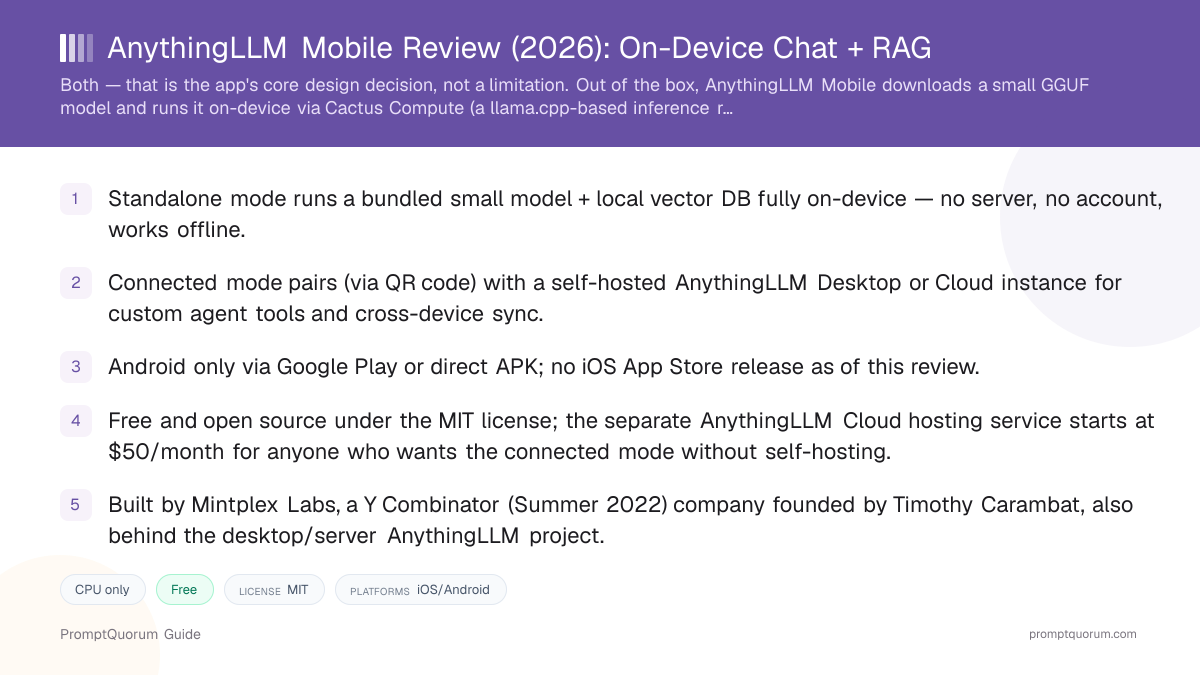
What Is AnythingLLM Mobile?
AnythingLLM Mobile is an Android app, published under the MIT license, that lets a phone chat with a language model and with uploaded documents without depending on a cloud API. It is a separate codebase from the desktop/server AnythingLLM project, built specifically for React Native, though both projects come from the same company and share the AnythingLLM name and workspace concept.
The app is best understood as two products in one: a standalone on-device AI assistant that works with zero setup and zero account, and a mobile front end for a self-hosted AnythingLLM instance for users who already run the desktop app, Docker container, or AnythingLLM Cloud subscription and want the same workspaces, chat history, and documents on their phone.
Who Built AnythingLLM Mobile?
AnythingLLM Mobile is built by Mintplex Labs, the company founded by Timothy Carambat that also created the original desktop and server versions of AnythingLLM. Mintplex Labs was founded in 2022, is based in Irvine, California, and went through Y Combinator's Summer 2022 batch, raising pre-seed funding from Y Combinator, Goodwater Capital, UpHonest Capital, and Orange DAO.
The flagship desktop/server AnythingLLM project — an open-source, self-hostable "all-in-one AI application" for chatting with documents and building custom agents — predates the mobile app by several years and has its own large GitHub following, covered in detail in PromptQuorum's AnythingLLM vs. PrivateGPT vs. Open WebUI comparison. AnythingLLM Mobile is a newer, separate React Native codebase that extends the same workspace and RAG concepts to a phone.
- Company: Mintplex Labs, founded 2022 in Irvine, California, by Timothy Carambat.
- Y Combinator Summer 2022 batch; pre-seed backers include Y Combinator, Goodwater Capital, UpHonest Capital, and Orange DAO.
- Also builds: the desktop/server AnythingLLM application and VectorAdmin, an open-source vector database management tool.
- AnythingLLM Mobile source: github.com/Mintplex-Labs/anythingllm-mobile, MIT license.
Does AnythingLLM Mobile Run On-Device or Connect to a Server?
AnythingLLM Mobile supports both an on-device standalone mode and a connected mode that pairs with a separately hosted AnythingLLM instance — it is not exclusively one or the other, and which mode is active changes what the app can do. Confusing the two matters: a user expecting fully offline, zero-setup AI gets that from standalone mode, while a user expecting the full desktop feature set (custom agent tools, larger document workspaces) needs the connected mode and a running Desktop, Docker, or Cloud instance to pair with.
In standalone mode, per Mintplex Labs' own mobile documentation and the app's GitHub repository, the phone downloads a small, hand-picked GGUF language model and runs it locally using Cactus Compute, a llama.cpp-based inference engine built for React Native. A small embedding model and a local vector database also run on-device, so uploaded documents can be chunked, embedded, and searched for RAG entirely offline. No account, no API key, and no internet connection are required to chat once the model is downloaded.
In connected mode, the phone does not run inference itself for that workspace — it pairs with an AnythingLLM Desktop app, self-hosted Docker instance, or AnythingLLM Cloud subscription over the local network (or internet, for Cloud) by scanning a QR code shown under that instance's Settings > Tools > AnythingLLM Mobile panel. The desktop instance must have "Enable network discovery" turned on under Settings > Admin > General for local-network pairing to work. Once paired, chats, workspaces, threads, and custom agent tools sync between the phone and the connected instance, and the LLM/embedding/RAG work happens wherever that instance is running — not on the phone.
Which mode should you use?
Use a local LLM if:
- •You want AI chat and document RAG that works offline with zero account, zero server, and zero setup.
- •You are testing whether on-device AI is fast enough on your specific Android phone before committing to anything more involved.
- •You do not already run — and do not want to run — a desktop or server AnythingLLM instance.
Use a cloud model if:
- •You already run AnythingLLM Desktop, Docker, or AnythingLLM Cloud and want the same workspaces and chat history on your phone.
- •You need custom agent tools, larger document libraries, or a more capable model than a phone can practically run.
- •You want multiple devices (phone plus desktop) to stay in sync with one shared workspace.
Quick decision:
- →If unsure, start with standalone mode — it needs nothing else to be running.
- →Switch to connected mode only once you already have a Desktop, Docker, or Cloud instance to pair with.
How to Get Started with AnythingLLM Mobile
Setup differs depending on which mode you want, per the app's own mobile documentation. Standalone mode needs nothing beyond installing the app; connected mode needs an existing AnythingLLM Desktop, Docker, or Cloud instance to pair with.
- 1Install the app
Why it matters: Download AnythingLLM Mobile from [Google Play](https://play.google.com/store/apps/details?id=com.anythingllm) or as a direct APK from [anythingllm.com/mobile](https://anythingllm.com/mobile). No account or email sign-up is required to open the app. - 2Choose standalone mode for offline use
Why it matters: On first launch, the app offers hand-picked on-device models to download. Pick one sized for your device's RAM (see the hardware section below) and start chatting — no further setup is needed for basic chat and document upload. - 3Or pair with a self-hosted instance for connected mode
Why it matters: If you already run AnythingLLM Desktop, Docker, or Cloud, enable "network discovery" under that instance's Settings > Admin > General, then open Settings > Tools > AnythingLLM Mobile in the desktop UI to display a pairing QR code. - 4Scan the QR code from the mobile app
Why it matters: In AnythingLLM Mobile, use the pairing/scan option to connect to the desktop or Cloud instance. Once paired, that instance's workspaces, chats, and threads become available in the mobile app, and updates sync between devices.
How Does Document Chat and RAG Work on Mobile?
Standalone (on-device)
- Inference location:
- On the phone, via Cactus Compute (llama.cpp-based runtime for React Native)
- RAG / document handling:
- Local embedding model + on-device vector database; documents are chunked, embedded, and searched entirely offline
Connected (paired instance)
- Inference location:
- On the paired AnythingLLM Desktop, Docker host, or Cloud instance
- RAG / document handling:
- Uses that instance's configured vector database and embedding model — the same RAG pipeline as the desktop app, synced to mobile
A workspace created in one mode does not automatically become the other — a document uploaded to a standalone on-device workspace stays local to that phone unless you switch to a connected workspace paired with a Desktop/Cloud instance.
Is AnythingLLM Mobile Available on iPhone?
Android
- Availability:
- Available on Google Play and as a direct APK download
- Notes:
- This is the only shipping mobile platform at review time.
iPhone / iPad (iOS)
- Availability:
- Not released — no App Store listing found for AnythingLLM Mobile at review time
- Notes:
- iOS support has been publicly discussed on the project's GitHub issue tracker, but PromptQuorum found no official App Store release or Mintplex Labs announcement confirming a ship date. Do not assume iOS availability based on other sites' coverage — verify directly on the App Store before expecting it.
Mac / Windows / Linux
- Availability:
- Not applicable — those platforms run the separate AnythingLLM Desktop app or Docker container, not the mobile app
- Notes:
- iPhone users who want AnythingLLM today should use the desktop app on a Mac, or a different mobile app such as PocketPal AI or Private LLM.
How Much Does AnythingLLM Mobile Cost?
AnythingLLM Mobile itself is free to download and free to use in standalone on-device mode, with no subscription and no in-app purchase found in the app's public documentation or Play Store listing. The mobile app's source code is MIT-licensed and public on GitHub.
Cost only enters the picture through what you pair the connected mode with. Running your own AnythingLLM Desktop app or Docker container to pair with is free and open source, the same as the mobile app. If you would rather not self-host, Mintplex Labs sells AnythingLLM Cloud as a separately hosted service: a Basic tier at $50/month with a private instance and custom subdomain, a Pro tier at $99/month adding a 72-hour support SLA aimed at larger teams, and a custom-quoted Enterprise tier with on-premise deployment, SSO, and RBAC. Both paid Cloud tiers require the user to supply their own LLM API key rather than including model costs.
- Mobile app (standalone mode): Free, MIT-licensed open source, no subscription found.
- Mobile app (connected mode): Free to use the pairing feature itself; cost depends entirely on what you pair with.
- Self-hosted Desktop/Docker to pair with: Free and open source, same as the mobile app.
- AnythingLLM Cloud Basic: $50/month — private instance, custom subdomain, bring-your-own LLM API key.
- AnythingLLM Cloud Pro: $99/month — adds a 72-hour support SLA, aimed at larger teams.
- AnythingLLM Cloud Enterprise: Custom pricing — on-premise deployment, SSO, RBAC, custom integrations.
What Features Does AnythingLLM Mobile Have?
Feature availability depends on which mode is active — some capabilities only exist in connected mode, per the project's own mobile documentation. These include:
- On-device chat. Chat with a locally downloaded model with no internet connection required after the initial download.
- Offline document RAG. Upload documents to a standalone workspace and get answers with citations, using the on-device embedding model and vector database.
- Workspace sync (connected mode only). Chats, threads, and workspaces created on a paired Desktop, Docker, or Cloud instance sync to the phone and back.
- Custom agent tools (connected mode only). Tool-calling agent capabilities configured on the desktop instance carry over to mobile once paired; the standalone on-device mode does not support custom tool configuration.
- QR-code pairing. Connecting to a self-hosted instance uses a QR code shown in that instance's settings, rather than manually entering server addresses and credentials.
- No account requirement for standalone use. Chatting and document RAG in standalone mode does not require creating an account with Mintplex Labs.
What Hardware Do You Need to Run AnythingLLM Mobile?
Standalone on-device mode depends on the phone's own RAM and CPU/NPU, the same as any other GGUF-based mobile chat app — Mintplex Labs has not published exact per-model RAM requirements for the hand-picked standalone models, so general local-LLM sizing guidance applies. As a rule of thumb for quantized GGUF models on phones, a small model in the 1–3B parameter range needs roughly 2–3 GB of free RAM, and models above that size need proportionally more.
Connected mode has essentially no phone-side hardware requirement for inference, since the language model runs on the paired Desktop, Docker host, or Cloud instance — the phone only needs enough resources to run the app UI and sync data, and hardware requirements shift instead to whatever machine hosts the connected AnythingLLM instance.
- Standalone mode: budget 2–3 GB+ free RAM for the smallest bundled models; larger on-device models need more.
- Storage: several hundred megabytes to a few gigabytes of free device storage per downloaded on-device model.
- Connected mode: the phone's hardware is not the bottleneck — check the hardware guidance for whatever machine runs your Desktop, Docker, or Cloud instance instead.
- Network: standalone mode works fully offline after model download; connected mode needs a shared local network (or internet, for Cloud) to reach the paired instance.
Who Should Use AnythingLLM Mobile
- Android users who want a genuinely free, offline AI chat and document RAG app. Standalone mode needs no account, no server, and no subscription, which fits users who want private on-device AI with minimal setup.
- Existing AnythingLLM Desktop, Docker, or Cloud users who want the same workspaces on their phone. Connected mode's sync is the clear draw for anyone already invested in the desktop/server AnythingLLM ecosystem.
- Users comfortable choosing between two distinct modes. Getting full value out of the app means understanding when to use standalone versus connected mode, which suits technically curious users more than someone wanting one single fixed behavior.
- Teams that want a mobile front end without self-hosting. Pairing an Android phone with a paid AnythingLLM Cloud instance gives mobile access to shared workspaces without running any infrastructure personally.
Who Should Not Use AnythingLLM Mobile
- iPhone and iPad users. There is no iOS release at review time; use Private LLM or PocketPal AI instead for Apple devices.
- Users who want one simple mode with no decisions to make. The standalone/connected split is a real design choice a user has to understand; someone who wants a single guided experience with a curated model list and no server-pairing concept may prefer PocketPal AI or Loci.
- Users who want full custom agent tools without running any server. Custom agent tool configuration is tied to the connected mode in this app's current design — someone who wants that capability fully on-device today should look elsewhere.
- Users needing enterprise support with no cost. Community support is free, but a support SLA requires a paid AnythingLLM Cloud Pro or Enterprise subscription, not the mobile app alone.
- Users who want the largest possible on-device models. Standalone mode is built around small, hand-picked models suited to phone RAM; users who need larger models should either use connected mode with a capable desktop instance or a desktop/workstation setup directly.
AnythingLLM Mobile vs. Alternatives
AnythingLLM Mobile
- On-device vs. client:
- Both — standalone on-device inference, or connected client to a self-hosted instance
- Platforms:
- Android only
- License / cost:
- Free, open source (MIT); paired Cloud service from $50/month
Articles about AnythingLLM Mobile (1)
- AnythingLLM Review: Open-Source RAG and Document ChatUpdated September 11, 2026
Also mentioned in:
- Liquid Apollo Review: On-Device LFM2 Chat, Plus Optional CloudUpdated September 12, 2026
- Chapper Review: AI & LM Studio Client for iPhone, iPad, and MacUpdated September 6, 2026
AnythingLLM Desktop/Server
- On-device vs. client:
- Runs the LLM and RAG pipeline itself, locally or via API
- Platforms:
- Mac, Windows, Linux, Docker
- License / cost:
- Free, open source (MIT); Cloud hosting from $50/month
PocketPal AI
- On-device vs. client:
- On-device only — no server/client mode
- Platforms:
- iPhone/iPad, Android
- License / cost:
- Free, open source (MIT)
Articles about PocketPal AI (10)
- PocketPal AI Review: Free, Open-Source On-Device ChatUpdated September 5, 2026
- Best Local AI Apps for iPhone in 2026 (Run LLMs Without WiFi)Updated October 23, 2026
- Loci AI Review (2026): Offline AI for iPhone, Android, iPad, Mac and WindowsUpdated October 23, 2026
- Private LLM Review: On-Device AI Chat for iPhone, iPad, and MacUpdated October 23, 2026
- Run a Local LLM on Your Tablet: iPad Pro M5, Galaxy Tab S10, OnePlus Pad 2 (2026)Updated October 23, 2026
- Best Local LLM Apps for Android in 2026: 6 Apps Compared on Real PhonesUpdated October 19, 2026
- Best Mobile LLM Models for Phones in 2026: Phi-4 Mini vs Gemma 3 vs SmolLMUpdated October 19, 2026
- Local AI Chat Pocket Review: Offline LLM and Image Chat for iPhone and iPadUpdated October 6, 2026
- PAIOS Review: Offline Gemini Nano Chat for AndroidUpdated October 5, 2026
- Oscilla Review: Free On-Device AI Chat for iPhoneUpdated October 4, 2026
+36 more not shown
Private LLM
- On-device vs. client:
- On-device only — no server/client mode
- Platforms:
- iPhone/iPad/Mac (Apple only)
- License / cost:
- Paid, one-time purchase; closed source
Articles about Private LLM (10)
- Private LLM Review: On-Device AI Chat for iPhone, iPad, and MacUpdated October 23, 2026
- Best Local AI Apps for iPhone in 2026 (Run LLMs Without WiFi)Updated October 23, 2026
- Loci AI Review (2026): Offline AI for iPhone, Android, iPad, Mac and WindowsUpdated October 23, 2026
- Local Chat Apps & Assistants Compared (2026): Desktop, Mobile, Self-Hosted, Assistants and RoleplayUpdated September 20, 2026
- AI on Device Review: A $4.99 Apple Intelligence-Only AppUpdated September 12, 2026
- Google AI Edge Gallery Review: Gemma 4 On-Device Chat for iPhoneUpdated September 12, 2026
- Liquid Apollo Review: On-Device LFM2 Chat, Plus Optional CloudUpdated September 12, 2026
- Noema Review: Multi-Format Local AI for iPhone, iPad, and MacUpdated September 12, 2026
- Off Grid AI Review: Cross-Platform Local AI for iOS, Android, macOS, and WindowsUpdated September 12, 2026
- Pocket AI Review: Offline On-Device AI Chat for iPhoneUpdated September 11, 2026
+12 more not shown
LLM Farm
- On-device vs. client:
- On-device only, via llama.cpp
- Platforms:
- iPhone/iPad
- License / cost:
- Free, open source; App Store availability has reportedly changed over time — verify current listing before assuming it installs
Articles about LLM Farm (4)
- LLM Farm Review: Open-Source GGUF App, Off the App StoreUpdated September 6, 2026
- Best Local AI Apps for iPhone in 2026 (Run LLMs Without WiFi)Updated October 23, 2026
- Run a Local LLM on Your Tablet: iPad Pro M5, Galaxy Tab S10, OnePlus Pad 2 (2026)Updated October 23, 2026
- Build a Local Voice Assistant on Your Phone: Whisper + Local LLM (No Cloud) — 2026Updated August 29, 2026
Also mentioned in:
- Best Mobile LLM Models for Phones in 2026: Phi-4 Mini vs Gemma 3 vs SmolLMUpdated October 19, 2026
Layla
- On-device vs. client:
- On-device only, plus optional remote API providers
- Platforms:
- Android, iPhone/iPad
- License / cost:
- Free tier plus paid tiers; closed source
Articles about Layla (4)
- Layla Review: On-Device AI Companion App for Android and iOSUpdated September 6, 2026
- Best Local LLM Apps for Android in 2026: 6 Apps Compared on Real PhonesUpdated October 19, 2026
- PAIOS Review: Offline Gemini Nano Chat for AndroidUpdated October 5, 2026
- Build a Local Voice Assistant on Your Phone: Whisper + Local LLM (No Cloud) — 2026Updated August 29, 2026
Also mentioned in:
- Local Chat Apps & Assistants Compared (2026): Desktop, Mobile, Self-Hosted, Assistants and RoleplayUpdated September 20, 2026
- ToolNeuron Review: Open-Source Encrypted Android AI AppUpdated September 12, 2026
Maid
- On-device vs. client:
- On-device only, via llama.cpp; also supports remote Ollama/OpenAI-compatible endpoints
- Platforms:
- Android, iPhone/iPad
- License / cost:
- Free, open source (MIT)
Articles about Maid (5)
- Maid Review: Open-Source Local LLM Chat App for AndroidUpdated September 6, 2026
- Private LLM Review: On-Device AI Chat for iPhone, iPad, and MacUpdated October 23, 2026
- Best Local LLM Apps for Android in 2026: 6 Apps Compared on Real PhonesUpdated October 19, 2026
- Local Chat Apps & Assistants Compared (2026): Desktop, Mobile, Self-Hosted, Assistants and RoleplayUpdated September 20, 2026
- Layla Review: On-Device AI Companion App for Android and iOSUpdated September 6, 2026
Also mentioned in:
- Tina Review: iPhone Client for Ollama, llama.cpp and ComfyUIUpdated October 4, 2026
- Ollama Local AI Review: Android LLM Runner and LAN API ProxyUpdated October 2, 2026
- Chapper Review: AI & LM Studio Client for iPhone, iPad, and MacUpdated September 6, 2026
- LLM Farm Review: Open-Source GGUF App, Off the App StoreUpdated September 6, 2026
RikkaHub
- On-device vs. client:
- Both — local on-device inference via a LiteRT provider, plus multi-provider cloud client
- Platforms:
- Android
- License / cost:
- Free, open source
Articles about RikkaHub (2)
- RikkaHub Review: Multi-Provider AI Chat for AndroidUpdated September 6, 2026
- LocalAI Review: ApexCreator's Offline Android AI Chat AppUpdated September 12, 2026
Also mentioned in:
- Private LLM Review: On-Device AI Chat for iPhone, iPad, and MacUpdated October 23, 2026
- AnyLLM Review: BYOK AI Chat Client for AndroidUpdated October 17, 2026
- Local Chat Apps & Assistants Compared (2026): Desktop, Mobile, Self-Hosted, Assistants and RoleplayUpdated September 20, 2026
- ToolNeuron Review: Open-Source Encrypted Android AI AppUpdated September 12, 2026
- Chapper Review: AI & LM Studio Client for iPhone, iPad, and MacUpdated September 6, 2026
- LLM Farm Review: Open-Source GGUF App, Off the App StoreUpdated September 6, 2026
AnythingLLM Mobile and RikkaHub are the two apps in this table with a genuine dual on-device/client design; every other row runs strictly on-device or strictly as a client, which is the key distinction to check before installing based on a single feature list. Verify current App Store/Play Store listings directly before installing any app in this table, since availability changes.
Frequently Asked Questions
Does AnythingLLM Mobile run AI models on the phone itself?
Yes, in standalone mode. The app downloads a small, hand-picked GGUF language model and runs it on-device via Cactus Compute, a llama.cpp-based inference runtime for React Native, alongside a local embedding model and vector database for offline document RAG. Separately, the app also supports a connected mode that pairs with a self-hosted AnythingLLM Desktop or Cloud instance, where inference happens on that paired instance instead of the phone.
Is AnythingLLM Mobile available for iPhone?
No. As of this review, AnythingLLM Mobile has no App Store listing and is available only for Android via Google Play or a direct APK download. iOS support has been discussed on the project's GitHub issue tracker, but there is no official Mintplex Labs announcement confirming a release date.
Is AnythingLLM Mobile free?
Yes, the mobile app itself is free and open source under the MIT license, with no subscription for standalone on-device use. If you use connected mode to pair with a hosted AnythingLLM Cloud instance rather than self-hosting, that separate Cloud service has paid tiers starting at $50/month — but the mobile app and self-hosted Desktop/Docker options remain free.
Who makes AnythingLLM Mobile?
AnythingLLM Mobile is built by Mintplex Labs, a company founded in 2022 by Timothy Carambat and based in Irvine, California. Mintplex Labs went through Y Combinator's Summer 2022 batch and also builds the desktop/server AnythingLLM application.
What license is AnythingLLM Mobile released under?
AnythingLLM Mobile is released under the MIT license, a permissive open-source license, and its source code is public on GitHub. The desktop/server AnythingLLM project it can connect to is also MIT-licensed.
How do I connect AnythingLLM Mobile to my desktop instance?
Enable "network discovery" in your AnythingLLM Desktop, Docker, or Cloud instance under Settings > Admin > General, then open Settings > Tools > AnythingLLM Mobile to display a pairing QR code. Scan that code from within the AnythingLLM Mobile app to connect. Once paired, workspaces, chats, and threads sync between the phone and the connected instance.
Does AnythingLLM Mobile need an internet connection?
Not for standalone mode after the initial model download — inference and document RAG run entirely on-device. Connected mode needs a shared local network to reach a self-hosted Desktop or Docker instance, or an internet connection to reach a hosted AnythingLLM Cloud instance.
Can AnythingLLM Mobile chat with my documents?
Yes, in both modes. In standalone mode, documents are chunked, embedded, and searched using an on-device embedding model and local vector database, entirely offline. In connected mode, the paired Desktop, Docker, or Cloud instance handles document RAG using its own configured vector database and embedding model, the same as the desktop app.
What is the difference between AnythingLLM Mobile and the desktop AnythingLLM app?
AnythingLLM Mobile is a separate Android app built for phones, with its own standalone on-device inference mode in addition to the ability to connect to a desktop instance. The desktop/server AnythingLLM application, covered in PromptQuorum's AnythingLLM vs. PrivateGPT vs. Open WebUI comparison, runs on Mac, Windows, Linux, or Docker and supports a wider range of LLM providers, vector databases, and agent configurations than the mobile app's standalone mode.
How does AnythingLLM Mobile compare to PocketPal AI or Private LLM?
PocketPal AI and Private LLM are on-device-only mobile chat apps with no server-connection mode; AnythingLLM Mobile is the only app in this comparison with a genuine dual design — standalone on-device inference plus an optional connected mode to a self-hosted or cloud AnythingLLM instance. Choose AnythingLLM Mobile if you want that flexibility or already use desktop AnythingLLM; choose PocketPal AI (free, iPhone/Android) or Private LLM (paid, Apple-only) if you specifically want an iPhone app, since AnythingLLM Mobile is Android-only.
Verdict
AnythingLLM Mobile's dual design — a genuine standalone on-device mode alongside an optional connected mode — is unusual in this category, where most mobile AI apps commit fully to one architecture or the other. That flexibility is also the app's biggest catch for a first-time user: understanding which mode is active, and what each mode can and cannot do, takes more upfront attention than a single-purpose app like PocketPal AI or Private LLM. The bigger limitation right now is platform: AnythingLLM Mobile is Android-only, with no App Store release and no confirmed ship date for iOS. Choose AnythingLLM Mobile if you are on Android and either want free offline AI with zero setup, or already run AnythingLLM Desktop, Docker, or Cloud and want the same workspaces on your phone. Choose Private LLM or PocketPal AI instead if you need an iPhone app, and choose the desktop AnythingLLM application directly if you do not need a mobile client at all.
Sources
- AnythingLLM Mobile on GitHub — source code, license (MIT), and Cactus Compute usage referenced in this review.
- AnythingLLM Mobile official documentation — standalone vs. connected mode, pairing steps, and network-discovery setup.
- AnythingLLM Mobile on Google Play — Android availability and app description.
- AnythingLLM Mobile official page — download links and feature overview.
- AnythingLLM Cloud pricing — Basic, Pro, and Enterprise tier pricing referenced in this review.
- Mintplex Labs on Y Combinator — company founding, batch, and background.
- Desktop/server AnythingLLM GitHub repository — the companion project this mobile app can connect to.