Get LocalAI
LocalAI: Offline AI Chat LLM is available only from Google Play.
This review is a companion to PromptQuorum's Local LLM Software Directory, which indexes local-AI tools across platforms, including this app's own entry.
Channel | Get It |
|---|---|
| Google Play | LocalAI: Offline AI Chat LLM on Google Play |
The app itself is free to download; an in-app premium tier is available, per the listing, but this review could not confirm its exact price — check the current listing before purchasing.
What LocalAI Is
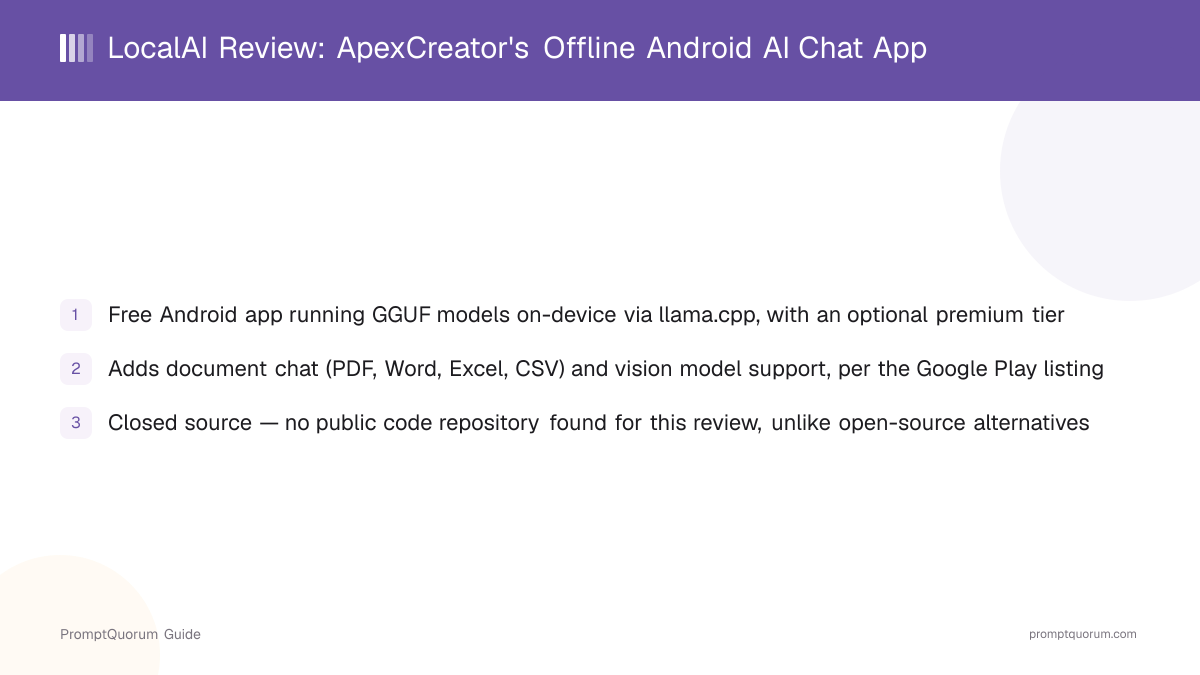
LocalAI: Offline AI Chat LLM is an Android app that runs GGUF-format language models on-device through llama.cpp, per its Google Play listing. Beyond plain chat, the listing describes document retrieval (RAG) over common office file formats and support for vision-capable models, positioning it as a broader on-device AI toolkit rather than a single-purpose chatbot.
The app is made by a developer or small studio operating as ApexCreator, reachable at info@apexcreators.co.in. This review relies on the app's public Play Store listing and general web search results about it — no public source code repository, dedicated developer website, or privacy policy document could be located for independent review, which is a meaningful difference from open-source alternatives like ToolNeuron.
How to Get Started
Setting up LocalAI takes a few steps. The overall process, from install to a first offline response, takes a few minutes plus however long the chosen model takes to download.
- 1Install the app
Why it matters: Get [LocalAI: Offline AI Chat LLM from Google Play](https://play.google.com/store/apps/details?id=com.ApexCreator.localaiapp). The app itself is free to install. - 2Download a GGUF model
Why it matters: This step requires an internet connection. Download size depends on the model chosen; chat afterward does not need a network connection, per the listing. - 3Chat, or add a document for RAG
Why it matters: Attach a supported file (PDF, Word, Excel, or CSV) to have the model answer questions about it, using on-device document retrieval per the listing. - 4Optional: use a vision-capable model
Why it matters: Load a vision-capable model to analyze photos or images, per the listing — this is optional and separate from plain text chat. - 5Optional: upgrade to the premium tier
Why it matters: A paid premium tier is available in-app; this review could not confirm its exact price or scope beyond the base free features — check the current listing.
Features: Document Chat, Vision, and Structured Output
Per its Google Play listing, LocalAI runs GGUF models through llama.cpp and adds several features beyond plain chat. Document chat (RAG) covers PDF, Word, Excel, and CSV files, parsed and chunked locally with on-device vector retrieval; the listing describes this as running fully offline, with no document content sent to a server.
The listing also describes support for vision-capable models — naming SmolVLM, LLaVA, and Qwen-VL as examples — for analyzing photos or images on-device, along with GBNF grammar and JSON-schema support for constraining model output to a structured format, and real-time performance telemetry (tokens per second and similar metrics) shown while chatting.
This review has not independently verified these features in hands-on testing; they are presented here as the app's own stated capabilities, not confirmed benchmarks.
Pricing
LocalAI is free to download and use, with an optional paid premium tier, per its Google Play listing. This review could not confirm the premium tier's exact price or what it unlocks beyond the base free features — Play Store in-app pricing can also vary by region.
Privacy and Open-Source Status
LocalAI is closed-source: this review found no public code repository for the app. Its listing describes chat, document RAG, and vision features as running on-device, but because the code is not published, those claims cannot be independently checked against the app's actual behavior the way an open-source app's can.
This is a meaningful difference from an app like ToolNeuron, whose entire codebase and security architecture are published and auditable. Readers who weigh independent verifiability heavily should factor that in before installing.
- Closed source. No public GitHub repository or equivalent was found for this app; feature and privacy claims rest on the Play Store listing alone.
- No privacy policy located. This review could not find a dedicated, detailed privacy policy document for the app beyond its Play Store data-safety section.
- On-device processing claimed. The listing states chat and document RAG run on-device, but this is a vendor claim, not an independently audited fact.
Trade-Offs: Benefits vs. Limitations
Free base app with a broad feature set
- What it means in real use:
- Chat, document RAG, and vision model support cost nothing to try.
- Limitation / caveat:
- This review has not independently verified how well each feature performs.
Document and vision features beyond plain chat
- What it means in real use:
- Fewer separate apps needed for PDF/Office chat or image analysis.
- Limitation / caveat:
- Feature depth and reliability rest on the listing's own description, not independent testing.
Structured output (GBNF/JSON schema)
- What it means in real use:
- Useful for readers who want the model's output in a predictable format.
- Limitation / caveat:
- Availability and quality across different loaded models were not independently checked.
Closed source, with no public repository found: unlike ToolNeuron, none of the claims above can be checked against published code.
LocalAI vs. Alternatives
LocalAI (ApexCreator)
- Platforms:
- Android only
- Price:
- Free, with an optional premium tier
- Open source:
- No — closed source, no public repository found
- Key difference:
- Document RAG and vision model support, per the listing, but not independently verifiable
ToolNeuron
- Platforms:
- Android only
- Price:
- Free, open source (MIT)
- Open source:
- Yes — public GitHub repository
- Key difference:
- Similar breadth of features (RAG, voice, plugins), fully auditable source code
Articles about ToolNeuron (3)
- ToolNeuron Review: Open-Source Encrypted Android AI AppUpdated September 12, 2026
- Local Chat Apps & Assistants Compared (2026): Desktop, Mobile, Self-Hosted, Assistants and RoleplayUpdated September 20, 2026
- Local Image, Video & Vision Tools Compared (2026): Generation, Vision and OCRUpdated September 20, 2026
Also mentioned in:
- Honey LLM Review: Offline AI Chat and Document Q&A for AndroidUpdated October 16, 2026
- Local Knowledge & Retrieval Tools Compared (2026): RAG, Document Chat, Vector Databases, Notes and SearchUpdated September 20, 2026
Layla
- Platforms:
- Android and iOS
- Price:
- $19.99 one-time purchase, plus in-app tiers
- Open source:
- No — closed source
- Key difference:
- Persona and roleplay focus, with an optional opt-in cloud mode
Articles about Layla (4)
- Layla Review: On-Device AI Companion App for Android and iOSUpdated October 30, 2026
- Best Local LLM Apps for Android in 2026: 6 Apps Compared on Real PhonesUpdated October 26, 2026
- PAIOS Review: Offline Gemini Nano Chat for AndroidUpdated October 5, 2026
- Build a Local Voice Assistant on Your Phone: Whisper + Local LLM (No Cloud) — 2026Updated August 29, 2026
Also mentioned in:
- Local Chat Apps & Assistants Compared (2026): Desktop, Mobile, Self-Hosted, Assistants and RoleplayUpdated September 20, 2026
- ToolNeuron Review: Open-Source Encrypted Android AI AppUpdated September 12, 2026
RikkaHub
- Platforms:
- Android only
- Price:
- Free, open source
- Open source:
- Yes
- Key difference:
- Another free, open-source Android option for direct comparison
Articles about RikkaHub (1)
- RikkaHub Review: Multi-Provider AI Chat for AndroidUpdated September 6, 2026
Also mentioned in:
- Private LLM Review: On-Device AI Chat for iPhone, iPad, and MacUpdated October 23, 2026
- AnyLLM Review: BYOK AI Chat Client for AndroidUpdated October 17, 2026
- Local Chat Apps & Assistants Compared (2026): Desktop, Mobile, Self-Hosted, Assistants and RoleplayUpdated September 20, 2026
- ToolNeuron Review: Open-Source Encrypted Android AI AppUpdated September 12, 2026
- Chapper Review: AI & LM Studio Client for iPhone, iPad, and MacUpdated September 6, 2026
- LLM Farm Review: Open-Source GGUF App, Off the App StoreUpdated September 6, 2026
Platform, price, and feature details for third-party apps change frequently — verify current specifics on each app's own listing before deciding.
Who Should Use LocalAI
- Android users who want a free app with document and vision features bundled in. PDF/Office chat and vision model support go beyond plain text chat, per the listing.
- Readers who don't weight source-code transparency heavily. If verifying the code yourself is not a priority, the closed-source status may not matter to your use case.
- Readers already comparing several Android local-AI apps. It is a useful free data point next to open-source options like ToolNeuron and RikkaHub.
Who Should Not Use LocalAI
- iPhone, desktop, or web users. The app is Android-only, distributed solely through Google Play.
- Readers who want to audit the app's source code themselves. This review found no public repository; an open-source alternative like ToolNeuron allows independent code review.
- Readers who need a detailed, independently reviewable privacy policy before installing. This review could not locate one beyond the Play Store's own data-safety section.
- Readers who weight app-store ratings heavily. At 3.0 out of 5 from 181 ratings at the time of this review's research, it rates lower than several alternatives compared here.
Frequently Asked Questions
Is LocalAI (ApexCreator) free?
The base app is free to download and use. An optional paid premium tier exists, per the listing, but this review could not confirm its exact price — check the current Google Play listing.
Who makes LocalAI: Offline AI Chat LLM?
A developer or small studio operating as ApexCreator, reachable at info@apexcreators.co.in. This review found no public developer website or GitHub organization beyond that contact.
What can LocalAI do beyond chat?
Per its Google Play listing: document chat (RAG) over PDF, Word, Excel, and CSV files; support for vision-capable models; GBNF grammar and JSON-schema structured output; and real-time performance telemetry. These are the app's own stated features, not independently benchmarked by this review.
Is LocalAI open source?
No. This review searched for a public code repository and did not find one — the app appears to be closed source.
Does LocalAI work offline?
Per its listing, yes, once a model is downloaded. An internet connection is needed to download models and app updates.
How does LocalAI compare to ToolNeuron?
ToolNeuron is free and open source, with a public GitHub repository documenting its security architecture. LocalAI (ApexCreator) offers a similarly broad feature set — including document RAG and vision model support, per its listing — but is closed source, with no public repository this review could find. Choose based on whether independently auditable source code matters to you.
Verdict
LocalAI: Offline AI Chat LLM, per its Google Play listing, packs a genuinely broad feature set into a free Android app: on-device chat via llama.cpp, document RAG over common office file formats, vision-capable model support, and structured output — features that go well beyond a plain chat client.
What keeps this review cautious is that every one of those claims rests on the developer's own store listing: this review found no public source code, no dedicated developer website, and no detailed privacy policy to check them against. That is a real gap next to an open-source alternative like ToolNeuron, whose equivalent claims can be verified in published code.
Readers who want to try a free, feature-rich Android AI app and don't weigh source-code transparency heavily can reasonably try it; readers who want to independently verify what an app actually does with local data should start with ToolNeuron or RikkaHub instead, both of which publish their source.
Sources
- LocalAI: Offline AI Chat LLM on Google Play — pricing, features, and rating, checked 2026-09-12.
- General web search results describing the app's document RAG, vision, and structured-output features, checked 2026-09-12 — no independent developer website or source repository was located to cross-check these claims.