What Is RikkaHub?
RikkaHub is a native Android chat app for switching between multiple AI providers from one interface, using API keys you supply yourself. Instead of installing a separate app for each vendor — one for OpenAI, one for Google Gemini, one for Anthropic Claude — RikkaHub gives you a single chat screen with a configurable list of "providers," each pointing at a base URL, an API key, and a model name.
The app is built natively in Kotlin with Jetpack Compose, per its own technology stack documentation, and supports any endpoint that speaks the OpenAI, Google, or Anthropic API formats — which in practice includes the official providers themselves, third-party API relay/proxy services that resell access to multiple vendors' models, and self-hosted OpenAI-compatible servers such as Ollama or LM Studio.
Does RikkaHub Run AI Models Locally?
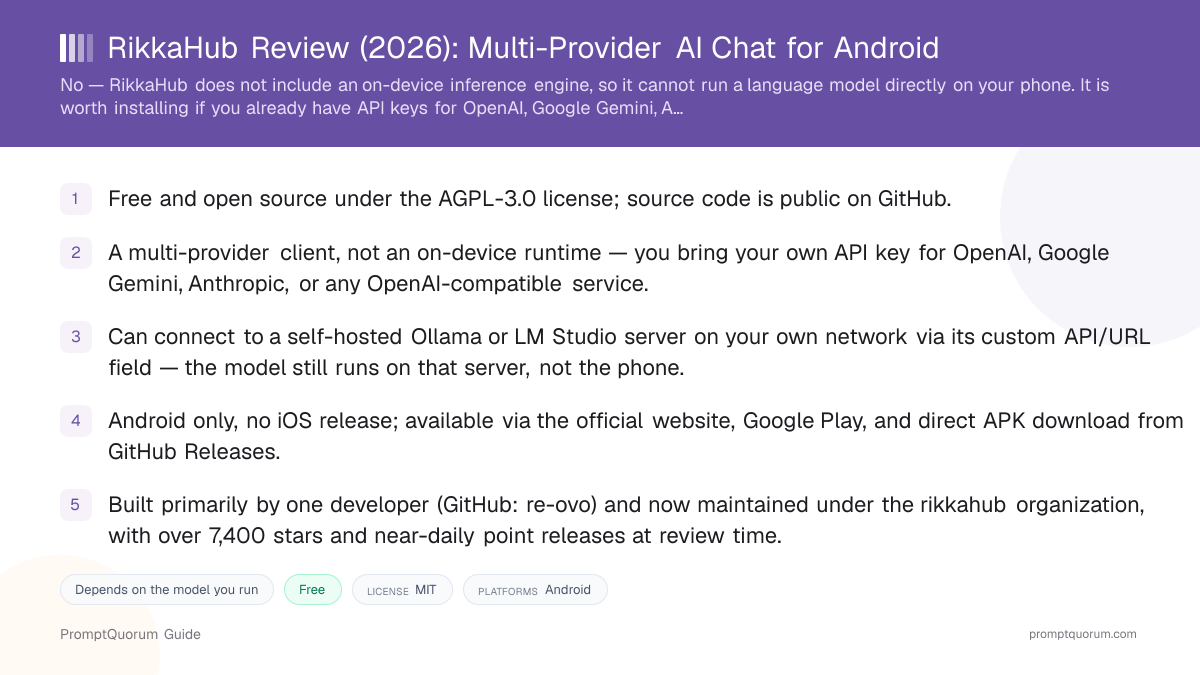
No. RikkaHub does not include an on-device inference engine and cannot run a language model directly on your phone's CPU, GPU, or NPU. It is a client: you configure an API key and endpoint for a provider, RikkaHub sends your messages to that endpoint over the network, and it displays the response it gets back.
This is a meaningful distinction from mobile apps such as PocketPal AI or Private LLM, which bundle an inference engine (llama.cpp or a similar runtime) and run a downloaded model file directly using the device's own RAM and GPU/NPU, with no network connection required after the model is downloaded. RikkaHub's own README describes it plainly as "an Android APP that supports for multiple LLM providers" — the word "local" does not appear anywhere in its feature list, and a search of the full public source tree (1,900+ files, checked September 2026) turns up no llama.cpp, MLC, LiteRT, or LiteRT-LM component anywhere in the codebase.
The closest RikkaHub gets to "local AI" is pointing its custom API/URL field at a server on your own network rather than a public cloud endpoint — for example, Ollama or LM Studio running on a PC in the same house, exposing an OpenAI-compatible API. In that configuration the model still executes on the PC's hardware, not the phone's; RikkaHub is acting as a mobile front end for a server you control, which keeps your conversation data off third-party cloud infrastructure but is a materially different setup — and a different privacy and hardware story — from an app that runs the model on the device itself.
RikkaHub or an On-Device App?
Use a local LLM if:
- •You want inference happening on the phone itself, with zero network calls once a model is downloaded — use PocketPal AI or Private LLM instead.
- •You need the app to work with no network route available at all, including to a device on the same Wi-Fi — RikkaHub always needs to reach an API endpoint, even a local one.
Use a cloud model if:
- •You already have API access to OpenAI, Google Gemini, or Anthropic Claude and want one Android app to switch between them without juggling separate vendor apps.
- •You self-host Ollama or LM Studio on a home server or PC and want a polished mobile chat interface for it over your own network.
Quick decision:
- →On-device inference, zero network ever needed: PocketPal AI or Private LLM.
- →Bring-your-own-key client across many cloud providers: RikkaHub.
- →Mobile front end for your own self-hosted Ollama/LM Studio server: RikkaHub, pointed at your server's local network address.
Who Built RikkaHub?
RikkaHub was created primarily by a developer using the GitHub handle re-ovo, who accounts for the large majority of commits in the project's history, and the repository is now hosted under the rikkahub GitHub organization rather than a personal account. The repository itself was created on March 11, 2025, and has grown into an actively maintained project with contributions from a small group of additional developers beyond the primary maintainer.
RikkaHub is explicit in its own contribution guidelines about being an opinionated project: pull requests adding new languages, adding new features, or containing large-scale AI-generated refactoring are rejected outright. The project accepts community sponsorship — its README lists paid sponsors including aihubmix.com, an API relay service — and takes voluntary donations via Patreon and the Chinese platform 爱发电 (afdian.com).
- Primary developer: GitHub user re-ovo, who holds the large majority of commits in the project history.
- Repository created on March 11, 2025; now hosted under the rikkahub organization rather than a personal account.
- License: GNU Affero General Public License v3.0 (AGPL-3.0) — a copyleft license stricter than the MIT license used by some competing apps; it requires anyone who runs a modified version of the app as a network service to release their source changes.
- Over 7,400 GitHub stars and more than 640 forks at review time, with an active issue tracker (280+ open issues) and near-daily point releases.
- Explicitly rejects pull requests for new languages, new features, and large AI-generated refactors, per its own contribution guidelines — this is a deliberately opinionated project, not one seeking broad community feature contributions.
How to Get Started with RikkaHub
Getting RikkaHub working requires an existing API key from a provider — the app does not include any free or bundled AI access. There is no on-device model to download in this flow; you are connecting the app to an account you already have, or to a server you already run.
- 1Install the app
Why it matters: Download RikkaHub from the [official website](https://rikka-ai.com/download) (recommended by the project) or [Google Play](https://play.google.com/store/apps/details?id=me.rerere.rikkahub). Technical users can also sideload the APK directly from [GitHub Releases](https://github.com/rikkahub/rikkahub/releases). - 2Add a provider
Why it matters: Open the provider settings and add a new entry: choose an API format (OpenAI, Google, or Anthropic-compatible), then enter the base URL, your API key, and the model name you want to use. This is where you would enter a cloud provider's details, an API relay service's details, or your self-hosted server's local network address. - 3Select the model and start chatting
Why it matters: Once a provider is configured, pick it from the model selector and start a conversation. Every message is sent to the endpoint you configured — there is no offline mode once you leave the app's own settings screens. - 4Optional: connect tools and search
Why it matters: Add an MCP (Model Context Protocol) server, or enter your own API key for a web-search provider such as Exa, Tavily, or Brave, to extend what the connected model can do mid-conversation. Both are opt-in and require credentials you supply yourself.
Which Providers Does RikkaHub Support?
OpenAI-compatible APIs
- Examples:
- OpenAI's own API, and any third-party service exposing the same request format
- What you need:
- An API key and the provider's base URL
Google-compatible APIs
- Examples:
- Google Gemini models
- What you need:
- A Google AI API key
Anthropic-compatible APIs
- Examples:
- Anthropic Claude models
- What you need:
- An Anthropic API key
API relay / proxy services
- Examples:
- Third-party services that resell access to multiple vendors' models behind one key, such as the project's sponsor aihubmix.com
- What you need:
- The relay service's own API key and base URL, entered the same way as a direct provider
Self-hosted local servers
- Examples:
- Ollama or LM Studio running on your own PC or home server, exposed via its built-in OpenAI-compatible endpoint
- What you need:
- Your server's local network address (for example http://192.168.1.50:11434/v1) — no cloud API key required, but the model runs on that machine, not your phone
RikkaHub does not bundle or resell access to any provider itself. Every connection — cloud or self-hosted — is configured with credentials or a network address you supply.
Is RikkaHub Available on iPhone?
Android
- Availability:
- Available via the official website, Google Play, and direct APK from GitHub Releases
- Notes:
- The native app; this review covers this version.
iPhone / iPad
- Availability:
- No native iOS app found at review time
- Notes:
- iPhone users who want a similar multi-provider client should look at a dedicated iOS app instead; RikkaHub does not currently publish one.
Web / browser
- Availability:
- A companion web UI exists in the project's source repository
- Notes:
- Intended as a browser-based counterpart to the Android app rather than a hosted public service — running it requires setting it up yourself from the source.
Desktop (Windows/macOS/Linux)
- Availability:
- A separate community project, rikkahub-desktop, exists but is not part of the official rikkahub/rikkahub repository
- Notes:
- Not maintained by the same core team; treat it as a third-party fork rather than an official release.
How Much Does RikkaHub Cost?
RikkaHub itself is free to download and free to use, with no subscription or in-app purchase found in the app or its documentation at review time. The project accepts optional donations via Patreon and 爱发电 (afdian.com), and lists paid sponsors in its README, but neither is required to use the app.
The real cost of using RikkaHub is whatever the AI provider you connect charges for API usage — OpenAI, Google Gemini, and Anthropic all bill per token for their APIs, and a self-hosted Ollama or LM Studio server has no per-message fee but requires hardware you already own or pay for separately. RikkaHub does not mark up, meter, or take a cut of any provider's API costs; it simply forwards your requests using the key you provided.
- The app: Free, open source (AGPL-3.0), no subscription.
- Cloud provider usage: Billed directly by the provider (OpenAI, Google, Anthropic, or a relay service) according to their own pricing — RikkaHub does not add a markup.
- Self-hosted server usage: No per-message fee, but requires a PC or server capable of running Ollama or LM Studio, which is a separate hardware cost outside RikkaHub itself.
- Optional donations: Via Patreon or 爱发电, entirely voluntary and unrelated to app functionality.
What Features Does RikkaHub Have?
Beyond basic multi-provider chat, RikkaHub has accumulated a broad feature set typical of an actively developed, opinionated chat client, per its own README. These include:
- Material You design and dark mode. The interface follows Android's dynamic theming system.
- Workspace. A proot-based Linux agent environment bundled with the app — a sandboxed Linux shell an AI agent can use to run commands, distinct from any language-model inference.
- MCP (Model Context Protocol) support. The connected model can call tools exposed by an MCP server mid-conversation.
- Multimodal input. Accepts images, PDFs, and Word documents as chat attachments (support depends on the connected model's own capabilities).
- Message branching. Lets you explore alternative replies from the same point in a conversation rather than only linear history.
- Search integrations. Optional web search using your own API key for providers including Exa, Tavily, Zhipu, LinkUp, Brave, or Perplexity.
- Markdown rendering. Code syntax highlighting, LaTeX formulas, tables, and Mermaid diagram rendering in responses.
- QR code import/export. Provider configurations (including API keys) can be shared between devices via QR code — treat this like sharing a password, since it contains your credentials.
- SillyTavern character card import. Compatible with a common roleplay-persona file format used by other chat frontends.
- Custom HTTP headers and request bodies. Advanced users can modify the raw request sent to a provider, useful for providers with non-standard authentication or parameters.
Who Should Use RikkaHub
- Users who already pay for cloud AI APIs and want one Android app for all of them. If you have API keys for OpenAI, Google Gemini, and Anthropic Claude and are tired of switching between separate vendor apps, RikkaHub's single interface is a direct fit.
- Users who self-host Ollama or LM Studio and want a mobile client for it. RikkaHub's custom API/URL field works with any OpenAI-compatible server, including one running on your own home network.
- Developers and technically curious users comfortable managing their own API keys. There is no bundled AI access — every feature requires you to supply credentials yourself, which suits users who already understand how API billing works.
- Users who want an actively maintained, frequently updated app. The project ships near-daily point releases and has a large, active contributor base relative to similar Android chat clients.
- Users who want tool-calling and agent features on top of a cloud model. MCP support and the Workspace sandbox extend what a connected model can do beyond plain text chat, for users comfortable configuring these advanced features.
Who Should Not Use RikkaHub
- Users who want AI running entirely on their device with no network connection. RikkaHub always needs to reach an API endpoint, local or cloud; users who want a genuinely offline app should use PocketPal AI or Private LLM instead.
- Users who do not already have an API key and do not want to manage one. RikkaHub includes no free, bundled AI access — someone who wants to open an app and immediately chat without any setup or account should look at a curated app with built-in models instead.
- iPhone or iPad users. RikkaHub has no official iOS release at review time; Apple users should look at a dedicated iOS app such as Private LLM or Enclave AI.
- Users who want the lowest possible technical setup burden. Adding a provider requires entering an API format, base URL, key, and model name correctly — there is no one-tap "download and chat" flow the way there is with on-device apps.
- Users specifically worried about the app modifying and redistributing without releasing source. The AGPL-3.0 license is a strength for transparency, but it also means anyone forking RikkaHub and running a modified version as a network service is legally required to publish their changes — read the license itself if this affects a deployment you are planning.
A Note on RikkaHub Forks
RikkaHub's own README explicitly warns that "there are many forked versions of RikkaHub" and that issues with forks are unrelated to the official project. The project asks users "to use forks with caution to avoid privacy leaks or excessive permission requests" — a caution worth repeating here, since a forked app can request different permissions or send data differently than the official release, without the original developer's review or endorsement.
Because API keys are entered directly into the app to configure a provider, installing an unofficial fork means trusting that fork's code with those credentials. This review covers only the official rikkahub/rikkahub project, distributed via its official website, Google Play listing under the package name me.rerere.rikkahub, and its own GitHub Releases page.
RikkaHub vs. Alternatives
RikkaHub
- License / cost:
- Free, open source (AGPL-3.0)
- Platforms:
- Android
- Runs models locally?:
- No — cloud/self-hosted API client only; bring your own key or server
Articles about RikkaHub (1)
- LocalAI Review: ApexCreator's Offline Android AI Chat AppUpdated September 12, 2026
Also mentioned in:
- Private LLM Review: On-Device AI Chat for iPhone, iPad, and MacUpdated October 23, 2026
- AnyLLM Review: BYOK AI Chat Client for AndroidUpdated October 17, 2026
- Local Chat Apps & Assistants Compared (2026): Desktop, Mobile, Self-Hosted, Assistants and RoleplayUpdated September 20, 2026
- ToolNeuron Review: Open-Source Encrypted Android AI AppUpdated September 12, 2026
- Chapper Review: AI & LM Studio Client for iPhone, iPad, and MacUpdated September 6, 2026
- LLM Farm Review: Open-Source GGUF App, Off the App StoreUpdated September 6, 2026
PocketPal AI
- License / cost:
- Free, open source (MIT)
- Platforms:
- iPhone/iPad, Android
- Runs models locally?:
- Yes — downloads and runs GGUF models on-device via llama.cpp
Articles about PocketPal AI (10)
- PocketPal AI Review: Free, Open-Source On-Device ChatUpdated September 5, 2026
- Best Local AI Apps for iPhone in 2026 (Run LLMs Without WiFi)Updated October 23, 2026
- Loci AI Review (2026): Offline AI for iPhone, Android, iPad, Mac and WindowsUpdated October 23, 2026
- Private LLM Review: On-Device AI Chat for iPhone, iPad, and MacUpdated October 23, 2026
- Run a Local LLM on Your Tablet: iPad Pro M5, Galaxy Tab S10, OnePlus Pad 2 (2026)Updated October 23, 2026
- Best Local LLM Apps for Android in 2026: 6 Apps Compared on Real PhonesUpdated October 19, 2026
- Best Mobile LLM Models for Phones in 2026: Phi-4 Mini vs Gemma 3 vs SmolLMUpdated October 19, 2026
- Local AI Chat Pocket Review: Offline LLM and Image Chat for iPhone and iPadUpdated October 6, 2026
- PAIOS Review: Offline Gemini Nano Chat for AndroidUpdated October 5, 2026
- Oscilla Review: Free On-Device AI Chat for iPhoneUpdated October 4, 2026
+36 more not shown
Private LLM
- License / cost:
- Paid, one-time purchase; closed source
- Platforms:
- iPhone/iPad/Mac (Apple only)
- Runs models locally?:
- Yes — 140+ on-device models with OmniQuant and GPTQ quantization
Articles about Private LLM (10)
- Private LLM Review: On-Device AI Chat for iPhone, iPad, and MacUpdated October 23, 2026
- Best Local AI Apps for iPhone in 2026 (Run LLMs Without WiFi)Updated October 23, 2026
- Loci AI Review (2026): Offline AI for iPhone, Android, iPad, Mac and WindowsUpdated October 23, 2026
- Local Chat Apps & Assistants Compared (2026): Desktop, Mobile, Self-Hosted, Assistants and RoleplayUpdated September 20, 2026
- AI on Device Review: A $4.99 Apple Intelligence-Only AppUpdated September 12, 2026
- Google AI Edge Gallery Review: Gemma 4 On-Device Chat for iPhoneUpdated September 12, 2026
- Liquid Apollo Review: On-Device LFM2 Chat, Plus Optional CloudUpdated September 12, 2026
- Noema Review: Multi-Format Local AI for iPhone, iPad, and MacUpdated September 12, 2026
- Off Grid AI Review: Cross-Platform Local AI for iOS, Android, macOS, and WindowsUpdated September 12, 2026
- Pocket AI Review: Offline On-Device AI Chat for iPhoneUpdated September 11, 2026
+12 more not shown
LLM Farm
- License / cost:
- Free, open source; delisted from the App Store at review time
- Platforms:
- iPhone/iPad, Mac (build from source)
- Runs models locally?:
- Yes — llama.cpp-based on-device inference, when built from its GitHub source
Articles about LLM Farm (4)
- LLM Farm Review: Open-Source GGUF App, Off the App StoreUpdated September 6, 2026
- Best Local AI Apps for iPhone in 2026 (Run LLMs Without WiFi)Updated October 23, 2026
- Run a Local LLM on Your Tablet: iPad Pro M5, Galaxy Tab S10, OnePlus Pad 2 (2026)Updated October 23, 2026
- Build a Local Voice Assistant on Your Phone: Whisper + Local LLM (No Cloud) — 2026Updated August 29, 2026
Also mentioned in:
- Best Mobile LLM Models for Phones in 2026: Phi-4 Mini vs Gemma 3 vs SmolLMUpdated October 19, 2026
Layla
- License / cost:
- Freemium; closed source
- Platforms:
- Android
- Runs models locally?:
- Yes — GGUF, LiteRT-LM, and PTE model formats on-device; check layla-network.ai for current tier availability
Articles about Layla (4)
- Layla Review: On-Device AI Companion App for Android and iOSUpdated September 6, 2026
- Best Local LLM Apps for Android in 2026: 6 Apps Compared on Real PhonesUpdated October 19, 2026
- PAIOS Review: Offline Gemini Nano Chat for AndroidUpdated October 5, 2026
- Build a Local Voice Assistant on Your Phone: Whisper + Local LLM (No Cloud) — 2026Updated August 29, 2026
Also mentioned in:
- Local Chat Apps & Assistants Compared (2026): Desktop, Mobile, Self-Hosted, Assistants and RoleplayUpdated September 20, 2026
- ToolNeuron Review: Open-Source Encrypted Android AI AppUpdated September 12, 2026
Maid
- License / cost:
- Free, open source
- Platforms:
- Android, Windows, macOS, Linux
- Runs models locally?:
- Yes for GGUF/llama.cpp models; can also connect to Ollama or a cloud provider remotely, per its GitHub repository
Articles about Maid (5)
- Maid Review: Open-Source Local LLM Chat App for AndroidUpdated September 6, 2026
- Private LLM Review: On-Device AI Chat for iPhone, iPad, and MacUpdated October 23, 2026
- Best Local LLM Apps for Android in 2026: 6 Apps Compared on Real PhonesUpdated October 19, 2026
- Local Chat Apps & Assistants Compared (2026): Desktop, Mobile, Self-Hosted, Assistants and RoleplayUpdated September 20, 2026
- Layla Review: On-Device AI Companion App for Android and iOSUpdated September 6, 2026
Also mentioned in:
- Tina Review: iPhone Client for Ollama, llama.cpp and ComfyUIUpdated October 4, 2026
- Ollama Local AI Review: Android LLM Runner and LAN API ProxyUpdated October 2, 2026
- Chapper Review: AI & LM Studio Client for iPhone, iPad, and MacUpdated September 6, 2026
- LLM Farm Review: Open-Source GGUF App, Off the App StoreUpdated September 6, 2026
AnythingLLM Mobile
- License / cost:
- Free; open-source core project
- Platforms:
- Android (iOS planned)
- Runs models locally?:
- Positioned as on-device/local-first for chat history and document RAG, per its GitHub repository; can also connect to cloud models
Articles about AnythingLLM Mobile (2)
- AnythingLLM Mobile Review: On-Device Chat + RAGUpdated September 6, 2026
- AnythingLLM Review: Open-Source RAG and Document ChatUpdated September 11, 2026
Also mentioned in:
- Liquid Apollo Review: On-Device LFM2 Chat, Plus Optional CloudUpdated September 12, 2026
- Chapper Review: AI & LM Studio Client for iPhone, iPad, and MacUpdated September 6, 2026
Open WebUI
- License / cost:
- Free, open source
- Platforms:
- Self-hosted web app (any device with a browser)
- Runs models locally?:
- No — like RikkaHub, it is a front end you point at Ollama or another OpenAI-compatible endpoint; the closest architectural comparison to RikkaHub, though it targets desktop/self-hosting rather than a native mobile app, per its GitHub repository
Articles about Open WebUI (10)
- Open WebUI in 2026: The Self-Hosted ChatGPT Interface for Ollama and Any AI ModelUpdated October 9, 2026
- SearXNG Review: Self-Hosted Search Backend for Local LLMsUpdated October 24, 2026
- Best Local LLM Frontends in 2026: Open WebUI, Enchanted UI, and MoreUpdated October 23, 2026
- Run a Local LLM on Your Tablet: iPad Pro M5, Galaxy Tab S10, OnePlus Pad 2 (2026)Updated October 23, 2026
- Qwen3 Local Deployment: Complete Production Guide (2026)Updated October 19, 2026
- AnythingLLM vs PrivateGPT vs Open WebUI: Best Local RAG in 2026Updated October 16, 2026
- Local Chat Apps & Assistants Compared (2026): Desktop, Mobile, Self-Hosted, Assistants and RoleplayUpdated September 20, 2026
- DreamServer Review: One-Command Local AI Server StackUpdated September 19, 2026
- Copilot for Obsidian Review: Local-Model AI Agent for Your VaultUpdated September 12, 2026
- Docker Model Runner Review: Local LLMs via the Docker CLIUpdated September 12, 2026
+45 more not shown
RikkaHub and Open WebUI are the two entries in this table that do not run models on-device — both are front ends for a cloud API or a self-hosted server you already run. The other apps listed bundle an on-device inference engine, which is the core architectural difference to understand before choosing between them.
Frequently Asked Questions
Does RikkaHub run AI models locally on my phone?
No. RikkaHub is a chat client that connects to cloud AI providers (OpenAI, Google Gemini, Anthropic, or any OpenAI-compatible API) using your own API key. It does not include an on-device inference engine. It can connect to a self-hosted Ollama or LM Studio server on your own network, but the model still runs on that server's hardware, not on the phone.
Is RikkaHub free?
Yes, the app itself is free to download and use, with no subscription or in-app purchase found at review time. The only cost is whatever the AI provider you connect it to charges for API usage — RikkaHub does not charge a markup or fee of its own.
Who developed RikkaHub?
RikkaHub was created primarily by a developer using the GitHub handle re-ovo, who holds the large majority of commits in the project's history. The repository is now hosted under the rikkahub GitHub organization and has additional contributors.
Is RikkaHub open source, and what license does it use?
Yes. RikkaHub's source code is public on GitHub under the GNU Affero General Public License v3.0 (AGPL-3.0). This is a copyleft license: anyone who modifies RikkaHub and runs it as a network service is required to publish their source changes, which is a stricter condition than the MIT license used by some competing apps.
Which AI providers can I use with RikkaHub?
Any provider or service exposing an OpenAI-compatible, Google-compatible, or Anthropic-compatible API — this includes the official OpenAI, Google Gemini, and Anthropic Claude APIs, third-party API relay services, and self-hosted servers such as Ollama or LM Studio.
Can I use RikkaHub without an internet connection?
No, not in the ordinary sense. RikkaHub always needs to reach an API endpoint to generate a response — even a self-hosted Ollama or LM Studio server on your local network requires a network connection between your phone and that server.
Is RikkaHub available on iPhone?
No. RikkaHub had no official iOS release at review time; it is an Android-only app. iPhone users looking for a similar multi-provider chat client should evaluate a dedicated iOS app instead.
Can RikkaHub connect to my own Ollama server?
Yes. RikkaHub's custom API/URL field accepts any OpenAI-compatible endpoint, which includes a self-hosted Ollama or LM Studio server exposing its built-in OpenAI-compatible API on your local network. The model still runs on that server's hardware, not on the phone.
Are RikkaHub forks safe to use?
RikkaHub's own README explicitly warns that forked versions exist and are unrelated to the official project, advising users "to use forks with caution to avoid privacy leaks or excessive permission requests." This review covers only the official rikkahub/rikkahub app, distributed via its official website, Google Play under the package name me.rerere.rikkahub, and its own GitHub Releases page.
How does RikkaHub compare to PocketPal AI or Private LLM?
RikkaHub is a cloud/self-hosted API client with no on-device inference, while PocketPal AI and Private LLM both download and run open-weight models directly on the device using llama.cpp-based engines. Choose RikkaHub if you already have API access or a self-hosted server and want a polished Android front end; choose PocketPal AI or Private LLM if you specifically want a model running on the device with no network dependency after download. See the comparison table above for platform and license details.
Verdict
RikkaHub is a well-built, actively maintained Android app for a specific job: giving you one polished interface to talk to whichever AI provider you already pay for, or to a server you already run yourself. It is not, and does not claim to be, an on-device AI app — there is no local inference engine anywhere in its codebase, and every conversation leaves the phone to reach an API endpoint somewhere else. Judged as what it actually is — a free, open-source, AGPL-3.0 multi-provider chat client — it is a strong option for Android users who already manage API keys or self-host Ollama or LM Studio and want a single, frequently updated app instead of several vendor-specific ones. It is the wrong choice for anyone who specifically wants AI running entirely on their device with no server involved; for that, PocketPal AI or Private LLM are the apps to evaluate instead.
Sources
- RikkaHub on GitHub — source code, README, license (AGPL-3.0), release history, and star/fork counts referenced in this review.
- RikkaHub GitHub Releases — release cadence and APK download.
- RikkaHub CONTRIBUTING.md — contribution policy referenced for the project's opinionated stance on PRs.
- RikkaHub official website — recommended download source per the project's own README.
- RikkaHub on Google Play — Android availability.