What Is Copilot for Obsidian?
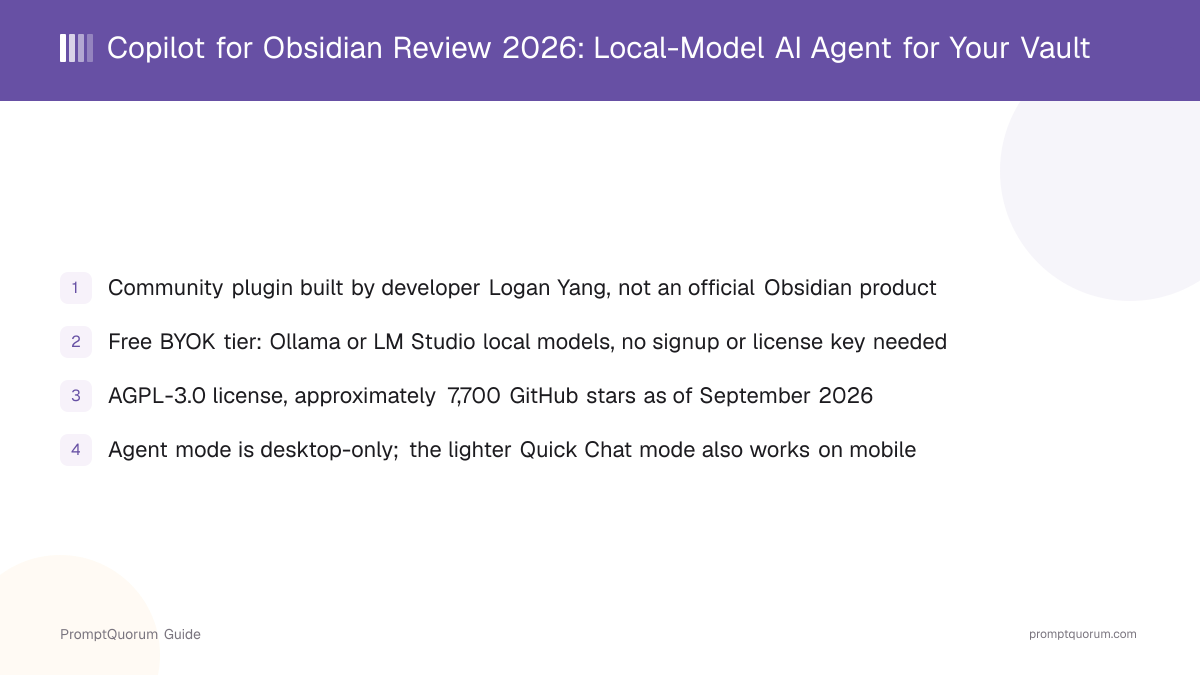
Copilot for Obsidian is a community plugin for Obsidian, the notes app, built by developer Logan Yang and distributed as open-source software. Its own GitHub README describes it as an AI agent for your Obsidian vault, capable of multi-step research, writing, and knowledge work with direct file management inside your notes. It is not developed or officially published by Obsidian's maker — the name overlaps with, but has no relation to, GitHub Copilot or other products carrying the "Copilot" name.
- Core function: chat with your vault, semantic and keyword search across your notes, and — in Agent mode — multi-step research and writing tasks that create or edit files directly
- Local inference: no bundled inference engine of its own — the plugin connects to a separately running local server (Ollama or LM Studio) or a cloud API you configure, rather than shipping model weights inside the plugin itself
- Developer: Logan Yang, an independent developer distributing the plugin as open-source software, not affiliated with Obsidian's maker or with GitHub/Microsoft's unrelated "Copilot" products
- Canonical repository: github.com/logancyang/obsidian-copilot
- Companion site: obsidiancopilot.com hosts pricing, documentation, and the hosted-model tiers
Copilot for Obsidian's Background and Milestones
Copilot for Obsidian started as an independent, open-source community plugin. Its GitHub repository shows approximately 7,700 stars as of this review — check the repository directly for a current count, since star counts change daily and this review does not claim a specific popularity ranking against other Obsidian plugins.
- 1Community plugin release
Why it matters: Developer Logan Yang published Copilot for Obsidian as an open-source plugin distributed through Obsidian's Community Plugins catalog, unaffiliated with Obsidian's own maker. - 2Local-model support added
Why it matters: The plugin added documented support for Ollama and LM Studio as local providers, plus a generic OpenAI-compatible BYOK slot, letting the agent run entirely against a self-hosted model with no cloud account. - 3Agent mode and vault-aware chat introduced
Why it matters: Beyond single-turn chat, the plugin added a multi-step "Agent mode" that can search across a vault, plan a task, and edit or create files as part of one request rather than one reply at a time. - 4Tiered pricing and Self-Host Supporter plan added
Why it matters: Alongside the always-free BYOK/local path, the developer introduced paid Lite and Plus tiers for Copilot-hosted models, and a one-time Self-Host Supporter purchase for lifetime self-hosting, via [obsidiancopilot.com](https://www.obsidiancopilot.com).
What Can You Do With Copilot for Obsidian?
Copilot for Obsidian combines vault-aware chat, multi-step agent tasks, and configurable model backends — local or cloud — per its own documentation and GitHub README.
- Agent mode — multi-step, autonomous task execution: it can plan a task, search your vault, read multiple notes, and create or edit files across several steps for one request, rather than a single chat reply
- Quick Chat — a lighter, single-turn chat mode for fast Q&A against your vault or a selected note, available on both desktop and Obsidian's mobile apps
- Vault-aware chat and search — semantic and keyword search across your notes so answers use your own vault content as context, not only the model's general knowledge
- Local model support — Ollama and LM Studio as documented local providers, plus a generic OpenAI-compatible BYOK slot you can point at any self-hosted or local endpoint
- BYOK cloud access — connect your own API key for hosted providers such as OpenAI or Anthropic instead of paying for Copilot for Obsidian's own hosted-model usage
- Multi-agent collaboration (Plus tier) — coordinate multiple agent roles on a single task
- Web search, PDF parsing, and YouTube/X capture (Plus tier) — pull external content into the vault or into a chat's context
- OpenArtifacts publishing (Plus tier) — publish generated documents or notes out of the plugin
- File management inside the vault — Agent mode can create, edit, and organize notes as part of completing a task, not only answer questions about them
Usage Examples: Three Ways to Use Copilot for Obsidian
These are concrete workflows built from the plugin's own documentation, not hypothetical use cases.
Chat with your vault using a local Ollama model
Start Ollama (ollama serve) and pull a model. In Copilot for Obsidian's settings, add a custom local provider pointed at Ollama's local endpoint and select the model. Ask a question in Quick Chat or Agent mode, and the plugin searches your vault for relevant notes and answers using that context — with the request running entirely against your local Ollama instance.
Research and draft a note with Agent mode
Switch to Agent mode and describe a multi-step task, such as "summarize what my notes say about X and draft a new note comparing it to Y." The agent plans the steps, searches across the vault for relevant notes, and creates or edits a file with the result, rather than returning a single chat reply you have to copy in manually.
Use your own OpenAI or Anthropic key instead of a local model
On the free BYOK tier, add your own API key for a hosted provider such as OpenAI or Anthropic in the plugin's settings instead of (or alongside) a local provider. This uses that provider's billing directly — Copilot for Obsidian itself does not add a markup or require a subscription for this path.
Get Copilot for Obsidian
Copilot for Obsidian installs as a plugin inside Obsidian itself, not as a standalone application — Obsidian (available for macOS, Windows, Linux, iOS, and Android) must already be installed. There is no separate per-operating-system installer for the plugin; the same plugin works on every platform Obsidian supports, though Agent mode specifically is desktop-only.
Community Plugins browser (recommended)
- How to Install:
- In Obsidian, open Settings → Community plugins → Browse, search for "Copilot," then select Install and Enable. This installs the latest published release directly from inside Obsidian, with no account or license key needed for the free BYOK/local-model path.
Manual install from GitHub
- How to Install:
- Download the release files from github.com/logancyang/obsidian-copilot and place them in your vault's plugins folder, then enable the plugin in Obsidian's settings. Use this route for a specific release or a self-hosted build.
Self-Host Supporter setup
- How to Install:
- After purchasing the one-time Self-Host Supporter plan, follow the self-host setup instructions on obsidiancopilot.com to run the hosted-model backend yourself instead of relying on the developer's infrastructure.
Agent mode's multi-step research and file-editing workflow is desktop-only. Quick Chat, the lighter single-turn chat mode, works on Obsidian's iOS and Android apps as well.
Copilot for Obsidian Pricing
Copilot for Obsidian is free to install and free to use with your own API keys or a local model. Paid tiers exist specifically for Copilot-hosted cloud models and extra research features — none of them are required for local-model use. Figures below are current as of this review (September 2026), per obsidiancopilot.com/pricing — check that page directly before deciding, since prices and included features change, and the site occasionally runs promotional discount codes.
Free
- Price:
- $0
- What It Includes:
- Bring-your-own-key access to your own hosted-provider account or a fully local model through Ollama or LM Studio, plus vault search and community support. No signup or license key required for the local-model path.
Lite
- Price:
- About $7.99/month, or about $74.99/year billed annually
- What It Includes:
- Copilot-hosted models with monthly usage quotas, with the option to purchase additional credits beyond the included allowance.
Plus
- Price:
- About $14.99/month, or about $139.99/year billed annually
- What It Includes:
- Roughly three times the Lite tier's token allowance, multi-agent collaboration, expanded web search and PDF parsing, YouTube and X capture skills, and OpenArtifacts publishing.
Self-Host Supporter
- Price:
- One-time payment of about $349.99 (the developer has run limited-time discount codes against this price)
- What It Includes:
- Lifetime self-host mode for running the hosted-model backend yourself, plus two years of Plus-tier access included.
Local-model use through Ollama or LM Studio works on the free tier with no payment at all. The paid tiers add Copilot-hosted cloud models, usage allowances, and research/publishing features layered on top — they are optional, not a requirement for local-model access.
Copilot for Obsidian vs. Plain Ollama + Open WebUI
Copilot for Obsidian and running Ollama together with Open WebUI are both ways to chat with a local model, but they solve different problems: one is built into your existing notes, the other is a general-purpose chat interface with no notes app of its own.
Context source
- Copilot for Obsidian:
- Reads and searches your actual Obsidian vault as context automatically, without manual copy-paste
- Ollama + Open WebUI:
- No vault awareness of its own — you paste, type, or upload content into each chat manually
File editing
- Copilot for Obsidian:
- Agent mode can create and edit notes directly inside your Obsidian vault as part of a task
- Ollama + Open WebUI:
- No file-editing capability — it is a standalone chat interface, not a notes editor
Setup
- Copilot for Obsidian:
- Installs as an Obsidian plugin and points at an already-running Ollama or LM Studio server
- Ollama + Open WebUI:
- A separate standalone web app or container, unrelated to any notes app
Cost
- Copilot for Obsidian:
- Free on the BYOK/local tier; paid tiers add hosted models and extra research features
- Ollama + Open WebUI:
- Free and open source with no paid tier — Open WebUI is released under its own open-source license
Fully local operation
- Copilot for Obsidian:
- Fully local when configured with Ollama or LM Studio and no cloud API key added
- Ollama + Open WebUI:
- Fully local by default when paired with a local Ollama instance
If your only goal is a general-purpose local-model chat interface, Ollama plus Open WebUI works end-to-end at no cost with no paid tier at all. Choose Copilot for Obsidian specifically when you want that same local model reading, searching, and writing directly into your existing Obsidian notes.
Who Should Use Copilot for Obsidian?
Whether Copilot for Obsidian fits depends on whether you already use Obsidian as your notes app and want AI that works directly against that vault.
Use Copilot for Obsidian if
- You already keep notes in Obsidian and want an AI agent that can read, search, and write into that vault directly
- You want the option to run every AI interaction against a fully local model (Ollama or LM Studio) with no signup or license key
- You occasionally want a hosted, higher-throughput model without managing your own API key, and are willing to pay for a Lite or Plus subscription for that convenience
- You want a one-time purchase (Self-Host Supporter) rather than an ongoing subscription, and are comfortable maintaining your own self-hosted backend long-term
- You want multi-step research and writing (Agent mode) that edits files for you, rather than a single-turn chat box you copy answers out of
Wait, or look elsewhere, if
- You don't use Obsidian as your notes app — this plugin only works inside Obsidian
- You want a completely notes-app-agnostic local chat interface — see the Ollama-plus-Open-WebUI comparison above
- You need multi-step Agent mode specifically on mobile — it is desktop-only; only the lighter Quick Chat mode is available on Obsidian's iOS and Android apps
- You are not comfortable depending on a single independent developer's community plugin for a workflow you can't afford to lose — check the plugin's current maintenance activity on GitHub directly before relying on it
Competitors and Alternatives
Copilot for Obsidian competes with a handful of other AI plugins for Obsidian and similar notes apps, most notably Smart Connections and Logseq Copilot. PromptQuorum has published standalone reviews of both, alongside a review of Joplin AI Agent for a third notes app.
- Local LLM With Obsidian 2026 — a pillar guide to the wider local-LLM-in-Obsidian ecosystem, covering Copilot for Obsidian alongside other plugin options such as Smart Connections.
- Obsidian and Logseq AI Plugins, Compared — a multi-plugin comparison covering Copilot for Obsidian, Smart Connections, Text Generator, logseq-copilot, and BMO Chatbot side by side.
Common Mistakes When Evaluating Copilot for Obsidian
Most confusion about Copilot for Obsidian comes from assuming it is an official Obsidian product, or that local-model use requires a paid tier.
Mistake 1: Assuming Copilot for Obsidian is an official Obsidian product
Copilot for Obsidian is a community plugin built and maintained independently by developer Logan Yang. It is not developed, published, or officially endorsed by Obsidian's maker. The name also overlaps with, but has no relation to, GitHub Copilot or other unrelated products carrying the "Copilot" name.
Mistake 2: Assuming local models require a paid tier
Local-model support through Ollama and LM Studio is available on the free BYOK tier, with no signup or license key. The paid Lite and Plus tiers add Copilot-hosted cloud models, usage allowances, and research features such as web search and PDF parsing — they do not gate local-model access itself.
Mistake 3: Treating the Self-Host Supporter plan as a subscription
The Self-Host Supporter plan (about $349.99 as of this review, per obsidiancopilot.com/pricing) is a one-time purchase that includes lifetime self-host mode plus two years of Plus-tier access — it is not a recurring monthly or annual charge.
Mistake 4: Expecting Agent mode to work on mobile
Agent mode's multi-step research and file-editing workflow is desktop-only. Quick Chat, the lighter single-turn chat mode, is available on Obsidian's iOS and Android apps, but full Agent mode is not, per the plugin's own documentation.
Frequently Asked Questions
What is Copilot for Obsidian?
Copilot for Obsidian is a community-developed plugin for the Obsidian notes app that adds an AI agent capable of chatting with, searching, and editing your vault, built independently by developer Logan Yang.
Is Copilot for Obsidian free?
The free tier is bring-your-own-key: connect your own API keys or a fully local model through Ollama or LM Studio, with no signup or license key required. Paid Lite (about $7.99/month) and Plus (about $14.99/month) tiers add Copilot-hosted cloud models and extra research features.
Is Copilot for Obsidian made by Obsidian itself?
No. It is an independent community plugin built and maintained by developer Logan Yang, not developed or officially endorsed by Obsidian's maker.
Does Copilot for Obsidian support local AI models?
Yes. The plugin documents support for Ollama and LM Studio as local providers, plus a generic OpenAI-compatible BYOK slot for any local or self-hosted endpoint, available on every pricing tier including the free one.
What license is Copilot for Obsidian released under?
AGPL-3.0, per the repository's own LICENSE file on GitHub.
How much does Copilot for Obsidian cost?
Free on the BYOK/local tier. Paid options as of this review are Lite (about $7.99/month or $74.99/year) and Plus (about $14.99/month or $139.99/year), plus a one-time Self-Host Supporter purchase (about $349.99) — check obsidiancopilot.com/pricing for current figures.
Can I self-host Copilot for Obsidian's hosted-model backend?
Yes, through the one-time Self-Host Supporter plan, which includes lifetime self-host mode plus two years of Plus-tier access.
Does Copilot for Obsidian work on mobile?
Quick Chat, the lighter single-turn chat mode, works on Obsidian's iOS and Android apps. Agent mode's multi-step research and file-editing workflow is desktop-only.
How many GitHub stars does Copilot for Obsidian have?
Its repository (github.com/logancyang/obsidian-copilot) showed approximately 7,700 stars as of September 12, 2026. Check the repository directly for a current count, since it changes regularly.
How do I install Copilot for Obsidian?
In Obsidian, open Settings → Community plugins → Browse, search for "Copilot," then select Install and Enable — no account or license key is needed for the free BYOK/local-model path.