What Arbiter Is
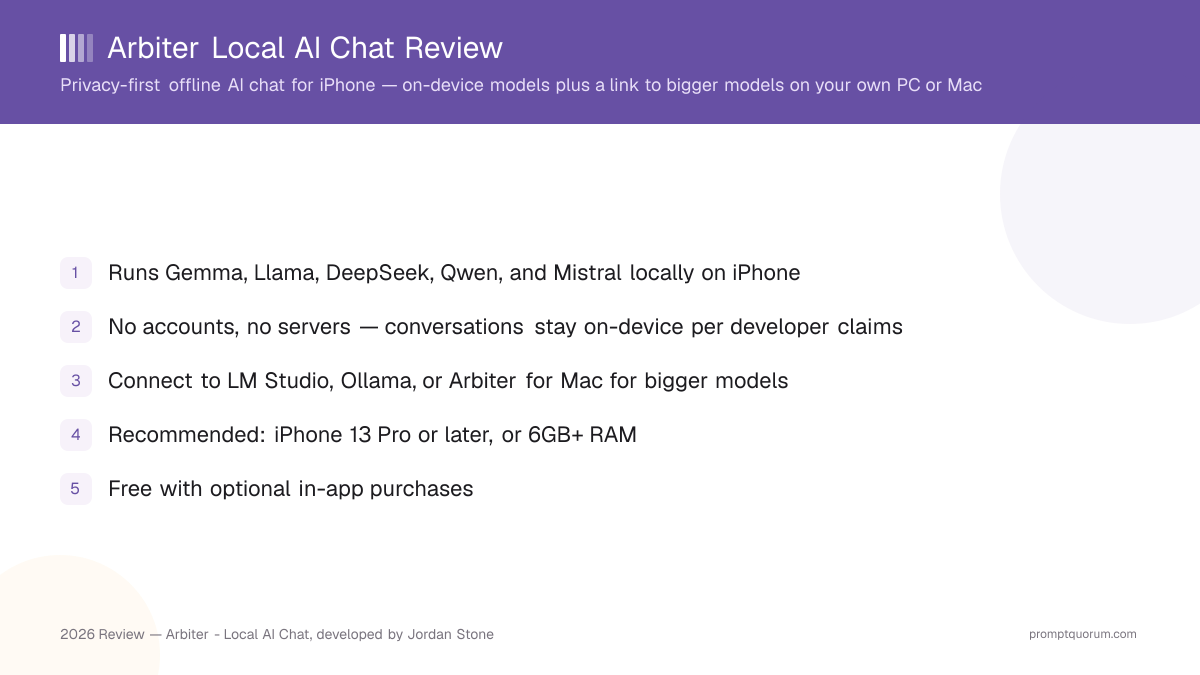
Arbiter is a privacy-first offline AI assistant for iPhone, developed by Jordan Stone and listed on the App Store as "Arbiter - Local AI Chat" (id6747954532), with a vendor site at askarbiter.ai. The app is free to download, with optional in-app purchases, and is listed in the Productivity category.
The core design choice is that Arbiter does not require an account and does not rely on Arbiter's own servers to process your conversations: it either runs a model directly on your iPhone, or connects to a model running on hardware you control (your own PC or Mac). The developer's stated position is that conversations never leave the device — either your phone, or the desktop machine you connect it to.
Model support centers on lightweight open-source families: Gemma, Llama, DeepSeek, Qwen, and Mistral. These are the same model families used across most local-LLM apps and tools, which means the practical ceiling on quality is set by how large a model your iPhone (or connected desktop) can run, not by a proprietary Arbiter-only model.
📍 In One Sentence
Arbiter is a free iPhone app that runs open-source language models on-device or connects to more powerful models on your own PC or Mac, without accounts or servers.
💬 In Plain Terms
Arbiter lets you chat with AI on your iPhone the way you would with a cloud chatbot, except the conversation stays on your phone (or on a computer you own) instead of being sent to a company's servers.
How Local AI Works in Arbiter
Arbiter offers two paths to AI chat, both designed to keep data off third-party servers:
- On-device models — download a lightweight open-source model (Gemma, Llama, DeepSeek, Qwen, or Mistral) directly into the app and run inference on your iPhone. No internet connection is needed once a model is downloaded, and no third-party server sees your conversation.
- Connect to a more powerful desktop model — if on-device model quality is not enough for a task, Arbiter can connect to models running on your own PC or Mac through tools like LM Studio or Ollama, or through the separate "Arbiter for Mac" companion app. Inference happens on the desktop machine you control; the phone acts as the interface. This avoids the trade-off of either being limited to what a phone can run, or sending your prompts to a cloud API.
- Document summaries — you can upload documents on your device and have Arbiter generate summaries and pull out key insights, without uploading the file to a cloud service first.
Features
- Local model chat. Download and run Gemma, Llama, DeepSeek, Qwen, or Mistral directly on your iPhone for fully offline chat once the model is downloaded.
- Desktop connection for bigger models. Connect to LM Studio or Ollama running on your own PC or Mac, or to the "Arbiter for Mac" companion, to reach more capable models than an iPhone can run on its own — while keeping inference on hardware you control.
- Document summaries. Upload a document on your device and get a summary and key insights back, processed on-device rather than through a cloud upload.
- No accounts. There is no sign-up, login, or account system — you open the app and start using it.
- No data collection, per developer claims. The developer states that conversations never leave the device, and that Arbiter does not run its own servers to process or store your chats.
Hardware Requirements and Pricing
Minimum recommended hardware
- What Arbiter states:
- iPhone 13 Pro or later, or any device with at least 6GB of RAM, for smooth performance.
- What it means in practice:
- Older or lower-RAM iPhones may still run the app, but on-device model responses may be slower or you may be limited to smaller models. If your iPhone is older than the 13 Pro and has less than 6GB of RAM, lean on the desktop-connection path instead of on-device inference.
Platform
- What Arbiter states:
- iOS / iPhone. A companion app, "Arbiter for Mac," is available for connecting to bigger models.
- What it means in practice:
- There is no Android or Windows version. Arbiter for Mac is described specifically as a way to reach more powerful models from your phone — treat it as a connection point rather than a confirmed full standalone Mac chat client until the developer documents it as one.
Pricing
- What Arbiter states:
- Free, with optional in-app purchases. Category: Productivity.
- What it means in practice:
- You can install and use the app without paying. Specific in-app purchase tiers, prices, and what they unlock are not published in the source material for this review — check the current App Store listing for up-to-date pricing before assuming any particular feature is free or paid.
Storage for on-device models
- What Arbiter states:
- Not specified by the developer in detail.
- What it means in practice:
- Open-source models in the Gemma, Llama, DeepSeek, Qwen, and Mistral families typically range from roughly 1–5GB per model depending on parameter count and quantization. Budget iPhone storage accordingly if you plan to keep more than one model downloaded at a time.
Trade-Offs: Benefits vs. Limitations
Privacy by design
- What it means in real use:
- No accounts, no Arbiter-run servers processing your chats, per the developer's stated design — conversations stay on your device or the desktop you connect to.
- Limitation / caveat:
- This review relies on the developer's stated claims rather than independent third-party audit; review the current privacy policy on the App Store before handling sensitive information.
Works fully offline once a model is downloaded
- What it means in real use:
- On-device chat with Gemma, Llama, DeepSeek, Qwen, or Mistral does not require an internet connection after setup.
- Limitation / caveat:
- Initial app install and model download require internet. Connecting to LM Studio, Ollama, or Arbiter for Mac requires a network connection between your phone and the desktop machine.
No recurring cost required
- What it means in real use:
- Free download, optional in-app purchases — you are not forced into a subscription to use the core app.
- Limitation / caveat:
- On-device inference uses your iPhone's battery and processing power; large models may run slowly on older or lower-RAM devices.
Bigger-model access without a cloud API
- What it means in real use:
- Connecting to LM Studio, Ollama, or Arbiter for Mac lets you use larger, more capable models than an iPhone can run on its own, while keeping inference on hardware you own.
- Limitation / caveat:
- Requires a PC or Mac with sufficient RAM/GPU and LM Studio, Ollama, or Arbiter for Mac already set up — this is not a zero-setup path for users without a compatible desktop.
Document summaries on-device
- What it means in real use:
- Get summaries and key insights from files without uploading them to a cloud service.
- Limitation / caveat:
- Summary quality depends on the on-device model size you choose; supported file formats and maximum document length are not detailed by the developer in public materials.
Simple, curated model list
- What it means in real use:
- Gemma, Llama, DeepSeek, Qwen, and Mistral cover a range of open-source model families without requiring you to search Hugging Face yourself.
- Limitation / caveat:
- The exact list of specific model sizes/variants and whether custom GGUF import is supported is not specified in the source material for this review — check the current App Store listing for the up-to-date model list.
Arbiter vs. Alternatives
Arbiter
- Best for:
- iPhone users who want on-device chat plus an option to reach bigger models on their own PC/Mac
- Setup level:
- Minimal for on-device chat; more setup to connect to LM Studio/Ollama/Arbiter for Mac
- Platform focus:
- iOS/iPhone only, with a Mac companion for connecting to bigger models
- Key limitation:
- No Android or Windows app; in-app purchase tiers not publicly detailed
Articles about Arbiter (1)
- Local Chat Apps & Assistants Compared (2026): Desktop, Mobile, Self-Hosted, Assistants and RoleplayUpdated September 20, 2026
Also mentioned in:
- Liquid Apollo Review: On-Device LFM2 Chat, Plus Optional CloudUpdated September 12, 2026
Loci
- Best for:
- Low-friction cross-platform private chat
- Setup level:
- Minimal (download, chat)
- Platform focus:
- iPhone/iPad/Android/Mac/Windows (5 platforms)
- Key limitation:
- Curated ~10-model library; cannot import GGUF files
Private LLM
- Best for:
- Apple-only users wanting advanced model selection
- Setup level:
- Low-to-medium (one-time purchase, model downloads)
- Platform focus:
- iPhone/iPad/Mac (Apple only)
- Key limitation:
- Apple-only; requires learning quantization formats
Articles about Private LLM (10)
- Private LLM Review: On-Device AI Chat for iPhone, iPad, and MacUpdated October 23, 2026
- Best Local AI Apps for iPhone in 2026 (Run LLMs Without WiFi)Updated October 23, 2026
- Loci AI Review (2026): Offline AI for iPhone, Android, iPad, Mac and WindowsUpdated October 23, 2026
- Local Chat Apps & Assistants Compared (2026): Desktop, Mobile, Self-Hosted, Assistants and RoleplayUpdated September 20, 2026
- AI on Device Review: A $4.99 Apple Intelligence-Only AppUpdated September 12, 2026
- Google AI Edge Gallery Review: Gemma 4 On-Device Chat for iPhoneUpdated September 12, 2026
- Liquid Apollo Review: On-Device LFM2 Chat, Plus Optional CloudUpdated September 12, 2026
- Noema Review: Multi-Format Local AI for iPhone, iPad, and MacUpdated September 12, 2026
- Off Grid AI Review: Cross-Platform Local AI for iOS, Android, macOS, and WindowsUpdated September 12, 2026
- Pocket AI Review: Offline On-Device AI Chat for iPhoneUpdated September 11, 2026
+12 more not shown
PocketPal AI
- Best for:
- Users wanting full GGUF import and model control
- Setup level:
- Medium (free, but requires sourcing model files)
- Platform focus:
- iPhone/iPad, some Android support
- Key limitation:
- Requires comfort with GGUF files and manual model selection
Articles about PocketPal AI (10)
- PocketPal AI Review: Free, Open-Source On-Device ChatUpdated September 5, 2026
- Best Local AI Apps for iPhone in 2026 (Run LLMs Without WiFi)Updated October 23, 2026
- Loci AI Review (2026): Offline AI for iPhone, Android, iPad, Mac and WindowsUpdated October 23, 2026
- Private LLM Review: On-Device AI Chat for iPhone, iPad, and MacUpdated October 23, 2026
- Run a Local LLM on Your Tablet: iPad Pro M5, Galaxy Tab S10, OnePlus Pad 2 (2026)Updated October 23, 2026
- Best Local LLM Apps for Android in 2026: 6 Apps Compared on Real PhonesUpdated October 19, 2026
- Best Mobile LLM Models for Phones in 2026: Phi-4 Mini vs Gemma 3 vs SmolLMUpdated October 19, 2026
- Local AI Chat Pocket Review: Offline LLM and Image Chat for iPhone and iPadUpdated October 6, 2026
- PAIOS Review: Offline Gemini Nano Chat for AndroidUpdated October 5, 2026
- Oscilla Review: Free On-Device AI Chat for iPhoneUpdated October 4, 2026
+36 more not shown
Who Should Use Arbiter
- iPhone user who wants private chat without an account. No sign-up step — open the app and start chatting with an on-device model.
- User who occasionally needs a bigger model. Connecting to LM Studio, Ollama, or Arbiter for Mac lets you tap a more powerful model on your own desktop when an on-device model is not enough, without sending prompts to a third-party cloud API.
- Someone who wants document summaries without a cloud upload. Upload a file on-device and get a summary and key insights back.
- Budget-conscious user. Free with optional in-app purchases — no forced subscription to try the app.
- User with an iPhone 13 Pro or newer (or 6GB+ RAM device). This is the hardware range the developer recommends for smooth on-device performance.
Who Should Not Use Arbiter
- Android or Windows users. Arbiter is iOS/iPhone only; there is no native Android or Windows app in the source material for this review.
- User expecting frontier cloud-level reasoning purely on-device. On-device models in the Gemma, Llama, DeepSeek, Qwen, and Mistral families running on an iPhone face the same parameter-count ceiling as any other phone-based local-AI app; for the largest models you still need to connect to a desktop machine or use a cloud service.
- User with an older iPhone below the recommended hardware tier. Devices older than iPhone 13 Pro, or with less than 6GB of RAM, may see slower on-device performance.
- User who wants a mature, fully documented standalone Mac chat app today. "Arbiter for Mac" is described as a way to connect to bigger models from your phone; it is not confirmed in the source material to be a full standalone Mac chat application in its own right.
- User handling highly sensitive information who needs an independently audited privacy claim. Arbiter's no-accounts, no-servers, no-data-collection positioning is the developer's stated design; review the current privacy policy on the App Store listing before relying on it for confidential work.
Frequently Asked Questions
What is Arbiter - Local AI Chat?
Arbiter is a privacy-first offline AI assistant for iPhone, developed by Jordan Stone. You can download and run lightweight open-source models (Gemma, Llama, DeepSeek, Qwen, Mistral) locally on your iPhone, or connect to more powerful models running on your own PC or Mac through LM Studio, Ollama, or the "Arbiter for Mac" companion.
Is Arbiter really private?
The developer's stated design is no accounts, no servers, and no data collection — conversations are designed to never leave the device you are using, whether that is your iPhone or a desktop you connect to. As with any privacy claim, review the current privacy policy on the App Store listing before using it for sensitive information, since this review relies on the developer's public claims rather than an independent audit.
Does Arbiter work without an internet connection?
Yes, for on-device chat: once a model (Gemma, Llama, DeepSeek, Qwen, or Mistral) is downloaded to your iPhone, chat works without an internet connection. Downloading the app and the initial model requires internet, and connecting to LM Studio, Ollama, or Arbiter for Mac requires a network connection between your phone and the desktop machine.
What iPhone do I need to run Arbiter smoothly?
The developer recommends an iPhone 13 Pro or later, or any device with at least 6GB of RAM, for smooth performance. Older or lower-RAM iPhones may still run the app but could see slower on-device responses, especially with larger models.
Which AI models does Arbiter support?
Arbiter supports lightweight open-source models: Gemma, Llama, DeepSeek, Qwen, and Mistral. These run locally on-device. For more powerful models, Arbiter can connect to LM Studio or Ollama running on your own PC or Mac, or to the Arbiter for Mac companion app.
How does connecting to LM Studio or Ollama work?
Instead of running a model directly on your iPhone, Arbiter can connect to a model already running on your own PC or Mac through LM Studio, Ollama, or the Arbiter for Mac companion app. Inference happens on the desktop machine you control, and Arbiter's phone interface sends and receives messages with it — so you get access to bigger, more capable models than your iPhone alone can run, without a third-party cloud API in between.
Does Arbiter cost money?
Arbiter is free to download, with optional in-app purchases. It is listed in the Productivity category on the App Store. Specific in-app purchase tiers and pricing are not detailed in the source material for this review — check the current App Store listing for up-to-date pricing.
Can Arbiter summarize documents?
Yes. You can upload documents on your device and Arbiter will generate summaries and pull out key insights, processed on the device rather than through a cloud upload.
Is there an Android or Windows version of Arbiter?
No. Arbiter is available for iOS/iPhone. There is a separate "Arbiter for Mac" companion app for connecting to more powerful models, but no Android or Windows client in the source material for this review.
How does Arbiter compare to Loci or Private LLM?
Loci works across five platforms (iPhone, iPad, Android, Mac, Windows) with a curated model library and minimal setup. Private LLM is Apple-only with a larger model library (140+ models) and more quantization control, sold as a one-time purchase. Arbiter is iPhone-focused with a smaller, simpler model list (Gemma, Llama, DeepSeek, Qwen, Mistral) but adds the option to connect directly to LM Studio, Ollama, or your own Mac for bigger models — a combination not all competitors offer in the same form.
Verdict
Arbiter is worth installing if you want a free, no-account iPhone app for private AI chat and document summarization, with a genuine escape hatch when on-device model quality is not enough: connecting to LM Studio, Ollama, or your own Mac through the Arbiter for Mac companion. The developer's privacy positioning — no accounts, no servers, no data collection — is exactly the design most privacy-conscious mobile AI users are looking for, though as with any single-developer app, it is worth reviewing the current App Store privacy policy yourself before trusting it with sensitive material. The recommended hardware tier (iPhone 13 Pro or later, or 6GB+ RAM) is realistic for most recent iPhones. Where Arbiter is weaker is breadth: it is iPhone-only, the Arbiter for Mac companion is not confirmed to be a full standalone Mac chat app, and specifics on in-app purchase pricing and exact model variants are not published in detail. Users who want a mature, cross-platform app with a larger curated model library should also look at Loci; users who want maximum model and quantization control on Apple devices should look at Private LLM. For an iPhone-first user who wants simple on-device chat plus the option to reach bigger models on their own hardware, Arbiter fills a real gap.
Sources
- Arbiter - Local AI Chat on the App Store — official listing, category, pricing, developer information.
- Arbiter official site (askarbiter.ai) — product overview and features.
- Loci on the App Store — for comparison, a cross-platform on-device AI app.
- Private LLM official site — for comparison, an Apple-only local-LLM app with a larger model library.