What Is OpenClient?
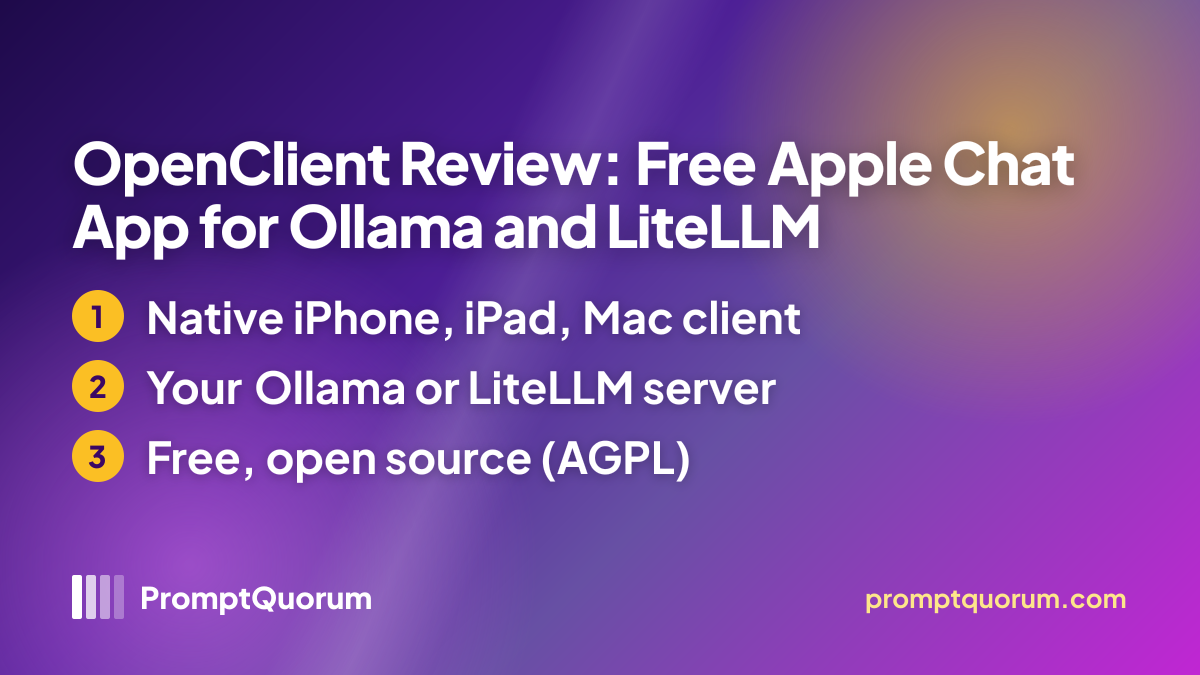
OpenClient is a chat front end, not an AI engine: it sends your messages to the server whose address you enter and displays the replies. The maker describes it as a private AI chat for Apple platforms built around "your server, your models, your choice", with support for LiteLLM proxies, Ollama and other servers that follow the OpenAI-compatible API.
The App Store title is "OpenClient: Private AI Chat" and the seller is Arturo Carretero Calvo, who also publishes the source code on GitHub.
Get It
OpenClient installs like any Apple app — App Store or a signed Mac download, no terminal — but it needs a separate server to talk to. Set up Ollama or a LiteLLM proxy first, then enter its address in the app's Settings.
Platform | Where to get it |
|---|---|
| iPhone and iPad | App Store (free, iOS or iPadOS 26 or later) |
| Mac | App Store or the signed .dmg download (macOS 26 or later) |
| Beta | TestFlight |
| Website | arturocarreterocalvo.com/openclient-llm |
| Privacy policy | Privacy policy (dated 15 July 2026) |
| Source code | GitHub (AGPL v3.0) |
Version reviewed: 1.7.30, shown on the App Store as updated on 23 October 2026 (the matching GitHub release is dated 22 October). The App Store price is free in the storefronts checked; the privacy policy also mentions voluntary purchases through Apple.
Features Confirmed by the Sources
Every item below comes from the maker's page, the README or the App Store description.
- Chat. Streaming Markdown replies, a collapsible "Thinking" block for reasoning models, a system prompt and parameters per conversation, and token and cost estimates when the server returns usage data.
- Attachments and media. Photos, camera shots and PDFs for multimodal models; image generation with compatible models on your server; speech-to-text dictation and text-to-speech playback.
- Tools. An agent loop for models that support function calling, web search through your server, and MCP tools exposed by a LiteLLM backend.
- Conversations. History with search, pins and tags, branching from any message, a private session-only chat, JSON backup and export, and optional iCloud sync.
- Apple integration. Share Sheet, Shortcuts and Siri actions, a Control Center toggle, widgets and, on the Mac, a menu bar companion.
- Memory and templates. Notes you save yourself or let the model save, a user profile and reusable system-prompt templates.
Privacy and Network Use
According to the privacy policy, OpenClient has no developer-operated backend for conversations, analytics, telemetry or crash reports, and it sends your messages only to the server address you configure. The server URL and API keys are kept in the device Keychain, and conversations stay on the device or, if you switch sync on, in your own iCloud account.
The policy names the exceptions: anything your server forwards to cloud model or search providers, Apple's speech recognition if you choose it for dictation (Apple does not guarantee it runs on the device), purchases handled by Apple, and the optional feedback board built on Votice, which may send a random persistent device identifier and technical data such as platform, language and app version. The policy is dated 15 July 2026.
📌Note: The source code is public, so the data handling can be inspected, but PromptQuorum did not read the code or monitor network traffic. If your server forwards to a cloud provider, that provider's policy applies to your messages.
Who Should Use It
- Apple users who already run Ollama or LiteLLM and want a native iPhone, iPad and Mac front end.
- People who want to read the source of the chat app that handles their prompts.
- LiteLLM users who want MCP tools and cost data in a mobile client.
What We Could Not Verify
- Hands-on quality. Streaming speed, battery use, reliability on mobile networks and answer quality were not tested.
- Server compatibility. The README says basic chat needs only model listing and chat completions; whether a given server supports every feature was not checked.
- Remote-access security. How you expose and protect your server is outside the app and was not assessed.
- Long-term support. GitHub lists a single contributor, and the sources state no roadmap or support commitment.
Competitors and Alternatives
Enchanted
- Platforms:
- iOS, macOS
- Price / license:
- Free / Apache 2.0
- Key difference:
- Minimal Apple client for Ollama only
Articles about Enchanted (4)
- Enchanted Review: Native macOS/iOS Ollama ClientUpdated September 5, 2026
- Best Local LLM Frontends in 2026: Open WebUI, Enchanted UI, and MoreUpdated October 23, 2026
- Local Chat Apps & Assistants Compared (2026): Desktop, Mobile, Self-Hosted, Assistants and RoleplayUpdated September 20, 2026
- BoltAI Review: Native Mac AI App, Ollama ReadyUpdated September 6, 2026
Also mentioned in:
- GPT4All Review: Free Offline AI Chat App by Nomic AIUpdated October 24, 2026
- LocalMind Review: Free Chat App for On-Device and Self-Hosted ModelsUpdated October 17, 2026
- Tina Review: iPhone Client for Ollama, llama.cpp and ComfyUIUpdated October 4, 2026
- Sidekick Review: A Free, Native macOS Local AI Chat AppUpdated September 19, 2026
- Ekorbia Review: Free Open-Source Local AI Desktop AppUpdated September 7, 2026
+7 more not shown
Msty
- Platforms:
- Windows, macOS, Linux
- Price / license:
- Freemium / closed source
- Key difference:
- Desktop chat app for local and cloud models
Articles about Msty (6)
- Msty Review: Local + Cloud Chat in One Desktop AppUpdated September 5, 2026
- Local Coding Assistants, Agents & Workflow Tools Compared (2026): IDE Plugins, Agent Frameworks and Autonomous AgentsUpdated September 21, 2026
- Cherry Studio 2.0 in 2026: The Free Agent-Based AI Desktop AppUpdated September 20, 2026
- Enchanted Review: Native macOS/iOS Ollama ClientUpdated September 5, 2026
- Msty Go Review: Msty's Local-First AI AgentUpdated September 3, 2026
- Best Local AI App for Non-Technical Users (2026)Updated August 27, 2026
Also mentioned in:
- GPT4All Review: Free Offline AI Chat App by Nomic AIUpdated October 24, 2026
- Local Inference Engines, Runtimes & Gateways Compared (2026): Run and Serve ModelsUpdated September 20, 2026
- Sidekick Review: A Free, Native macOS Local AI Chat AppUpdated September 19, 2026
+6 more not shown
LibreChat
- Platforms:
- Web (self-hosted)
- Price / license:
- Free / MIT
- Key difference:
- Self-hosted multi-model chat with team features
Articles about LibreChat (5)
- LibreChat Review: Self-Hosted ChatGPT Alternative for Local LLMsUpdated September 3, 2026
- Open WebUI in 2026: The Self-Hosted ChatGPT Interface for Ollama and Any AI ModelUpdated October 9, 2026
- Local Chat Apps & Assistants Compared (2026): Desktop, Mobile, Self-Hosted, Assistants and RoleplayUpdated September 20, 2026
- Big-AGI Review 2026: Self-Hosted Multi-Model Chat with Beam CompareUpdated September 11, 2026
- h2oGPT Review: Features, Setup, and Why the Project Is ArchivedUpdated September 3, 2026
Also mentioned in:
- Obscurify.ai Review: Anonymous AI Chat With an Optional Local ModeUpdated October 23, 2026
- Qwen3 Local Deployment: Complete Production Guide (2026)Updated October 19, 2026
- web-search-mcp Review: Web Search Tool Access for Local LLMsUpdated September 19, 2026
- Odysseus Review: The Self-Hosted AI WorkspaceUpdated September 12, 2026
- text-generation-webui in 2026: How Oobabooga's Local LLM UI Became "TextGen"Updated September 5, 2026
Competitor details change often; confirm each app's current price, license and platforms on its own listing.
Frequently Asked Questions
Can I use OpenClient with only a cloud API key?
The README says it works with any server that implements model listing and chat completions in the OpenAI-compatible format. Whether a particular cloud vendor's endpoint qualifies was not tested.
Is there a Windows or Android version?
No. The maker's page lists iOS, iPadOS and macOS only, and the app is written in Swift with SwiftUI.
What address do I enter in Settings?
For LiteLLM, your proxy's address on port 4000. For Ollama directly, its address on port 11434 including the /v1 path, because the app appends API paths without adding or removing /v1.
Verdict
OpenClient suits people who already operate an Ollama or LiteLLM server and want a free, open-source, native client for iPhone, iPad and Mac; it is the wrong choice for anyone hoping for an app that runs a model on the phone. The sources show a feature-rich, frequently updated project, but speed, reliability and the privacy claims were not tested here. Compare Enchanted if you only use Ollama, or Msty for a desktop app that covers local and cloud models.
Sources
- OpenClient on the App Store — version, update date, price, supported devices and description, checked 24 October 2026.
- OpenClient website — the maker's product page: features, setup and download links.
- OpenClient privacy policy — data handling, third-party services and permissions; revision dated 15 July 2026.
- artcc/openclient-llm on GitHub — README, AGPL v3.0 license, release history and contributor list, checked 24 October 2026.