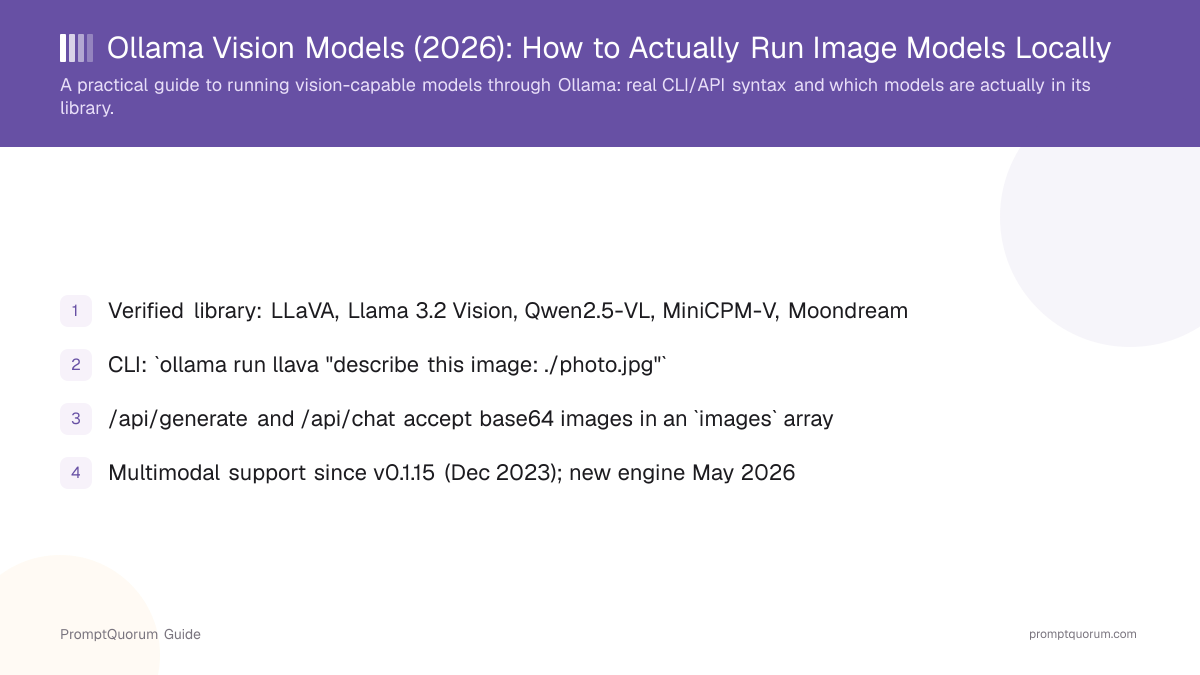
History: Ollama, llama.cpp, and Multimodal Support
Ollama's GitHub repository was created on June 26, 2023, and is licensed under MIT. It wraps llama.cpp, the C/C++ inference engine for GGUF-format models, behind a Docker-like command-line interface and local HTTP API — the core value proposition being that ollama run llama3 downloads and runs a model without the user managing dependencies, GPU drivers, or the underlying inference engine directly.
Multimodal (image-input) support was added in Ollama v0.1.15, released December 12, 2023, alongside LLaVA as the first supported vision model. The release notes describe running ollama run llava and then typing an image file path directly into the interactive prompt, plus a new images parameter added to the /api/generate HTTP endpoint accepting base64-encoded PNG or JPEG images up to 100MB.
Ollama rebuilt multimodal support into a dedicated multimodal engine around May 2026, according to Ollama's own blog, adding first-class vision support for newer model families including Llama 4, Gemma 3, Qwen2.5-VL, and Mistral Small 3.1 — with per-model handling of image resolution, positional metadata, and attention mechanisms rather than the more generic approach used for the original LLaVA integration. The same update brought Metal GPU offload for multimodal models on Apple Silicon via the llama.cpp backend.
Ollama primarily runs on the llama.cpp backend, and separately supports Apple's MLX framework as an alternative backend on Apple Silicon hardware, which some newer multimodal models can use for improved performance on Mac.
When did Ollama add support for vision models?
Ollama added multimodal (image-input) support in version 0.1.15, released December 12, 2023, with LLaVA as the first supported vision model. It rebuilt this into a dedicated multimodal engine around May 2026 for newer model families like Llama 4, Gemma 3, Qwen2.5-VL, and Mistral Small 3.1.
Which Vision Models Are Actually in Ollama's Library
PromptQuorum verified each of the following models live on ollama.com/library at the time of this review — this list reflects what is actually pullable today, not a general survey of vision-language models that may or may not be packaged for Ollama.
llava
- Maker:
- UW-Madison / Microsoft Research / Columbia (research)
- Notes:
- 7B/13B/34B; see PromptQuorum's dedicated LLaVA review
llava-llama3 / llava-phi3 / bakllava
- Maker:
- Community variants
- Notes:
- LLaVA-architecture models fine-tuned on different base LLMs
llama3.2-vision
- Maker:
- Meta
- Notes:
- 11B and 90B sizes; strong general image Q&A
qwen2.5vl
- Maker:
- Alibaba (Qwen team)
- Notes:
- 3B/7B/32B/72B; strong OCR and document understanding
qwen3-vl
- Maker:
- Alibaba (Qwen team)
- Notes:
- 2B-235B; newer than qwen2.5vl, up to 256K context, strongest OCR/visual-agent option here
minicpm-v
- Maker:
- OpenBMB
- Notes:
- ~8B, ~5.5 GB; strong document OCR at low VRAM, multi-image support
moondream
- Maker:
- Independent (Vikhyat K.)
- Notes:
- 1.8B, ~1.7 GB; the smallest option here, for lightweight/edge use
granite3.2-vision
- Maker:
- IBM
- Notes:
- ~2.4 GB; tuned for visual document analysis — tables, charts, infographics
gemma3
- Maker:
- Notes:
- 4B/12B/27B sizes are multimodal (270M and 1B are text-only)
llama4
- Maker:
- Meta
- Notes:
- Mixture-of-experts, natively multimodal; large (67 GB+) download
mistral-small3.1
- Maker:
- Mistral AI
- Notes:
- 24B, ~15 GB; Apache-2.0 licensed, vision plus text
Ollama's library moves fast: qwen3-vl has already joined qwen2.5vl as a newer, more capable Qwen vision option (up to 256K context) since the rest of this article was drafted. Models not confirmed to have their own Ollama library page as of this review, despite being discussed elsewhere as vision models: qwen2-vl (superseded by qwen2.5vl) and a standalone llava-next entry (LLaVA-NeXT/1.6 improvements are folded into the llava listing itself). Always check ollama.com/library/<name> directly before depending on a specific model name — this table is a snapshot, not a live feed.
Pulling and Running a Vision Model: Step by Step
This walkthrough uses LLaVA as the example, but the same steps apply to any model from the table above.
- 1Install Ollama.
Why it matters: Download [Ollama](https://ollama.com) for macOS, Linux, or Windows. Installation is a standard installer/package and takes under two minutes. - 2Pull a vision model.
Why it matters: Run `ollama pull llava` (or `ollama pull qwen2.5vl`, `ollama pull minicpm-v`, etc.) — this downloads the model weights, sized from under 2 GB (Moondream) to tens of gigabytes (Llama 4). - 3Run it with an image referenced in the prompt.
Why it matters: Run `ollama run llava "describe this image: ./photo.jpg"`. Ollama detects the `.jpg`/`.png` file path in the prompt text and attaches the image automatically — this pattern has worked since v0.1.15 in December 2023. - 4Or call the HTTP API directly.
Why it matters: POST to `http://localhost:11434/api/generate` or `/api/chat` with the image base64-encoded in an `images` array — the exact JSON shape is documented in Ollama's own [docs/api.md](https://github.com/ollama/ollama/blob/main/docs/api.md), and shown in the Usage Examples section below. - 5(Optional) Use the official client libraries.
Why it matters: The official `ollama` Python and JavaScript libraries accept an image file path directly and handle base64 encoding for you, avoiding manual encoding in scripts.
Real Usage Examples: CLI and HTTP API
These examples are drawn directly from Ollama's own documentation and verified request/response shapes — not invented syntax.
- No separate image flag exists in the CLI. Ollama detects a
.jpg/.png/similar file path inside the prompt text itself and attaches it automatically. /api/generateusesprompt;/api/chatusesmessages. Both accept animagesarray of base64-encoded strings;/api/chatsupports multi-turn conversations with images attached to individual messages.
# Pull and run via CLI — reference the image path directly in the prompt
ollama pull llava
ollama run llava "describe this image: ./photo.jpg"

# --- HTTP API: /api/generate (documented in Ollama's docs/api.md) ---
curl http://localhost:11434/api/generate -d '{
  "model": "llava",
  "prompt": "What is in this picture?",
  "stream": false,
  "images": ["<base64-encoded image data>"]
}'

# --- HTTP API: /api/chat (multi-turn, also documented in docs/api.md) ---
curl http://localhost:11434/api/chat -d '{
  "model": "llava",
  "messages": [
    { "role": "user", "content": "What is in this image?", "images": ["<base64-encoded image data>"] }
  ]
}'

# --- Python: official ollama library (handles base64 encoding for you) ---
import ollama

response = ollama.chat(
    model="llava",
    messages=[{
        "role": "user",
        "content": "What is in this image?",
        "images": ["photo.jpg"],
    }],
)
print(response["message"]["content"])

# --- Python: raw HTTP API with manual base64 encoding ---
import base64
import requests

def ask_vision_model(image_path: str, prompt: str, model: str = "llava") -> str:
    with open(image_path, "rb") as f:
        image_b64 = base64.b64encode(f.read()).decode("utf-8")
    response = requests.post(
        "http://localhost:11434/api/generate",
        json={"model": model, "prompt": prompt, "images": [image_b64], "stream": False},
    )
    return response.json()["response"]
VRAM and Hardware Guidance
Ollama's own model library pages list each model's download size, which is a reasonable proxy for the VRAM or RAM a quantized model needs to run — PromptQuorum did not find a separately published, authoritative VRAM table from Ollama beyond these per-model download sizes.
Model | Approx. size | Practical minimum |
|---|---|---|
| Moondream | ~1.7 GB | 4 GB VRAM / runs on modest hardware |
| Granite 3.2 Vision | ~2.4 GB | 4-6 GB VRAM |
| LLaVA 7B / MiniCPM-V | ~4.7-5.5 GB | 6-8 GB VRAM |
| Llama 3.2 Vision 11B / Qwen2.5-VL 7B | ~6-8 GB | 8-10 GB VRAM |
| Mistral Small 3.1 | ~15 GB | 16-24 GB VRAM |
| LLaVA 34B / Qwen2.5-VL 32B | ~20-21 GB | 24 GB+ VRAM |
| Llama 3.2 Vision 90B / Llama 4 | ~55-67 GB+ | Multi-GPU or high-memory Apple Silicon |
📌Note: These are approximate download sizes, not measured VRAM benchmarks — PromptQuorum did not run its own hardware tests for this article. A model can run on CPU alone at much slower speed if it does not fit in available VRAM; actual usable VRAM headroom also depends on context length and batch size.
What Ollama Is Not Good For
Ollama is a strong, actively developed way to run vision-capable models locally, but it is the wrong tool for the following situations:
- Fine-tuning or training a model. Ollama is inference-only — it runs pre-trained model weights, it does not provide a training or fine-tuning pipeline. If you need to fine-tune a vision-language model on your own data, you need a different toolchain (such as the original LLaVA repository's own training scripts, or a framework like Hugging Face Transformers).
- Bleeding-edge proprietary multimodal capability. Ollama's library is built around open-weight models. As of this review, GPT-4o, Claude, and Gemini's cloud vision APIs generally lead open local models on complex scene understanding, handwriting recognition, and ambiguous imagery — Ollama is the right tool for private, self-hosted use at zero marginal cost per image, not for matching the absolute state of the art.
- Precise numeric extraction from charts and graphs. This is a limitation of the underlying vision-language models themselves, not specific to Ollama as a runner — verify any extracted numbers against source data regardless of which model or runner you use.
- A single unified answer to "which model is best." The right vision model via Ollama depends on the task: Qwen2.5-VL for OCR-heavy document work, MiniCPM-V for OCR at lower VRAM, Llama 3.2 Vision for general image Q&A, Moondream for the lightest footprint. See PromptQuorum's local vision models comparison for task-by-task guidance.
Alternatives to Ollama for Vision Models
LM Studio
- Best fit:
- GUI-first local model runner; confirmed to support vision-capable models with image attachment in its chat interface
- License:
- Free, proprietary application
Articles about LM Studio (10)
- LM Studio Review: The GUI-First Local AI Desktop AppUpdated October 23, 2026
- LM Mini Review: iPhone Chat App for On-Device and Home-Server AIUpdated October 24, 2026
- Locally Uncensored Review: Local Chat, Image, and Video in One AppUpdated October 24, 2026
- Subtitle Edit Review: Local Whisper Transcription and Auto-TranslateUpdated October 24, 2026
- Tolaria Review: Open-Source Markdown Notes with Git and AI AgentsUpdated October 24, 2026
- Best Local LLM Frontends in 2026: Open WebUI, Enchanted UI, and MoreUpdated October 23, 2026
- Local LLM on a Laptop: What Runs on 8GB, 16GB & Apple Silicon (2026)Updated October 23, 2026
- Qwen Local Deployment Guide 2026: Qwen 3.6 27B, Coder & VL Hardware TiersUpdated October 23, 2026
- Best Local AI Apps for iPhone in 2026 (Run LLMs Without WiFi)Updated October 23, 2026
- Long Context Local LLMs 2026: 128K, 256K and 1M Models ComparedUpdated October 19, 2026
+146 more not shown
llama.cpp directly
- Best fit:
- Maximum low-level control over inference, including multimodal (llava.cpp-style) support, without Ollama's wrapper layer
- License:
- MIT
LLaVA's own repository
- Best fit:
- Research-grade control, training/fine-tuning scripts — see PromptQuorum's LLaVA review
- License:
- Apache-2.0 (code); base-model-dependent for checkpoints
MLC-LLM / MLC Chat
- Best fit:
- On-device LLM deployment across platforms; PromptQuorum found no confirmed, officially documented vision-language model (VLM) support as of this review — verify current status before relying on it for vision tasks
- License:
- Apache-2.0
Cloud VLM APIs (GPT-4o, Claude, Gemini vision)
- Best fit:
- Highest available multimodal capability, no local hardware or setup needed
- License:
- Proprietary (paid API)
Frequently Asked Questions
Does Ollama support vision models?
Yes. Ollama added multimodal (image-input) support in version 0.1.15, released December 12, 2023, and rebuilt it into a dedicated multimodal engine around May 2026. As of this review, its library lists LLaVA, Llama 3.2 Vision, Qwen2.5-VL, MiniCPM-V, Moondream, Granite 3.2 Vision, Gemma 3, Llama 4, and Mistral Small 3.1 as vision-capable models.
How do I pass an image to a model in Ollama?
From the CLI, reference the image's file path directly in the prompt text: ollama run llava "describe this image: ./photo.jpg". There is no separate --image flag. Programmatically, POST to /api/generate or /api/chat with the image base64-encoded in an images array, per Ollama's own docs/api.md.
What is the exact JSON format for sending an image to Ollama's API?
For /api/generate: `{"model": "llava", "prompt": "...", "images": ["<base64 string>"]}. For /api/chat: {"model": "llava", "messages": [{"role": "user", "content": "...", "images": ["<base64 string>"]}]}. Both are documented in Ollama's GitHub repository under docs/api.md`.
Which vision models are currently available in Ollama's library?
As verified for this review: LLaVA (plus llava-llama3, llava-phi3, bakllava variants), Llama 3.2 Vision, Qwen2.5-VL, MiniCPM-V, Moondream, Granite 3.2 Vision, Gemma 3 (4B and larger), Llama 4, and Mistral Small 3.1. Check ollama.com/library directly, since this list can change.
Can Ollama fine-tune a vision model?
No. Ollama is inference-only — it runs pre-trained model weights but does not provide a training or fine-tuning pipeline. Fine-tuning requires a different toolchain, such as the original model's own training scripts or a framework like Hugging Face Transformers.
Is Ollama built on llama.cpp?
Yes. Ollama wraps llama.cpp, the C/C++ inference engine for GGUF-format models, behind a simpler command-line interface and HTTP API. Ollama's GitHub repository was created June 26, 2023. It also supports Apple's MLX framework as an alternative backend on Apple Silicon.
How does Ollama compare to cloud vision APIs like GPT-4o or Gemini?
Ollama runs models locally at zero marginal cost per request and processes images on your own machine by default, but its library is built around open-weight models, which generally trail proprietary cloud vision APIs on complex scene understanding, handwriting, and ambiguous imagery. Choose Ollama for privacy, cost control at volume, and offline use; choose a cloud API for the highest available capability.
Verdict
Ollama has offered a genuinely simple path to running vision-capable models locally since December 2023, and its May 2026 multimodal engine rebuild kept that experience current for newer model families like Llama 4, Gemma 3, Qwen2.5-VL, and Mistral Small 3.1 alongside long-standing options like LLaVA. The core workflow — ollama pull, then ollama run with an image path in the prompt, or the documented /api/generate//api/chat HTTP endpoints — has been stable since the original v0.1.15 release, which is itself a point in Ollama's favor for anyone building on top of it. It is not a training tool, and it will not match the newest proprietary cloud multimodal capability, but for private, self-hosted, zero-marginal-cost image understanding, it remains one of the most practical entry points available. Pair this guide with PromptQuorum's LLaVA review for depth on one specific model, or the local vision models comparison for task-by-task model selection across the full local vision-model landscape.
Sources
- Ollama on GitHub — repository creation date, license, and release history.
- Ollama v0.1.15 release notes — the original multimodal/LLaVA support announcement, December 12, 2023.
- Ollama's new engine for multimodal models — the May 2026 multimodal engine rebuild, covering Llama 4, Gemma 3, Qwen2.5-VL, and Mistral Small 3.1.
- Ollama API documentation — the documented
/api/generateand/api/chatrequest/response shape for images. - Ollama model library — the live library used to verify every model listed in this article, including individual pages for llava, llama3.2-vision, qwen2.5vl, minicpm-v, moondream, granite3.2-vision, gemma3, llama4, and mistral-small3.1.