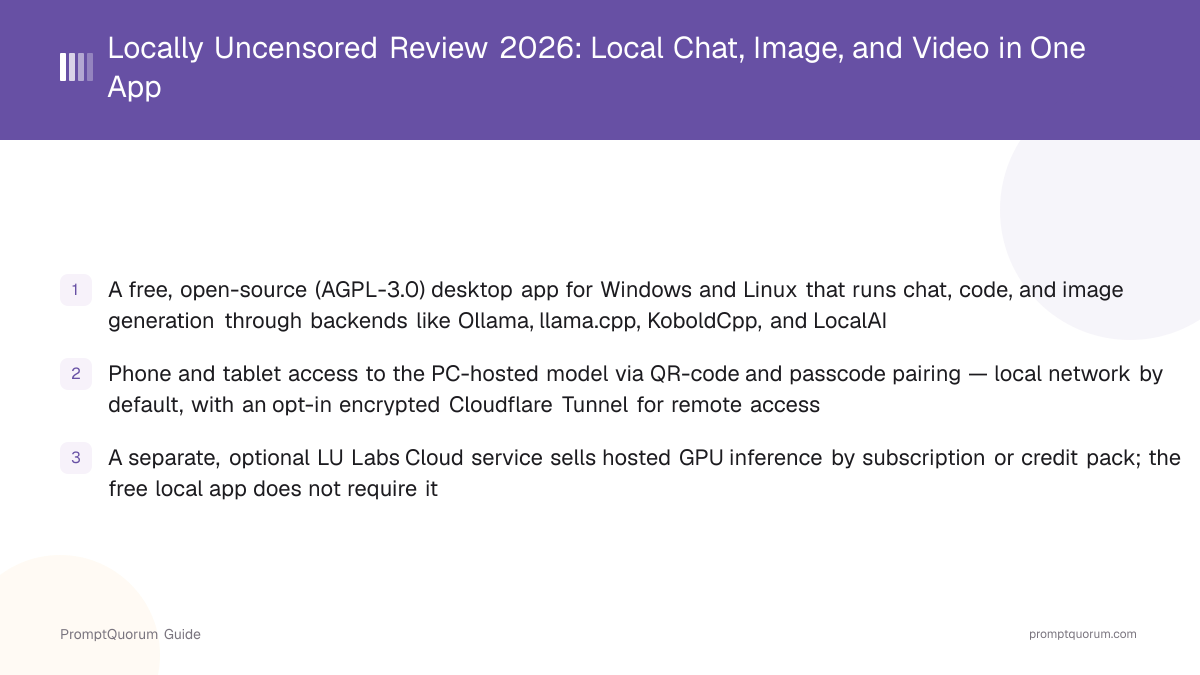
What Is Locally Uncensored?
Locally Uncensored is a desktop application that gives chat, coding, and image-generation tools running on your own computer a single interface, instead of requiring a separate app or browser tab for each one. Per its GitHub repository, it is built with Tauri and does not require an existing inference server to already be running — it detects backends already installed on the machine, or installs and manages its own bundled engine ("LU Engine") if none are present. Looking for uncensored models rather than this app? See uncensored local LLMs ranked by hardware tier.
- Core function: a desktop chat/code/image interface that connects to local inference backends already on your machine, or to its own bundled engine
- Detected/managed backends, per the GitHub README: Ollama, llama.cpp, KoboldCpp, LocalAI, vLLM, LM Studio, Jan, TabbyAPI, GPT4All, Aphrodite, SGLang, and TGI
- Image generation runs through an automatically configured ComfyUI install rather than a custom image pipeline
- Developer: an independent developer operating under the GitHub handle PurpleDoubleD, who identifies as "David" in a dev.to write-up about the project's origin and confirmed the same details directly to PromptQuorum
- Canonical repository: github.com/PurpleDoubleD/locally-uncensored, roughly 1,750 stars as of September 2026, with releases shipping close to weekly through 2026 (v3.0.1 on September 22, 2026, with a small v3.0.2 follow-up the same day, was the most recent at review time)
- What v3.0.1 added, per the developer: a LoRAs tab in Models with Civitai search and download, Qwen-Image 2.1 as a local generate/edit model, per-conversation sampling settings, and fixes to the Linux ComfyUI install
Get Locally Uncensored: Downloads for Windows, Linux and macOS
Locally Uncensored is available on Windows, Linux and macOS (beta), distributed as direct installer downloads from the project's GitHub Releases page. The same installers are also offered directly from the Download button on the project homepage, which links out to the current GitHub release rather than hosting separate files. There is also a macOS build for Apple Silicon (macOS 14 or newer; Intel Macs are not supported), which the project's Mac page labels beta. Per that page, it has shipped since version 3.0.6 and has been tested on one machine only (an M5 Pro with 48 GB). Remote Access and automatic updates are not confirmed on macOS, computer control is not fully tested there, and Macs with less memory are untested. The current release is version 3.0.7 (October 19, 2026). Always confirm the current release and file names on the Releases page directly, since installer names change between versions.
Platform | Download |
|---|---|
| Windows 10/11 | .exe installer |
| Linux (Debian/Ubuntu) | .deb package |
| Linux (Fedora/RPM-based) | .rpm package |
| Linux (portable) | .AppImage |
| macOS 14+ (Apple Silicon, beta) | .dmg |
This app has no fixed hardware minimum of its own beyond running a supported OS — actual usability depends entirely on which model and backend you run through it, the same as any other front end over Ollama, llama.cpp, or a similar engine. Check a given model's RAM/VRAM requirement before downloading it.
What Can You Do With Locally Uncensored?
The feature set centers on unifying several local-AI tasks — chat, a coding agent, image generation, video generation, and LoRA training — behind one installer and one interface, per the project's GitHub README and homepage.
- Local chat — converse with models served by whichever backend is detected or configured (Ollama, llama.cpp, KoboldCpp, LocalAI, and others), with no request leaving the machine unless you explicitly connect a cloud provider or enable remote access
- Coding agent — a built-in agent that works inside a project folder, reading, editing, and running code, rather than just a chat window loaded with a coding-oriented model
- Image generation — an automatically configured local ComfyUI install handles image generation from within the app, rather than requiring a separate ComfyUI setup and browser tab
- Video generation — runs Wan 2.2, LTX-2, HunyuanVideo, and FramePack through the same one-click ComfyUI setup used for images, with no node graph for the user to build
- LoRA training — an image LoRA trainer that runs on the user's own GPU, for training a custom LoRA rather than only running pre-trained ones
- Model choice, not a fixed model — the app itself does not ship a single built-in model; it connects to whatever models are available through the backend you choose, so capability and hardware requirements depend on the specific model loaded, not on Locally Uncensored itself
- Backend auto-detection and management — Locally Uncensored can detect an existing Ollama, llama.cpp, KoboldCpp, or LocalAI install and use it directly, or install and manage its own bundled "LU Engine" if no compatible backend is already present
- Optional cloud provider connections — per the project's own materials, cloud providers such as OpenAI, Anthropic, OpenRouter, and Groq can be connected as an opt-in addition to local inference
Phone and Tablet Access: How the QR Pairing Works
The feature that most distinguishes Locally Uncensored from a typical local desktop chat app is built-in remote access from a phone or tablet to the model running on the PC — without the model itself running on the mobile device.
- Pairing works by scanning a QR code shown in the desktop app and entering a six-digit passcode on the phone or tablet, per the project's own documentation
- By default, a paired device reaches the PC over the local network (LAN) — no traffic leaves the local network in this mode
- Remote access from outside the LAN is available only if the user explicitly turns it on, through an encrypted Cloudflare Tunnel connecting the phone to the PC — it is described as off by default, not automatic
- In both modes, the model itself continues to run on the PC; the phone or tablet sends and receives chat messages but does not perform inference locally
- The app includes a status panel listing currently connected/paired devices, per the project's own materials
Usage Examples: Three Ways to Use Locally Uncensored
These are concrete workflows built from the documented features above.
Run one app instead of three for chat, code, and images
Instead of running Ollama in a terminal, a separate coding-assistant extension, and ComfyUI in a browser tab, install Locally Uncensored once. It detects an existing Ollama install (or installs its own engine) for chat and coding tasks, and automatically sets up ComfyUI for image generation — all inside one window.
Chat with your PC-hosted model from your phone on the same Wi-Fi network
Open the pairing screen in the desktop app, scan the resulting QR code with your phone, and enter the six-digit passcode. As long as both devices are on the same local network, the phone can now send and receive chat messages to the model running on the PC — the PC does the actual inference work.
Reach your PC-hosted model when you are away from home
Enable the Cloudflare Tunnel option in the app's remote-access settings (off by default). Once turned on, a paired phone or tablet can reach the same PC-hosted model over an encrypted tunnel from outside the local network — for example, from mobile data — without the model or its weights ever being copied onto the phone.
Generate a video or train a LoRA without touching a node graph
Open the video or LoRA-training tab, pick a model — Wan 2.2, LTX-2, HunyuanVideo, or FramePack for video, or the built-in trainer for an image LoRA — and run it through the same one-click ComfyUI install used for image generation. No manual ComfyUI node setup is required, and training runs on the user's own GPU rather than a cloud service.
Locally Uncensored Pricing: Free App, Paid Cloud Add-On
The Locally Uncensored desktop app itself is free. Its GitHub LICENSE file is AGPL-3.0-only, and the project's own materials state the local app "stays free either way" regardless of whether you also use the separate cloud option described below.
- No subscription, account, or usage limit is required to install and use the local desktop app
- A separate, optional service called LU Labs Cloud (hosted at lu-labs.ai) sells hosted GPU inference through subscription plans or one-time credit packs, for people whose own hardware cannot carry the largest image and video models
- LU Labs Cloud is credit-based: the price of a given run is shown before it starts, and purchased credits do not expire, per the developer
- The two are independent: using the free local app does not require signing up for LU Labs Cloud, and using LU Labs Cloud does not require paying for the desktop app itself, since it has no price
- Running your own connected cloud provider (OpenAI, Anthropic, and similar) through the app still costs whatever that provider charges directly — Locally Uncensored does not add a markup
Is Locally Uncensored Safe and Legit?
Locally Uncensored is open-source software with publicly inspectable code and a named maintainer account, but PromptQuorum has not security-audited it, so "safe" here means "verifiable", not "certified". The checks below are the ones a reader can repeat.
- The full source code is public on GitHub under AGPL-3.0-only, so anyone can read what the app does before installing it
- Installers are published on the project's GitHub Releases page and linked from locallyuncensored.com; download from those two places only, not from third-party mirrors
- Chat, coding, image, video, and LoRA training run on your own machine; nothing leaves it unless you connect a cloud provider or enable remote access
- Phone and tablet pairing stays on the local network by default; the encrypted Cloudflare Tunnel is opt-in
- The maintainer is an independent developer (GitHub handle PurpleDoubleD, "David" at LU Labs) who confirmed the details in this review directly to PromptQuorum; no separate legal entity could be verified
- What a loaded model produces depends on that model, not on the app, which adds no moderation layer of its own
On the "Uncensored" Name
The word "uncensored" in this app's name refers to a specific, factual property of certain open-weight models, not a claim this review makes about what any given model will say.
- Some open-weight models are distributed in an "abliterated" form, meaning a specific refusal-related behavior trained into the model's weights has been altered or removed by the model's publisher, separate from Locally Uncensored itself
- Locally Uncensored does not train, publish, or maintain any model itself — it is a front end that runs whatever model you choose to load through a connected backend
- The app applies no content-moderation layer of its own on top of a loaded model's output; whatever a given model produces reflects that model's own training and configuration, not a filter added or removed by this app
- This means the user, not Locally Uncensored, controls which model is loaded and what that model's existing behavior is — the app is a delivery mechanism for local inference, not a source of content policy
- For what the terms "abliterated" and "uncensored" mean for models, and a ranked list of such models, see uncensored vs abliterated vs fine-tuned models explained
Who Should Use Locally Uncensored?
Whether Locally Uncensored fits depends on whether you want one app covering chat, code, and image generation, plus a way to reach your PC-hosted model from a phone.
Use Locally Uncensored if
- You run models across multiple tasks — chat, a coding agent, image generation, video generation, or LoRA training — and want one installer instead of separate apps for each
- You already have (or are willing to install) a backend like Ollama, llama.cpp, or LocalAI, or you want an app that can set one up for you
- You want to reach a model running on your desktop PC from a phone or tablet without running the model on the mobile device itself
- You are comfortable running Windows, Linux or an Apple Silicon Mac (macOS 14 or newer) — the Mac build is labeled beta
- You want the application source to be open and self-auditable, consistent with its AGPL-3.0 license
- Your machine clears a practical floor for the tasks you want: roughly 16 GB RAM for chat and coding through Ollama, plus a GPU with 6–8 GB or more VRAM for image generation, video generation, and LoRA training through the bundled ComfyUI setup — the app itself sets no fixed minimum beyond that, since usability depends entirely on the model and backend you choose
Wait, or look elsewhere, if
- You need Intel Mac support — the project states that Intel Macs are not supported
- Your machine falls well below that floor — under roughly 8 GB RAM with no dedicated GPU — since the app will install, but the image, video, and LoRA-training models it hosts will run poorly or not at all
- You need vendor support with an SLA rather than a single independent maintainer and a GitHub issue tracker
- The AGPL-3.0 license's copyleft terms do not fit a requirement your organization has for software you plan to modify and distribute — read the LICENSE file directly before deciding
- You specifically want a single vendor-published model rather than a front end you point at backends and models of your own choosing
From the Maker
PromptQuorum asked David, the developer behind Locally Uncensored, to describe the app and the reasoning behind its design and pricing. The following is presented as the developer's own words, lightly reformatted into paragraphs for readability, not as PromptQuorum's independent editorial assessment:
"I built Locally Uncensored because my own local AI setup was a terminal running Ollama and a row of ComfyUI tabs, and every task meant switching between them. I wanted one installer that puts chat, a coding agent, image, video and LoRA training on one screen, on my own PC, with nothing leaving it.
The local app is free and AGPL, and that is the part I care about most. You download it, it finds the backend you already have or installs its own, and you pick the model. The name is about the model choice: the app adds no filter of its own, so an open-weight model behaves the way its publisher shipped it.
There is a cloud side for people whose hardware cannot carry the big image and video models. The models there are uncensored too, same idea as local, just on rented GPUs. It is optional, it runs on credits that do not expire, and every run shows its price before you start it. The local app never depends on it.
Where it is going: a Mac build, a mobile app for the phone pairing that today runs in the browser, and more of the video work, camera control in particular. I ship often and most of what goes in comes from GitHub issues and Reddit threads. If something in the app annoys you, the fastest way to change it is to tell me."
— David, developer, LU Labs
Competitors and Alternatives
Locally Uncensored competes most directly with other desktop apps that combine local model chat with a simple, single-installer setup. Here is how it compares to a few others in that segment — see the Local LLM Software Directory for the full catalog.
- Jan — a free, open-source desktop chat app built around its own bundled llama.cpp engine, with optional cloud-provider connections and a local API server; narrower in scope than Locally Uncensored (chat-focused, no built-in image generation), though on macOS, where both apps run, Locally Uncensored's build is labeled beta. See the Jan review.
- GPT4All — an established open-source, local-first chat client from Nomic AI, similarly free with no built-in image-generation feature. See the Jan vs. GPT4All comparison for how these more chat-focused apps compare to each other.
- AnythingLLM — a document-chat and RAG-focused desktop/self-hosted app; a better fit than Locally Uncensored if retrieval over your own documents, rather than image generation, is the main feature you need. See the AnythingLLM review.
- Open WebUI — a self-hosted, browser-based chat interface typically deployed alongside Ollama, often in a container, rather than installed as a native desktop app; a comparison point for anyone deciding between a native installer and a self-hosted web interface.
Common Mistakes When Evaluating Locally Uncensored
Most confusion about this app comes from its pricing model, its relationship to LU Labs Cloud, or assumptions about what the "uncensored" name implies.
Mistake 1: Assuming the whole product is paid because a directory lists it that way
The desktop app itself has no fee and is licensed under AGPL-3.0-only. The paid element is a separate, optional service (LU Labs Cloud) for hosted GPU inference — it is not required to use the local app.
Mistake 2: Assuming "uncensored" means the app moderates or approves content itself
Locally Uncensored does not add or remove content moderation on top of a loaded model — it is a front end. Whatever behavior a given model has comes from that model's own publisher and training, not from this application.
Mistake 3: Assuming remote phone access sends your data to a third-party server by default
By default, phone/tablet pairing works over your local network only. A third-party relay (the encrypted Cloudflare Tunnel) is used only if you explicitly enable remote access outside the LAN — it is opt-in, not automatic.
Mistake 4: Expecting the Mac build to match Windows and Linux
The macOS build runs only on Apple Silicon Macs with macOS 14 or newer, and the project labels it beta, tested on a single M5 Pro with 48 GB. Intel Macs are not supported, and Remote Access and automatic updates are not confirmed on macOS. Check the project's Mac page before relying on it.
Frequently Asked Questions
What is Locally Uncensored?
Locally Uncensored (locallyuncensored.com, source at github.com/PurpleDoubleD/locally-uncensored) is a free, open-source desktop app for Windows, Linux and macOS (beta) that runs local chat, code, and image-generation models through backends such as Ollama, llama.cpp, KoboldCpp, and LocalAI, or its own bundled engine.
Is Locally Uncensored free?
The desktop app itself is free, licensed under AGPL-3.0-only. A separate, optional service called LU Labs Cloud sells hosted GPU inference by subscription or credit pack for people who want cloud compute instead of their own hardware — it is not required to use the free local app.
What license does Locally Uncensored use?
AGPL-3.0-only, per the GitHub LICENSE file and the license badge on the repository.
What platforms does Locally Uncensored support?
Windows 10/11, Linux, and macOS. Windows and Linux ship as .exe, .deb, .rpm, and .AppImage installers, per the GitHub Releases page. The macOS build is a .dmg for Apple Silicon (macOS 14 or newer) that the project labels beta; Intel Macs are not supported.
Which local AI backends does Locally Uncensored work with?
It detects and connects to Ollama, llama.cpp, KoboldCpp, LocalAI, vLLM, LM Studio, Jan, TabbyAPI, GPT4All, Aphrodite, SGLang, and TGI, per the project's GitHub README, and can install and manage its own bundled "LU Engine" if none of those are already present.
How does phone or tablet access work?
You pair a phone or tablet by scanning a QR code in the desktop app and entering a six-digit passcode. By default, the paired device connects over your local network. Remote access from outside the network requires explicitly enabling an encrypted Cloudflare Tunnel — it is off by default, not automatic. The model continues to run on the PC in both cases.
Is the coding feature a chat window or an agent?
It is a coding agent that works inside a project folder — it reads, edits, and runs code — rather than only a chat window with a coding-oriented model loaded, per the developer.
Does Locally Uncensored generate video?
Yes, locally, on both Windows and Linux. It runs Wan 2.2, LTX-2, HunyuanVideo, and FramePack through the same one-click ComfyUI setup used for image generation, with no node graph to build, per the developer.
Can Locally Uncensored train a LoRA?
Yes. It includes an image LoRA trainer that runs on the user's own GPU, per the developer.
What does "uncensored" mean in this app's name?
It refers to "abliterated" open-weight models — models whose publisher has altered a specific trained-in refusal behavior — that users can choose to load through the app. Locally Uncensored itself adds no content-moderation layer of its own; it runs whatever model the user selects through a connected backend.
Who develops Locally Uncensored?
An independent developer using the GitHub handle PurpleDoubleD, who identifies as "David" in a dev.to post describing the project's origin and provided the technical corrections and maker statement in this review directly to PromptQuorum. PromptQuorum could not independently verify a company name or legal entity beyond the GitHub project itself.
Is Locally Uncensored safe?
It is open-source (AGPL-3.0-only) with public code on GitHub, runs locally by default, and keeps phone pairing on your local network unless you enable the Cloudflare Tunnel. PromptQuorum has not security-audited it, so download only from the official Releases page and review the source if you handle sensitive data.
Is Locally Uncensored legit?
The project is a real, publicly maintained open-source repository with a named maintainer account and frequent releases on GitHub. It is run by an independent developer ("David" at LU Labs); no separate legal entity could be verified, and the optional paid LU Labs Cloud is separate from the free app.
Do I need a GPU to use Locally Uncensored?
Not for chat: roughly 16 GB RAM is a practical floor for chat and coding through Ollama. For image generation, video generation, and LoRA training through the bundled ComfyUI setup, a GPU with 6–8 GB or more VRAM is a practical floor. The app sets no fixed minimum itself; the optional LU Labs Cloud offers hosted GPU inference for weaker machines.
Is there a Mac or mobile version of Locally Uncensored?
For Mac, yes: a macOS beta for Apple Silicon has shipped since version 3.0.6 (see the project's Mac page). The developer has described a native mobile app as planned. Phones and tablets can already connect to the PC-hosted model through QR-code and passcode pairing in the browser, with the model still running on the PC.