What AUTOMATIC1111 Is
AUTOMATIC1111, officially named "Stable Diffusion web UI," is a Python application built on the Gradio library that provides a browser-based, tab-organized interface for text-to-image (txt2img), image-to-image (img2img), inpainting, outpainting, and upscaling workflows using Stable Diffusion models. It runs entirely on your own machine and GPU — no image or prompt is sent to a third-party server unless you deliberately install an extension that does so.
The project name comes from its creator's GitHub handle, AUTOMATIC1111 — a pseudonymous developer whose real identity has not been publicly disclosed. The project is often referred to simply as "A1111" in community discussion.
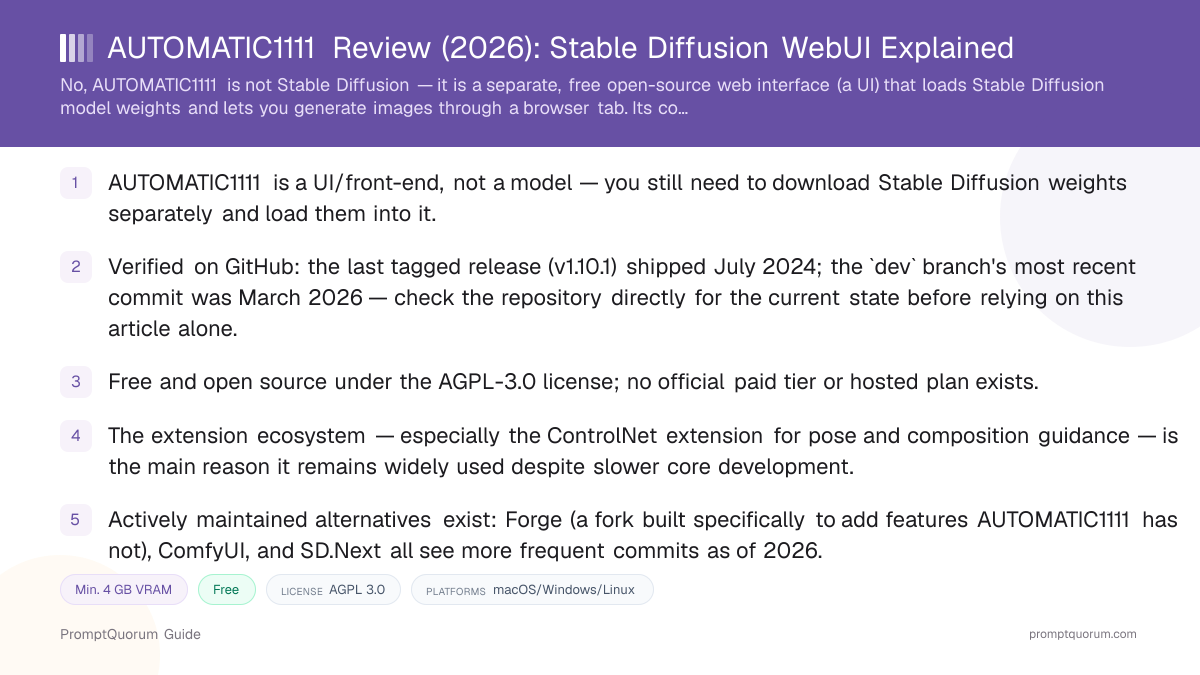
AUTOMATIC1111 is a UI, not a model. It does not ship with Stable Diffusion weights included — you must separately download a checkpoint file (SD 1.5, SDXL, or a community fine-tune) and place it in the correct folder before you can generate anything. See PromptQuorum's Stable Diffusion review for what the underlying model actually is and its license terms by version.
It is one of several competing front-ends for Stable Diffusion, alongside ComfyUI (a node-graph-based interface offering more granular workflow control), InvokeAI (a more polished, professionally oriented UI), Fooocus (a simplified interface aimed at the fewest clicks to a usable image), and Stable Diffusion WebUI Forge (a fork of AUTOMATIC1111 itself, covered in the maintenance section below).
📍 In One Sentence
AUTOMATIC1111 is a free, open-source, browser-based user interface that loads Stable Diffusion model files and lets you generate images through tabs, buttons, and text fields instead of a command line.
💬 In Plain Terms
If Stable Diffusion is the engine, AUTOMATIC1111 is one of several dashboards you can bolt onto it — it does not generate images on its own, and you still need to download separate Stable Diffusion model weights before it can do anything.
History: Why AUTOMATIC1111 Exists
Stability AI, the CompVis research group at LMU Munich, and Runway ML publicly released Stable Diffusion on August 22, 2022. At launch, Stable Diffusion shipped as model weights and command-line scripts — there was no official graphical interface for typing a prompt and clicking a button.
AUTOMATIC1111 published the first version of Stable Diffusion web UI on GitHub the same day, August 22, 2022, building on earlier community scripts and adding a Gradio-based browser interface. The timing put it in the right place at the right moment: as Stable Diffusion's popularity exploded through late 2022, AUTOMATIC1111's UI became the default way most hobbyists actually ran it, accumulating tens of thousands of GitHub stars within months and, as of September 2026, over 164,000 stars — among the most-starred repositories in the local AI image-generation category.
Because it arrived first and absorbed most of the early community contributions, extension authors, and tutorial writers, AUTOMATIC1111 became the de facto standard reference implementation that later UIs (Forge, ComfyUI extensions, and community documentation sites) still describe features and workflows in relation to, even where those newer tools have since taken a different technical approach.
How to Install AUTOMATIC1111 and Generate Your First Image
Installation and first-run steps are broadly the same across Windows, Linux, and Mac, though exact commands differ by platform — always confirm the current steps on the project's own wiki before starting, since dependency versions can change.
- 1Install prerequisites: Python and Git
Why it matters: AUTOMATIC1111 is not a single-file installer — it requires a compatible Python version and Git already installed on your system before its own setup script can run. - 2Clone or download the repository
Why it matters: Get the code from the official [GitHub repository](https://github.com/AUTOMATIC1111/stable-diffusion-webui) using `git clone`, or download it as a ZIP — cloning makes future updates via `git pull` far simpler. - 3Run the platform launch script
Why it matters: `webui-user.bat` on Windows or `webui.sh` on Linux/Mac automatically creates a Python virtual environment and installs the required dependencies on first run — this step can take several minutes and needs a stable internet connection. - 4Download a Stable Diffusion checkpoint
Why it matters: AUTOMATIC1111 ships with no model weights included. Download a checkpoint file (e.g. from [Hugging Face](https://huggingface.co/stabilityai)) and place it in the `models/Stable-diffusion` folder — see [PromptQuorum's Stable Diffusion review](/power-local-llm/stable-diffusion-review) for version and license details. - 5Open the local web interface
Why it matters: Once setup finishes, the script starts a local web server (typically at `http://127.0.0.1:7860`) and the UI opens automatically in your browser — everything from here runs locally, not in the cloud. - 6Enter a prompt in the txt2img tab and click Generate
Why it matters: Type a description, leave default sampling settings for your first run, and click Generate — first-run inference is typically slower while the model loads into VRAM. - 7Install extensions once comfortable
Why it matters: The built-in Extensions tab lets you add community tools like ControlNet directly from a list — see the extensions section below before installing anything from an unfamiliar source.
Maintenance Status: Verified
This section states what could be verified directly against GitHub's API at the time of writing, rather than repeating secondhand claims. The picture is neither "actively developed like a mainstream product" nor "abandoned" — it sits between the two: the stable master branch, which is what most one-click installers and existing documentation point to, has not received a new tagged release since July 2024, while the dev branch (used for testing changes before they are promoted) has continued to receive commits, just at a markedly slower pace than in 2022–2023.
The most credible outside signal comes from lllyasviel, the developer of Forge — a fork built specifically on top of AUTOMATIC1111's codebase. Forge's own README states it will "sync with original WebUI every 90 days, or when important fixes," directly because, in the fork maintainer's own words, "original SD-WebUI is almost static now." This is a maintainer of a closely related project describing AUTOMATIC1111's development pace, not a rumor — treat it as a strong, if not definitive, signal.
None of this means AUTOMATIC1111 stops working. It remains fully functional for Stable Diffusion 1.5 and SDXL workflows, its extension ecosystem is still active even where the core is not, and its install base and tutorial coverage are still larger than most alternatives'. The practical implication is about the future, not the present: readers who need first-day support for brand-new model architectures or active bug-fix turnaround should weight that against actively maintained forks like Forge, ComfyUI, or SD.Next, covered in the comparison table below.
📍 In One Sentence
AUTOMATIC1111's core codebase has slowed markedly since mid-2024 — its last tagged release was v1.10.1 in July 2024, and its own most popular fork describes the original project as "almost static now" in its own documentation.
💬 In Plain Terms
The project still runs and is still widely used, but new features and support for newer model types now generally land in forks like Forge before they reach the original AUTOMATIC1111 codebase, if they reach it at all.
Last tagged release
- Verified status:
- v1.10.1 — code from July 27, 2024; release notes published February 9, 2025
- Source:
- GitHub releases
master branch last commit
- Verified status:
- July 27, 2024
- Source:
- GitHub commit history
dev branch last commit
- Verified status:
- March 2, 2026 — slower but not abandoned
- Source:
- GitHub commit history (verify current date before citing)
Open issues
- Verified status:
- Over 2,500 open as of September 2026
- Source:
- GitHub issues
Fork maintainer's own assessment
- Verified status:
- "Because original SD-WebUI is almost static now, Forge will sync with original WebUI every 90 days, or when important fixes" — a direct quote from the Forge project's own README
- Source:
- Forge README
GitHub activity data (commit dates, release dates, open-issue counts) changes continuously — the figures above were verified directly against the GitHub API on 2026-09-06. Check the repository directly for the current numbers before relying on this table for a time-sensitive decision.
Extensions and the ControlNet Ecosystem
AUTOMATIC1111's built-in Extensions tab lets users install community-built add-ons directly from a curated list or a Git URL, without editing code. This extension system, combined with the size of the userbase since 2022, produced one of the largest catalogs of Stable Diffusion tooling of any UI.
The single most widely used extension is sd-webui-controlnet (often just called "ControlNet" in the UI), which lets a reference image — a pose skeleton, a depth map, a canny-edge outline, or a rough sketch — guide the composition of a generated image far more precisely than a text prompt alone. It is widely regarded in community usage as the extension that most changed how people work in AUTOMATIC1111, and it remains one of the most-starred Stable Diffusion extensions on GitHub. PromptQuorum covers ControlNet in more depth in a dedicated article (see Related Reading below).
Beyond ControlNet, the extension list includes tools for LoRA (Low-Rank Adaptation) training and management, image browsing and tagging, prompt-history tracking, and workflow automation scripts. Because extensions are community-maintained and independent of AUTOMATIC1111's own release cadence, individual extensions can be actively updated even during periods when the core project sees fewer commits — but this also means extension quality and update frequency vary widely by author, so check an extension's own repository activity before relying on it for a production workflow.
Hardware Requirements
SD 1.5 checkpoints
- Minimum VRAM:
- 4 GB VRAM (2 GB reported working)
- Comfortable VRAM:
- 6–8 GB VRAM
- Notes:
- Lightest workload; runs on most GPUs from the last decade per the project's own documentation
SDXL checkpoints
- Minimum VRAM:
- 8 GB VRAM (with optimizations)
- Comfortable VRAM:
- 12 GB+ VRAM
- Notes:
- Native 1024×1024 output is heavier per image than SD 1.5
ControlNet extension active
- Minimum VRAM:
- Adds roughly 1–2 GB VRAM on top of base checkpoint
- Comfortable VRAM:
- Budget accordingly
- Notes:
- Exact overhead depends on which ControlNet model and preprocessor are loaded
AMD / Intel GPUs, Apple Silicon
- Minimum VRAM:
- Supported via separate setup paths
- Comfortable VRAM:
- Performance varies by platform
- Notes:
- NVIDIA is the officially recommended and best-supported path; AMD, Intel, and Apple Silicon each require different installation instructions documented on the project wiki
Exact VRAM usage depends on resolution, batch size, active extensions, and command-line optimization flags (e.g. --medvram, --lowvram) — treat these as planning ranges and check the project's current Dependencies wiki page for up-to-date guidance.
License and Pricing
AUTOMATIC1111's codebase is published under the AGPL-3.0 license, confirmed directly on its GitHub repository. AGPL-3.0 is a strong copyleft license: it permits free use, modification, and redistribution, but if you modify the code and run it as a network service that other people interact with, the license generally requires you to make your modified source available to those users as well. This differs from the Stable Diffusion model weights themselves, which carry their own separate license terms depending on which version you download — see PromptQuorum's Stable Diffusion review for those specifics, since the UI's license and the model's license are two separate legal documents.
There is no official paid tier, subscription, or hosted version of AUTOMATIC1111 offered by its maintainer. Third-party cloud services exist that host AUTOMATIC1111 instances for a fee (rented GPU time), but these are independent businesses, not an official product — verify any such service's own terms and pricing separately before paying for one, and note that using a third-party host means your prompts and images pass through that provider's infrastructure rather than staying fully local.
📍 In One Sentence
AUTOMATIC1111 is licensed under AGPL-3.0 (GNU Affero General Public License v3.0) and is free to download, self-host, and modify, with no official paid tier or hosted plan of any kind.
💬 In Plain Terms
There is no subscription, no premium version, and no company selling AUTOMATIC1111 as a product — it is a community-maintained open-source project you run yourself, and your only cost is your own hardware and electricity.
AUTOMATIC1111 vs. Alternatives
AUTOMATIC1111 (Stable Diffusion web UI)
- Best for:
- One of the largest tutorial/extension catalogs, tab-based simplicity
- Maintenance pace (2026):
- Core
masterslowed since mid-2024;devbranch still receives occasional commits - License:
- AGPL-3.0
- Key trade-off:
- Most-documented option, but newer model support tends to land in forks first
Stable Diffusion WebUI Forge
- Best for:
- AUTOMATIC1111-familiar UI with faster feature and new-model support
- Maintenance pace (2026):
- More active than upstream AUTOMATIC1111; syncs from it periodically per its own README
- License:
- AGPL-3.0
- Key trade-off:
- Smaller community than AUTOMATIC1111 itself; still tracks the original codebase's general structure
Articles about Stable Diffusion WebUI Forge (2)
- Stable Diffusion WebUI Forge Review: Faster, Lower-VRAM AUTOMATIC1111 ForkUpdated September 19, 2026
- Local Image, Video & Vision Tools Compared (2026): Generation, Vision and OCRUpdated September 20, 2026
ComfyUI
- Best for:
- Granular, node-graph-based control over the generation pipeline
- Maintenance pace (2026):
- Actively developed, frequent commits
- License:
- GPL-3.0
- Key trade-off:
- Steeper learning curve than AUTOMATIC1111's tab layout; node graphs are more powerful but less approachable for beginners
Articles about ComfyUI (9)
- ComfyUI Review: Free Node-Based UI for Stable Diffusion & FluxUpdated September 6, 2026
- LM Mini Review: iPhone Chat App for On-Device and Home-Server AIUpdated October 24, 2026
- Locally Uncensored Review: Local Chat, Image, and Video in One AppUpdated October 24, 2026
- Draw Things Review: Local-First Image AI with Optional CloudUpdated October 9, 2026
- SwarmUI Review: The Multi-GPU Stable Diffusion Web UIUpdated October 9, 2026
- Tina Review: iPhone Client for Ollama, llama.cpp and ComfyUIUpdated October 4, 2026
- Local Coding Assistants, Agents & Workflow Tools Compared (2026): IDE Plugins, Agent Frameworks and Autonomous AgentsUpdated September 21, 2026
- Local Image, Video & Vision Tools Compared (2026): Generation, Vision and OCRUpdated September 20, 2026
- DreamServer Review: One-Command Local AI Server StackUpdated September 19, 2026
+13 more not shown
InvokeAI
- Best for:
- Polished, professionally oriented interface with a canvas-based workflow
- Maintenance pace (2026):
- Actively developed
- License:
- Apache-2.0
- Key trade-off:
- Smaller extension ecosystem than AUTOMATIC1111; more opinionated UI with less community-script sprawl
Fooocus
- Best for:
- Fewest clicks to a usable image, minimal configuration
- Maintenance pace (2026):
- Slower release cadence, smaller scope by design
- License:
- GPL-3.0
- Key trade-off:
- Deliberately fewer settings and less extension support in exchange for simplicity
Articles about Fooocus (6)
- Fooocus Review: The Simplest Local Stable Diffusion UIUpdated September 6, 2026
- SwarmUI Review: The Multi-GPU Stable Diffusion Web UIUpdated October 9, 2026
- Local Image, Video & Vision Tools Compared (2026): Generation, Vision and OCRUpdated September 20, 2026
- ComfyUI Review: Free Node-Based UI for Stable Diffusion & FluxUpdated September 6, 2026
- ControlNet Review: Structural Control for Stable DiffusionUpdated September 6, 2026
- Stable Diffusion Review: Free Local Text-to-Image ModelsUpdated September 5, 2026
Also mentioned in:
- Draw Things Review: Local-First Image AI with Optional CloudUpdated October 9, 2026
- Stable Diffusion WebUI Forge Review: Faster, Lower-VRAM AUTOMATIC1111 ForkUpdated September 19, 2026
- InvokeAI Review: Professional-Grade Stable Diffusion StudioUpdated September 6, 2026
SD.Next
- Best for:
- AUTOMATIC1111-like all-in-one UI with broader model and hardware support
- Maintenance pace (2026):
- Actively developed, frequent commits
- License:
- Apache-2.0
- Key trade-off:
- Smaller community and tutorial base than AUTOMATIC1111 despite feature parity or advantages
Maintenance pace is based on public commit and release activity verified on GitHub as of 2026-09-06 and can change — check each project's own repository before choosing based on activity level alone. See Stable Diffusion Review for the underlying model comparison and Local AI Image Generation vs. Cloud for local-vs-cloud trade-offs.
Who Should Use AUTOMATIC1111
- Reader who wants one of the largest bases of tutorials and community answers. Because it was first to market and has the longest install history, a large share of forum posts, YouTube tutorials, and Stack Overflow-style answers about Stable Diffusion UIs reference AUTOMATIC1111 specifically.
- Reader who wants ControlNet and a mature extension catalog. The ControlNet extension and thousands of other community add-ons remain actively used and, in many cases, actively maintained even during periods when the core project sees fewer commits.
- Reader who prefers a tab-based interface over a node graph. AUTOMATIC1111's layout — text fields, sliders, and buttons organized into tabs — is generally easier for a first-time user to approach than ComfyUI's node-based canvas.
- Reader who wants full local control and privacy. Once installed, generation happens entirely on your own GPU; no prompt or image data leaves your machine unless you install an extension that does so.
- Reader on a budget who wants zero licensing cost for the UI itself. AGPL-3.0 means the software is free to use, modify, and redistribute, with no subscription of any kind.
Who Should Not Use AUTOMATIC1111
- Reader who wants day-one support for the newest model architectures. Given the core project's slower release cadence since mid-2024, new model support has tended to appear first in actively maintained forks like Forge, ComfyUI, or SD.Next — evaluate those if cutting-edge model support matters most to you.
- Reader who wants a one-click app with zero command-line exposure. Installation requires Python and Git and, on some systems, manual troubleshooting of dependency versions — readers who want a fully polished consumer app experience may prefer Fooocus's simplified installer or a cloud tool instead.
- Reader who needs guaranteed active core-repository bug fixes on a predictable schedule. With over 2,500 open issues and no new tagged release since July 2024 on the
masterbranch, readers with a hard reliability requirement should not assume fast turnaround on a newly filed bug report. - Reader who wants maximum workflow control over multi-step pipelines. ComfyUI's node-graph approach generally offers more precise control over complex, multi-stage generation pipelines than AUTOMATIC1111's tab-based layout.
- Enterprise team that needs a vendor-supported product with an SLA. AUTOMATIC1111 is a community project with no official support contract, paid tier, or service-level agreement — teams needing contractual support should evaluate a commercial cloud image-generation product instead.
Frequently Asked Questions
Is AUTOMATIC1111 the same as Stable Diffusion?
No. Stable Diffusion is the underlying open-weights model family; AUTOMATIC1111 (Stable Diffusion web UI) is a separate, free front-end interface that loads those model weights and lets you generate images through a browser. You need both: the model weights (downloaded separately) and a UI like AUTOMATIC1111 to actually use them.
Is AUTOMATIC1111 still maintained in 2026?
Its core master branch has slowed markedly: the last tagged release, v1.10.1, shipped in July 2024, with release notes published February 2025, and no new tagged release has followed as of September 2026. Its dev branch has continued to receive occasional commits, most recently in March 2026. Its own most-used fork, Forge, states in its README that "original SD-WebUI is almost static now." It still works and remains widely used, but readers wanting the fastest updates should also consider actively maintained alternatives like Forge, ComfyUI, or SD.Next.
Is AUTOMATIC1111 free?
Yes. It is licensed under AGPL-3.0 and free to download, self-host, and modify. There is no official paid tier, subscription, or hosted plan — your only cost is your own hardware and electricity. You will still need to separately download Stable Diffusion model weights, which carry their own license terms.
What is ControlNet in AUTOMATIC1111?
ControlNet is the single most widely used community extension for AUTOMATIC1111. It lets a reference image — such as a pose skeleton, depth map, or edge outline — guide the composition of a generated image with far more precision than a text prompt alone. It is installed through the built-in Extensions tab and is not part of AUTOMATIC1111's core codebase.
What hardware do I need to run AUTOMATIC1111?
For SD 1.5 checkpoints, 4 GB VRAM is the documented minimum (with some reports of 2 GB working), with 6–8 GB more comfortable. For SDXL checkpoints, expect to need 8 GB VRAM with memory optimizations enabled, and 12 GB or more for comfortable use. NVIDIA GPUs are the officially recommended and best-supported path; AMD, Intel, and Apple Silicon are supported through separate, platform-specific setup instructions.
What is the difference between AUTOMATIC1111 and Forge?
Forge is a fork of AUTOMATIC1111's codebase, built by developer lllyasviel specifically to add performance optimizations and faster support for newer models. Per Forge's own README, it syncs with the original AUTOMATIC1111 project periodically (roughly every 90 days or for important fixes) rather than continuously, and its maintainer describes the original project as seeing markedly slower development. Forge is generally the better choice for readers who want an AUTOMATIC1111-like interface with more active ongoing development.
What is the difference between AUTOMATIC1111 and ComfyUI?
AUTOMATIC1111 uses a tab-based interface (text fields, sliders, buttons) that is generally easier for beginners to approach. ComfyUI uses a node-graph interface where you connect blocks representing each processing step, offering more granular control over complex pipelines at the cost of a steeper learning curve. ComfyUI also sees more frequent development activity as of 2026.
Where do I download AUTOMATIC1111?
The official source is the AUTOMATIC1111/stable-diffusion-webui repository on GitHub, which includes the code, an installation wiki, and links to platform-specific setup instructions for NVIDIA, AMD, Intel, and Apple Silicon hardware. You will separately need to download Stable Diffusion model weights (e.g. from Hugging Face) to use with it.
Verdict
AUTOMATIC1111 earned its place as the default local Stable Diffusion interface by being first, and the resulting ecosystem — the ControlNet extension above all, alongside thousands of other community tools, tutorials, and forum answers — is still its strongest asset in 2026. That said, an honest review has to state plainly what the evidence shows: the core project's development pace has slowed markedly since mid-2024, with no new tagged release since v1.10.1 and its own most popular fork describing it as "almost static now." It still installs, still runs, and still produces good results on SD 1.5 and SDXL checkpoints, so readers already using it have no urgent reason to switch. But readers starting fresh in 2026, especially those who want the newest model architectures or the fastest bug-fix turnaround, should seriously evaluate Forge, ComfyUI, or SD.Next alongside it rather than defaulting to AUTOMATIC1111 purely on name recognition.
Sources
- AUTOMATIC1111/stable-diffusion-webui on GitHub — official repository, code, releases, and commit history.
- AUTOMATIC1111/stable-diffusion-webui Releases — verified release dates, including v1.10.1 (code from July 27, 2024; published February 9, 2025).
- AUTOMATIC1111/stable-diffusion-webui LICENSE.txt — full AGPL-3.0 license text.
- AUTOMATIC1111/stable-diffusion-webui Wiki — installation guides for NVIDIA, AMD, Intel, and Apple Silicon.
- Stable Diffusion WebUI Forge on GitHub — README statement on AUTOMATIC1111's development pace and Forge's 90-day sync policy.
- Mikubill/sd-webui-controlnet on GitHub — the ControlNet extension for AUTOMATIC1111.
- ComfyUI on GitHub, InvokeAI on GitHub, Fooocus on GitHub, and SD.Next on GitHub — alternative UI repositories referenced for comparison.