What Is Draw Things?
Draw Things is a native app for generating images from text prompts, by default on your own Apple device, using Stable Diffusion-family diffusion models. Unlike a browser-based or cloud-hosted image generator, the model runs locally through the app's built-in inference engine unless you switch to the optional cloud mode — once a model is downloaded, an internet connection is not required for local generation. The app is distributed through the Mac App Store and the iOS/iPadOS App Store under the current listing name "Draw Things: Offline AI Art" (App Store, ID 6444050820).
- Core function: text-to-image, image-to-image, inpainting, outpainting, and (on supported models) image-to-video generation, run on-device by default or via optional Cloud Compute
- Underlying models: Stable Diffusion 1.5, SDXL, SD3 Medium/3.5, FLUX.1, FLUX.2, HiDream, Wan 2.2, LTX-2/2.3 (video), Ideogram 4, Krea 2, Z Image, ERNIE Image, Anima, and Qwen Image, per the app's App Store description and public release notes
- Developer: Draw Things, Inc., the App Store-listed seller of record; the app was built by developer Liu Liu, previously an iOS engineer on Snapchat (2014–2020) and a co-founder of Facebook's video product efforts (2013), per his own public statements and third-party coverage
- Platforms: iPhone (iOS 15.4+), iPad (iPadOS 15.4+), Mac (macOS 12.4+, both Apple Silicon and Intel), and Apple Vision (visionOS 1.0+), per the current App Store listing
- Distribution model: closed-source application binary, with Draw Things, Inc. separately publishing several open-source companion projects on GitHub under the drawthingsai organization
Draw Things' Project History and Version Milestones
Developer Liu Liu publicly launched Draw Things in November 2022, describing it on X/Twitter as "100% offline and free," built on the then-newly-released open-source Stable Diffusion model, running on iPhone. The app has shipped frequent updates since — public release notes on the draw-things-community GitHub releases page show a near-monthly cadence through 2026, adding support for new diffusion model families as they are released.
- 1November 2022 — Public launch
Why it matters: Liu Liu announced Draw Things as a free, fully offline Stable Diffusion app for iPhone — one of the first mobile-native local Stable Diffusion apps. - 2v1.20230225.0 — February 25, 2023: ControlNet preview
Why it matters: Per the [official Draw Things announcement](https://x.com/drawthingsapp/status/1630410228419416064), this release brought a preview of ControlNet support to iOS and macOS, shortly after ControlNet itself was published by its research authors. - 3v1.20260228.0 — February 28, 2026: TCD sampler correction
Why it matters: Corrected the TCD sampler formula for flow-matching models, per the [official release notes](https://github.com/drawthingsai/draw-things-community/releases). - 4v1.20260330.0 — March 31, 2026: draw-things-cli introduced
Why it matters: Added the i8x quantization format and shipped the first build of a companion `draw-things-cli` binary for headless/command-line use. - 5v1.20260410.1 — April 11, 2026: Apple Neural Engine speedup + FLUX.2 LoRA training
Why it matters: Added an 8-bit speedup path on the M4's Apple Neural Engine and enabled on-device LoRA training for FLUX.2 [klein], Z Image, and Qwen Image models. - 6v1.20260716.0 — July 17, 2026: Ideogram 4 and Krea 2 support
Why it matters: Added support for the Ideogram 4 and Krea 2 model series and new 6-bit quantization variants — the most recent milestone this review could verify on the [official releases page](https://github.com/drawthingsai/draw-things-community/releases).
What Can You Do With Draw Things?
Draw Things' feature set centers on running a full Stable Diffusion-style generation pipeline locally, with cloud compute available as an opt-in extra rather than a requirement. Here is what each part actually does, per the app's own App Store description and official wiki.
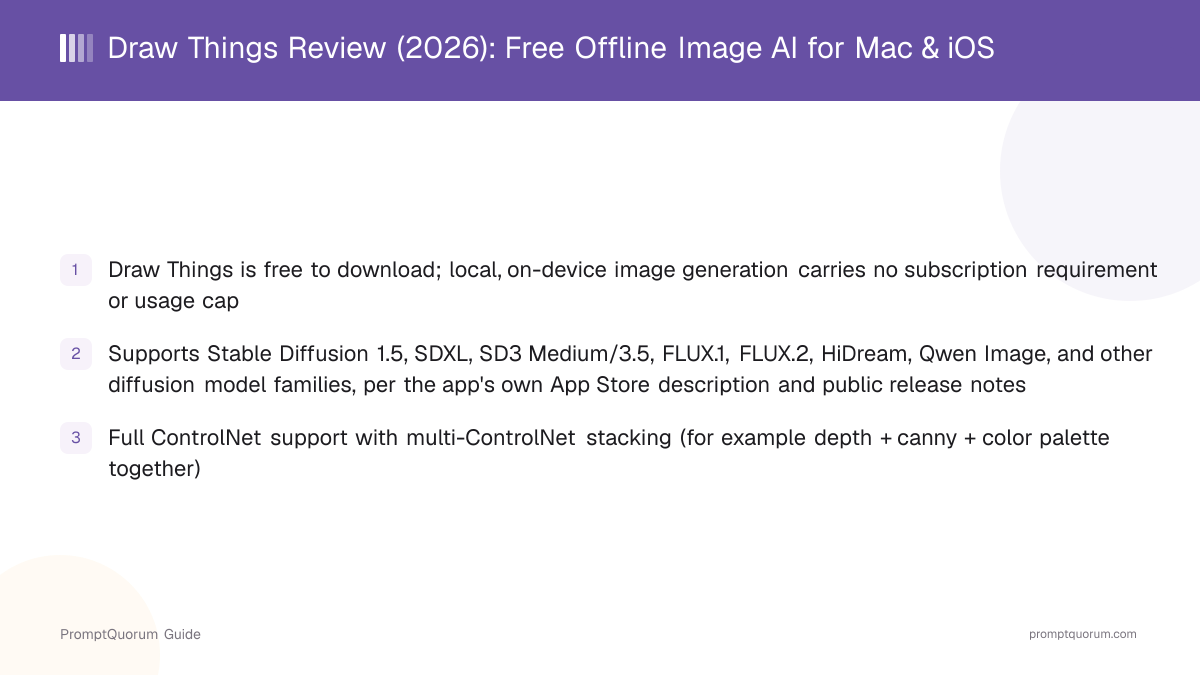
- Local text-to-image and image-to-image generation — run Stable Diffusion 1.5, SDXL, SD3 Medium/3.5, FLUX.1, FLUX.2, HiDream, Qwen Image, and other supported diffusion models entirely on-device, downloaded once from Draw Things' own model servers
- ControlNet — full support, including stacking multiple ControlNets simultaneously (for example depth, canny edges, and color palette together) for precise control over composition
- Inpainting, outpainting, and pose editing — via the app's "Infinite Canvas" feature, letting you edit or extend an existing image rather than only generating from scratch
- On-device LoRA training — train a LoRA directly on your iPhone, iPad, or Mac, without uploading training images to a server, for models that support local training
- Custom model and LoRA import — import
.safetensorsand.ckptcheckpoints, LoRAs, and embeddings from Hugging Face or CivitAI, either by pasting a direct download URL or, on CivitAI, using that site's one-click import option - AI video generation — text-to-video and image-to-video generation on supported video-capable models (Wan 2.2, LTX-2/2.3), run the same way as image generation
- Optional cloud compute — offloads generation to Draw Things' own cloud infrastructure from inside the same app; details, data flow and account requirements are covered in the next section
- Scripting — a Scripts feature that runs community-contributed JavaScript automations inside the app, sourced from the public community-scripts repository on GitHub
Local or Cloud: What Leaves Your Device
Draw Things is a hybrid app, not a 100% local one: on-device generation is the default and needs no account, while Cloud Compute is an opt-in mode that runs jobs on Draw Things' servers. The App Store listing name, "Draw Things: Offline AI Art," and the developer's 2022 "100% offline" launch wording describe the local mode only; the cloud mode was added later and sits behind a free account, per drawthings.ai/pricing.
- Account data: cloud features use Sign in with Apple; per the privacy policy, Draw Things receives only an opaque user identifier from Apple, used for account creation, authentication and cloud features, and keeps it while the account is active
- Uploaded LoRAs: a LoRA you use with Cloud Compute is stored in Draw Things' cloud storage until you delete it or your account, per the same policy
- Local data: the policy states that most of your creations and data can be stored locally on your device, under your control
Aspect | Local mode | Cloud Compute |
|---|---|---|
| Where it runs | Your Mac, iPhone, iPad | Draw Things' servers |
| Account | None | Required (Sign in with Apple) |
| Offline use | Yes, after model download | No |
| Limits | Your device memory | Tier-based limits |
| Personal LoRAs | Used on-device | Uploaded; paid tier |
Not verified: neither the privacy policy nor the pricing page states whether prompts or generated images sent to Cloud Compute are logged or retained, and the policy does not define the "Privacy Pass" feature sold with Draw Things+. If prompts or reference images are sensitive, keep generation in local mode, or ask Draw Things, Inc. directly before using the cloud mode. The same pages list an Enterprise tier with on-premise hosting for organizations.
Usage Examples: Three Ways to Use Draw Things
These are concrete image-generation workflows built from Draw Things' documented features above — not hypothetical use cases.
Generate an image from a text prompt using a bundled model
Open Draw Things, tap or click "Download Models," and pick a Stable Diffusion or SDXL checkpoint sized for your device (a smaller SD 1.5 variant for an iPhone, a larger SDXL or FLUX checkpoint for a Mac with more memory). Once the download finishes, type a text prompt and generate — the entire pipeline runs locally through the app's built-in engine, with no internet connection required after the model download completes.
Use inpainting to modify an existing photo
Import a photo into Draw Things' Infinite Canvas, mask the area you want to change (for example, replacing a background or removing an object), and write a prompt describing the replacement. The app regenerates only the masked region using the loaded diffusion model, blending it into the rest of the untouched photo — the same inpainting pipeline also supports outpainting to extend an image beyond its original borders.
Import a custom checkpoint or LoRA from Hugging Face or CivitAI
Open the Models panel, choose Import Model or Import LoRA, and either select a local .safetensors/.ckpt file or paste a direct download URL from Hugging Face or CivitAI — CivitAI model pages also support a one-click import into the app. Once imported, the custom model or LoRA appears in the same picker as Draw Things' own bundled models and generates fully on-device.
Download Draw Things for Mac, iPhone, and iPad
Draw Things is distributed primarily through Apple's App Store, as a single universal listing that covers Mac, iPhone, iPad, and Apple Vision. A direct .zip download is also available for the Mac build. Links below are from the official App Store listing and drawthings.ai/downloads — always verify against those pages directly, since build URLs and minimum OS versions can change between releases.
Platform | Download |
|---|---|
| Mac (App Store) | Draw Things: Offline AI Art — macOS 12.4+ |
| Mac (direct download) | Direct .zip build from drawthings.ai |
| iPhone (App Store) | Draw Things: Offline AI Art — iOS 15.4+ |
| iPad (App Store) | Draw Things: Offline AI Art — iPadOS 15.4+ |
| Apple Vision | Draw Things: Offline AI Art — visionOS 1.0+ |
Draw Things itself has no fixed hardware minimum beyond the listed OS versions, but real-world usability depends heavily on which model you load: a large SDXL or FLUX checkpoint generates far more comfortably on a Mac with more unified memory than on an older iPhone. If your device cannot keep up, the optional cloud-compute tiers covered in the pricing section below are the app's built-in fallback — you are not required to use them.
Draw Things Pricing: Is It Really Free?
Mostly, yes — local, on-device image generation in Draw Things is free, with no subscription required. The app is free to download from the App Store. According to drawthings.ai/pricing, the "Free Edition" tier — local generation, model downloads from Draw Things' servers, the Infinite Canvas feature, and on-device LoRA training — costs $0. Two paid mechanisms exist, but both are specifically for optional cloud compute, not for local generation itself.
- Free Edition ($0) — local, on-device generation, model downloads, Infinite Canvas (inpainting/outpainting), and on-device LoRA training, with no subscription and no usage cap
- Community ($0, free account required) — adds free access to Draw Things' own cloud compute ("Cloud Compute" and "Lab Hours," per drawthings.ai/pricing) on top of everything in the Free Edition
- Draw Things+ ($8.99/month, per the App Store listing's In-App Purchases) — expands cloud-compute limits, allows using personal LoRAs with cloud compute, adds an on-demand compute boost, and includes a "Privacy Pass" feature, per drawthings.ai/pricing
- Boost Bundles (one-time in-app purchases, per the App Store listing) — Boost Bundle S ($0.99), Boost Bundle M ($4.99), and Boost Bundle L ($19.99), sized packs of extra on-demand cloud compute rather than a recurring subscription
- Enterprise (custom pricing, contact required) — organization-wide deployment, on-premise infrastructure hosting, and app-integration options, per drawthings.ai/pricing
Draw Things vs. ComfyUI
Draw Things and ComfyUI are two of the more capable free local image-generation tools, but they target different workflows and platforms. Draw Things is a fixed-interface, native Mac/iOS/iPadOS app aimed at getting a good result quickly on Apple hardware; ComfyUI is a free, open-source, node-based visual editor that runs on Windows, Mac, and Linux and lets you wire together each generation step as a graph. The two are not purely competitors, either — Draw Things, Inc. publishes an official ComfyUI extension that lets ComfyUI send generation requests to a Draw Things gRPC server.
Aspect | Draw Things | |
|---|---|---|
| Interface | Fixed native GUI | Node-graph editor |
| Platforms | Mac/iPhone/iPad/Vision | Windows/Mac/Linux |
| Source availability | Closed app / open companion tools | GPL-3.0, fully open source |
| Local cost | Free, no cap | Free, no cap |
| Optional paid tier | Draw Things+ / Boost Bundles (cloud compute) | Comfy Cloud (hosted, separate product) |
| Workflow customization | Fixed feature set, script automations | Fully custom node graphs, custom nodes |
| Mobile support | Native iPhone/iPad apps | None (desktop/server only) |
| Interoperability | Official gRPC bridge to ComfyUI | Can connect to Draw Things via that bridge |
If your priority is generating images on an iPhone or iPad, or getting a working result on a Mac without building a node graph, Draw Things is the more direct fit. If your priority is a fully custom, inspectable, cross-platform pipeline — especially one you plan to run on a Windows or Linux GPU workstation — ComfyUI is worth evaluating instead, or alongside Draw Things via the official bridge. Both are free for local use; verify current feature details on each project's own site before deciding, since both ship updates frequently.
Who Should Use Draw Things?
Whether Draw Things fits depends on whether you are on an Apple device, want a fixed-interface app rather than a node-based pipeline, and are comfortable with a closed-source binary that has an open-source companion ecosystem.
Use Draw Things if
- You own a Mac, iPhone, iPad, or Apple Vision device and want to generate images locally with no cloud account and no per-image cost
- You want ControlNet, inpainting/outpainting, and on-device LoRA training in a single App Store download, without assembling a custom pipeline
- You want to import checkpoints and LoRAs you found on Hugging Face or CivitAI without leaving the app
- You occasionally need more compute than your device can provide and are comfortable paying $8.99/month or buying a one-time Boost Bundle for that specific case
- You want a native iPhone or iPad app for image generation, not just a desktop tool
Wait, or look elsewhere, if
- You are on Windows or Linux — Draw Things supports macOS, iOS, iPadOS, and visionOS only; it does not run on Windows or Linux
- You need a fully open-source application binary for a specific compliance requirement — the Draw Things app itself is closed-source, even though several of its companion tools (the gRPC server, community scripts, and ComfyUI bridge) are open source; verify exactly which component your requirement covers
- You want a fully scriptable, node-based pipeline where every generation step is inspectable and swappable — that is closer to what ComfyUI offers than what Draw Things' fixed interface provides
- You need enterprise features like centralized team administration by default — Draw Things does list an Enterprise tier on drawthings.ai/pricing, but it requires contacting the company directly rather than a self-serve signup
Draw Things vs. Other Local Image Generators
Draw Things is one of several tools for running Stable Diffusion-family models locally. Here is how it sits next to other options in that space — see the Local LLM Software Directory for the full catalog, and the dedicated Draw Things vs. ComfyUI comparison above for the closest head-to-head.
- ComfyUI — a free, open-source, node-based image-generation editor for Windows, Mac, and Linux; see the dedicated comparison section above, including the official gRPC bridge between the two tools.
- AUTOMATIC1111 (Stable Diffusion WebUI) — a free, open-source, browser-based Stable Diffusion interface, historically the most widely used community WebUI; unlike Draw Things, it is desktop-only (no native mobile app) and runs through a local web server rather than a native GUI.
- InvokeAI — a free, open-source Stable Diffusion application with a professional, canvas-based workflow aimed at production and studio use; like AUTOMATIC1111, it targets Windows/Mac/Linux desktops rather than mobile.
- Fooocus — a free, open-source, simplified Stable Diffusion interface built to minimize manual parameter tuning; closer to Draw Things in its "fewer knobs, faster result" philosophy, but desktop-only and without Draw Things' native mobile apps or on-device LoRA training.
- Stable Diffusion — the underlying open-weight model family that Draw Things (and every tool listed above) can run; see the dedicated review for the model's own licensing and hardware requirements, separate from any specific app that runs it.
Common Mistakes When Evaluating Draw Things
Most confusion about Draw Things comes from its pricing structure, its cross-platform limits, or assuming its closed-source app and open-source companion tools are the same thing.
Mistake 1: Assuming Draw Things is 100% free with zero monetization
Local, on-device generation is free with no usage cap, but Draw Things, Inc. does sell optional cloud-compute add-ons: a Draw Things+ subscription at $8.99/month and one-time Boost Bundle purchases from $0.99 to $19.99, per the App Store's In-App Purchases list. Neither is required to use the app for local generation.
Mistake 2: Assuming Draw Things runs on Windows or Linux
Draw Things is Apple-platform-only — macOS, iOS, iPadOS, and visionOS, per the current App Store listing. There is no Windows or Linux build. Windows/Linux users looking for a comparable free local image generator should evaluate ComfyUI, AUTOMATIC1111, or InvokeAI instead.
Mistake 3: Assuming the whole project is open source, or that none of it is
The Draw Things application binary itself is closed-source. Separately, Draw Things, Inc. publishes several genuinely open-source companion repositories on GitHub under the drawthingsai organization, including a self-hostable gRPC server, a community-scripts library, and an official ComfyUI extension. Verify which specific component matters for your use case before assuming either "fully open" or "fully closed."
Mistake 4: Expecting identical feature parity between iPhone and Mac
Draw Things runs the same underlying engine across platforms, but practical capability differs by device memory: a large SDXL or FLUX checkpoint that runs comfortably on a Mac with substantial unified memory may be impractical on an iPhone. This is a hardware constraint, not a feature Draw Things deliberately withholds on iOS.
Mistake 5: Assuming every generation stays on your device
Only local mode does. Switching to Cloud Compute sends the job to Draw Things' servers and requires an account; the data-handling details are in the local-or-cloud section above.
Frequently Asked Questions
What is Draw Things?
Draw Things (drawthings.ai) is a free app for macOS, iOS, iPadOS, and visionOS that generates images from Stable Diffusion-family models locally on your own Apple device. It is made by Draw Things, Inc. and was built by developer Liu Liu, who launched it in November 2022.
Is Draw Things fully offline?
Local generation works offline once a model is downloaded, but the app also has an optional Cloud Compute mode that needs an internet connection and a free account.
Is Draw Things free?
Local, on-device image generation is free with no subscription requirement or usage cap. Draw Things, Inc. does sell optional cloud-compute add-ons — a Draw Things+ subscription at $8.99/month and one-time Boost Bundle purchases from $0.99 to $19.99 — for people who want more compute than their own device provides, but neither is required to use the app.
What does Draw Things+ include?
Per drawthings.ai/pricing, Draw Things+ ($8.99/month) expands cloud-compute limits, allows using personal LoRAs with cloud compute, adds an on-demand compute boost, and includes a "Privacy Pass" feature, on top of everything in the free Community tier.
What Stable Diffusion and other models does Draw Things support?
Per the app's App Store description and public release notes, Draw Things supports Stable Diffusion 1.5, SDXL, SD3 Medium/3.5, FLUX.1, FLUX.2, HiDream, Wan 2.2, LTX-2/2.3 (video), Ideogram 4, Krea 2, Z Image, ERNIE Image, Anima, and Qwen Image, with new model families added through regular updates.
Does Draw Things support ControlNet?
Yes. Draw Things has full ControlNet support, including the ability to stack multiple ControlNets simultaneously (for example depth, canny edges, and color palette together) for more precise control over image composition.
Can I train or import my own LoRAs in Draw Things?
Yes to both. Draw Things supports on-device LoRA training directly on your iPhone, iPad, or Mac, and it can import custom LoRAs and checkpoints from Hugging Face or CivitAI, either via a pasted download URL or, on CivitAI, a one-click import option.
Is Draw Things open source?
The Draw Things application itself is closed-source. Separately, Draw Things, Inc. publishes several open-source companion projects on GitHub under the drawthingsai organization, including a self-hostable gRPC server (gRPCServerCLI), a community-scripts library, and an official ComfyUI extension.
What platforms does Draw Things run on?
macOS 12.4+ (Apple Silicon and Intel), iOS 15.4+, iPadOS 15.4+, and visionOS 1.0+, per the current App Store listing. There is no Windows or Linux build.
Does Draw Things work with ComfyUI?
Yes, through an official bridge. Draw Things, Inc. publishes an official ComfyUI extension on GitHub that lets ComfyUI send image-generation requests to a Draw Things gRPC server, so the two tools can be used together rather than only as alternatives to each other.
Who develops Draw Things?
Draw Things, Inc. is the App Store-listed developer; the app was built by developer Liu Liu, previously an iOS engineer on Snapchat (2014–2020) and a co-founder of Facebook's video product efforts (2013), per his own public statements and third-party coverage. He publicly launched Draw Things in November 2022.