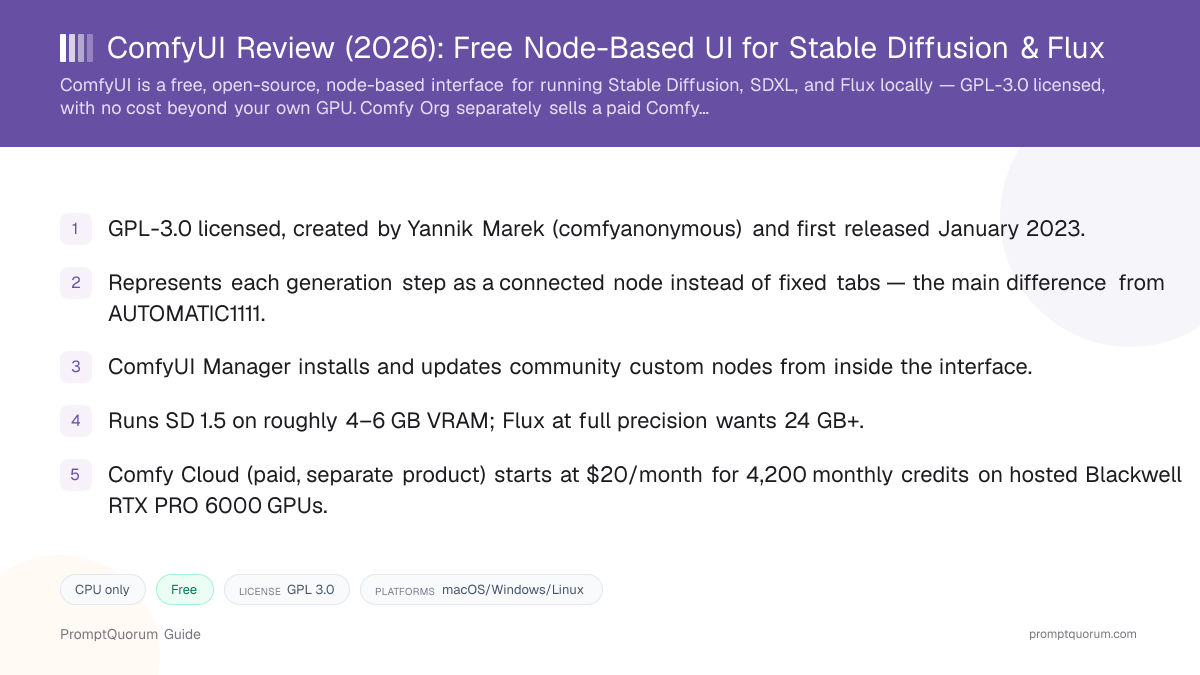
What ComfyUI Is
ComfyUI does not generate images on its own — it needs a diffusion model loaded into it, such as Stable Diffusion, SDXL, SD 3.5, or Flux. ComfyUI's job is to load that model's weights, run inference on your own GPU, and expose every stage of that process (checkpoint loading, text-prompt encoding, sampling, VAE decoding, upscaling) as a separate, connectable node.
This puts ComfyUI in the same category as AUTOMATIC1111's Stable Diffusion WebUI, InvokeAI, and Fooocus: all four are front-end interfaces for the same underlying diffusion models, not competing models themselves. Where they differ is the interaction paradigm — AUTOMATIC1111 and Fooocus use conventional tabs, buttons, and sliders; ComfyUI uses a node graph.
ComfyUI was created by a developer known publicly as comfyanonymous, whose real name — Yannik Marek — became public through later interviews and podcast appearances. The project was first released on GitHub in January 2023. Marek was hired by Stability AI in June 2023, and that direct employment relationship ended by June 2024; on June 21, 2024, Comfy Org was formed as a dedicated organization with Marek as co-founder alongside other core ComfyUI developers, and the project's primary GitHub repository now lives under the Comfy-Org organization rather than Marek's personal account. Comfy Org joined the Linux Foundation's Open Model Initiative in August 2024.
ComfyUI's ecosystem has grown well beyond Stable Diffusion: as of September 2026 the project and its custom-node ecosystem support image models (Stable Diffusion, SDXL, SD 3.5, Flux.1 and Flux.2, Qwen-Image), video models (Wan, LTX-Video, HunyuanVideo), and audio and 3D generation nodes — verify the current supported-model list on the official ComfyUI GitHub repository before planning a specific workflow, since new model support ships frequently.
📍 In One Sentence
ComfyUI is a free, open-source, node-based visual interface that loads a diffusion model and lets you build the entire image-generation pipeline as a graph of connected nodes.
💬 In Plain Terms
If Stable Diffusion is the engine, ComfyUI is a fully exposed control panel: instead of a few sliders, you see and connect every individual step of the process, which is more work up front but gives you far more control over the result.
The Node-Graph Workflow, Explained
Every ComfyUI workflow is technically a directed acyclic graph (DAG): data flows in one direction from node to node with no loops. A basic text-to-image workflow typically chains a checkpoint loader, a text (CLIP) encoder for the positive and negative prompt, a sampler (KSampler) that runs the actual diffusion steps, and a VAE decoder that turns the result into a viewable image — four to six nodes for the simplest case, though real workflows commonly grow to dozens of nodes once upscaling, ControlNet guidance, or multiple models are added.
This transparency is the main reason power users choose ComfyUI over AUTOMATIC1111 or Fooocus: because every step is a visible node, you can insert a face-restoration pass between sampling and output, swap in a different sampler mid-pipeline, or branch the same prompt into two different upscalers to compare results — none of which is possible in a UI that only exposes a fixed set of top-level settings.
Workflows are saved and shared as plain JSON files that fully describe every node and connection. This is why the ComfyUI community shares complete, reproducible pipelines (not just prompts) for specific effects — a reader can load someone else's exported workflow file and reproduce their exact pipeline, only substituting their own prompt or input image.
The trade-off is real: building a workflow from scratch requires understanding what each node does and how diffusion sampling actually works, which is a materially steeper starting point than typing a prompt into a single text box. Most ComfyUI users start from a shared or built-in template workflow and modify it, rather than building a pipeline node-by-node from an empty canvas.
📍 In One Sentence
ComfyUI represents an image-generation pipeline as a directed graph of nodes — each node is one operation, and you draw connections between nodes to define the order and flow of data.
💬 In Plain Terms
It works like a flowchart you build yourself: a "Load Checkpoint" node feeds a "CLIP Text Encode" node, which feeds a "KSampler" node, which feeds a "VAE Decode" node, and so on — you can rewire, duplicate, or insert steps anywhere in that chain.
Pipeline visibility
- ComfyUI (node graph):
- Every step is a visible, connected node
- Tab-based UIs (AUTOMATIC1111, Fooocus):
- Steps are hidden behind a fixed panel of sliders
Customization depth
- ComfyUI (node graph):
- Insert, remove, or reroute any step
- Tab-based UIs (AUTOMATIC1111, Fooocus):
- Limited to the options the UI exposes
Reproducibility
- ComfyUI (node graph):
- Whole pipeline saved/shared as one JSON file
- Tab-based UIs (AUTOMATIC1111, Fooocus):
- Settings saved as presets, not full pipelines
Learning curve
- ComfyUI (node graph):
- Steeper — requires understanding each step
- Tab-based UIs (AUTOMATIC1111, Fooocus):
- Shallower — one screen, fewer decisions
How to Install ComfyUI and Run Your First Workflow
ComfyUI ships several installation paths depending on your platform and comfort level with the command line.
- 1Check your GPU's VRAM
Why it matters: Confirm your GPU has enough VRAM for the model you plan to run (see the hardware table below) — this determines which diffusion model and precision level you can realistically use. - 2Choose an installation method
Why it matters: Windows and macOS users can install the official [ComfyUI Desktop app](https://www.comfy.org/download) for a guided setup, or download the [portable Windows build](https://github.com/comfyanonymous/ComfyUI) (a self-contained zip with Python bundled, no separate install needed) from the GitHub releases page; Linux and advanced users typically clone the [GitHub repository](https://github.com/comfyanonymous/ComfyUI) and install dependencies manually via `pip`. - 3Install ComfyUI Manager
Why it matters: Clone [ComfyUI-Manager](https://github.com/Comfy-Org/ComfyUI-Manager) into your `custom_nodes` folder (or use the version bundled with the Desktop app) so you can install and update community custom nodes from inside the interface instead of manually via Git. - 4Download a diffusion model checkpoint
Why it matters: Get a checkpoint file (e.g. from [Hugging Face](https://huggingface.co/stabilityai) or the [comfy.org workflow library](https://comfy.org/workflows)) for the model you want — Stable Diffusion 1.5, SDXL, or Flux — and place it in ComfyUI's `models/checkpoints` folder. - 5Load a starter workflow
Why it matters: Open the built-in default text-to-image workflow, or drag a `.json` workflow file exported by someone else onto the canvas — ComfyUI recreates the full node graph automatically from the file. - 6Set your prompt and queue the run
Why it matters: Edit the text in the CLIP Text Encode node(s), confirm your model and sampler settings, then click "Queue Prompt" — first-run inference is typically slower while the model loads into VRAM. - 7Save your workflow once you are happy with it
Why it matters: Export the graph as a `.json` file so you (or anyone else) can reload the exact same pipeline later, which is the main reproducibility advantage over tab-based UIs.
ComfyUI License and Commercial Use
ComfyUI is released under the GNU General Public License version 3.0 (GPL-3.0), a copyleft open-source license. This means the software is free to download, run, modify, and redistribute — including for commercial purposes — with no revenue threshold and no registration step, unlike the Stability AI Community License that covers newer Stable Diffusion versions (see our Stable Diffusion review for that distinction).
GPL-3.0's copyleft condition matters mainly for developers, not for readers who just want to generate images: if you modify ComfyUI's core code and distribute that modified version, GPL-3.0 requires you to release your changes under the same license. According to a maintainer discussion on the official repository, custom nodes that extend ComfyUI through its plugin interface (living in the custom_nodes folder) are generally treated as separate works that can carry their own license — but a fork or direct modification of ComfyUI's own core code is a derivative work and must stay GPL-3.0. Verify the license of any specific custom node you install, since community-authored nodes are not covered by ComfyUI's own license and vary in terms.
ComfyUI's GPL-3.0 license says nothing about what you may do with the images you generate — that is governed entirely by the license of whichever diffusion model you load. Stable Diffusion 1.5, SD 2.1, and SDXL use the CreativeML Open RAIL-M / RAIL++-M license with no commercial revenue cap; SD 3 and SD 3.5 use the Stability AI Community License, free only under $1,000,000 in annual revenue; Flux.1 schnell is Apache 2.0 (unrestricted), while Flux.1 dev requires a separate commercial license from Black Forest Labs for commercial use. Running any of these models inside ComfyUI does not change or override their license terms.
📍 In One Sentence
ComfyUI the software is licensed under GPL-3.0, a free and open-source copyleft license with no revenue cap, no registration requirement, and no fee for self-hosting or commercial use of the interface itself.
💬 In Plain Terms
ComfyUI's own license only covers the ComfyUI software; it says nothing about what you are allowed to do with images made from a model like Stable Diffusion or Flux — that depends entirely on the model's own license, not ComfyUI's.
Hardware Requirements by Model
Stable Diffusion 1.5
- Minimum VRAM:
- 4 GB VRAM
- Comfortable VRAM:
- 6–8 GB VRAM
- Notes:
- Lightest model ComfyUI supports; runs on most GPUs from the last decade
SDXL 1.0
- Minimum VRAM:
- 6–8 GB VRAM (with optimizations)
- Comfortable VRAM:
- 8–12 GB VRAM
- Notes:
- Same VRAM profile as SDXL in any UI — ComfyUI adds little overhead of its own
Stable Diffusion 3.5
- Minimum VRAM:
- ~6–11 GB VRAM (Medium/FP8)
- Comfortable VRAM:
- 16 GB+ VRAM (Large, FP16)
- Notes:
- See our Stable Diffusion review hardware table for full version-by-version detail
Flux.1 schnell / dev
- Minimum VRAM:
- 12 GB VRAM (FP8)
- Comfortable VRAM:
- 24 GB+ VRAM (FP16)
- Notes:
- ControlNet-heavy Flux workflows at full precision can need 22–24 GB+; FP8 quantization roughly halves that
VRAM needs are set by the diffusion model you load into ComfyUI, not by ComfyUI itself. ComfyUI is widely reported by its community and third-party guides to run with somewhat leaner default memory overhead than AUTOMATIC1111 for the same model, but exact savings vary by workflow complexity and optimization settings (attention slicing, model offloading, quantization) — treat these figures as planning ranges, not guarantees, and check current numbers before a hardware purchase.
Pricing: Free Self-Hosting vs. Comfy Cloud
Self-hosting ComfyUI is free — you pay only for your own hardware and electricity. The software itself, under its GPL-3.0 license, has no subscription, no revenue cap, and no registration requirement for local or offline use.
Comfy Org separately sells Comfy Cloud, a paid hosted-GPU service for readers who do not want to run their own hardware. As of the pricing published on comfy.org, Comfy Cloud offers a free tier with a limited number of GPU runs and no credit card required, then paid monthly subscriptions: Standard at $20/month (4,200 monthly credits, no custom-model imports), Creator at $35/month (7,400 monthly credits, custom-model imports included), Pro at $100/month (21,100 monthly credits, up to one-hour workflow runtime), and Team at $700/month (147,700 monthly credits, shared team access). Annual billing is offered at a discount on each tier. Comfy Cloud runs on hosted Blackwell RTX PRO 6000 GPUs with 96 GB VRAM, and GPU time is billed per second of active processing rather than per generation.
Comfy Cloud is a distinct commercial product from the free, self-hosted, open-source ComfyUI project — you never need it to use ComfyUI on your own GPU, and nothing in the GPL-3.0 license requires paying for it.
ComfyUI vs. AUTOMATIC1111
ComfyUI and AUTOMATIC1111's Stable Diffusion WebUI both run the same diffusion models on your own GPU and are both free and open-source, but they target different users through a fundamentally different interaction model.
Interaction model
- ComfyUI:
- Node graph — every step is a connected node
- AUTOMATIC1111:
- Tabs, buttons, and sliders on one screen
Learning curve
- ComfyUI:
- Steeper — requires understanding the pipeline
- AUTOMATIC1111:
- Shallower — closer to a conventional app
Pipeline control
- ComfyUI:
- Full — insert, remove, or reroute any step
- AUTOMATIC1111:
- Limited to exposed settings and extensions
Reproducibility
- ComfyUI:
- Exact pipeline saved as one shareable JSON file
- AUTOMATIC1111:
- Settings/presets, not the full generation graph
Extension model
- ComfyUI:
- ComfyUI Manager installs community custom nodes
- AUTOMATIC1111:
- Extensions tab installs community scripts/extensions
License
- ComfyUI:
- GPL-3.0
- AUTOMATIC1111:
- AGPL-3.0
This is a positioning comparison, not a benchmark — both projects run the same underlying models, so image quality differences come from the model and settings you choose, not the UI itself.
ComfyUI vs. Other Alternatives
ComfyUI
- Best for:
- Full pipeline control, reproducible node-graph workflows
- Self-hostable:
- Yes — free, own GPU
- License / cost:
- GPL-3.0, free (Comfy Cloud hosted tier is a separate paid product)
- Key trade-off:
- Steepest learning curve of the mainstream local UIs
Articles about ComfyUI (9)
- LM Mini Review: iPhone Chat App for On-Device and Home-Server AIUpdated October 24, 2026
- Locally Uncensored Review: Local Chat, Image, and Video in One AppUpdated October 24, 2026
- Draw Things Review: Local-First Image AI with Optional CloudUpdated October 9, 2026
- SwarmUI Review: The Multi-GPU Stable Diffusion Web UIUpdated October 9, 2026
- Tina Review: iPhone Client for Ollama, llama.cpp and ComfyUIUpdated October 4, 2026
- Local Coding Assistants, Agents & Workflow Tools Compared (2026): IDE Plugins, Agent Frameworks and Autonomous AgentsUpdated September 21, 2026
- Local Image, Video & Vision Tools Compared (2026): Generation, Vision and OCRUpdated September 20, 2026
- DreamServer Review: One-Command Local AI Server StackUpdated September 19, 2026
- AUTOMATIC1111 Review: Stable Diffusion WebUI ExplainedUpdated September 6, 2026
+13 more not shown
InvokeAI
- Best for:
- Polished, professional-feeling UI with node access when needed
- Self-hostable:
- Yes — free, own GPU
- License / cost:
- Apache 2.0, free (Invoke's paid cloud tier was discontinued after Adobe's 2025 acquisition)
- Key trade-off:
- Smaller custom-node ecosystem than ComfyUI
Fooocus
- Best for:
- Fewest clicks to a first good image, minimal configuration
- Self-hostable:
- Yes — free, own GPU
- License / cost:
- GPL-3.0, free
- Key trade-off:
- Far less pipeline control than ComfyUI by design
Articles about Fooocus (6)
- Fooocus Review: The Simplest Local Stable Diffusion UIUpdated September 6, 2026
- SwarmUI Review: The Multi-GPU Stable Diffusion Web UIUpdated October 9, 2026
- Local Image, Video & Vision Tools Compared (2026): Generation, Vision and OCRUpdated September 20, 2026
- AUTOMATIC1111 Review: Stable Diffusion WebUI ExplainedUpdated September 6, 2026
- ControlNet Review: Structural Control for Stable DiffusionUpdated September 6, 2026
- Stable Diffusion Review: Free Local Text-to-Image ModelsUpdated September 5, 2026
Also mentioned in:
- Draw Things Review: Local-First Image AI with Optional CloudUpdated October 9, 2026
- Stable Diffusion WebUI Forge Review: Faster, Lower-VRAM AUTOMATIC1111 ForkUpdated September 19, 2026
- InvokeAI Review: Professional-Grade Stable Diffusion StudioUpdated September 6, 2026
StableSwarmUI
- Best for:
- Multi-GPU generation and a friendlier layer on top of ComfyUI's backend
- Self-hostable:
- Yes — free, own GPU(s)
- License / cost:
- MIT, free
- Key trade-off:
- Smaller community than ComfyUI itself; project activity varies
Articles about StableSwarmUI (2)
- SwarmUI Review: The Multi-GPU Stable Diffusion Web UIUpdated October 9, 2026
- Local Image, Video & Vision Tools Compared (2026): Generation, Vision and OCRUpdated September 20, 2026
Midjourney / DALL-E 3
- Best for:
- Zero setup, cloud-only generation with minimal prompt effort
- Self-hostable:
- No — cloud-only, subscription required
- License / cost:
- Paid subscription tiers
- Key trade-off:
- No local control, no node graph, no offline use
See Stable Diffusion Review for the underlying model's license and hardware detail, and Local AI Image Generation vs. Cloud for a broader comparison of local model families against cloud tools like Adobe Firefly and getimg.ai. See also the AUTOMATIC1111, InvokeAI, Fooocus, and SwarmUI reviews.
Who Should Use ComfyUI
- Reader who wants full control over the generation pipeline. If you want to insert a face-restoration pass, chain multiple models, or branch a workflow to compare two upscalers side by side, ComfyUI's node graph is built for exactly that.
- Reader who wants reproducible, shareable workflows. A ComfyUI graph exported as JSON is a complete, exact record of a pipeline — useful for documenting a process, sharing it with a team, or rerunning it months later with the same result.
- Reader already comfortable with Stable Diffusion, SDXL, or Flux basics. ComfyUI assumes you already understand what a sampler, a checkpoint, and a VAE do; it is a power-user layer on top of that knowledge, not a way to learn it.
- Reader who wants the newest model support fastest. New diffusion, video, and audio model integrations tend to land in ComfyUI's ecosystem quickly given its size and active custom-node community.
- Small business or individual who wants zero licensing cost for the UI itself. GPL-3.0 has no revenue cap or registration requirement — cost only comes from the diffusion model's own license, not from ComfyUI.
Who Should Not Use ComfyUI
- Total beginner who wants one-click simplicity. ComfyUI's node graph has a real learning curve; readers who just want to type a prompt and get an image with minimal setup should start with Fooocus or AUTOMATIC1111's WebUI instead.
- Reader who wants a single fixed settings panel. If the flexibility of a node graph feels like unnecessary complexity rather than a feature, a tab-based UI will get you to a result faster with less to learn.
- Reader on a low-VRAM machine planning to run Flux at full precision. Flux.1 dev at FP16 wants 24 GB+ VRAM; readers on 8 GB or less should stick to Stable Diffusion 1.5 or a quantized Flux build, or use a cloud alternative.
- Reader who wants zero-setup cloud generation with no local hardware at all. Comfy Cloud exists for this, but so do dedicated cloud tools like Midjourney and DALL-E 3, which require no ComfyUI knowledge whatsoever.
- Team that needs guaranteed vendor support and indemnification. ComfyUI is a community open-source project; teams needing contractual support commitments should evaluate a commercial hosted product instead, and separately confirm the license terms of whichever model they plan to run through it.
Frequently Asked Questions
Is ComfyUI free?
Yes. ComfyUI is free, open-source software under the GPL-3.0 license — there is no cost to download, self-host, modify, or use it commercially. Comfy Org separately sells Comfy Cloud, a paid hosted-GPU subscription starting at $20/month, for readers who do not want to run their own GPU, but this is optional and not required to use ComfyUI locally.
What is the difference between ComfyUI and Stable Diffusion?
Stable Diffusion is the diffusion model — the weights and code that turn a text prompt into an image. ComfyUI is one of several front-end interfaces (alongside AUTOMATIC1111, InvokeAI, and Fooocus) that loads that model and lets you run it. ComfyUI does not generate images on its own; it needs a model like Stable Diffusion, SDXL, or Flux loaded into it first.
What is the difference between ComfyUI and AUTOMATIC1111?
Both run the same underlying diffusion models on your own GPU, but ComfyUI represents every generation step as a connected node in a visual graph, giving fine-grained pipeline control and JSON-file reproducibility, while AUTOMATIC1111 uses a more conventional tab-and-slider layout that is easier to learn but exposes less low-level control.
Who created ComfyUI?
ComfyUI was created by a developer known publicly as comfyanonymous, whose name — Yannik Marek — later became public. The project was first released on GitHub in January 2023. Marek worked at Stability AI from June 2023 until that employment relationship ended around June 2024, at which point Comfy Org was formed as a dedicated organization with Marek as co-founder.
What license does ComfyUI use?
ComfyUI is licensed under GPL-3.0 (GNU General Public License version 3.0), a free and open-source copyleft license. It is free to self-host and use commercially with no revenue threshold. This license covers the ComfyUI software itself — it does not change or override the separate license of whichever diffusion model (Stable Diffusion, Flux, etc.) you load and run inside it.
How much VRAM does ComfyUI need?
VRAM needs come from the model you load, not from ComfyUI itself: roughly 4 GB for Stable Diffusion 1.5, 6–12 GB for SDXL, and 12 GB (FP8 quantized) to 24 GB+ (FP16 full precision) for Flux. ComfyUI is commonly reported to add somewhat less memory overhead than AUTOMATIC1111 for the same model, though exact figures vary by workflow.
What is ComfyUI Manager?
ComfyUI Manager is a widely used companion extension that lets you install, update, enable, and disable community custom nodes from inside the ComfyUI interface, instead of manually cloning each one with Git. It is maintained in the Comfy-Org/ComfyUI-Manager GitHub repository and is included by default in the ComfyUI Desktop app.
Is Comfy Cloud the same as ComfyUI?
No. ComfyUI is the free, open-source software you can self-host on your own GPU at no cost. Comfy Cloud is a separate, paid, hosted-GPU subscription product sold by Comfy Org for readers who prefer cloud hardware over local hardware — check current pricing on comfy.org/pricing, since it is not required to use ComfyUI.
Should I use ComfyUI or AUTOMATIC1111 as a beginner?
Most total beginners get to a usable result faster with a tab-based UI like AUTOMATIC1111 or, for the fewest possible clicks, Fooocus. ComfyUI is better suited to readers who already understand basic Stable Diffusion concepts (checkpoints, samplers, VAEs) and want full control over the generation pipeline, since its node graph has a steeper learning curve by design.
Verdict
ComfyUI earns its place as the power-user interface for local diffusion-model generation. Its node graph exposes every step of the pipeline — model loading, prompt encoding, sampling, upscaling — as a connectable, inspectable, and reproducible unit, which no tab-based UI can fully match. That transparency is also its main cost: readers who just want to type a prompt and get an image with minimal setup will find AUTOMATIC1111 or Fooocus faster to learn. ComfyUI itself is GPL-3.0 licensed and free to self-host with no revenue cap, and its VRAM needs are set entirely by whichever model you load — Stable Diffusion 1.5 on modest hardware, Flux at full precision on a high-end GPU. Comfy Org's Comfy Cloud is a legitimate option for readers who want the same node-graph workflow without owning a GPU, but it is a separate paid product, not a requirement. For readers who have outgrown a simple text-to-image box and want real pipeline control, ComfyUI is the reasonable next step; readers who have not reached that point yet should start with a simpler UI first.
Sources
- ComfyUI GitHub repository (Comfy-Org) — official source code, supported models, and current documentation.
- ComfyUI LICENSE file on GitHub — full legal text of the GPL-3.0 license.
- ComfyUI-Manager GitHub repository — official custom-node manager extension.
- Comfy Cloud pricing — comfy.org — current Comfy Cloud tiers, credits, and GPU specifications.
- Comfy Org blog — Comfy Cloud pricing changes — announcement of current pricing tiers and free-tier terms.
- ComfyUI on Wikipedia — project history, Comfy Org formation, and Linux Foundation Open Model Initiative membership.
- Which license for custom nodes? — comfyanonymous/ComfyUI GitHub Issue #3362 — maintainer discussion on GPL-3.0 scope for custom nodes.
- Stability AI SD 3.5 ComfyUI workflows — official Stability AI reference workflows distributed for ComfyUI.