What SwarmUI Is
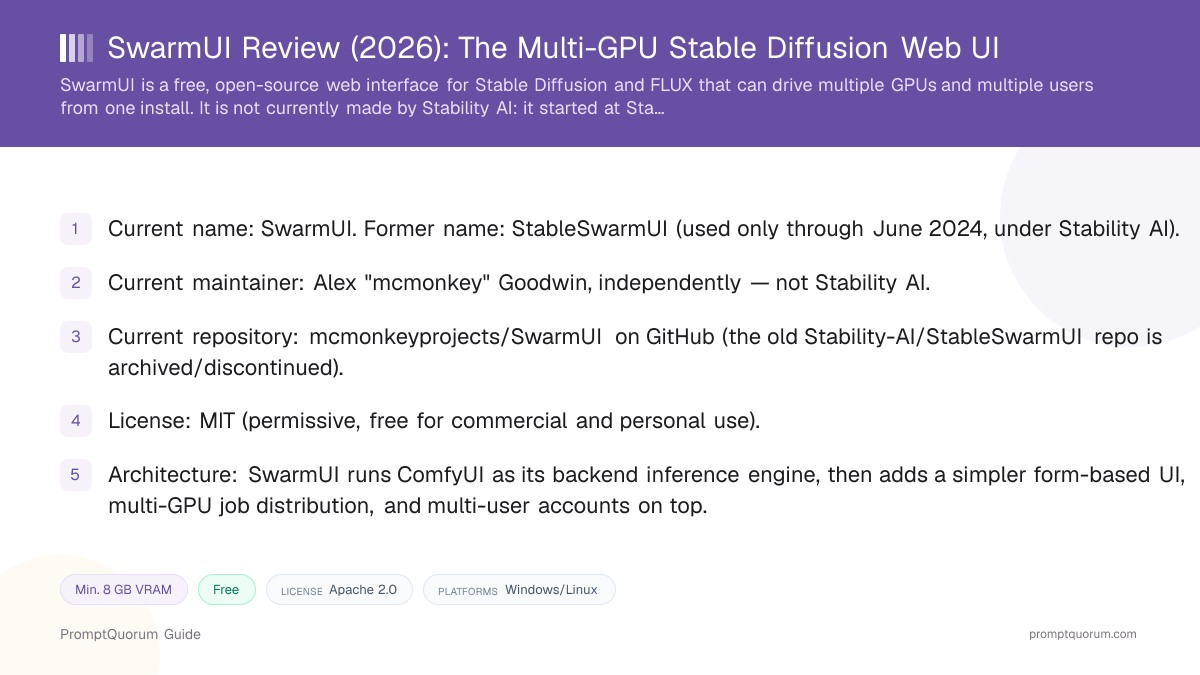
SwarmUI is a modular, form-based web UI for local image and video generation, distinct from the raw node-graph interface ComfyUI ships with by default. It targets the same underlying models as ComfyUI — Stable Diffusion, SDXL, SD 3.5, FLUX — but presents them through a simpler "Generate" tab with dropdowns and sliders, aimed at readers who find a full node graph slower for routine generation.
The name "Swarm" refers to its original core feature: coordinating a "swarm" of GPUs so that several graphics cards can work on the same batch of images at once, rather than one GPU processing a queue alone. That multi-GPU job distribution, plus built-in multi-user login and per-user model access, is what separates SwarmUI from single-user tools like AUTOMATIC1111's Stable Diffusion WebUI or Fooocus.
SwarmUI is written in C#/.NET on the server side with a web front end, and ships as a self-hosted application — there is no official hosted/cloud version. Everything runs on hardware you control, whether that is one gaming GPU or a small multi-GPU workstation.
📍 In One Sentence
SwarmUI is a free, open-source web interface for Stable Diffusion and FLUX image generation that runs ComfyUI as its backend and adds multi-GPU job distribution and multi-user accounts on top.
💬 In Plain Terms
Think of it as a friendlier control panel bolted onto ComfyUI — you get a simple form to type a prompt and pick a model, but the actual image generation underneath is still ComfyUI doing the work, now able to split jobs across several GPUs or several people.
History: From StableSwarmUI to Independent SwarmUI
The project was first published under the Stability AI GitHub organization as "StableSwarmUI," developed primarily by Alex "mcmonkey" Goodwin. Public release notes and discussion threads on the original Stability-AI/StableSwarmUI repository document its early feature announcements while it carried Stability AI's name and copyright.
In June 2024, Stability AI stopped maintaining StableSwarmUI. Rather than the project going dormant, mcmonkey took it independent, publishing a "Migration Guide From Stability's StableSwarmUI to independent SwarmUI" and renaming the project to "SwarmUI" at a new repository, mcmonkeyprojects/SwarmUI. Existing installs could migrate by updating and running a provided migration script (migrate-windows.bat on Windows, or manually repointing the Git remote to mcmonkeyprojects/SwarmUI on Linux/Mac).
As of this review (2026-09-06), SwarmUI has no ongoing affiliation with Stability AI — it is maintained independently by mcmonkey and community contributors, under the MIT License, with copyright attributed to "Alex 'mcmonkey' Goodwin" for the 2024–2026 period covered by the current license file. The original Stability-AI/StableSwarmUI repository is no longer the actively developed codebase; the current, maintained project lives at mcmonkeyprojects/SwarmUI.
Why this article keeps the slug "stableswarmui-review" despite the rename: readers searching for the tool by its original, better-known name still land here — the article body and title use the current, correct name "SwarmUI" throughout, and this section states the rename plainly so no one is misled about who maintains the project today.
📍 In One Sentence
SwarmUI began as "StableSwarmUI," an official Stability AI project, and became a fully independent, community-maintained project under the new name "SwarmUI" in June 2024 after Stability AI stopped maintaining it.
💬 In Plain Terms
Stability AI built the first version and put its name on it, then walked away from maintaining it; the original developer kept building it on his own under a new name instead of letting it die.
How the ComfyUI-Backend Architecture Works
SwarmUI can auto-install and self-start a ComfyUI backend for you on first run, or connect to one or more ComfyUI instances you already run yourself, including remote instances over a network. Each configured backend is treated as a worker: when you submit a generation request, SwarmUI's scheduler assigns it to an available backend instance.
Because the underlying inference engine is unmodified ComfyUI, SwarmUI inherits ComfyUI's model compatibility, custom-node ecosystem, and workflow format almost entirely. The built-in "ComfyUI Backend Extension" also exposes a direct pass-through route (ComfyBackendDirect) so existing ComfyUI automation scripts and API integrations can keep working against a SwarmUI-managed backend.
This is the key architectural difference from AUTOMATIC1111's Stable Diffusion WebUI, which ships its own, separate inference pipeline rather than wrapping ComfyUI. SwarmUI's trade-off is that it depends on ComfyUI staying compatible and installed correctly — if ComfyUI itself has an issue, SwarmUI inherits it, since SwarmUI is not doing its own independent inference.
📍 In One Sentence
SwarmUI does not contain its own image-generation engine — it runs ComfyUI as a backend process and sends generation jobs to it, then renders the results in its own simplified interface.
💬 In Plain Terms
ComfyUI does the actual math of turning a prompt into an image; SwarmUI is the layer on top that decides which backend gets which job and shows you a simpler screen instead of ComfyUI's node graph.
SwarmUI web UI
- What it does:
- Form-based Generate tab, job queue, multi-user accounts, multi-GPU routing
- Can you access it directly?:
- Yes — this is the default interface
ComfyUI backend(s)
- What it does:
- Runs the actual diffusion model inference (Stable Diffusion, SDXL, FLUX, etc.)
- Can you access it directly?:
- Yes, via the built-in Comfy Workflow tab and node graph
GPU hardware
- What it does:
- Executes the model computation for each ComfyUI backend instance
- Can you access it directly?:
- N/A — managed by SwarmUI's backend scheduler
SwarmUI vs. ComfyUI: Differences and When to Pick Each
SwarmUI is not a replacement for ComfyUI — it runs ComfyUI as its backend. Both produce images with the same models (Stable Diffusion, SDXL, SD 3.5, FLUX) because the inference engine underneath is the same unmodified ComfyUI.
Choose SwarmUI when you want a form-based Generate tab with dropdowns and sliders for routine generation, need to use several GPUs, or need built-in multi-user accounts. ComfyUI's node graph stays reachable through the built-in Comfy Workflow tab, so choosing SwarmUI does not mean giving up custom workflows.
Choose ComfyUI on its own when you are the only user, have one GPU, and want the fewest layers between you and the node graph. SwarmUI's trade-off is extra moving parts: it depends on ComfyUI staying compatible and installed correctly.
📍 In One Sentence
SwarmUI and ComfyUI use the same inference engine, so the choice is about interface and scale: SwarmUI adds a form-based Generate tab, multi-GPU job distribution and multi-user accounts on top of ComfyUI, while ComfyUI alone offers a node graph for a single user.
💬 In Plain Terms
ComfyUI is the engine and SwarmUI is a control panel on top of it: pick SwarmUI for a simple form, several GPUs or several people, and ComfyUI alone when you want to build every step yourself.
- Interface: SwarmUI — form-based Generate tab (plus a Comfy Workflow tab); ComfyUI — node graph
- Multi-GPU: SwarmUI — built in, one backend per GPU; ComfyUI — no built-in job distribution
- Multi-user: SwarmUI — accounts and per-user model access; ComfyUI — a single local user by default
- Models and custom nodes: the same — SwarmUI inherits ComfyUI's
- Learning curve: ComfyUI is the steepest; SwarmUI is simpler for routine generation
Multi-GPU and Multi-User Support
Multi-GPU support is the feature the project is named for. SwarmUI can run one ComfyUI backend per available GPU on a machine (or across multiple machines on a network) and load-balance incoming generation jobs across all of them — useful for large batch/grid generations, or for a household or small team sharing a multi-GPU workstation instead of each person needing their own dedicated card.
Multi-user support adds login accounts, per-user model access controls, and a shared job queue, so a single SwarmUI install can serve several people without each running a separate copy of the software or fighting over one GPU's queue. Neither AUTOMATIC1111's Stable Diffusion WebUI nor stock ComfyUI ships this kind of built-in multi-user account system — both are designed around a single local user.
This combination is what makes SwarmUI a meaningfully different tool from single-GPU, single-user apps rather than just "ComfyUI with a nicer skin": the job-distribution and account layers solve a real coordination problem that only shows up once you have more than one GPU or more than one person who wants to generate images on the same hardware.
📍 In One Sentence
SwarmUI can distribute generation jobs across several GPUs on the same machine or across a small network of machines, and supports multiple logged-in user accounts with per-user model and permission settings from a single install.
💬 In Plain Terms
Instead of one GPU working through a queue of image requests one at a time, SwarmUI can hand different requests to different GPUs at once, and it can tell users apart so a shared server does not mix up who asked for what.
Supported Models
📍 In One Sentence
SwarmUI supports every model family ComfyUI supports for image generation, including Stable Diffusion 1.5, Stable Diffusion XL, Stable Diffusion 3.5, and FLUX, plus select video and audio models as ComfyUI adds support for them.
💬 In Plain Terms
Because SwarmUI runs ComfyUI underneath, it can generally load any model checkpoint ComfyUI can load, without SwarmUI needing separate code for each new model family.
Stable Diffusion 1.5
- Type:
- Image
- Notes:
- Widely supported legacy checkpoint format; large community LoRA/checkpoint ecosystem via ComfyUI
Stable Diffusion XL 1.0
- Type:
- Image
- Notes:
- 1024×1024-native model; supported the same way as in stock ComfyUI
Stable Diffusion 3.5
- Type:
- Image
- Notes:
- Newer multimodal diffusion transformer architecture; requires the current Community License terms Stability AI publishes for SD 3.5 itself, independent of SwarmUI
FLUX (Black Forest Labs)
- Type:
- Image
- Notes:
- Supported via ComfyUI's FLUX nodes; license depends on the specific FLUX variant (schnell vs. dev), not on SwarmUI
Video/audio models
- Type:
- Video, audio
- Notes:
- Supported as ComfyUI itself adds and updates support — check current ComfyUI and SwarmUI release notes for exact model coverage before relying on a specific one
Model support tracks ComfyUI's own compatibility list, which changes over time — verify current support for any specific checkpoint on the SwarmUI GitHub repository or ComfyUI GitHub repository before committing a workflow to it. Each model's own license (RAIL-M, Stability AI Community License, Apache 2.0, etc.) applies regardless of which UI you load it in — see the Stable Diffusion Review for a breakdown of those license differences by version.
How to Install SwarmUI
SwarmUI installs on Windows, Linux, and macOS with a similar overall shape across platforms — the exact commands differ slightly, so this is the general sequence rather than platform-specific instructions.
- 1Confirm you have a supported GPU and enough VRAM
Why it matters: SwarmUI's VRAM requirements follow whatever model you plan to run through ComfyUI — for example, roughly 8 GB VRAM is a reasonable floor for SDXL, more for SD 3.5 or FLUX; check the model's own requirements before installing. - 2Download the SwarmUI installer for your OS
Why it matters: Get the current release from the [mcmonkeyprojects/SwarmUI GitHub repository](https://github.com/mcmonkeyprojects/SwarmUI) — this is the maintained, independent repository, not the archived Stability-AI/StableSwarmUI one. - 3Let SwarmUI auto-install ComfyUI as a backend
Why it matters: The "Self-Start" backend option lets SwarmUI configure, download, and launch a ComfyUI backend automatically, which is the recommended path for a first install rather than manually wiring up an existing ComfyUI instance. - 4Download a model checkpoint
Why it matters: Get a Stable Diffusion, SDXL, SD 3.5, or FLUX checkpoint from a source like Hugging Face, place it in the models folder SwarmUI's setup documentation specifies, and confirm that model's own license terms for your intended use. - 5Configure additional GPU backends if you have more than one card
Why it matters: Add each additional GPU as its own backend instance in SwarmUI's backend settings so jobs can be distributed across all of them instead of just the first one detected. - 6Set up user accounts if multiple people will share the install
Why it matters: Create separate logins with SwarmUI's multi-user settings so a shared server keeps each person's jobs, models, and permissions separate.
Pricing and License
SwarmUI is free and open source under the MIT License — there is no paid tier, subscription, or hosted version sold by the project itself. You pay only for your own hardware and electricity, the same as any self-hosted tool.
The MIT License is permissive: it allows commercial use, modification, and redistribution with attribution, and carries no revenue cap or registration requirement of the kind that applies to some of the models you might run through it (for example, Stability AI's Community License on SD 3.5 requires registration above certain revenue). SwarmUI's own license does not impose that — but the license of whatever model checkpoint you load still applies independently, since SwarmUI does not change a model's own licensing terms.
Because there is no official hosted SwarmUI service, "pricing" for this tool is entirely about the hardware you already own or choose to buy — there is no membership tier to compare, unlike Stability AI's own hosted API and membership plans covered in the Stable Diffusion Review.
SwarmUI vs. Alternatives
SwarmUI
- Best for:
- Multiple GPUs or multiple users sharing one install, form-based control over a ComfyUI backend
- Multi-GPU/multi-user:
- Yes — built in
- Architecture:
- Wraps ComfyUI as the inference engine
- Key trade-off:
- Depends on ComfyUI compatibility underneath; more moving parts than a single-user app
ComfyUI
- Best for:
- Full manual control over every generation step via a node graph
- Multi-GPU/multi-user:
- No — single-user by default
- Architecture:
- Standalone node-graph inference engine
- Key trade-off:
- Steepest learning curve of the group; no built-in multi-GPU job distribution or accounts
Articles about ComfyUI (9)
- ComfyUI Review: Free Node-Based UI for Stable Diffusion & FluxUpdated September 6, 2026
- LM Mini Review: iPhone Chat App for On-Device and Home-Server AIUpdated October 24, 2026
- Locally Uncensored Review: Local Chat, Image, and Video in One AppUpdated October 24, 2026
- Draw Things Review: Local-First Image AI with Optional CloudUpdated October 9, 2026
- Tina Review: iPhone Client for Ollama, llama.cpp and ComfyUIUpdated October 4, 2026
- Local Coding Assistants, Agents & Workflow Tools Compared (2026): IDE Plugins, Agent Frameworks and Autonomous AgentsUpdated September 21, 2026
- Local Image, Video & Vision Tools Compared (2026): Generation, Vision and OCRUpdated September 20, 2026
- DreamServer Review: One-Command Local AI Server StackUpdated September 19, 2026
- AUTOMATIC1111 Review: Stable Diffusion WebUI ExplainedUpdated September 6, 2026
+13 more not shown
AUTOMATIC1111 Stable Diffusion WebUI
- Best for:
- Single-GPU users who want the largest extension ecosystem for a form-based UI
- Multi-GPU/multi-user:
- No — single-user, single-GPU by design
- Architecture:
- Own separate inference pipeline, not ComfyUI-based
- Key trade-off:
- No built-in multi-GPU/multi-user support; separate codebase from ComfyUI's ecosystem
InvokeAI
- Best for:
- Polished, professional-feeling single-user creative workflow with a unified canvas
- Multi-GPU/multi-user:
- No — single-user focus
- Architecture:
- Own inference pipeline
- Key trade-off:
- Smaller node/extension ecosystem than ComfyUI; not built around multi-GPU distribution
Fooocus
- Best for:
- Fastest path to a first good image with the fewest settings to configure
- Multi-GPU/multi-user:
- No — single-user, minimal-configuration design
- Architecture:
- Own simplified inference pipeline built on Stable Diffusion
- Key trade-off:
- Deliberately limited configurability in exchange for simplicity; not aimed at multi-GPU setups
Articles about Fooocus (6)
- Fooocus Review: The Simplest Local Stable Diffusion UIUpdated September 6, 2026
- Local Image, Video & Vision Tools Compared (2026): Generation, Vision and OCRUpdated September 20, 2026
- AUTOMATIC1111 Review: Stable Diffusion WebUI ExplainedUpdated September 6, 2026
- ComfyUI Review: Free Node-Based UI for Stable Diffusion & FluxUpdated September 6, 2026
- ControlNet Review: Structural Control for Stable DiffusionUpdated September 6, 2026
- Stable Diffusion Review: Free Local Text-to-Image ModelsUpdated September 5, 2026
Also mentioned in:
- Draw Things Review: Local-First Image AI with Optional CloudUpdated October 9, 2026
- Stable Diffusion WebUI Forge Review: Faster, Lower-VRAM AUTOMATIC1111 ForkUpdated September 19, 2026
- InvokeAI Review: Professional-Grade Stable Diffusion StudioUpdated September 6, 2026
This is a positioning summary, not a benchmark ranking — see the Stable Diffusion Review for license and VRAM detail on the underlying models these UIs all run, and Local AI Image Generation vs. Cloud for a broader local-vs-cloud comparison.
Who Should Use SwarmUI
- Reader with more than one GPU. SwarmUI's job-distribution scheduler is the only tool in this comparison built specifically to keep several cards busy on the same batch of work.
- Household, team, or lab sharing one machine. Built-in multi-user accounts let several people generate images from the same install without stepping on each other's jobs or models.
- Reader who wants ComfyUI's model support without building every workflow as a node graph. The form-based Generate tab covers common cases; the node graph is still there when you need it.
- Reader already comfortable with ComfyUI who wants a friendlier daily-use layer on top of it. SwarmUI does not ask you to give up ComfyUI — it exposes it directly via the Comfy Workflow tab.
- Reader who wants a permissively licensed (MIT), actively and independently maintained project with a clear, documented history rather than an abandoned fork.
Who Should Not Use SwarmUI
- Casual single-GPU user who just wants the simplest possible first image. Fooocus has fewer settings and a shorter path to a first result; SwarmUI's multi-GPU/multi-user layer is unused overhead for a single casual user.
- Reader who wants the single largest extension/custom-script ecosystem for a form-based UI. AUTOMATIC1111's Stable Diffusion WebUI has a longer track record and larger extension catalog for that specific use case.
- Reader who wants full manual node-graph control without any wrapping layer. Use ComfyUI directly rather than through SwarmUI if you never want the simplified Generate tab at all.
- Reader who wants a single-user, unified-canvas creative tool with a more polished built-in editor. InvokeAI targets that use case more directly than SwarmUI's multi-GPU/multi-user focus.
- Reader who mistakenly expects an official Stability AI product or support channel. SwarmUI has had no ongoing Stability AI affiliation since June 2024 — support comes from the independent maintainer and community, not from Stability AI.
Frequently Asked Questions
Is StableSwarmUI still the correct name for this project?
No. The project was renamed from "StableSwarmUI" to "SwarmUI" in June 2024, when it moved from the Stability AI GitHub organization to the independent mcmonkeyprojects/SwarmUI repository under maintainer Alex "mcmonkey" Goodwin. "StableSwarmUI" is the former name; current documentation, releases, and the GitHub repository all use "SwarmUI."
Is SwarmUI still made or maintained by Stability AI?
No, as of this review (2026-09-06). Stability AI originally released the project as StableSwarmUI but stopped maintaining it; the original developer took it fully independent in June 2024. There is no ongoing Stability AI involvement in SwarmUI's current development.
Does SwarmUI use ComfyUI, or is it a separate image-generation engine?
SwarmUI uses ComfyUI as its backend inference engine rather than shipping its own separate generation pipeline. SwarmUI's Generate tab sends jobs to one or more ComfyUI backend instances, and the built-in Comfy Workflow tab exposes the underlying ComfyUI node graph directly when you want full manual control.
What models does SwarmUI support?
SwarmUI supports the same model families ComfyUI supports, including Stable Diffusion 1.5, Stable Diffusion XL, Stable Diffusion 3.5, and FLUX. Since SwarmUI runs ComfyUI underneath, its model coverage tracks ComfyUI's own updates — check the current SwarmUI and ComfyUI GitHub repositories for the latest supported model list.
Is SwarmUI free?
Yes. SwarmUI is free and open source under the MIT License, with no paid tier or subscription sold by the project. You still need to check the license of whatever model checkpoint you load (Stable Diffusion, FLUX, etc.), since those licenses are separate from SwarmUI's own MIT License.
How is SwarmUI different from AUTOMATIC1111 or Fooocus for a single-GPU user?
AUTOMATIC1111's Stable Diffusion WebUI and Fooocus both ship their own standalone inference pipelines and are designed around one user on one GPU, with no built-in multi-GPU job distribution or multi-user accounts. SwarmUI is built specifically to add both of those — multi-GPU load balancing and multi-user logins — on top of ComfyUI, which is unnecessary overhead if you only have one GPU and one user.
Can multiple people use SwarmUI at the same time?
Yes. SwarmUI has built-in multi-user support with separate login accounts, per-user model access controls, and a shared job queue, so several people can generate images from one shared install without a separate copy of the software each.
Where do I download SwarmUI?
The current, maintained repository is mcmonkeyprojects/SwarmUI on GitHub. The older Stability-AI/StableSwarmUI repository reflects the discontinued, pre-June-2024 version and is not the actively developed codebase.
Verdict
SwarmUI earns a specific, narrow recommendation: it is the clearest option for readers who have more than one GPU, or more than one person, wanting to share a single Stable Diffusion / FLUX install — a coordination problem that AUTOMATIC1111, Fooocus, and stock ComfyUI simply do not address. Its ComfyUI-backend architecture means it inherits that project's model support and node-graph power without forcing every routine job through a node graph, at the cost of depending on ComfyUI's own compatibility underneath. The project's history is worth knowing honestly: it began as Stability AI's "StableSwarmUI," Stability AI stopped maintaining it, and the original developer carried it forward independently as "SwarmUI" in June 2024 — there is no ongoing Stability AI affiliation today. Readers with a single GPU and no multi-user need are usually better served by Fooocus for simplicity or AUTOMATIC1111 for its larger single-user extension ecosystem; readers who want SwarmUI's specific multi-GPU or multi-user capability should get it from the current, maintained mcmonkeyprojects/SwarmUI repository, not the archived Stability-AI one.
Sources
- mcmonkeyprojects/SwarmUI — GitHub repository — current, maintained project, README, license, and releases.
- Migration Guide From Stability's StableSwarmUI to independent SwarmUI — GitHub Discussion #2 — the maintainer's own account of the June 2024 rename and migration steps.
- Stability-AI/StableSwarmUI — GitHub repository (archived/discontinued) — original project under Stability AI, no longer actively developed.
- ComfyUI Backend Extension README — SwarmUI GitHub — documents the ComfyUI-backend architecture and the ComfyBackendDirect pass-through.
- ComfyUI — GitHub repository — the inference engine SwarmUI runs as its backend.