What InvokeAI Is
InvokeAI is a front-end application that loads Stable Diffusion and FLUX model weights and runs inference on your own hardware. Like AUTOMATIC1111's Stable Diffusion WebUI, ComfyUI, and Fooocus, it does not include the model weights themselves — those come from Stability AI, Black Forest Labs, and other model publishers, and you download them separately (see the Stable Diffusion Review for background on the underlying model family and its own license terms).
What sets InvokeAI apart is its unified canvas: a single workspace where every generation, inpaint, and outpaint becomes a persistent layer rather than a disposable output. Layers can be revisited, re-masked, and regenerated later, so an image is treated more like an ongoing composition than a one-shot render. This design targets professional and studio-style workflows — closer to how a digital artist works in a layered image editor than to a typed-prompt-and-done tool.
The project began in August 2022 as one of the earliest community forks of the CompVis reference implementation of Stable Diffusion, initially maintained by Lincoln Stein under the repository name lstein/stable-diffusion before being renamed InvokeAI. A company called Invoke later formed around the project to build a commercial, hosted version on top of the same open-source core — that company's history is covered in the next section, since it materially changed in 2025.
📍 In One Sentence
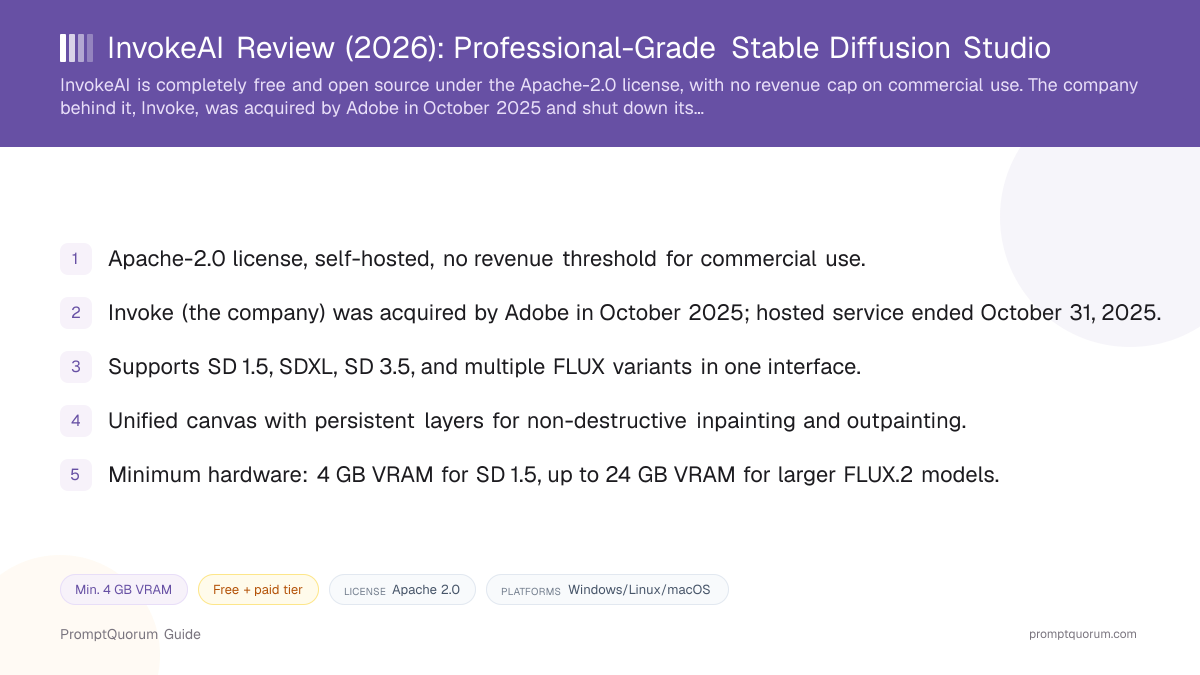
InvokeAI is a free, open-source interface for running Stable Diffusion and FLUX image models on your own GPU, built around a unified canvas with persistent, non-destructive layers instead of a node graph or a simple tab layout.
💬 In Plain Terms
Think of it like a digital painting studio for AI images — every generation becomes a layer you can revisit, mask, and regenerate, rather than a one-shot result you either keep or throw away.
The Adobe Acquisition, Explained
This is the single most important fact to get right about InvokeAI in 2026, and it is easy to find outdated information that gets it wrong. Adobe announced at Adobe MAX 2025 (October 20–21, 2025) that it had acquired Invoke, the company behind the commercial, cloud-hosted version of InvokeAI, and that its team — including CEO Kent Keirsey — had joined Adobe's new "Firefly Foundry" initiative, which helps businesses build custom generative models on Adobe's Firefly foundation.
Invoke's commercial hosted platform, which previously sold subscription tiers for cloud-based generation and team collaboration features, ceased operations on October 31, 2025. If you find an older article, comparison table, or cached pricing page describing "Starter," "Indie," "Professional," or "Enterprise" InvokeAI subscription plans, that describes a service that no longer exists — do not budget around those numbers.
The open-source InvokeAI project itself was not shut down. Stewardship passed to Lincoln Stein (lstein) and Vic (Blessedcoolant), longtime core maintainers who have been involved since the project's earliest days, and development has continued independently of Adobe under the invoke-ai/InvokeAI GitHub organization. This review covers that ongoing, free, self-hosted open-source project — not the discontinued commercial service.
📍 In One Sentence
Adobe acquired the company Invoke in October 2025; its founding team joined Adobe's Firefly Foundry group, the commercial hosted platform ceased operations on October 31, 2025, and the open-source InvokeAI project continues independently under community maintainers.
💬 In Plain Terms
The company that used to sell a paid, cloud-hosted version of InvokeAI no longer exists as a separate business — its team now works at Adobe — but the free software you can download and run yourself was not part of that deal and keeps going.
Unified Canvas and Layers
The unified canvas is what most reviewers and users point to as InvokeAI's defining feature relative to AUTOMATIC1111 and ComfyUI. Instead of generating one image at a time and manually re-importing it for further editing, InvokeAI treats the canvas as a single continuous workspace: you can mask a region, regenerate it, add a new layer on top, and move between those states without leaving the canvas or losing earlier versions.
This is genuinely closer to how a professional digital artist works in a layered image editor than to the tab-based "generate, inspect, regenerate" loop of AUTOMATIC1111's WebUI, or the node-graph-first approach of ComfyUI, where composing an editing pipeline requires wiring nodes together before you see any image at all. InvokeAI also ships an optional node-based workflow editor of its own for readers who want that level of control, so the canvas and the node graph are complementary rather than exclusive inside the same application.
Persistent layers
- What it does:
- Every generation, inpaint, or outpaint becomes its own layer that stays editable after you close and reopen the project
Brush-based masking
- What it does:
- Paint a mask directly on the canvas to control exactly which region gets regenerated, instead of working with a separate mask editor
Inpainting / outpainting
- What it does:
- Regenerate a masked region in place, or extend the canvas beyond the original image borders, without starting a new project
ControlNet integration
- What it does:
- Guide composition and pose using ControlNet models directly inside the same canvas workspace
Node-based workflow editor
- What it does:
- A separate, optional node graph for advanced or repeatable pipelines, for readers who want that level of control alongside the canvas
Board and gallery management
- What it does:
- Organizes generations into boards with preserved generation metadata, so a prompt and settings stay attached to the image that produced them
Model Support
InvokeAI supports a broad and actively growing range of open-weights image and video models in a single interface, rather than being built around one specific model family. As of its current documentation, supported checkpoints and formats include Stable Diffusion 1.5, Stable Diffusion 2.0, SDXL, Stable Diffusion 3.5 (Medium and Large), several FLUX variants (dev, schnell, Kontext, Krea, Redux, Fill, and the newer FLUX.2 Klein), plus CogView4 and Qwen-Image. It also loads models in .ckpt, diffusers, and some .gguf quantized formats.
This list changes frequently as new open-weights models are released, so treat it as a snapshot rather than a permanent inventory — check the current model-support notes in the InvokeAI GitHub repository or its release notes before assuming support for a specific new model on launch day.
One honest caveat, covered in more depth in the "Who should not use InvokeAI" section below: InvokeAI's maintainers prioritize integrating models cleanly into the unified canvas and node-editor workflow, which tends to take longer than adding bare command-line support. ComfyUI is widely reported to add support for major new open-weights model releases the same day they launch (so-called "day-zero" support); InvokeAI has not built the same reputation for immediate release-day coverage as of 2026.
How to Install InvokeAI
Installing InvokeAI follows the same basic shape across supported operating systems, using the official launcher rather than a manual environment setup.
- 1Check your GPU and OS against the system requirements
Why it matters: InvokeAI runs on Windows 10+, macOS 14+, and Linux (Ubuntu 20.04+ well-tested); confirm your GPU and VRAM meet the requirements for the model you plan to use before installing. - 2Download the InvokeAI Launcher
Why it matters: The launcher, available from the [official installation guide](https://invoke.ai/start-here/installation/) and GitHub releases, handles the Python environment and dependency setup automatically instead of requiring a manual virtual-environment install. - 3Install and launch the application
Why it matters: The launcher installs InvokeAI's backend and opens the browser-based web interface — no separate web server configuration is required for local use. - 4Download or select a model
Why it matters: Choose a starter model (e.g. an SD 1.5 or SDXL checkpoint) through the built-in model manager, or point InvokeAI at a model file you already downloaded from Hugging Face or Civitai. - 5Open the unified canvas and generate
Why it matters: Enter a prompt, set resolution and steps, and generate directly into the canvas — the first generation is typically slower while the model loads into VRAM. - 6Add ControlNet, LoRAs, or the node editor as needed
Why it matters: These are optional layers on top of the base workflow — most readers can ignore them for their first several projects and add them once comfortable with the canvas.
License and Cost
InvokeAI's software license is Apache-2.0, one of the most permissive open-source licenses available: it allows commercial use, modification, and redistribution with no revenue threshold and no copyleft requirement to open-source your own code built on top of it. This is a meaningfully more permissive license than ComfyUI (GPL-3.0) or AUTOMATIC1111's Stable Diffusion WebUI (AGPL-3.0), both of which carry stronger copyleft obligations for derivative or networked use — a real, checkable difference, not a marketing claim.
Because self-hosting InvokeAI is free under that license, the only ongoing cost is your own hardware and electricity — the same cost structure as any other self-hosted Stable Diffusion or FLUX interface. There is no PromptQuorum-tracked subscription fee, and as of this review, there is no official Invoke-branded paid tier of any kind to compare it against, since the company that sold one no longer operates it. If that changes under new stewardship, verify current terms directly on invoke.ai and the GitHub repository before assuming this review's cost breakdown still applies.
📍 In One Sentence
InvokeAI's open-source Community Edition is licensed under Apache-2.0 with no revenue cap and is entirely free to self-host; the company's former paid hosted-cloud tiers were discontinued when Adobe acquired Invoke in October 2025.
💬 In Plain Terms
There is one version of InvokeAI you can actually get today — the free one you run yourself — because the paid cloud service that used to sit alongside it has been shut down.
Open-source Community Edition (self-hosted)
- Status:
- Actively maintained by the community
- Cost:
- Free — Apache-2.0, no revenue cap
Invoke hosted cloud subscription (Starter/Indie/Professional/Enterprise)
- Status:
- Discontinued — service ended 2025-10-31
- Cost:
- N/A — no longer available
Adobe Firefly Foundry (the acquiring team's current work)
- Status:
- A separate Adobe product line, not a continuation of InvokeAI
- Cost:
- Set by Adobe — not covered by this review
License and cost information reflects the Apache-2.0 license text on github.com/invoke-ai/InvokeAI/blob/main/LICENSE and public reporting on the October 2025 Adobe acquisition, current as of 2026-09-06. This is not legal advice — read the license file yourself before a commercial deployment decision.
Hardware Requirements
InvokeAI runs on Windows 10+, macOS 14+, and Linux, with Ubuntu 20.04+ specifically noted as well-tested. NVIDIA GPUs from the GTX 10-series onward are supported on Windows and Linux; AMD GPUs are supported on Linux only; Intel Arc GPUs (Alchemist, Battlemage, and newer) are supported on Windows and Linux x86_64. Apple Silicon Macs (M1 and newer) work, with 16 GB+ unified memory recommended for comfortable use. CPU-only generation is possible on Linux ARM64 devices but is slow without a GPU.
InvokeAI requires Python 3.11 or 3.12 to run outside the bundled launcher. The official launcher manages this dependency automatically for most readers, so manually managing a Python environment is optional rather than required for typical installs.
Stable Diffusion 1.5
- Minimum VRAM:
- 4 GB VRAM
- Minimum system RAM:
- 8 GB RAM
SDXL
- Minimum VRAM:
- 8 GB VRAM
- Minimum system RAM:
- 16 GB RAM
FLUX.1
- Minimum VRAM:
- 10 GB VRAM
- Minimum system RAM:
- 32 GB RAM
FLUX.2 Klein (4B)
- Minimum VRAM:
- 12 GB VRAM
- Minimum system RAM:
- 16 GB RAM
FLUX.2 Klein (9B)
- Minimum VRAM:
- 24 GB VRAM
- Minimum system RAM:
- 32 GB RAM
VRAM and RAM figures are minimums drawn from invoke.ai's system requirements page and can shift as new model variants ship — treat them as planning guidance and confirm current numbers before buying hardware for a specific model.
InvokeAI vs. Alternatives
InvokeAI
- Best for:
- Layer-based, non-destructive compositing with a polished studio-style UI
- Interface style:
- Unified canvas + optional node editor
- License:
- Apache-2.0, no revenue cap
- Key trade-off:
- Generally slower to add support for brand-new models than ComfyUI
ComfyUI
- Best for:
- Maximum control and fastest support for brand-new model releases
- Interface style:
- Node graph, everything wired manually
- License:
- GPL-3.0
- Key trade-off:
- Steepest learning curve of the mainstream options; no built-in unified canvas
Articles about ComfyUI (10)
- ComfyUI Review: Free Node-Based UI for Stable Diffusion & FluxUpdated September 6, 2026
- LM Mini Review: iPhone Chat App for On-Device and Home-Server AIUpdated October 24, 2026
- Locally Uncensored Review: Local Chat, Image, and Video in One AppUpdated October 24, 2026
- Draw Things Review: Local-First Image AI with Optional CloudUpdated October 9, 2026
- SwarmUI Review: The Multi-GPU Stable Diffusion Web UIUpdated October 9, 2026
- Tina Review: iPhone Client for Ollama, llama.cpp and ComfyUIUpdated October 4, 2026
- Local Coding Assistants, Agents & Workflow Tools Compared (2026): IDE Plugins, Agent Frameworks and Autonomous AgentsUpdated September 21, 2026
- Local Image, Video & Vision Tools Compared (2026): Generation, Vision and OCRUpdated September 20, 2026
- DreamServer Review: One-Command Local AI Server StackUpdated September 19, 2026
- AUTOMATIC1111 Review: Stable Diffusion WebUI ExplainedUpdated September 6, 2026
+13 more not shown
AUTOMATIC1111 WebUI
- Best for:
- The largest extension ecosystem and community tutorials for Stable Diffusion specifically
- Interface style:
- Tab-based web UI
- License:
- AGPL-3.0
- Key trade-off:
- No stable release since v1.10.1 (Feb 2025) and no native FLUX support as of 2026; no persistent-layer canvas
Fooocus
- Best for:
- Fewest clicks to a first good image, minimal configuration
- Interface style:
- Simplified, opinionated single-window UI
- License:
- GPL-3.0
- Key trade-off:
- In limited long-term-support mode (bug fixes only) per its own README, SDXL-only, no plans for newer architectures
Articles about Fooocus (7)
- Fooocus Review: The Simplest Local Stable Diffusion UIUpdated September 6, 2026
- SwarmUI Review: The Multi-GPU Stable Diffusion Web UIUpdated October 9, 2026
- Local Image, Video & Vision Tools Compared (2026): Generation, Vision and OCRUpdated September 20, 2026
- AUTOMATIC1111 Review: Stable Diffusion WebUI ExplainedUpdated September 6, 2026
- ComfyUI Review: Free Node-Based UI for Stable Diffusion & FluxUpdated September 6, 2026
- ControlNet Review: Structural Control for Stable DiffusionUpdated September 6, 2026
- Stable Diffusion Review: Free Local Text-to-Image ModelsUpdated September 5, 2026
Also mentioned in:
- Draw Things Review: Local-First Image AI with Optional CloudUpdated October 9, 2026
- Stable Diffusion WebUI Forge Review: Faster, Lower-VRAM AUTOMATIC1111 ForkUpdated September 19, 2026
SwarmUI
- Best for:
- Multi-GPU and multi-backend orchestration (can drive ComfyUI as a backend)
- Interface style:
- Modular web UI over pluggable backends
- License:
- MIT
- Key trade-off:
- Smaller mainstream user base than the other four; formerly Stability AI's "StableSwarmUI" before an independent 2024 fork
This is a positioning summary based on each project's own documentation and license files as of 2026-09-06, not a hands-on benchmark. See Local AI Image Generation vs. Cloud for how these local options compare against cloud tools like Midjourney and Adobe Firefly, and Stable Diffusion Review for the underlying model family these UIs all run.
Who Should Use InvokeAI
- Reader who wants a layer-based, non-destructive editing workflow. The unified canvas is built around persistent layers you can revisit and re-mask, closer to a digital painting studio than a one-shot generate-and-discard loop.
- Reader who wants a polished interface without building a node graph from scratch. InvokeAI's canvas is usable without wiring anything, though a node editor is still available for readers who want it.
- Reader or small studio that wants the most permissive open-source license. Apache-2.0 has no revenue cap and no copyleft obligation for code built on top of it, which is a real difference from ComfyUI's and AUTOMATIC1111's GPL-family licenses for teams shipping proprietary tooling around the model.
- Reader who wants full local control and privacy. Once installed, generation runs entirely on your own GPU — no images or prompts leave your machine.
- Reader who wants a maintained project with a clear governance story. The 2025 Adobe acquisition of the commercial company did not stop the open-source project; it continues under named, longtime co-maintainers.
Who Should Not Use InvokeAI
- Reader who wants the newest experimental model or node the same day it releases. ComfyUI is widely reported to add support for major new open-weights model releases on launch day; InvokeAI's canvas-first integration approach has not built that same reputation for immediate release-day coverage.
- Reader who specifically wants a node-graph-only workflow with no canvas. InvokeAI includes a node editor, but its defining feature is the unified canvas — readers who exclusively want node-based pipeline building may prefer ComfyUI's node-first design.
- Reader who was relying on Invoke's paid cloud-hosted subscription for team collaboration or hosted GPU access. That service was discontinued on October 31, 2025; there is no current InvokeAI-branded paid replacement, so evaluate other hosted or team-collaboration tools if that was the deciding feature.
- Reader on very low-VRAM hardware who specifically wants to run FLUX-class models. FLUX.1 wants roughly 10 GB VRAM and 32 GB system RAM at minimum in InvokeAI's own published requirements; readers on 4–6 GB cards should plan around SD 1.5 instead, or use a cloud alternative.
- Reader who wants the single largest community tutorial and extension library for Stable Diffusion specifically. AUTOMATIC1111's WebUI has the longest history and largest volume of community tutorials and third-party extensions built specifically around it, even though the project itself has had no stable release since v1.10.1 in February 2025 and has not added native FLUX support, per its own GitHub repository.
Frequently Asked Questions
Is InvokeAI free?
Yes. The open-source Community Edition is free to download, self-host, and use commercially under the Apache-2.0 license, with no revenue cap. The company that previously sold a paid, cloud-hosted version, Invoke, was acquired by Adobe in October 2025 and shut down that service on October 31, 2025 — there is currently no InvokeAI-branded paid tier of any kind.
Did Adobe buy InvokeAI?
Adobe acquired the company Invoke, which built a commercial hosted platform on top of the open-source InvokeAI project, in October 2025 (announced at Adobe MAX 2025). Invoke's founding team, including CEO Kent Keirsey, joined Adobe's Firefly Foundry group. The hosted commercial service ceased operations on October 31, 2025. The open-source InvokeAI project itself was not acquired and continues under independent community maintainers Lincoln Stein and Vic (Blessedcoolant).
What license does InvokeAI use?
InvokeAI's software is licensed under Apache-2.0, a permissive open-source license with no revenue cap and no copyleft requirement for code you build on top of it. This differs from ComfyUI (GPL-3.0) and AUTOMATIC1111's Stable Diffusion WebUI (AGPL-3.0), both of which carry stronger copyleft terms for derivative or networked use. This is a summary, not legal advice — read the license file on GitHub before a commercial deployment decision.
What is InvokeAI's unified canvas?
The unified canvas is InvokeAI's core workspace, where every generation, inpaint, or outpaint becomes a persistent, editable layer instead of a disposable one-off output. Readers can mask a region with a brush tool, regenerate just that area, and stack layers over time, closer to working in a layered image editor than to a single generate-and-discard prompt box.
What models does InvokeAI support?
As of current documentation, InvokeAI supports Stable Diffusion 1.5, 2.0, SDXL, and 3.5 (Medium and Large), several FLUX variants (dev, schnell, Kontext, Krea, Redux, Fill, and FLUX.2 Klein), plus newer models such as CogView4 and Qwen-Image, in .ckpt, diffusers, and some .gguf formats. This list is updated frequently — check the InvokeAI GitHub repository for the current supported-model list before assuming support for a specific new release.
How much VRAM does InvokeAI need?
It depends on the model: Stable Diffusion 1.5 needs as little as 4 GB VRAM and 8 GB system RAM, SDXL wants 8 GB VRAM and 16 GB RAM, FLUX.1 wants roughly 10 GB VRAM and 32 GB RAM, and the larger FLUX.2 Klein (9B) variant wants around 24 GB VRAM and 32 GB RAM. These are minimums published by InvokeAI's own documentation and can change as new model variants ship.
Is InvokeAI better than ComfyUI or AUTOMATIC1111?
It depends on what you value. ComfyUI is widely reported to add support for brand-new open-weights model releases fastest and offers the most granular node-level control; AUTOMATIC1111's WebUI has the largest volume of community tutorials and extensions built specifically for Stable Diffusion, though its GitHub repository shows no stable release since v1.10.1 in February 2025 and no native FLUX support as of 2026. InvokeAI's advantage is its unified canvas: persistent, non-destructive layers that make iterative editing feel more like a digital painting tool, plus the most permissive license (Apache-2.0) of the three.
Where do I download InvokeAI?
The official source is the invoke-ai/InvokeAI GitHub repository, and the recommended installation path is the launcher described on invoke.ai's installation guide, which handles Python environment setup automatically for Windows, macOS, and Linux.
What happened to Invoke's paid subscription plans?
They were discontinued. Invoke, the company that sold paid cloud-hosted subscription tiers alongside the free open-source software, was acquired by Adobe in October 2025, and its hosted commercial service ceased operations on October 31, 2025. Older articles or cached pricing pages describing "Starter," "Indie," "Professional," or "Enterprise" plans describe a service that no longer exists as of 2026.
Verdict
InvokeAI earns its reputation as the most studio-oriented of the mainstream Stable Diffusion interfaces, built around a genuinely distinctive unified canvas with persistent, non-destructive layers that reward readers doing iterative, artist-style compositing rather than one-shot prompt generation. Its Apache-2.0 license is the most permissive of the major options, and self-hosting remains entirely free with no revenue cap — a fact worth stating plainly given how much outdated pricing information about "Invoke subscription plans" still circulates after the company behind the commercial hosted service was acquired by Adobe in October 2025 and shut that service down. The open-source project itself was not part of that deal and continues under named community maintainers with active development. The honest trade-off: ComfyUI is widely reported to add support for brand-new model releases faster, and AUTOMATIC1111 still carries the largest volume of community tutorials and extensions built specifically around it. For a reader who wants a polished, layer-based canvas and a permissive license with no strings attached, InvokeAI remains a reasonable and currently free choice.
Sources
- invoke-ai/InvokeAI on GitHub — official source code, license file, current model support, and release notes.
- InvokeAI — official documentation — installation guides, system requirements, and feature documentation.
- InvokeAI system requirements — official VRAM, RAM, GPU, and OS requirements by model.
- Apache License 2.0 — InvokeAI LICENSE file on GitHub — full legal text of InvokeAI's software license.
- Adobe Newsroom — Adobe Firefly Foundry announcement — official Adobe announcement covering the Invoke team joining Adobe.
- ComfyUI LICENSE on GitHub — GPL-3.0 license text for comparison.
- AUTOMATIC1111/stable-diffusion-webui LICENSE on GitHub — AGPL-3.0 license text for comparison.
- AUTOMATIC1111/stable-diffusion-webui releases on GitHub — release history confirming v1.10.1 (February 2025) as the most recent stable release at time of writing.