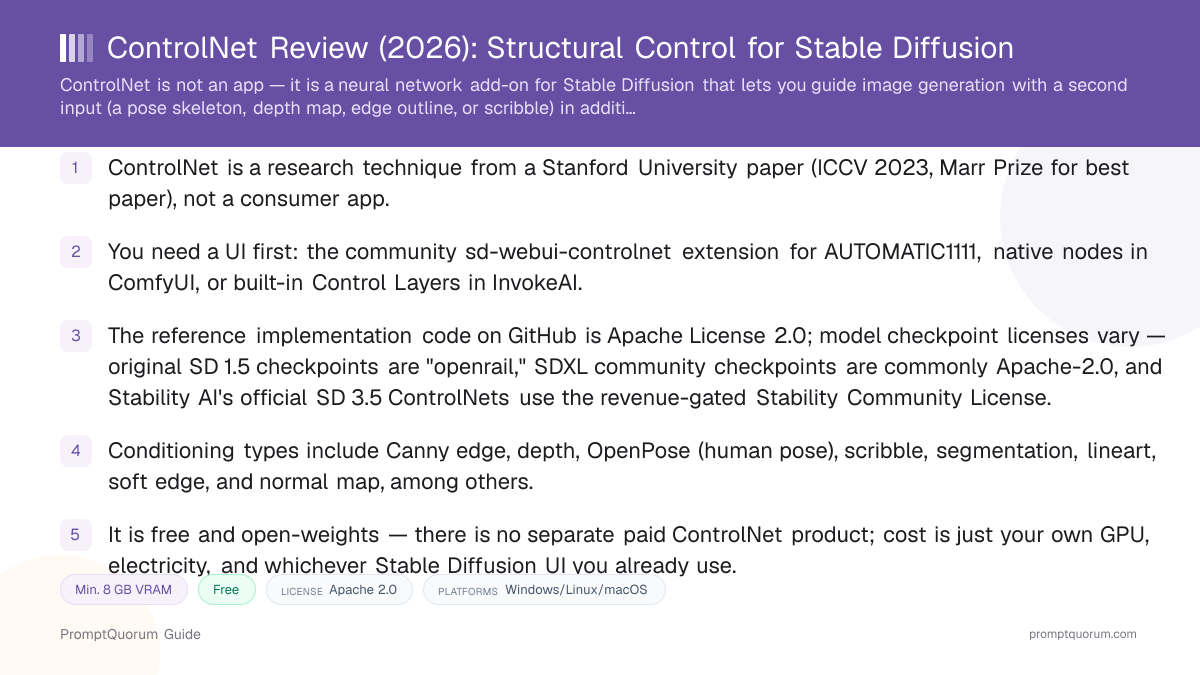
What ControlNet Is
ControlNet works by duplicating the encoding layers of a pretrained diffusion model and connecting the copy to the original network through what the paper calls "zero convolution" layers — convolution layers whose weights start at zero, so training begins from the base model's exact original behavior and only gradually learns the new conditioning signal. The original model's weights stay locked (frozen) during this process, which is why adding ControlNet does not degrade the base Stable Diffusion model's image quality.
Practically, this means you feed the pipeline two things instead of one: a text prompt (as usual) and a control image — a pose skeleton, a depth map, an edge outline, or a rough scribble. The output follows the composition and structure of the control image while still incorporating the prompt's style and subject description.
ControlNet is not a finished application. The paper describes an architecture, and the reference GitHub repository provides code and pretrained model weights, but there is no ControlNet installer you double-click. To actually use it, you install it as an extension or built-in feature inside a Stable Diffusion interface you already run — see How to Install and Use ControlNet below.
The lead author, Lvmin Zhang, is a researcher affiliated with Stanford University (with earlier study at the Chinese University of Hong Kong and Soochow University) who publishes under the GitHub handle lllyasviel. The same person also created Fooocus, a simplified Stable Diffusion interface built around fewer clicks to a first image — a connection worth knowing if you use both projects, since design decisions in one sometimes carry over to the other.
📍 In One Sentence
ControlNet is a neural network architecture that attaches an extra, precisely shaped input — an edge map, a depth map, a pose skeleton, or a scribble — onto a pretrained Stable Diffusion model so the output follows that structure instead of relying on the text prompt alone.
💬 In Plain Terms
A text prompt tells an artist what to draw in words; a ControlNet input hands that artist a traced outline to draw over — the outline fixes the pose and composition, while the prompt still decides style and content.
The Research Behind ControlNet
ControlNet's code and first pretrained weights were published on GitHub in February 2023, alongside the arXiv preprint. A more refined "ControlNet 1.1" release followed on April 14, 2023, expanding the set of supported conditioning types and improving robustness across them. The paper was formally published at ICCV 2023 and received the conference's Marr Prize, confirmed on the Computer Vision Foundation's official awards page.
ControlNet was built around, and first demonstrated on, the original Stable Diffusion 1.5 architecture. The open-source community — and later Stability AI itself — subsequently trained additional ControlNet checkpoints for newer base models, including Stable Diffusion XL and Stable Diffusion 3.5, extending the same conditioning technique to each new model generation. See Stable Diffusion Review for background on those base models.
Paper title
- Verified fact:
- "Adding Conditional Control to Text-to-Image Diffusion Models"
Institution
- Verified fact:
- Stanford University
arXiv ID
- Verified fact:
- 2302.05543
Venue
- Verified fact:
- ICCV 2023 (IEEE/CVF International Conference on Computer Vision)
Award
- Verified fact:
- Marr Prize — ICCV 2023 Best Paper Award
Code license
- Verified fact:
- Apache License 2.0
Facts verified directly against arxiv.org, the lllyasviel/ControlNet GitHub repository, the CVF ICCV 2023 open-access page, and thecvf.com's official awards listing on 2026-09-06.
ControlNet Conditioning Types
ControlNet 1.1 also includes additional specialized models beyond this core set, such as M-LSD (straight-line detection for architecture and interiors), Shuffle (content-preserving recomposition), Inpaint, and Tile (detail enhancement for upscaling workflows). Each conditioning type is a separate model file — you load the one matching your control image, not a single universal model.
📍 In One Sentence
ControlNet 1.1 ships separate models for different conditioning types — Canny edge, depth, human pose, scribble, segmentation, line art, soft edge, and normal map are the most commonly used.
Canny edge
- What it controls:
- Traces detected edges from a reference image to preserve structure while changing style
Depth
- What it controls:
- Uses a depth map to preserve spatial layout and perspective
OpenPose
- What it controls:
- Extracts a human pose skeleton (body, hands, face keypoints) to fix figure pose
Scribble
- What it controls:
- Follows a rough hand-drawn sketch as a loose composition guide
Segmentation
- What it controls:
- Uses color-coded region maps to fix where each object or surface appears
Lineart
- What it controls:
- Follows clean line-art outlines, common for illustration workflows
Soft edge (HED)
- What it controls:
- Uses softer, less rigid edge detection than Canny for more flexible structure
Normal map
- What it controls:
- Encodes surface-orientation data, useful for 3D-adjacent or texture work
Model names and behavior verified against the lllyasviel/ControlNet-v1-1-nightly repository documentation. Which types a given UI exposes by default varies — check that UI's own model list.
How to Install and Use ControlNet in AUTOMATIC1111 or ComfyUI
ControlNet setup differs by UI because it is not a standalone installer. The two most common paths are outlined below.
- 1Confirm you already have a working Stable Diffusion UI
Why it matters: ControlNet has nothing to attach to without AUTOMATIC1111, ComfyUI, or InvokeAI already installed and generating images — see [Stable Diffusion Review](/power-local-llm/stable-diffusion-review) if you have not set one up yet. - 2Install the ControlNet extension (AUTOMATIC1111) or confirm native support (ComfyUI/InvokeAI)
Why it matters: AUTOMATIC1111 does not ship with ControlNet built in — add the community [sd-webui-controlnet extension](https://github.com/Mikubill/sd-webui-controlnet) via the Extensions tab. ComfyUI includes ControlNet-related nodes in its core; InvokeAI exposes ControlNet through its built-in Control Layers feature, so no separate extension install is needed for either. - 3Download a ControlNet model checkpoint matching your base model
Why it matters: A checkpoint trained for SD 1.5 will not work correctly with SDXL or SD 3.5 — match the ControlNet model to the Stable Diffusion version you are running, and confirm its license before downloading (see the license section below). - 4Place the checkpoint in the correct models folder
Why it matters: AUTOMATIC1111 expects ControlNet models in `extensions/sd-webui-controlnet/models`; ComfyUI and InvokeAI use their own documented model directories — check that UI's current setup guide for the exact path. - 5Choose a conditioning type and provide a control image
Why it matters: Select the matching preprocessor (Canny, depth, OpenPose, etc.) for your control image, or let the UI auto-generate one from an uploaded reference photo. - 6Set the ControlNet weight/strength and generate
Why it matters: Lower strength lets the prompt influence composition more; higher strength locks the output more tightly to the control image — most UIs default to a middle value you can adjust per result.
ControlNet License: Code vs. Model Weights
This is the single most important fact to check before using ControlNet in a commercial product: the license is not one number. The reference implementation's code is Apache License 2.0, an unrestricted permissive license. But the model checkpoint you download is a separate file with its own license, and that license generally reflects the license family of the Stable Diffusion base model the checkpoint was trained against.
The original ControlNet checkpoints for Stable Diffusion 1.5, published under the lllyasviel account on Hugging Face, are listed as "openrail" — the same CreativeML OpenRAIL-M license family used by SD 1.5 itself, which permits commercial use subject to use-based content restrictions rather than a revenue cap.
Community-trained SDXL ControlNet checkpoints, such as the widely used models published under the xinsir Hugging Face account, are commonly released under the plain Apache License 2.0 — check the specific model card, since different community authors can choose different terms for their own checkpoints.
Stability AI's own official ControlNets for Stable Diffusion 3.5 Large — covering Blur, Canny, and Depth conditioning, released November 26, 2024 — carry the Stability AI Community License, the same revenue-gated license used by SD 3.5 itself: free for individuals and organizations under $1,000,000 in aggregate annual revenue with registration, and an Enterprise license required above that threshold.
📍 In One Sentence
The ControlNet reference code on GitHub is Apache License 2.0, but the model checkpoints you actually download carry different licenses depending on which base Stable Diffusion version and which organization trained them.
💬 In Plain Terms
The recipe (code) is unrestricted open source; the specific ingredients (model weights) each come with their own label — read the label on the checkpoint you download, not just the code license.
ControlNet reference code (GitHub)
- License:
- Apache License 2.0
- Commercial use:
- Allowed, no restrictions
Original SD 1.5 ControlNet checkpoints (lllyasviel on Hugging Face)
- License:
- "openrail" (CreativeML OpenRAIL-M family, inherited from Stable Diffusion)
- Commercial use:
- Allowed, subject to use-based content restrictions
Community SDXL checkpoints (e.g. xinsir account)
- License:
- Commonly Apache License 2.0
- Commercial use:
- Allowed, no restrictions — verify per checkpoint
Stability AI official SD 3.5 Large ControlNets
- License:
- Stability AI Community License
- Commercial use:
- Free under $1,000,000 annual revenue with registration; Enterprise license required above that
License terms are legal text, not marketing copy — this section summarizes publicly published terms as of 2026-09-06 but is not legal advice. Always read the actual LICENSE file or Hugging Face model card for the exact checkpoint you plan to use before commercial deployment.
Hardware and VRAM with ControlNet
ControlNet adds a duplicated set of encoding layers on top of whichever Stable Diffusion model you are running, so it increases VRAM use beyond the base model's own requirement rather than replacing it.
Community reports and UI documentation generally describe roughly 1–2 GB of additional VRAM for a single ControlNet model on Stable Diffusion 1.5, and a larger increase — commonly cited around 2–4 GB per model — on SDXL, since SDXL's encoder layers are larger to duplicate. Using multiple ControlNet models simultaneously (for example, depth plus pose plus Canny at once) stacks this overhead further. Lighter alternatives such as T2I-Adapter (see the alternatives section below) are designed to add substantially less VRAM overhead than ControlNet, at the cost of somewhat less precise control in some community comparisons.
Because these figures come from community benchmarking rather than a controlled test PromptQuorum ran itself, treat them as planning ranges: confirm current VRAM behavior in your specific UI's documentation or issue tracker before assuming a borderline GPU will handle a given combination of base model and ControlNet.
Pricing: Free and Open-Weights
ControlNet has no separate price — it is free and open-weights, distributed as code and model checkpoints rather than as a product with its own subscription or license fee. There is no PromptQuorum-tracked paid tier, membership, or hosted ControlNet-as-a-service offering from the original research team.
Your actual cost is the Stable Diffusion UI you already run (AUTOMATIC1111, ComfyUI, and InvokeAI are all themselves free and open source) plus your own GPU hardware and electricity. The only recurring cost that could apply is whatever hosted or cloud GPU service you might choose to run that UI on, which is unrelated to ControlNet itself.
ControlNet vs. Alternative Conditioning Techniques
ControlNet, T2I-Adapter, and IP-Adapter are not mutually exclusive — many workflows combine ControlNet (for pose or composition) with IP-Adapter (for style or character consistency) in the same generation. Which combination makes sense depends on what you are trying to fix: structure (ControlNet, T2I-Adapter) versus appearance (IP-Adapter).
For the underlying Stable Diffusion model choice these techniques attach to, see Stable Diffusion Review. For a broader comparison of local versus cloud image generation overall, see Local AI Image Generation vs. Cloud.
On the UI side, ComfyUI has native ControlNet nodes with no separate extension needed; AUTOMATIC1111 needs the community sd-webui-controlnet extension; InvokeAI integrates it as built-in Control Layers on its canvas; and Fooocus — built by the same researcher who created ControlNet — includes its own simplified, ControlNet-based structural-guidance features rather than exposing raw ControlNet model selection.
ControlNet
- Best for:
- Most precise structural control, widest range of conditioning types, largest ecosystem of pretrained checkpoints
- VRAM overhead:
- Higher — roughly 1–4 GB per model depending on base model
- License / cost:
- Apache-2.0 code; checkpoint license varies (openrail / Apache-2.0 / Stability Community License)
- Key trade-off:
- More VRAM and setup than lighter adapters; checkpoint licensing needs per-file verification
Articles about ControlNet (6)
- Local Image, Video & Vision Tools Compared (2026): Generation, Vision and OCRUpdated September 20, 2026
- Stable Diffusion WebUI Forge Review: Faster, Lower-VRAM AUTOMATIC1111 ForkUpdated September 19, 2026
- AUTOMATIC1111 Review: Stable Diffusion WebUI ExplainedUpdated September 6, 2026
- Fooocus Review: The Simplest Local Stable Diffusion UIUpdated September 6, 2026
- Stable Diffusion Review: Free Local Text-to-Image ModelsUpdated September 5, 2026
- AnimateDiff Guide 2026: Animate Any Stable Diffusion ModelUpdated September 2, 2026
Also mentioned in:
- Easy Diffusion Review: One-Click Stable Diffusion for PC and MacUpdated October 17, 2026
- Draw Things Review: Local-First Image AI with Optional CloudUpdated October 9, 2026
- ComfyUI Review: Free Node-Based UI for Stable Diffusion & FluxUpdated September 6, 2026
+2 more not shown
T2I-Adapter
- Best for:
- Similar conditioning types (sketch, depth, Canny) with faster inference and lower VRAM
- VRAM overhead:
- Substantially lower than ControlNet
- License / cost:
- Free, open-weights
- Key trade-off:
- Smaller model, generally regarded as somewhat less precise than ControlNet in community comparisons
IP-Adapter
- Best for:
- Conditioning on a reference image's style or subject rather than its structure
- VRAM overhead:
- Low — lightweight cross-attention adapter
- License / cost:
- Free, open-weights
- Key trade-off:
- Controls appearance/style transfer, not pose or composition — commonly used together with ControlNet, not instead of it
Prompt engineering alone (no conditioning add-on)
- Best for:
- Simple compositions where exact pose or layout does not matter
- VRAM overhead:
- None
- License / cost:
- N/A
- Key trade-off:
- No reliable way to fix an exact pose, camera angle, or object placement through wording alone
Who Should Use ControlNet
- Reader who needs an exact pose, camera angle, or object placement. ControlNet is the most direct way to lock a generated image to a specific structure that prompt wording alone cannot reliably reproduce.
- Reader already comfortable with a Stable Diffusion UI. If you already run AUTOMATIC1111, ComfyUI, or InvokeAI, adding ControlNet is a checkpoint download and a UI setting, not a new platform to learn.
- Illustrators and concept artists working from sketches. Scribble and lineart conditioning let a rough sketch or clean line drawing guide the final composition directly.
- Photographers or 3D artists reusing reference geometry. Depth and normal-map conditioning carry over spatial layout from a reference photo or 3D render into a new stylized image.
- Small business or individual under the relevant revenue threshold. Both the Apache-2.0 code and the openrail/Apache-2.0-licensed checkpoints support commercial use without a subscription at this scale; the Stability Community License checkpoints do too, up to $1,000,000 in annual revenue with registration.
Who Should Not Use ControlNet
- Total beginner who has not set up a Stable Diffusion UI yet. ControlNet adds a real setup and configuration step on top of an already non-trivial local install — get comfortable generating plain prompts first, then add ControlNet once that workflow is familiar.
- Reader who wants a one-click app with no configuration. There is no ControlNet app; it is an add-on to an existing UI, and every UI exposes it slightly differently. Readers who want zero setup should consider a cloud tool instead.
- Reader relying on prompt wording alone for simple images. If exact pose or layout does not matter for your use case, plain prompt engineering is faster and avoids the extra VRAM and setup ControlNet requires.
- Reader on a VRAM-constrained GPU already near its limit with the base model. ControlNet adds meaningful VRAM overhead on top of Stable Diffusion itself — see Hardware and VRAM — and a lighter option like T2I-Adapter may fit better.
- Organization above the relevant revenue threshold planning to use Stability AI's official SD 3.5 ControlNets. The Stability AI Community License requires an Enterprise license above $1,000,000 in annual revenue — budget for that negotiation, or use an Apache-2.0-licensed SDXL checkpoint instead if it fits your use case.
Frequently Asked Questions
What is ControlNet?
ControlNet is a neural network architecture that adds precise structural conditioning — pose, depth, edge maps, scribbles, segmentation, and more — to Stable Diffusion image generation. It was introduced in the paper "Adding Conditional Control to Text-to-Image Diffusion Models" by Lvmin Zhang, Anyi Rao, and Maneesh Agrawala of Stanford University, published at ICCV 2023.
Is ControlNet a standalone app?
No. ControlNet is a technique with a reference implementation, distributed as code and model checkpoints rather than a consumer application. To use it, you install it into a Stable Diffusion UI you already run — the community sd-webui-controlnet extension for AUTOMATIC1111, native nodes in ComfyUI, or built-in Control Layers in InvokeAI.
Is ControlNet free?
Yes. The reference code on GitHub is Apache License 2.0, an unrestricted open-source license, and there is no separate paid ControlNet product. Individual model checkpoints carry their own licenses that vary by which base Stable Diffusion version they target — see the license section for details.
Can I use ControlNet commercially?
It depends on the specific checkpoint. Original SD 1.5 ControlNet checkpoints are listed as "openrail," permitting commercial use subject to content restrictions. Community SDXL checkpoints (such as those from the xinsir account) are commonly Apache License 2.0 with no restrictions. Stability AI's official SD 3.5 Large ControlNets use the Stability AI Community License, free under $1,000,000 in annual revenue with registration, requiring an Enterprise license above that. Always check the specific checkpoint's license page before commercial use.
Who created ControlNet?
ControlNet was introduced by Lvmin Zhang, Anyi Rao, and Maneesh Agrawala of Stanford University in the paper "Adding Conditional Control to Text-to-Image Diffusion Models," published at ICCV 2023, where it won the conference's Marr Prize for best paper. Lvmin Zhang, who publishes under the GitHub handle lllyasviel, also created Fooocus, a simplified Stable Diffusion interface.
Which Stable Diffusion UIs support ControlNet?
AUTOMATIC1111's Stable Diffusion WebUI supports ControlNet through the community sd-webui-controlnet extension (not built in by default). ComfyUI includes ControlNet-related nodes natively in its core. InvokeAI integrates ControlNet as built-in Control Layers within its canvas workflow. Fooocus, built by ControlNet's creator, includes its own simplified ControlNet-based structural-guidance features rather than exposing raw model selection.
What conditioning types does ControlNet support?
ControlNet 1.1 includes models for Canny edge detection, depth maps, OpenPose human pose skeletons, scribbles, segmentation maps, lineart, soft edge (HED) detection, normal maps, and additional specialized types such as M-LSD (straight lines), Shuffle, Inpaint, and Tile.
How much extra VRAM does ControlNet use?
It adds VRAM on top of the base Stable Diffusion model rather than replacing that requirement. Community reports commonly describe roughly 1–2 GB of additional VRAM per ControlNet model on Stable Diffusion 1.5, and a larger increase on SDXL due to its larger encoder layers. Using multiple ControlNet models at once stacks this overhead further; these are planning ranges, not a controlled benchmark PromptQuorum ran itself.
What is the difference between ControlNet, T2I-Adapter, and IP-Adapter?
ControlNet and T2I-Adapter both condition generation on structural inputs like edges, depth, or pose, but T2I-Adapter uses a smaller architecture with lower VRAM overhead and faster inference, at some cost to precision in community comparisons. IP-Adapter conditions on a reference image's style or subject appearance rather than its structure, and is commonly combined with ControlNet rather than used as a replacement for it.
Verdict
ControlNet earns its place as the standard way to add precise structural control to Stable Diffusion — not as a product in its own right, but as a well-documented research technique with a large ecosystem of checkpoints built around it since its ICCV 2023 debut. Readers who already run AUTOMATIC1111, ComfyUI, or InvokeAI can add pose, depth, edge, or scribble conditioning without switching platforms, and the underlying code carries an unrestricted Apache-2.0 license. The trade-off is real: it is not an app, it adds a genuine setup step and meaningful VRAM overhead on top of the base model, and licensing is not a single answer — it depends on which checkpoint you download, from "openrail" on the oldest SD 1.5 models to the revenue-gated Stability AI Community License on Stability's own SD 3.5 ControlNets. Readers who want lighter VRAM overhead for similar structural control should also evaluate T2I-Adapter; readers who have not yet set up a Stable Diffusion UI should start there first, since ControlNet has nothing to attach to on its own. For anyone who already generates images locally and needs more control than prompt wording provides, ControlNet remains the most thoroughly supported way to get it.
Sources
- "Adding Conditional Control to Text-to-Image Diffusion Models" — arXiv:2302.05543 — the original paper by Lvmin Zhang, Anyi Rao, and Maneesh Agrawala.
- ControlNet — ICCV 2023 Open Access (CVF) — official conference publication record.
- Computer Vision Foundation — Awards — official confirmation of the ICCV 2023 Marr Prize (Best Paper Award).
- lllyasviel/ControlNet on GitHub — reference implementation and Apache License 2.0 code license.
- lllyasviel/ControlNet-v1-1-nightly on GitHub — ControlNet 1.1 conditioning-type documentation.
- lllyasviel/ControlNet on Hugging Face — original SD 1.5 checkpoint downloads and "openrail" license listing.
- xinsir/controlnet-canny-sdxl-1.0 on Hugging Face — example community SDXL ControlNet checkpoint and its Apache-2.0 license.
- stabilityai/stable-diffusion-3.5-large-controlnet-depth on Hugging Face — Stability AI's official SD 3.5 ControlNet and its Community License terms.
- Stability AI — ControlNets for Stable Diffusion 3.5 Large — official announcement, November 26, 2024.
- Mikubill/sd-webui-controlnet on GitHub — the community ControlNet extension for AUTOMATIC1111.
- Fooocus on GitHub — the simplified Stable Diffusion interface by ControlNet's creator, Lvmin Zhang.