What Stable Diffusion Is
Stable Diffusion is a latent diffusion model (LDM): it generates images by gradually removing noise from a compressed representation of an image, guided by a text prompt, rather than working directly on full-resolution pixels. This is why it can run on consumer GPUs instead of requiring datacenter hardware.
The model was developed by the CompVis (Computer Vision & Learning) research group at LMU Munich, led by Prof. Björn Ommer, with Robin Rombach (later at Stability AI) and Patrick Esser (Runway ML) as key researchers on the underlying latent-diffusion architecture. Stability AI funded the compute and co-released the first public version on August 22, 2022, together with CompVis and Runway ML.
Training data for the original releases drew on subsets of LAION-5B, a large public image-text dataset assembled by the German nonprofit LAION — a point relevant to the ongoing legal and ethical debate over training-data consent that affects most large-scale image models, not just Stable Diffusion.
Crucially, "Stable Diffusion" refers to the model weights and inference code, not a finished application. To actually type a prompt and see an image, you need a front-end interface. The most widely used options are AUTOMATIC1111's Stable Diffusion WebUI, ComfyUI (node-based, more control), InvokeAI (polished professional UI), and Fooocus (simplified, fewest clicks to a first image). PromptQuorum will cover each of these UIs in dedicated reviews; this article focuses on the underlying model itself.
📍 In One Sentence
Stable Diffusion is an open-weights latent diffusion model that turns a text prompt into an image, distributed as downloadable model files and code rather than as a consumer app.
💬 In Plain Terms
Think of it like an engine, not a car — Stable Diffusion generates the images, but you still need a dashboard (AUTOMATIC1111, ComfyUI, InvokeAI, or Fooocus) to type a prompt and see the result.
Stable Diffusion Version History
SD 1.4 / SD 1.5
- Released:
- August–October 2022
- License family:
- CreativeML Open RAIL-M
- Notable change:
- First widely adopted public release; still the base for thousands of community checkpoints
SD 2.0 / SD 2.1
- Released:
- November–December 2022
- License family:
- CreativeML Open RAIL++-M
- Notable change:
- New text encoder (OpenCLIP); mixed community reception versus 1.5's checkpoint ecosystem
SDXL 1.0
- Released:
- July 2023
- License family:
- CreativeML Open RAIL++-M
- Notable change:
- Larger base model (~3.5B parameters), sharper detail and composition at 1024×1024
SD 3 Medium
- Released:
- June 2024 (weights)
- License family:
- Stability AI Community License
- Notable change:
- New multimodal diffusion transformer (MMDiT) architecture, improved text rendering and prompt adherence
SD 3.5 (Large, Large Turbo, Medium)
- Released:
- October 2024
- License family:
- Stability AI Community License
- Notable change:
- Large (8B params) improves image quality and diversity; Large Turbo trades some quality for 4-step generation speed; Medium (2.5B) targets lower-VRAM hardware
Version dates and parameter counts are widely reported by Stability AI and third-party sources; verify exact figures and any newer releases on Stability AI before citing them in a technical spec. Last verified 2026-09-05.
How to Run Stable Diffusion Locally
Running Stable Diffusion on your own GPU has the same basic shape regardless of which UI you eventually choose.
- 1Check your GPU's VRAM
Why it matters: Confirm your GPU has enough VRAM for the version you want (see the hardware table below) — this determines which Stable Diffusion version and precision you can realistically run. - 2Install a front-end UI
Why it matters: Download AUTOMATIC1111's Stable Diffusion WebUI, ComfyUI, InvokeAI, or Fooocus — Stable Diffusion has no standalone installer of its own, so this step is mandatory, not optional. - 3Download the model weights
Why it matters: Get the checkpoint file (e.g. from [Hugging Face](https://huggingface.co/stabilityai) or the Stability AI site) for the specific version you want — SD 1.5, SDXL, or SD 3.5 — and confirm the license terms for your intended use before downloading. - 4Place the checkpoint in your UI's models folder
Why it matters: Each UI expects model files in a specific directory (documented in that UI's own setup guide) so it can detect and load the checkpoint at startup. - 5Write a prompt and generate
Why it matters: Enter a text prompt, set resolution and sampling steps, and generate — first-run inference is typically slower while the model loads into VRAM. - 6Add optional extensions once comfortable
Why it matters: LoRAs (small style/subject fine-tunes), ControlNet (pose and composition guidance), and custom checkpoints are all community add-ons layered on top of the base model, not part of Stable Diffusion itself.
Stable Diffusion License and Commercial Use Terms
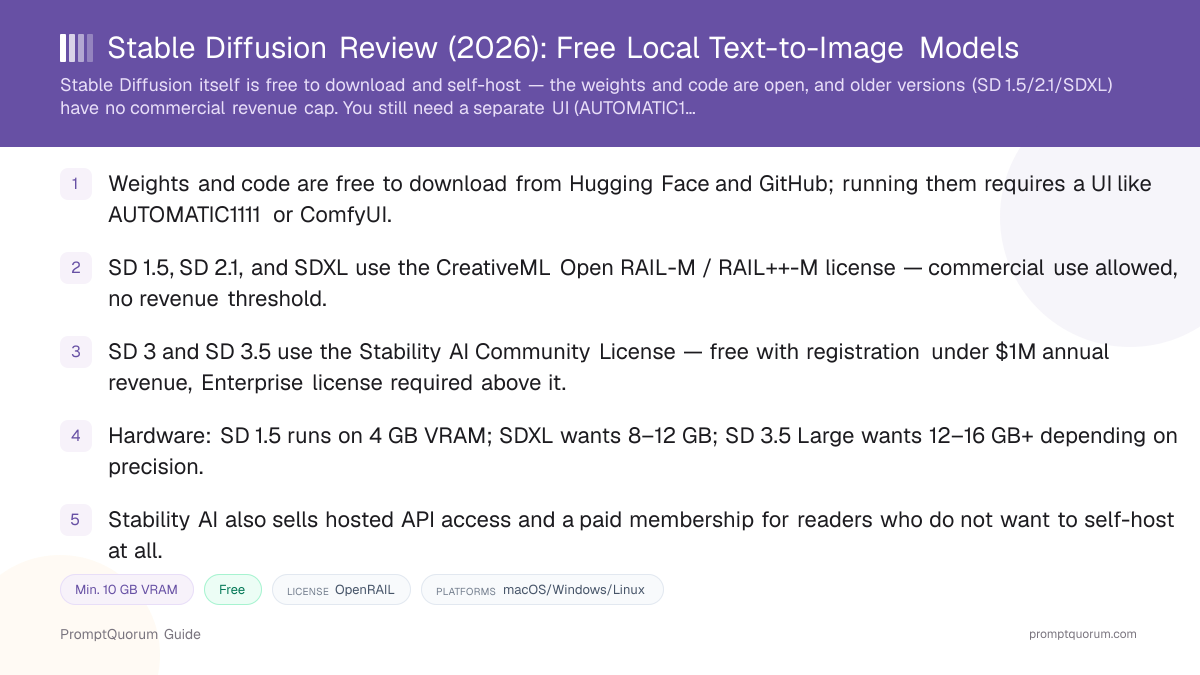
This distinction matters for anyone planning to use generated images in a commercial product. The older CreativeML Open RAIL-M / RAIL++-M license, used for SD 1.5, SD 2.1, and SDXL, permits commercial use with no revenue cap — its restrictions are use-based (no generating harmful, illegal, or dehumanizing content) rather than revenue-based, and any fine-tuned derivative must carry the same restrictions forward.
SD 3 and SD 3.5, by contrast, ship under the newer Stability AI Community License. Per the license text published on Hugging Face, commercial or organizational use requires registering with Stability AI, and if you or your affiliates generate more than $1,000,000 in aggregate annual revenue, the license granted under the agreement terminates and you must request an Enterprise license from Stability AI, which is granted at Stability AI's discretion with separately negotiated terms.
Non-commercial and research use of SD 3/3.5 does not require registration under the Community License. Separately, Stability AI also runs a membership program (Non-Commercial, Professional, Enterprise) for its hosted API and tools — that membership is a distinct commercial offering from the self-hosting license terms above, and terms for both can change, so confirm current wording directly on stability.ai before basing a business decision on it.
📍 In One Sentence
Stable Diffusion license terms depend on the version: SD 1.5/2.1/SDXL use the CreativeML Open RAIL-M license with no commercial revenue cap, while SD 3 and SD 3.5 use the Stability AI Community License, free only for organizations under $1M in annual revenue.
💬 In Plain Terms
Older Stable Diffusion versions are commercial-use-friendly with no strings attached besides content-misuse restrictions; the newest versions ask larger companies to pay for an Enterprise license.
SD 1.5, SD 2.1, SDXL 1.0
- License:
- CreativeML Open RAIL-M / RAIL++-M
- Commercial use:
- Allowed, no revenue threshold
- Key condition:
- Use-based restrictions ban generating harmful, illegal, or clearly misrepresentative content; downstream derivatives must carry the same restrictions
SD 3, SD 3.5 (all variants)
- License:
- Stability AI Community License
- Commercial use:
- Free under $1,000,000 annual revenue (aggregate, you and affiliates)
- Key condition:
- Must register with Stability AI for commercial use; licenses terminate once the $1M threshold is exceeded, requiring a separate Enterprise license
License terms are legal text, not marketing copy — this section summarizes publicly published terms as of 2026-09-05 but is not legal advice. Read the actual license file for the exact version you plan to use (e.g. the LICENSE.md on each model's Hugging Face page) before commercial deployment.
Hardware Requirements by Version
SD 1.5
- Minimum VRAM:
- 4 GB VRAM
- Comfortable VRAM:
- 8 GB VRAM
- Notes:
- Runs on most GPUs from the last decade; the largest checkpoint/LoRA ecosystem of any version
SDXL 1.0
- Minimum VRAM:
- 8 GB VRAM (with memory optimizations)
- Comfortable VRAM:
- 12–16 GB VRAM
- Notes:
- Designed for native 1024×1024 output; slower and heavier than SD 1.5 per image
SD 3.5 Medium
- Minimum VRAM:
- ~6 GB VRAM (FP16)
- Comfortable VRAM:
- 8–10 GB VRAM
- Notes:
- Smallest SD 3.5 variant (2.5B parameters), aimed at lower-VRAM hardware
SD 3.5 Large / Large Turbo
- Minimum VRAM:
- ~11 GB VRAM (FP8)
- Comfortable VRAM:
- 16 GB+ VRAM (FP16)
- Notes:
- 8B parameters; Large Turbo trades some quality for 4-step generation speed
Exact VRAM usage depends on resolution, batch size, precision (FP16 vs. FP8/quantized), and which UI and optimizations (e.g. attention slicing, model offloading) are enabled — treat these as planning ranges, not guarantees, and check the specific UI's documentation for current numbers.
Pricing: Free Self-Hosting vs. Stability AI Hosted Plans
Self-hosting Stable Diffusion is free — you pay only for your own hardware and electricity, under whichever license applies to your chosen version (see the license section above). There is no PromptQuorum-tracked fee for downloading and running the weights yourself, and no subscription is required for local, offline generation.
Stability AI separately sells hosted access for readers who do not want to run their own GPU: a Non-Commercial membership tier (free, for personal/research use), a Professional tier (a paid monthly membership enabling self-hosted commercial use and hosted-API access), and a custom-priced Enterprise tier for large organizations above the Community License's revenue threshold. Stability AI also offers pay-as-you-go API credits for on-demand generation without a subscription.
Stable Diffusion vs. Alternatives
Stable Diffusion (via AUTOMATIC1111/ComfyUI)
- Best for:
- Largest checkpoint/LoRA/ControlNet ecosystem, full local control
- Self-hostable:
- Yes — free, own GPU
- License / cost:
- RAIL-M (SD 1.5/2.1/SDXL, no cap) or Community License (SD 3/3.5, free under $1M revenue)
- Key trade-off:
- Requires a separate UI; newer versions add license registration for commercial use
FLUX (Black Forest Labs)
- Best for:
- Photorealism and prompt adherence out of the box
- Self-hostable:
- Yes — free, own GPU
- License / cost:
- FLUX.1 schnell is Apache 2.0 (unrestricted); FLUX dev/Kontext require a paid license for commercial use
- Key trade-off:
- Smaller community ecosystem than Stable Diffusion; license varies sharply by variant
Community SDXL checkpoints (Civitai-hosted forks like Pony Diffusion, Juggernaut XL)
- Best for:
- Style-specific results (anime, illustration, specific photorealism looks) without prompt engineering
- Self-hostable:
- Yes — same UIs as base Stable Diffusion
- License / cost:
- Varies per checkpoint — many inherit RAIL++-M terms, some add their own restrictions
- Key trade-off:
- Quality and licensing clarity vary by community author; verify each checkpoint's own license page
Midjourney
- Best for:
- Distinctive default aesthetic with minimal prompt effort, Discord/web workflow
- Self-hostable:
- No — cloud-only, subscription required
- License / cost:
- Paid subscription tiers
- Key trade-off:
- No local privacy or offline use; cannot self-host or fine-tune the base model
DALL-E 3 (via ChatGPT/API)
- Best for:
- Strong instruction-following for straightforward prompts, integrated with ChatGPT
- Self-hostable:
- No — cloud-only
- License / cost:
- Included in ChatGPT Plus/Pro or pay-as-you-go API
- Key trade-off:
- No offline use, no fine-tuning, no checkpoint ecosystem
Adobe Firefly
- Best for:
- Commercially-safe training-data guarantees for enterprise/creative teams
- Self-hostable:
- No — cloud-only
- License / cost:
- Subscription, bundled with Creative Cloud or standalone
- Key trade-off:
- No local control or self-hosting; trades flexibility for indemnification and Adobe app integration
This is a positioning summary, not a benchmark ranking — see Local AI Image Generation vs. Cloud for a deeper comparison of FLUX, SD 3.5, and Qwen-Image on license and VRAM specifics.
Who Should Use Stable Diffusion
- Reader who wants the largest local image-model ecosystem. No other open image model family has as many community checkpoints, LoRAs, and ControlNet integrations built around it.
- Reader comfortable installing a UI. If you are already willing to set up AUTOMATIC1111, ComfyUI, InvokeAI, or Fooocus, Stable Diffusion gives you the widest range of pretrained styles and fine-tunes to load into it.
- Reader who wants full local control and privacy. Once downloaded, generation happens entirely on your own GPU — no images or prompts leave your machine.
- Small business or individual under the $1M revenue threshold. Both the older RAIL-M-licensed versions and SD 3/3.5's Community License (with free registration) support commercial use without a subscription at this scale.
- Hobbyist or artist who wants to fine-tune a custom style. The size and maturity of the Stable Diffusion checkpoint and LoRA-training ecosystem makes it the most documented option for training a personal style model.
Who Should Not Use Stable Diffusion
- Reader who wants a one-click app with no setup. Stable Diffusion is weights and code, not an app — you must still install and configure a separate UI first. Readers who want zero setup should consider a cloud tool like Midjourney or DALL-E 3 instead.
- Reader on a low-VRAM machine without patience for optimization. SDXL and SD 3.5 Large want 8 GB+ and 12–16 GB+ VRAM respectively; readers on older or integrated GPUs may need quantized/optimized builds or should stick to SD 1.5, or use a cloud alternative.
- Organization above the $1M annual revenue threshold planning to use SD 3 or SD 3.5. The Community License requires an Enterprise license from Stability AI above that line — budget for that negotiation, or use an older RAIL-M-licensed version if it fits your use case.
- Reader who wants the single best out-of-the-box photorealism with the least prompt effort. Community reporting and side-by-side comparisons in 2026 generally rate FLUX ahead of base Stable Diffusion on photorealism and prompt adherence by default, though fine-tuned Stable Diffusion checkpoints can close much of that gap for specific styles.
- Enterprise team that needs indemnification against training-data claims. Stable Diffusion's training data draws on the public LAION-5B dataset; teams needing contractual indemnification for that risk should evaluate Adobe Firefly instead.
Frequently Asked Questions
Is Stable Diffusion free?
Yes, for self-hosting. The model weights and code are free to download from Hugging Face and GitHub, and running them on your own GPU costs nothing beyond your own hardware and electricity. Stability AI separately sells a hosted membership and pay-as-you-go API credits for readers who do not want to run their own GPU — check current tier names and pricing on stability.ai.
Do I need a special app to run Stable Diffusion?
Yes. Stable Diffusion is distributed as model weights and inference code, not as a standalone application. To actually type a prompt and generate an image, you need a separate front-end interface such as AUTOMATIC1111's Stable Diffusion WebUI, ComfyUI, InvokeAI, or Fooocus installed on your machine.
Can I use Stable Diffusion images commercially?
It depends on the version. Images generated with SD 1.5, SD 2.1, or SDXL fall under the CreativeML Open RAIL-M / RAIL++-M license, which permits commercial use with no revenue cap (subject to use-based content restrictions). Images generated with SD 3 or SD 3.5 fall under the Stability AI Community License, which requires registering with Stability AI for commercial use and is free only while your organization stays under $1,000,000 in aggregate annual revenue — above that, an Enterprise license from Stability AI is required.
Who created Stable Diffusion?
Stable Diffusion was first publicly released on August 22, 2022, as a joint effort between Stability AI (which funded the compute), the CompVis research group at LMU Munich led by Prof. Björn Ommer, and Runway ML. Robin Rombach and Patrick Esser were among the key researchers on the underlying latent-diffusion architecture. Training data for the original releases drew on subsets of the LAION-5B dataset assembled by the nonprofit LAION.
How much VRAM does Stable Diffusion need?
It depends on the version: SD 1.5 runs on as little as 4 GB VRAM, SDXL wants roughly 8–12 GB for comfortable use, SD 3.5 Medium needs around 6–10 GB, and SD 3.5 Large wants roughly 11 GB (FP8) to 16 GB+ (FP16). Exact usage varies by resolution, batch size, and which optimizations your chosen UI enables.
Where do I download Stable Diffusion?
Official model weights are published on Hugging Face under the stabilityai organization, and the original research code is on GitHub at stability-ai/stablediffusion and stability-ai/generative-models. You will separately need a UI like AUTOMATIC1111, ComfyUI, InvokeAI, or Fooocus to load and run the downloaded weights.
Is Stable Diffusion better than FLUX or Midjourney?
It depends on what you value. FLUX generally leads on out-of-the-box photorealism and prompt adherence as of 2026, and Midjourney is known for a distinctive default aesthetic with minimal prompt effort, but neither can be self-hosted on your own hardware. Stable Diffusion's advantage is the size of its open ecosystem — the largest number of community checkpoints, LoRA fine-tunes, and ControlNet tools of any local image model family — plus full local control and, for older versions, no commercial revenue cap.
What is the difference between SD 1.5, SDXL, and SD 3.5?
SD 1.5 (2022) is the smallest and lightest, with by far the largest community checkpoint ecosystem. SDXL (2023) is a larger base model built for sharper detail and native 1024×1024 output. SD 3.5 (2024) uses a newer multimodal diffusion transformer architecture with improved text rendering and prompt adherence, but switches to the Stability AI Community License instead of the older RAIL-M license used by 1.5, 2.1, and SDXL.
Can I fine-tune my own Stable Diffusion model?
Yes. Training LoRAs (lightweight style/subject fine-tunes) and full custom checkpoints on top of Stable Diffusion is one of the most documented workflows in the open-source image-generation community, supported by tools built specifically for this purpose. The resulting fine-tune inherits the license restrictions of the base model it was trained from.
Verdict
Stable Diffusion earns its place as the foundation of local, open-weights image generation — not because any single version is the best performer today, but because of the depth of the ecosystem built around it since 2022. Readers willing to install a UI like AUTOMATIC1111, ComfyUI, InvokeAI, or Fooocus get access to the largest library of community checkpoints, LoRA fine-tunes, and ControlNet tools of any local image model, plus full control over their own hardware and data. The trade-off is real: it is not a one-click app, hardware needs scale meaningfully by version, and the license shifted from the fully open CreativeML Open RAIL-M (SD 1.5/2.1/SDXL) to the revenue-gated Stability AI Community License (SD 3/3.5) — a distinction worth checking before any commercial deployment. Readers who want the single best out-of-the-box photorealism should also evaluate FLUX; readers who want zero setup should consider a cloud tool like Midjourney or Adobe Firefly instead. For anyone who wants to self-host image generation and benefit from the largest surrounding toolset, Stable Diffusion remains the reasonable starting point.
Sources
- Stability AI — Community License — official announcement and terms of the Stability AI Community License covering SD 3 and SD 3.5.
- Stability AI — official site — product pages, membership tiers, and current API pricing.
- Stable Diffusion 3.5 Large — LICENSE.md on Hugging Face — full legal text of the Community License, including the $1M revenue threshold.
- CreativeML Open RAIL-M License — CompVis/stable-diffusion GitHub — full legal text of the license covering SD 1.x and SD 2.x.
- Stability AI models on Hugging Face — official weights for all Stable Diffusion versions.
- stability-ai/stablediffusion on GitHub — original research code repository.
- stability-ai/generative-models on GitHub — Stability AI's current generative model codebase, including SD 3.x.