What Is Hillnote?
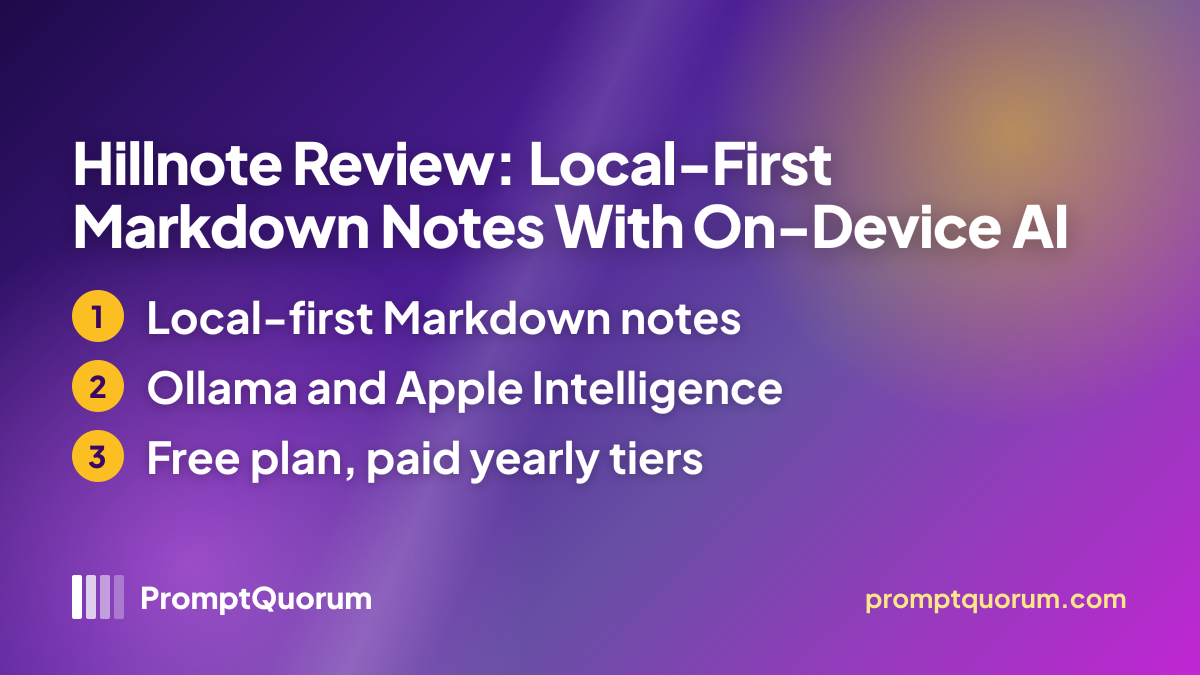
Hillnote is a workspace app for writing, planning and collecting ideas, built on plain Markdown files that stay on your device. The App Store lists it as "HillNote" in the Productivity category from the seller Rajath Bail, and the first iPhone release dates from 16 June 2026; the site and the apps write the name "Hillnote".
The maker describes it as made for builders, makers, writers and small teams: a Markdown editor, quick notes, built-in chat that reads and edits your files, small HTML tools you can pin as widgets, and a free sync tier across phone and desktop.
Get It
Hillnote is free to download on Mac, Windows, iPhone, iPad and Android; the desktop installers are hosted on GitHub, not on the maker's own server.
Option | How to get it |
|---|---|
| Mac | Hillnote on GitHub Releases, Apple-silicon .dmg or .zip |
| Windows | Hillnote on GitHub Releases, Setup .exe |
| iPhone and iPad | Hillnote on the App Store, free with in-app purchases |
| Android | Hillnote on Google Play |
| Plans | Free $0; Plus $20 per year; Pro $200 per year (US dollars on the maker's site) |
| Add-ons | 110,000 extra credits $10 once; 1 GB extra synced storage $10 per year |
| Website | hillnote.com |
| Privacy policy | hillnote.com/privacy |
| Source code | No source code found; the GitHub repository holds a README only |
Version reviewed: desktop 0.43.15 (30 October 2026, GitHub). The App Store lists 0.33.46 (29 October 2026) and Google Play shows 0.33.47 (29 October 2026); phone and desktop use separate version numbers, and the Mac download is an Apple-silicon build. The website quotes prices in US dollars only, and in-app prices on individual store storefronts were not checked.
Requirements
The App Store lists iOS or iPadOS 16.0 as the minimum; the sources name no minimum for Mac or Windows.
Desktop
- What the sources say:
- Mac: Apple-silicon .dmg or .zip; Windows: Setup .exe
iPhone and iPad
- What the sources say:
- iOS or iPadOS 16.0 or later, per the App Store
Offline models on iPhone
- What the sources say:
- Gemma 3 or Qwen3 downloads need iOS 26 or later; an in-app check tests memory, storage and speed
Local AI on desktop
- What the sources say:
- A local Ollama install or Apple Intelligence, per the pricing page
Account
- What the sources say:
- Not needed for local use, per the maker; sync collects an email address for sign-in
No RAM, VRAM or disk figures are given for local models on the desktop.
How to Get Started
The steps follow the maker's own description; PromptQuorum has not run them.
- 1Install the app
Why it matters: Download the Mac or Windows installer from GitHub Releases, or the phone app from the App Store or Google Play. - 2Open the onboarding workspace
Why it matters: The maker's docs say the app creates an onboarding workspace that takes about two minutes to work through. - 3Choose where AI runs
Why it matters: Use a local model through Ollama or Apple Intelligence, let the automatic mode hand harder tasks to a cloud model, or add your own API key on Plus and Pro. - 4Decide on sync
Why it matters: Sync is off by default; switch it on per workspace if you want the same notes on every device.
Features Confirmed by the Sources
Every item below comes from the maker's site, the store listings or the privacy policy; none has been independently tested.
- Markdown on disk. Notes are standard Markdown files in a folder you choose, with links between documents, a document registry and side-by-side previews of web pages and PDFs.
- Local and cloud AI. Inline edits and quick tasks use Ollama or Apple Intelligence on the device; an automatic mode hands harder tasks to Claude, GPT and other frontier models.
- Chat with your files. Built-in chat reads your own files, edits them and creates new ones, according to the App Store description.
- Connections to other AI tools. Claude, ChatGPT, Codex, Cursor and others connect through local or cloud MCP.
- Paid extras. Publishing a workspace (Plus: one, Pro: up to six, with custom domains on Pro), routines (Plus: up to three, Pro: up to five) and bring-your-own API keys.
Data Flow and Privacy
The privacy policy says local data is not collected: documents, edit history and settings stay on your disk until you turn on a feature that sends them. With sync off, the policy states that Hillnote does not collect your document content or editing behaviour at all. With sync on, it lists your email address for sign-in, an optional display name, sync and activity metadata, collaboration roles, published content and billing status.
Synced workspaces are stored on AWS. Notes without a password are readable by the service, which is what makes search, AI, routines and publishing possible; password-protected notes are encrypted on your device and the policy says the key never reaches Hillnote's servers. Premium AI use is optional: the policy says queries and content go to the model provider's servers (OpenAI, Claude or Gemini), and those providers may use them under their own policies. The website uses Google Analytics, the policy names no advertising SDKs, and crash logs are analysed only with opt-in consent.
📌Note: These are the maker's declarations, not audit results, and the app's source code is not published. PromptQuorum has not inspected network traffic. The policy names no postal address and is governed by Indian law, with disputes before the courts in Bangalore.
Who Should Use It
- Markdown note-takers who want files they can open in any editor and keep on their own disk.
- Ollama users who want an assistant that edits their notes with a model already on their computer.
- People who work with Claude, ChatGPT or Cursor and want those tools to read and edit the same notes.
What We Could Not Verify
- Performance. Speed, memory use, battery drain and the quality of local-model answers are untested.
- Licence and source. No licence is stated, and the GitHub repository holds a README and release downloads, not source code.
- Mobile versus desktop. The phone apps and the desktop app use separate version numbers, and the sources do not say whether their features match.
- Offline scope. Which AI features work with no internet beyond the local-model path is not documented.
- Company. The relationship to the Colloqi link in the site footer, and the legal entity behind the app, are not explained.
Competitors and Alternatives
Logseq
- Platforms:
- Mac, Windows, Linux, iPhone, Android, web
- Price / license:
- Free / AGPL-3.0
- Key difference:
- Open-source outliner; AI only through an optional MCP server
Articles about Logseq (7)
- Logseq Review: Open-Source Outliner With Local-First NotesUpdated October 24, 2026
- Logseq and Joplin With Local LLMs: Smart Notes Without Cloud Sync (2026)Updated October 19, 2026
- Local Knowledge & Retrieval Tools Compared (2026): RAG, Document Chat, Vector Databases, Notes and SearchUpdated September 20, 2026
- SiYuan Review: The Privacy-First, Block-Based Knowledge BaseUpdated September 18, 2026
- Copilot for Obsidian Review: Local-Model AI Agent for Your VaultUpdated September 12, 2026
- logseq-copilot Review: Local-Model AI Chat Inside LogseqUpdated September 12, 2026
- AI Note-Taking Plugins for Obsidian and Logseq, ComparedUpdated September 5, 2026
Also mentioned in:
- Blinko Review: Self-Hosted AI Notes with RAG SearchUpdated September 19, 2026
- BMO Chatbot Review: Lightweight Local AI Sidebar for ObsidianUpdated September 12, 2026
- Smart Connections Review: Local Semantic Search for ObsidianUpdated September 12, 2026
+1 more not shown
Tolaria
- Platforms:
- Mac, Windows, Linux
- Price / license:
- Free / AGPL-3.0-or-later
- Key difference:
- Markdown files in a Git-backed vault
Articles about Tolaria (1)
- Tolaria Review: Open-Source Markdown Notes with Git and AI AgentsUpdated October 24, 2026
SiYuan
- Platforms:
- Mac, Windows, Linux, iPhone, Android
- Price / license:
- Free + paid sync / AGPL-3.0
- Key difference:
- Self-hosted, block-level references, built-in AI agent
Articles about SiYuan (1)
- SiYuan Review: The Privacy-First, Block-Based Knowledge BaseUpdated September 18, 2026
Also mentioned in:
Confirm each app's current price, license and platforms on its own page before choosing.
Frequently Asked Questions
Is there a Linux or Intel Mac version of Hillnote?
The download page title mentions Linux, but it links only to the GitHub release (an Apple-silicon Mac build and a Windows installer) and the two phone stores. No Linux or Intel Mac file was found.
Which local models does Hillnote use?
The pricing page names Ollama and Apple Intelligence for inline edits and quick tasks. The App Store notes add a built-in offline model on iPhone plus downloadable Gemma 3 or Qwen3 on iOS 26 or later; no model list is given for the desktop.
How do premium model credits work?
Free and Plus include 10,000 credits a month and Pro 50,000 a week; a pack of 110,000 extra credits costs $10 once. The pricing page does not say how many credits one request uses.
Which version does the GitHub README describe?
The README says "Currently: v0.40.9", but the latest release is 0.43.15, so the README is out of date; this review uses the release.
Verdict
Hillnote offers plain Markdown notes on your own disk, local AI through Ollama and Apple Intelligence, optional cloud models and sync, and it shipped five releases between 22 and 30 October 2026. Against that, no licence is stated, the GitHub repository publishes no source code, the App Store seller is an individual with an unexplained company link, and speed and answer quality are untested. It suits people who want Markdown files with optional AI and can start on the free plan; anyone who needs audited privacy claims should treat the policy as a declaration, not proof.
Sources
- Hillnote download page — platforms and download links, checked 1 November 2026.
- Hillnote pricing — plans, credits and local AI runtimes, checked 1 November 2026.
- Hillnote privacy policy — data collection, sync and AI data flow, checked 1 November 2026.
- Hillnote security page — encryption and sync defaults, checked 1 November 2026.
- Hillnote on GitHub — README, releases and assets, checked 1 November 2026.
- Hillnote on the App Store — description, version history and requirements, checked 1 November 2026.
- Hillnote on Google Play — listing and update date, checked 1 November 2026.