What Is Home-Gallery?
Home-Gallery is a self-hosted gallery for photos and videos that stay in your own folders. The README says its author keeps media on a NAS at home, wants the gallery close to that source, and found that cloud services did not cover their privacy concerns.
It is aimed at what the README calls computer-savvy users who solve their own problems, and it names one user only, with all files served, as a design target. A small web server reads your media folders; you use it through a browser or an installable web app.
Get It
Home-Gallery is delivered as a prebuilt command-line binary for Linux, macOS and Windows (x64 builds) or as a Docker image; there is no double-click installer or app-store listing.
Option | How to get it |
|---|---|
| Linux binary | home-gallery-latest-linux-x64, then make it executable |
| macOS binary | home-gallery-latest-darwin-x64 (x64 build) |
| Windows binary | home-gallery-latest-win-x64.exe |
| Docker | xemle/home-gallery on Docker Hub; install guide covers compose |
| Documentation | home-gallery.org/docs |
| Website | home-gallery.org (demo gallery linked there) |
| Source code | github.com/xemle/home-gallery (MIT) |
| All builds | dl.home-gallery.org/dist lists every version and unstable builds |
Version reviewed: v1.21.0, dated 1 March 2026 on the download index and its git tag; the repository has no GitHub Releases, and its last push on 13 October 2026 is unreleased work listed under Unreleased in the changelog. Installing needs a terminal. Per the binary guide, the first start is slow, and macOS or Windows security software may block the app until you allow it. No separate privacy-policy page was found on the project site or in the documentation read; privacy statements are in the README and the API server page.
How to Get Started
These steps follow the project's README and documentation; PromptQuorum has not run them.
- 1Download the binary or pull the image
Why it matters: Fetch the build for your system from the download index, make it executable on Linux or macOS, or use the Docker quickstart from the README. - 2Initialise the configuration with your photo folder
Why it matters: The init command takes one or more media source folders and writes gallery.config.yml in the current directory. - 3Start the server and open the gallery
Why it matters: Run the server command and open localhost:3000 in a browser; your media import while the page is open. - 4Decide where the AI step runs
Why it matters: Keep the public API default, point the gallery at your own API server, or switch the AI features off in the configuration.
Key Features
Every item below comes from the project's website, README or documentation; none has been tested by PromptQuorum.
- Browse. A web gallery for photos and videos that is described as mobile-friendly and is listed as installable (PWA) on the website.
- Tag. Single-image and multi-image tagging.
- Discover. Similar-image search that can find sunsets, food or buildings without manual tags, object detection, face detection and a search for similar faces.
- Combine sources. Several media source folders, such as a hard drive, camera files and phone files, are served in one gallery.
Data Flow and Privacy
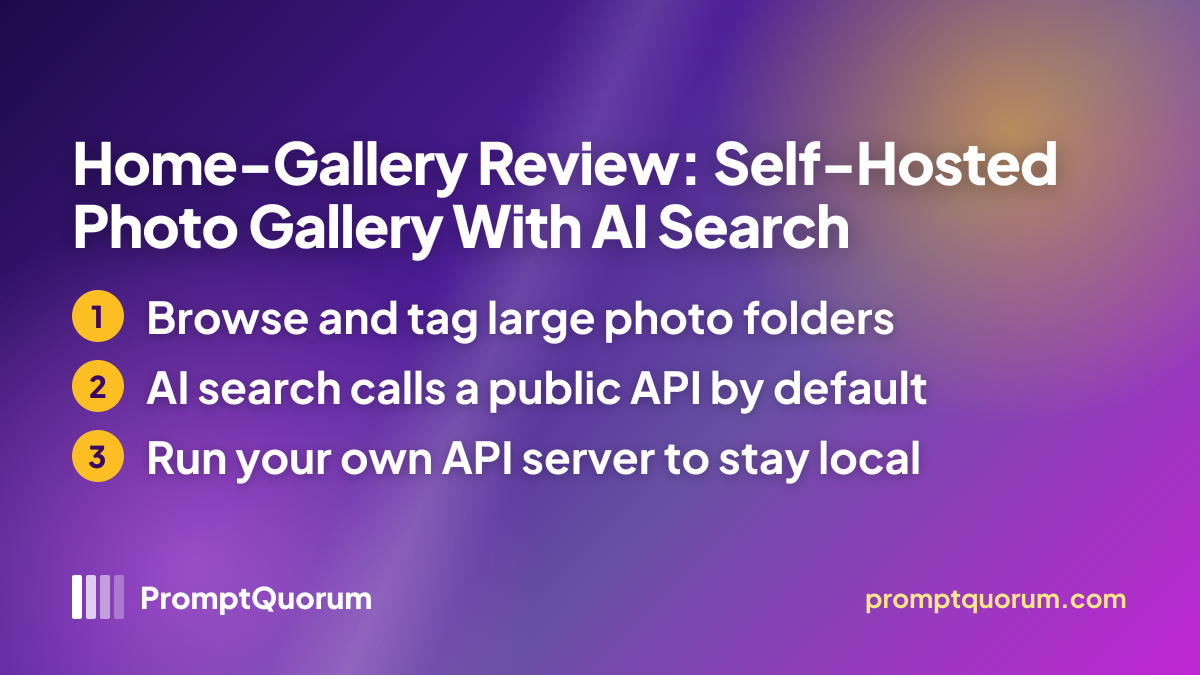
By default, similar-image search, object detection and face recognition use the project's public API at api.home-gallery.org, and the README says all preview images are sent to it. It adds that no images or privacy data are kept; that is the project's statement and PromptQuorum could not check it. The README adds that this public API supports low-powered devices such as the Raspberry Pi.
The API server can instead run locally, as a Docker container, and the gallery configuration can point to it or switch each AI feature off. That makes Home-Gallery hybrid out of the box and local once you host the API server yourself. For reverse geocoding the gallery queries OpenStreetMap's Nominatim service and, per the README, transmits only geo coordinates. The configuration page documents login users, access rules and a default listening address of 0.0.0.0 on port 3000, and does not say whether sign-in is required out of the box.
📌Note: These are the project's statements and PromptQuorum's reading of its documentation. Network traffic was not inspected and the source code was not audited.
Who Should Use It
- Self-hosters with a NAS or home server who want their existing photo and video folders served in a browser without a cloud account.
- Owners of very large archives who want everything searchable in one gallery and can accept the whole index loading in the browser.
- Privacy-minded users who can run Docker and are willing to host the API server themselves.
What We Could Not Verify
- AI quality and models. The API server page names no models, and search relevance, face recognition and speed were not tested.
- Hardware needs. The documentation read gives no RAM or CPU minimum, for the gallery or for a self-hosted API server.
- Fully local operation. Running with a self-hosted API server and no internet was not tested.
- Apple Silicon. Only an x64 macOS build is listed; whether it runs on newer Macs is not stated.
- Release cadence. The newest tag is from March 2026, while newer work sits under Unreleased in the changelog.
- Install steps. The setup steps come from the documentation and were not run by PromptQuorum.
Competitors and Alternatives
The directory has three other reviewed photo library tools in the same segment.
Immich
- Platforms:
- Server (Docker), iOS, Android, browser
- Price / license:
- Free / AGPL-3.0
- Key difference:
- Phone apps with backup and on-server smart search; no native Home-Gallery app was found, only a web app
Articles about Immich (1)
- Immich Review: Self-Hosted Photo Library with Smart SearchUpdated October 26, 2026
Also mentioned in:
- Facet Review: Local Photo Scoring, Culling and GalleryUpdated October 28, 2026
PhotoPrism
- Platforms:
- Server (Docker), browser
- Price / license:
- Free Community / AGPL-3.0
- Key difference:
- Built-in AI labels and faces run on your server per its review, while Home-Gallery hands that step to an API server
Articles about PhotoPrism (1)
- PhotoPrism Review: Self-Hosted AI Photo Library for Your ServerUpdated October 24, 2026
Facet
- Platforms:
- Docker or script, browser
- Price / license:
- Free / MIT
- Key difference:
- Scores and culls photos on your own machine; Home-Gallery focuses on browsing, tagging and discovery
Articles about Facet (1)
- Facet Review: Local Photo Scoring, Culling and GalleryUpdated October 28, 2026
Confirm each app's current price, license and platforms on its own page.
Frequently Asked Questions
How do I keep the AI step on my own machine?
Run the xemle/home-gallery-api-server Docker image (amd64 and arm64) and set extractor.apiServer.url in gallery.config.yml to its address; the documentation shows an example on port 3001. Features can also be switched off with extractor.apiServer.disable, which accepts similarDetection, objectDetection and faceDetection.
Can I use Home-Gallery from my phone?
The README lists viewing your own media from a mobile phone as a goal, and the website lists a PWA. No native phone app was found.
Does it support several users?
The README names one user as its target, while the configuration page describes users, access rules and per-user filters. PromptQuorum did not test multi-user setups.
How do I update it?
The binary guide says to stop the server, replace the binary and run the import command before starting the server again.
Verdict
Home-Gallery is a free, MIT-licensed way to serve a large photo and video archive from your own server with tagging and AI-based discovery. Against that, setup needs a terminal, the AI features send preview images to the project's public API unless you host the API server, the newest tagged version dates from March 2026, and none of the AI quality claims could be checked here. It suits self-hosters who are comfortable with Docker or a command line; anyone who wants a double-click app or fully offline AI out of the box should look elsewhere.
Sources
- Home-Gallery website — overview, platforms and documentation links, checked 30 October 2026.
- Home-Gallery README — motivation, quick start, limits and the external services and privacy section, checked 30 October 2026.
- API server documentation — public API and local Docker setup, checked 30 October 2026.
- Configuration documentation — server, authentication and extractor settings, checked 30 October 2026.
- Binary installation guide — platforms, first start and upgrade notes, checked 30 October 2026.
- Home-Gallery on GitHub — tags, changelog and commit activity, checked 30 October 2026.