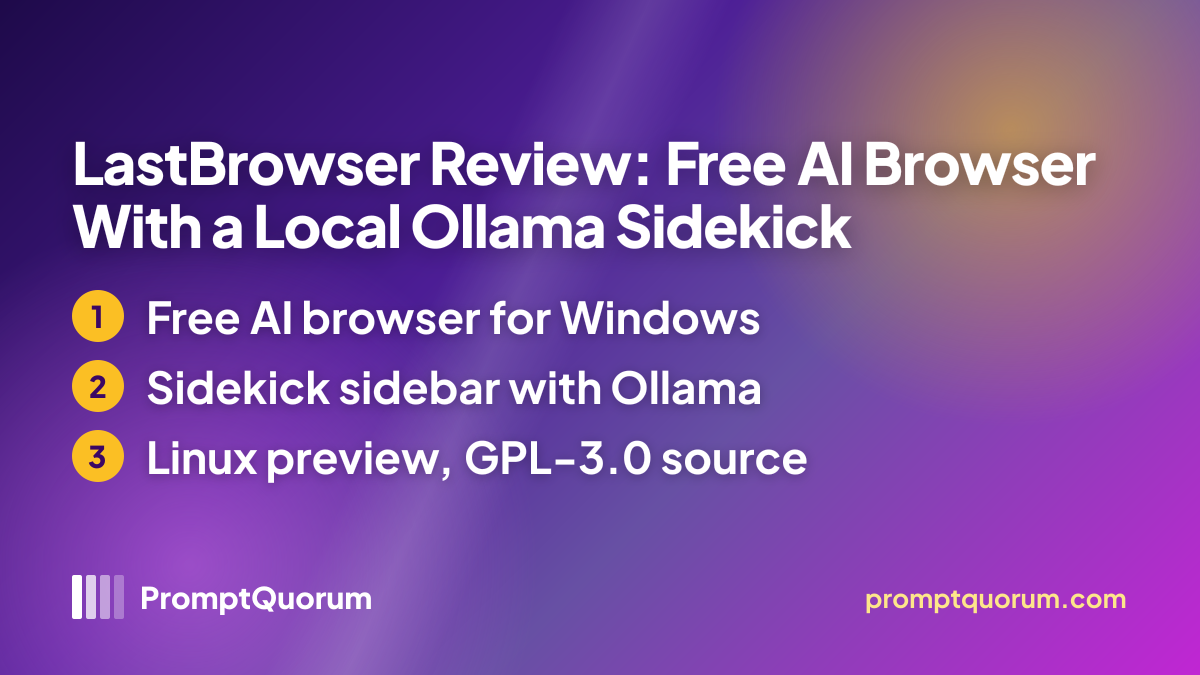
What Is LastBrowser?
LastBrowser is an Electron-based desktop browser with an AI assistant, Sidekick, integrated as a sidebar rather than added as an extension. The GitHub repository describes it as a Windows desktop browser built with Electron, React and TypeScript plus a local Python backend that runs Sidekick; the README calls it Windows-first.
The maker presents Sidekick with three personas (pragmatic, researching and developer), a terminal feature and workspaces called Spaces, and lists a comparison against Chrome, Edge, Brave and Arc; those comparisons are marketing claims that PromptQuorum has not verified. The project is published as "LastBrowser Project" and the repository was created on 18 September 2026.
Get It
LastBrowser is a free download for Windows, with a Linux preview build; the files are hosted on GitHub Releases and linked from the download page.
Option | How to get it |
|---|---|
| Windows | LastBrowser downloads, x64 Setup installer or portable .exe |
| Linux (preview) | LastBrowser on GitHub Releases, x86_64 AppImage or .tar.gz |
| Mac | Not available; the site says a version is being developed |
| Phone | No mobile version is listed |
| Price | Free for personal use, education and research; paid licence for commercial use |
| Website | lastbrowser.com |
| Privacy policy | Privacy policy |
| Source code | GitHub, GPL-3.0 |
Version reviewed: 0.1.60 beta (26 October 2026). The release notes say the Windows installer and portable build are signed with a Certum certificate and list checksums in a SHA256SUMS file; the Linux build is new in this release. The download page also explains how to proceed if Windows SmartScreen warns about a new release.
Requirements
The sources give no minimum RAM, disk or CPU figures for the browser itself.
Windows
- What the sources say:
- Windows 10 and 11, 64-bit; Setup installer (about 320 MB) or portable .exe
Linux
- What the sources say:
- x86_64 AppImage or tar.gz, labelled preview; run
chmod +xon the AppImage, then start it
Local AI
- What the sources say:
- A separate Ollama installation and a model you choose; no model size or hardware figures are given
Account
- What the sources say:
- None; the site states no account and no registration
Hardware needs for local answers depend on the Ollama model you pick, not on the browser.
How to Get Started
The steps follow the maker's pages; PromptQuorum has not run them.
- 1Install the browser
Why it matters: Download the Windows Setup or portable build from the download page, or the Linux AppImage, and verify it against the published checksums if you want to. - 2Install Ollama and a model
Why it matters: For local answers, install Ollama separately and pull a model; the browser does not include one. - 3Choose a provider in Sidekick
Why it matters: Point Sidekick at your local Ollama endpoint, or enter credentials for a cloud provider if you accept that task context leaves your machine. - 4Keep an eye on updates
Why it matters: The download page describes automatic background updates for the Setup installer, and releases arrive every few days at this stage.
Features Confirmed by the Sources
Every item below comes from the maker's site, release notes or repository; none has been independently tested.
- Sidekick sidebar. An AI assistant built into the browser, with selectable personas and configurable AI providers or local Ollama models.
- No account. The site and privacy policy state there is no registration, no sync service and no central profile storage.
- Local profile data. Browsing history, tabs and saved passwords are stored on the PC in the LastBrowser folder under AppData, protected with Windows DPAPI according to the site.
- Open source. The source code is public on GitHub under GPL-3.0.
- Frequent releases. Versions 0.1.55 to 0.1.60 appeared between 12 and 26 October 2026.
Data Flow and Privacy
The maker states that the browser contains no Google Analytics code, tracking pixels or advertising IDs, and that no IP addresses or hardware fingerprints are sent to its servers. There is no account, and the privacy policy says LastBrowser runs no central service for synchronising profiles. Profiles, browser history and API keys are stored locally, with the keys encrypted through Windows DPAPI according to the download page FAQ.
The privacy policy says inference with Ollama on your own machine is local. A remotely reachable Ollama endpoint or a cloud model can process requests outside your computer. For Ollama Cloud and external AI providers, your requests and the context provided for the task, such as selected tab content, are sent to the provider you chose, and a deletion in LastBrowser does not undo what a provider has already received. The policy states plainly that a cloud connection is not offline processing.
📌Note: These are the maker's statements, not audit results, and PromptQuorum has not inspected network traffic. The privacy policy shows no last-updated date and does not mention update checks, although the download page describes automatic background updates.
Who Should Use It
- Windows users with Ollama who want an AI assistant inside the browser instead of a separate chat window.
- Open-source followers who want a public GPL-3.0 codebase and are happy to follow a fast-moving beta.
- Early adopters who accept that a project created in September 2026 may change quickly.
What We Could Not Verify
- Performance and stability. Speed, memory use, crashes and Sidekick answer quality with local models are untested.
- Default page access. The privacy policy says selected tab content is sent to the chosen provider; how much of a page Sidekick can read by default was not tested.
- Linux. The Linux build is a preview that first appeared in version 0.1.60; it was not run.
- Licence terms. The source is GPL-3.0, while commercial use needs a paid licence; the sources we read do not explain how the two fit together, and no prices are published.
- Operator details. The imprint lists "LastBrowser Project" with a contact person and no street address, legal form or register number.
- Browser security. Update speed for Chromium security fixes and the effect of the early beta status were not assessed.
Competitors and Alternatives
Page Assist
- Platforms:
- Chrome and Firefox extension
- Price / license:
- Free / MIT
- Key difference:
- Sidebar extension for the browser you already use; works with Ollama
Articles about Page Assist (5)
- Page Assist Review 2026: Browser Sidebar for Local AI ModelsUpdated November 3, 2026
- LobeChat vs Big-AGI vs NextChat vs Page Assist vs Chatbox: 2026 ComparisonUpdated November 6, 2026
- Best Local LLM Frontends & Chat UIs in 2026: Open WebUI, Enchanted UI, and MoreUpdated October 31, 2026
- Local Chat Apps & Assistants Compared (2026): Desktop, Mobile, Self-Hosted, Assistants and RoleplayUpdated September 20, 2026
- Chatbox Review 2026: Cross-Platform AI Chat Client for Desktop, Web, and MobileUpdated September 11, 2026
Sidekick for macOS
- Platforms:
- Mac (Apple silicon)
- Price / license:
- Free / MIT
- Key difference:
- Unrelated native macOS chat app with built-in local inference; not a browser
Confirm each app's current price, license and platforms on its own page before choosing.
Frequently Asked Questions
Does LastBrowser work on Linux?
A Linux x86_64 build (AppImage and tar.gz) is offered as a preview and first appeared in version 0.1.60 on 26 October 2026. The main target is Windows 10 and 11, and there is no macOS version yet.
Is LastBrowser free for commercial use?
No. The site says LastBrowser is free for personal use, education and research, and that commercial use in companies needs a paid licence. No prices are published; the enterprise page points to contacting the project.
Is LastBrowser's Sidekick the same as the macOS app Sidekick?
No. They are unrelated products with the same name. LastBrowser's Sidekick is a sidebar assistant inside a Windows browser; the macOS Sidekick is a native chat app with built-in local inference.
Does Sidekick send my browsing data to the cloud?
Only if you pick a cloud or remote provider. The privacy policy says requests and task context, such as selected tab content, go to that provider; with Ollama on your own machine inference stays local.
How often is LastBrowser released?
The GitHub releases show versions 0.1.55 on 12 October, 0.1.56 on 13 October, 0.1.58 on 17 October, 0.1.59 on 22 October and 0.1.60 on 26 October 2026, so releases arrive every few days.
Verdict
LastBrowser offers a free desktop browser for Windows with a Linux preview and a built-in Sidekick sidebar that can use local Ollama models, an open GPL-3.0 codebase and no account. Against that, the project is only weeks old and in beta, the Linux build is a preview, commercial use needs a paid licence with unpublished prices, the privacy policy sends task context to any cloud provider you pick, and speed, stability and answer quality are untested. It suits Windows users who already run Ollama and want to try an AI browser; anyone who needs a mature, audited browser should treat the documentation as a declaration, not proof.
Sources
- LastBrowser website — features, platforms, price and Sidekick summary, checked 6 November 2026.
- LastBrowser download page — builds, version, signing and FAQ, checked 6 November 2026.
- LastBrowser privacy policy — telemetry statement and data flow per provider type, checked 6 November 2026.
- LastBrowser features page — Ollama support and status of built-in local inference, checked 6 November 2026.
- LastBrowser enterprise page — community and commercial plans, checked 6 November 2026.
- LastBrowser imprint — operator details and licence statement, checked 6 November 2026.
- LastBrowser on GitHub — releases, assets, release notes and licence, checked 6 November 2026.