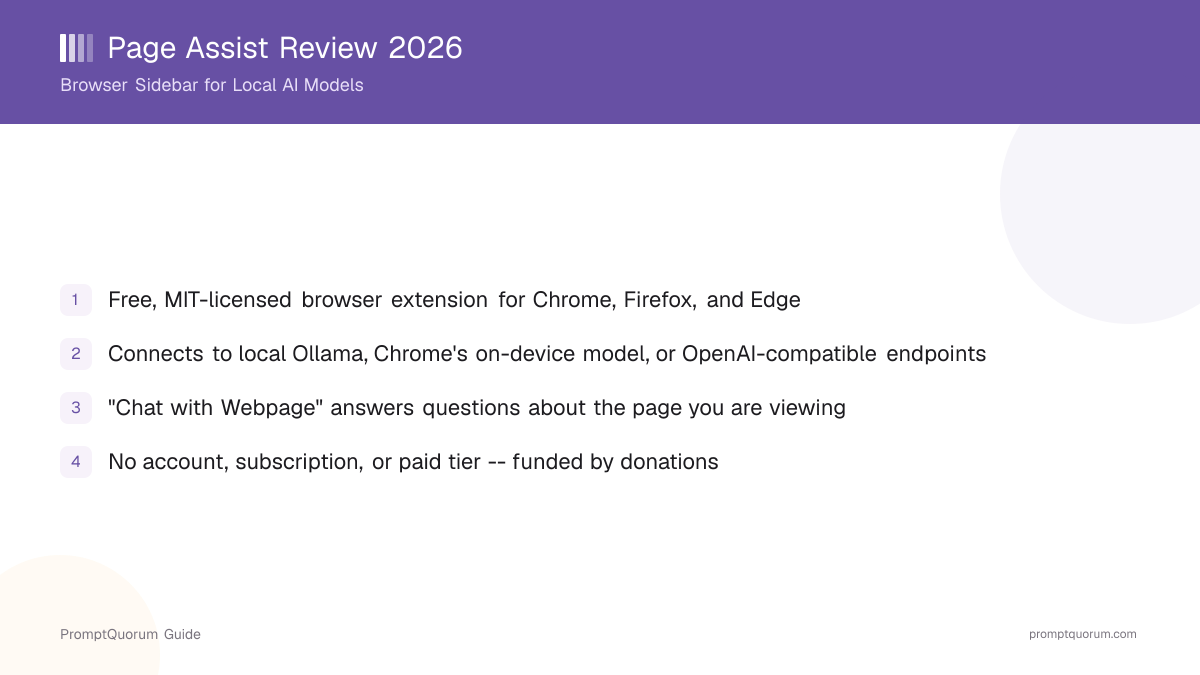
Quick Facts: Page Assist
- License: Plain MIT -- fully open source, free to install, modify, and redistribute, with no separate commercial license required
- Platforms: Browser extension for Chrome, Brave, Firefox, Edge, Vivaldi, LibreWolf, and Zen Browser (full support); Opera and Arc (web UI only)
- GitHub: github.com/n4ze3m/page-assist -- 8,200+ stars as of September 2026
- Chrome Web Store: 300,000+ users, 4.8/5 rating (244 ratings)
- Firefox Add-ons: 9,300+ users, 4.7/5 rating (76 reviews)
- Maintainer: An independent developer known as n4ze3m (Muhammed Nazeem)
- Cost: Free, no account or subscription; funded via Ko-fi donations and GitHub Sponsors
- Core function: Browser sidebar and web UI for chatting with local AI models and the page you are currently viewing
What Is Page Assist?
Page Assist is a free, open-source browser extension that turns your browser into a chat window for a local AI model, without installing a separate app or deploying a server. You install it from the Chrome Web Store, Firefox Add-ons, or Microsoft Edge Add-ons, the same way you would install any other browser extension.
It does not run models itself. Instead, it is a front end that talks to whichever backend you connect: a local Ollama server on the same machine, Chrome's built-in on-device model (Gemini Nano), or any OpenAI-compatible endpoint such as LM Studio or llamafile.
What sets Page Assist apart from a self-hosted chat interface is that it lives inside the browser you already use, opening as a sidebar (via a keyboard shortcut or the extension icon) or as a dedicated web UI in a new tab. Its defining feature is "Chat with Webpage" -- open the sidebar on any page and ask a connected model questions about that page's content, without copying or pasting text yourself.
History and Development
Page Assist is built and maintained by an independent developer known as n4ze3m (Muhammed Nazeem), rather than a company, and the project is distributed entirely as an open-source browser extension rather than a hosted product.
The project's GitHub history shows it grew from a simple sidebar chat panel into a broader local-AI toolkit for the browser, adding support for more model backends over time -- OpenAI-compatible endpoints and Chrome's built-in on-device model joined the original Ollama-only integration, alongside "Chat with Webpage," vision-model image input, and PDF and document chat.
A significant point for anyone evaluating Page Assist commercially is the license. It ships under the plain MIT license, with no separate commercial-distribution clause -- you can install, modify, and redistribute it, including commercially, without contacting the maintainer for a separate license. The project has no company behind it and no venture funding; it is supported through Ko-fi donations and GitHub Sponsors, with Atlas Cloud, a hosted multi-model API provider, listed as a sponsor.
What Can You Actually Do With Page Assist?
- Chat with a local Ollama model from a sidebar in any browser tab. Open the sidebar with the default keyboard shortcut (Ctrl+Shift+Y) or the extension icon, pick a model Page Assist auto-detects from your local Ollama server, and start chatting.
- Ask questions about the page you are currently viewing. "Chat with Webpage" reads the content of the open tab and lets a connected model answer questions about it, without you copying or pasting text.
- Use a dedicated web UI in a new tab. The default keyboard shortcut (Ctrl+Shift+L) opens a full-tab chatbot-style interface, separate from the sidebar, for longer conversations.
- Connect to Chrome's built-in on-device model. Page Assist supports Chrome's Gemini Nano on-device model directly, in addition to a local Ollama server or any OpenAI-compatible endpoint such as LM Studio.
- Chat with PDFs and documents. Upload a PDF or supported document file and ask a connected model questions about its content, alongside the page-reading feature.
- Send images to a vision model. If the connected model supports vision (image input), Page Assist lets you attach an image to a message.
- Search the internet from within a chat. Page Assist includes an internet-search integration a connected model can use to answer questions that need current information.
- Customize the keyboard shortcuts. The default sidebar and web UI shortcuts can be changed in the extension's settings.
Get Page Assist: Chrome, Firefox, and Edge
Page Assist is a genuine downloadable browser extension, not a self-hosted app -- install it directly from your browser's official extension store. These links come from the GitHub repository README:
Browser | Install |
|---|---|
| Chrome / Brave / Vivaldi | Chrome Web Store |
| Firefox / LibreWolf / Zen Browser | Firefox Add-ons |
| Microsoft Edge | Edge Add-ons |
| Opera / Arc (web UI only) | Sideload from GitHub source |
After installing, install Ollama on the same machine and pull at least one model (for example, `ollama pull llama3.2`) so Page Assist has a local backend to connect to. For browsers without an official store listing, the GitHub repository documents how to build the extension from source and load it unpacked (sideload).
Pricing: Free, Donation-Funded
Page Assist has no paid tier at all -- it is free to install and use, with the project supported entirely through voluntary donations rather than a subscription or license fee.
- Free (all features): Every feature -- the sidebar, web UI, Chat with Webpage, PDF and document chat, vision support, and internet search -- is available at no cost, with no account or sign-in required.
- No self-serve paid tier: Unlike some competing chat interfaces, Page Assist has no subscription, usage limit, or premium feature gate. You provide your own model backend (local Ollama, Chrome's built-in model, or an OpenAI-compatible endpoint), which you pay for or run separately.
- Funded by donations: The project accepts Ko-fi donations and GitHub Sponsors. Atlas Cloud, a hosted multi-model API provider, is listed as a sponsor on the GitHub repository.
- No evidence of an affiliate or referral program for Page Assist as of September 2026.
Page Assist vs LobeChat vs Big-AGI vs NextChat vs Open WebUI: Which One?
All five are chat interfaces for models you connect yourself, but Page Assist is the only one that runs as a browser extension rather than a self-hosted server or desktop app.
Tool | Best for | Deployment | Deploy speed | License |
|---|---|---|---|---|
| Page Assist | Chatting with local models and the current webpage, no server | Browser extension (Chrome, Firefox, Edge) | One-click install from extension store | MIT |
| LobeChat | Polished UI, agent builder, plugin marketplace | Self-hosted (Docker/Vercel/Zeabur) | One-click Vercel | LobeHub Community (Apache-based) |
| Big-AGI | Comparing several models on one prompt (Beam) | Self-hosted or hosted | One-click Vercel or Docker | MIT |
| NextChat | Fastest possible deploy, smallest footprint | Self-hosted (Docker/Vercel) or native app | One-click Vercel, ~100 KB load | MIT |
| Open WebUI | Multi-user front end tightly tied to Ollama | Self-hosted (Docker/pip) | Docker only, no Vercel button | Open WebUI License (BSD-derived) |
For a wider five-way look including Chatbox, see LobeChat vs Big-AGI vs NextChat vs Page Assist vs Chatbox. For the full catalog, see the Local LLM Software Directory.
Who Should Use Page Assist?
Page Assist fits people who want a local-model chat inside the browser they already use, without deploying or managing a server.
- ✅ You want to chat with a local Ollama model without setting up a server -- install the extension, run Ollama, and start chatting.
- ✅ You want to ask questions about a specific webpage -- Chat with Webpage reads the current tab's content for you.
- ✅ You want a plain MIT-licensed extension with no added commercial-distribution clause to worry about.
- ✅ You want zero cloud dependency by default -- point it at a local Ollama server and no request leaves your machine, even for the extension itself.
- ❌ You want a plugin marketplace or agent builder as the primary feature -- see LobeChat instead.
- If unsure: install the extension and connect it to a local Ollama model with one small model pulled before deciding whether it fits your workflow.
When Should You NOT Use Page Assist?
Living inside the browser is Page Assist's main strength, but a few gaps are worth knowing before committing.
- If you want a plugin marketplace or an agent builder as the primary feature: LobeChat's plugin ecosystem and agent/persona builder are more developed.
- If you want to compare multiple models on the same prompt side by side: Big-AGI's Beam feature is built for exactly this; Page Assist has no built-in multi-model compare.
- If you expect it to run models on its own: it has no built-in inference engine -- you must connect a local Ollama server, Chrome's built-in on-device model, or an OpenAI-compatible endpoint.
- If you want a multi-user, team-managed deployment: Page Assist is a single-user browser extension with no accounts or shared-workspace concept -- see Open WebUI for a multi-user, self-hosted alternative.
- If you need it on a browser without an official store listing: full support covers Chrome, Brave, Firefox, Edge, Vivaldi, LibreWolf, and Zen Browser; Opera and Arc get the web UI only, and other Chromium forks require sideloading from source.
Competitors and Alternatives
Page Assist shares the "Web UIs & Browser Frontends" category in the Local LLM Software Directory with LobeChat, Big-AGI, and NextChat, though those three are self-hosted server apps you deploy, while Page Assist is a browser extension you install directly -- no server, no deployment step. Here is how it compares to the closest alternatives in that shared directory segment.
- LobeChat -- a self-hosted, multi-provider chat interface with a plugin marketplace and agent builder, deployed to Docker or Vercel rather than installed as an extension.
- Big-AGI -- a self-hosted or hosted, MIT-licensed interface whose standout feature is comparing multiple models on one prompt at once (Beam).
- NextChat -- the lightest-weight self-hosted chat interface in the same directory segment, deployable with one click to Vercel.
- Open WebUI -- a self-hosted, multi-user chat interface most tightly integrated with Ollama, for teams that want a shared server rather than a per-browser extension.
Common Mistakes With Page Assist
- Installing the extension without installing Ollama first. Page Assist needs a backend to talk to -- install Ollama and pull at least one model, or configure a different provider, before expecting a response.
- Assuming Page Assist runs models on its own. It is an interface layer -- it needs a local Ollama server, Chrome's built-in on-device model, or an OpenAI-compatible endpoint connected.
- Expecting the sidebar on every browser. Opera and Arc support the web UI only, not the sidebar -- check the supported-browser list before assuming full functionality.
- Confusing "Chat with Webpage" with a general web-search feature. It reads the currently open tab's content -- the separate internet-search integration is what handles queries needing current information from the web.
- Not checking the current release before relying on a specific feature. Page Assist is an actively developed extension -- confirm the current feature set at github.com/n4ze3m/page-assist before relying on it for a workflow.
Frequently Asked Questions
What is Page Assist?
Page Assist is a free, open-source, MIT-licensed browser extension that adds a sidebar and a web UI for chatting with local AI models, connecting to a local Ollama server, Chrome's built-in on-device model, or any OpenAI-compatible endpoint such as LM Studio. It is built and maintained by an independent developer, n4ze3m.
Is Page Assist free?
Yes. Page Assist is free to install from the Chrome Web Store, Firefox Add-ons, or Microsoft Edge Add-ons, with no account, subscription, or paid tier. The project is funded through Ko-fi donations and GitHub Sponsors.
Is Page Assist open source?
Yes. Page Assist is licensed under the plain MIT license, with source code public at github.com/n4ze3m/page-assist and 8,200+ GitHub stars as of September 2026.
How do I install Page Assist?
Install it directly from the Chrome Web Store, Firefox Add-ons, or Microsoft Edge Add-ons. For Chromium browsers without a store listing, you can sideload the extension by building it from the source at github.com/n4ze3m/page-assist.
What is "Chat with Webpage" in Page Assist?
Chat with Webpage lets you ask a connected AI model questions about the content of the page currently open in your browser tab, without copying or pasting text yourself -- the extension reads the page content directly.
Does Page Assist work without an internet connection?
Yes, if you connect it to a local Ollama server or Chrome's built-in on-device model. Page Assist itself makes no calls to any Page Assist-operated server -- it only talks to whichever backend, local or cloud, you configure.
Which browsers does Page Assist support?
Full sidebar and web UI support on Chrome, Brave, Firefox, Microsoft Edge, Vivaldi, LibreWolf, and Zen Browser. Opera and Arc are supported for the web UI only, not the sidebar.
Who maintains Page Assist?
Page Assist is maintained by an independent developer known as n4ze3m, not a company. It is not affiliated with LobeChat, Big-AGI, NextChat, or any other chat-interface project.
How is Page Assist different from NextChat or LobeChat?
NextChat and LobeChat are self-hosted web applications you deploy to a server or Vercel. Page Assist is a browser extension you install directly from an extension store -- there is no server to deploy, and it runs inside the browser you already use.
Sources
- Page Assist source code, license, and documentation -- github.com/n4ze3m/page-assist
- Page Assist documentation site -- docs.pageassist.xyz
- Page Assist on the Chrome Web Store -- chromewebstore.google.com
- Page Assist on Firefox Add-ons -- addons.mozilla.org