What Is NVIDIA Project G-Assist?
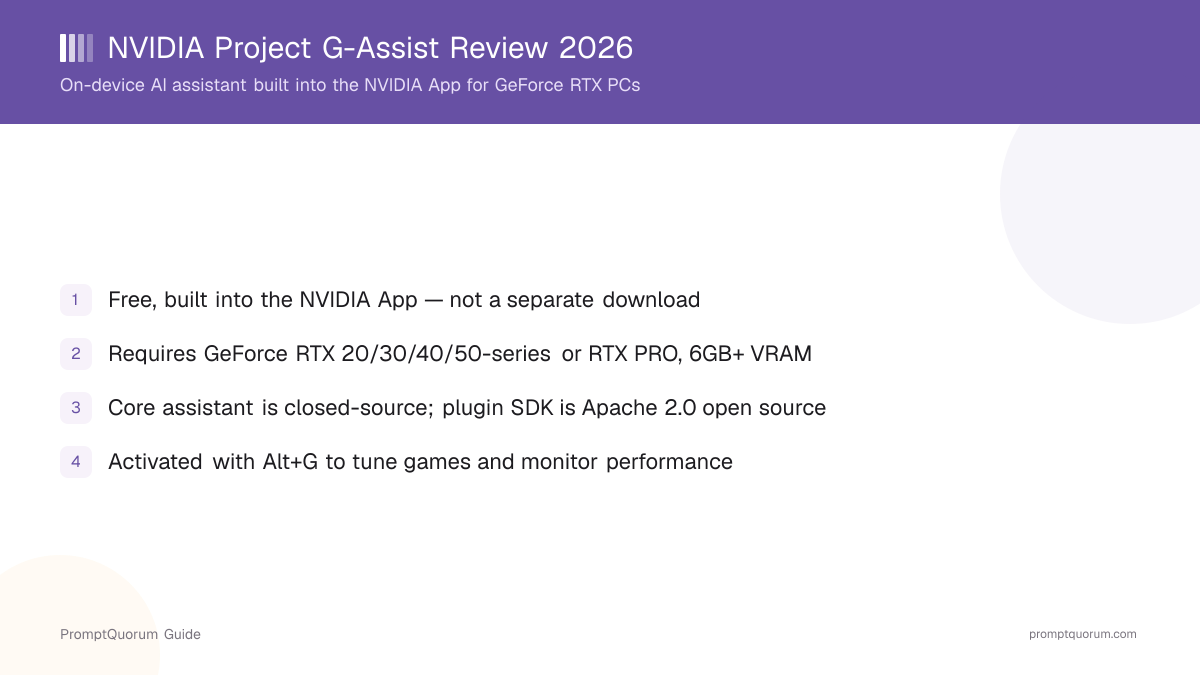
NVIDIA Project G-Assist is an AI assistant that runs on your own GeForce RTX graphics card, built into the NVIDIA App rather than distributed as a separate application. Per NVIDIA's own product page, it "helps you tune, control, and optimize your system" using text or voice commands, with core processing happening on-device rather than through a cloud API. It is built on NVIDIA ACE, the same underlying AI technology suite NVIDIA licenses to game developers for interactive, AI-driven non-player characters.
- Core function: an overlay assistant (activated with Alt+G) that answers questions about your hardware/software and executes tuning commands, using an on-device small language model
- Distribution: not a standalone download — installed as an add-on from the Discover tab of the NVIDIA App
- Underlying technology: NVIDIA ACE, plus a local, Llama-based Instruct model NVIDIA described at launch as roughly 8 billion parameters, later supplemented with a smaller, more VRAM-efficient model for the 6GB-VRAM expansion
- Developer: NVIDIA Corporation — this is first-party NVIDIA software, not a third-party or community project
G-Assist's Project History and Version Milestones
NVIDIA first showed Project G-Assist as a technology demo at Computex 2024, then shipped it as a real, usable feature through several stages: a limited beta, a general desktop release, and a 2026 expansion that lowered its hardware floor and added laptop support.
- 1Computex 2024 — Announced as a technology demo
Why it matters: Introduced the concept of an on-device AI assistant running on RTX AI PCs, ahead of any public release. - 2February 2025 — Public beta added to the NVIDIA App
Why it matters: First hands-on availability for desktop GeForce RTX 30/40-series GPUs with 12GB or more VRAM. - 3March 25, 2025 — General availability in the NVIDIA App
Why it matters: G-Assist shipped with an on-device, Llama-based 8-billion-parameter Instruct model, running entirely offline for its core functions; desktop-only at this stage, with a 12GB VRAM minimum. - 4August 18, 2026 (Gamescom) — 6GB VRAM support and laptop commands
Why it matters: A new, lighter on-device model cut VRAM usage by roughly 40%, extending support down to 6GB-VRAM RTX GPUs, including laptops for the first time, alongside new laptop-specific commands (NVIDIA BatteryBoost, Battery OPS). This update requires GeForce driver 580.97 or newer and an updated NVIDIA App. - 5September 2026 — mod.io plugin discovery
Why it matters: NVIDIA added a mod.io integration letting users discover and install community-built G-Assist plugins using natural-language commands, rather than manually browsing GitHub.
What Can You Do With G-Assist?
G-Assist's feature set centers on hands-free system and game tuning through the Alt+G overlay, per NVIDIA's own product page and GeForce News announcements.
- Game and system tuning — text or voice commands such as "optimize my graphics for [game]" apply NVIDIA-recommended settings for that title
- Performance monitoring — chart and export real-time metrics such as FPS, latency, GPU utilization, and temperatures
- Driver and software checks — ask G-Assist to check for GeForce driver updates and help apply them
- Peripheral control — adjust lighting and fan curves on supported third-party peripherals from Logitech G, Corsair, MSI, and Nanoleaf
- Hardware and software Q&A — ask questions about your PC's specs or NVIDIA software directly in the overlay
- Laptop-specific commands (added August 2026) — control NVIDIA BatteryBoost and Battery OPS features on supported RTX laptops
- Plugin discovery via mod.io (added September 2026) — find and install community-built G-Assist plugins using natural-language requests
Usage Examples: Three Ways to Use G-Assist
These are concrete workflows drawn from NVIDIA's own documented commands above, not hypothetical use cases.
Tune a game before you launch it
Press Alt+G to open the overlay and type or say "optimize my graphics for [game name]." G-Assist applies NVIDIA-recommended settings for that title without you opening the NVIDIA App's full settings panel.
Monitor performance during a benchmark run
Ask G-Assist to "chart my FPS and GPU temperature" while a game or benchmark runs. It renders and can export the metrics, useful for spotting thermal throttling or frame-time spikes without a separate overlay tool.
Adjust peripheral lighting without leaving the game
If you own supported Logitech G, Corsair, MSI, or Nanoleaf gear, ask G-Assist to change lighting or fan curves mid-session instead of tabbing out to each peripheral's own control app.
Hardware and System Requirements
G-Assist requires a supported GeForce RTX or RTX PRO GPU with at least 6GB of VRAM — this is NVIDIA's own stated minimum as of the August 2026 update, down from a 12GB minimum at launch. The table below lists the full official requirements.
Requirement | Minimum |
|---|---|
| GPU | GeForce RTX 20/30/40/50-series or RTX PRO, 6GB+ VRAM |
| Voice commands | RTX 30-series or newer |
| Operating system | Windows 10 or Windows 11 |
| GPU driver | GeForce driver 580.97 or newer |
| NVIDIA App | Version 11.0.7 or newer |
| Disk space | 7GB (+3GB for voice support) |
| CPU | Intel Core i3+ or AMD Ryzen 3+ (or equivalent) |
| Command language | English only |
The 6GB figure is the GPU's total VRAM, not free VRAM while gaming — NVIDIA recommends roughly 6GB of *free* VRAM for G-Assist's Reasoning Mode, or 4.5GB free for Flash Mode, so a demanding game running at the same time can still affect how G-Assist performs even on a qualifying card. This review has not independently benchmarked G-Assist's in-game VRAM impact; treat NVIDIA's own figures as the authoritative source and verify against your own hardware.
Install and Enable G-Assist
G-Assist is not a standalone installer — you get it by installing the NVIDIA App and adding G-Assist from inside it. There is no separate "G-Assist.exe" to download from NVIDIA's site.
Step | Action |
|---|---|
| 1 | Download and install the NVIDIA App |
| 2 | Open the NVIDIA App and sign in if prompted |
| 3 | Go to the Discover tab and click Install next to G-Assist |
| 4 | Press Alt+G anywhere in Windows to open the G-Assist overlay |
If your GPU does not meet the hardware requirements above, G-Assist will not appear as installable in the Discover tab. Voice commands need an additional one-time download (part of the +3GB disk space requirement) and an RTX 30-series GPU or newer.
Is G-Assist Open Source?
No — NVIDIA Project G-Assist's core application is closed-source and proprietary. There is no public repository for the assistant itself, and PromptQuorum's software directory lists no public star count for it, because none exists to check. NVIDIA does publish a separate, genuinely open-source component: the G-Assist plugin SDK and sample plugins at github.com/NVIDIA/G-Assist, licensed under the Apache License 2.0. As of this review, that repository shows roughly 245 stars and 44 forks. Do not conflate the two: the plugin SDK being open source does not make the G-Assist application itself open source.
- Closed-source: the G-Assist assistant application bundled inside the NVIDIA App
- Open-source (Apache License 2.0): the plugin SDK and sample plugins at github.com/NVIDIA/G-Assist, supporting Python, a header-only C++ SDK, and a Node.js SDK for plugin development
- Community plugin submissions: developers can submit plugins to NVIDIA for review and potential inclusion, and NVIDIA has published a ChatGPT-based "Plugin Builder" custom GPT to help generate plugin boilerplate code
- No public star count for the core app, since its source is never published
G-Assist Pricing: Is It Free?
Yes — G-Assist has no separate price tag. It ships as a free add-on inside the free NVIDIA App, the same application most GeForce RTX owners already install for driver updates. This review found no pricing page, paid tier, or subscription associated with G-Assist on NVIDIA's site.
- No subscription, no paid tier, no usage limits imposed by NVIDIA for G-Assist itself
- No separate account required beyond whatever the NVIDIA App itself asks for
- The only real "cost" is owning qualifying hardware — a GeForce RTX or RTX PRO GPU with 6GB+ VRAM, per the requirements above
- Community plugins from the G-Assist GitHub repository are also free, since the repository is Apache License 2.0
G-Assist vs. Other On-Device Personal AI Assistants
G-Assist sits in a narrow niche — a GPU-vendor-specific, on-device tuning assistant — but it is still worth comparing against broader on-device personal assistants and the closest cloud-based alternative. See the Local LLM Software Directory for the full personal-assistants category.
- Windows Copilot for Gaming — Microsoft's cloud-backed assistant built into Windows' Game Bar; unlike G-Assist, its core processing happens in Microsoft's cloud rather than on your own GPU, and it is not tied to a specific GPU vendor. See Windows Central's hands-on comparison of both tools.
- Voxa — a local-first desktop voice assistant with optional cloud voice, covering a broader "ask your PC things" use case rather than GPU/game-specific tuning; see the full Voxa review.
- Jarvis — a Mac-focused voice assistant, useful as a comparison point if you split time between an RTX Windows PC and a Mac, since G-Assist is Windows/RTX-only; see the Jarvis review.
- Atomic Bot — a desktop and cloud AI "coworker" app built on the open-source OpenClaw agent stack, aimed at broader task automation rather than GPU tuning specifically; see the Atomic Bot review.
Who Should Use G-Assist?
Whether G-Assist fits depends almost entirely on whether you already own qualifying RTX hardware and how much you value keeping tuning commands on-device rather than in the cloud.
Use G-Assist if
- You own a GeForce RTX 20/30/40/50-series or RTX PRO GPU with 6GB+ VRAM and already run the NVIDIA App
- You want quick, in-game tuning and performance monitoring without alt-tabbing to a full settings panel
- You prefer an assistant whose core processing stays on your own GPU rather than a cloud API
- You own supported peripherals (Logitech G, Corsair, MSI, Nanoleaf) and want to control them from one overlay
- You are a developer interested in extending G-Assist through its open-source plugin SDK
Wait, or look elsewhere, if
- You do not own a qualifying RTX GPU — G-Assist will not install or provide any benefit on other hardware
- You need commands in a language other than English — this review found no multilingual command support as of publication
- You need an assistant that works across macOS, Linux, or non-NVIDIA GPUs — see the Voxa or Jarvis reviews for cross-platform alternatives instead
- You need the assistant application itself to be fully open source for a compliance reason — only NVIDIA's plugin SDK is open source, not the G-Assist app
Common Mistakes When Evaluating G-Assist
Most confusion about G-Assist comes from its bundled distribution model, its mixed open-source status, or assuming any RTX GPU qualifies.
Mistake 1: Looking for a standalone G-Assist download
There is no separate G-Assist installer on NVIDIA's site. It is added from the Discover tab inside the NVIDIA App, which you install first.
Mistake 2: Assuming G-Assist is fully open source because of its GitHub repository
The github.com/NVIDIA/G-Assist repository is a plugin SDK and sample plugins under the Apache License 2.0 — not the G-Assist assistant application itself, which remains closed-source and proprietary.
Mistake 3: Assuming any GeForce RTX GPU qualifies regardless of VRAM
G-Assist requires at least 6GB of VRAM as of the August 2026 update (previously 12GB at launch). An older or lower-VRAM RTX GPU below that threshold cannot install it.
Mistake 4: Expecting non-English voice or text commands to work
As of this review, NVIDIA's published requirements list English as the only supported command language.
Frequently Asked Questions
What is NVIDIA Project G-Assist?
Project G-Assist is a free, on-device AI assistant built into the NVIDIA App for GeForce RTX PCs. It uses text or voice commands to tune game and system settings, monitor performance, and control supported peripherals, running its core processing locally on your RTX GPU.
Is NVIDIA G-Assist a standalone download?
No. G-Assist is not a separate application — it is installed as an add-on from the Discover tab inside the NVIDIA App, which you must install first.
What GPU do I need for G-Assist?
A GeForce RTX 20/30/40/50-series or RTX PRO GPU with at least 6GB of VRAM, per NVIDIA's official requirements. Voice commands additionally require an RTX 30-series GPU or newer.
What driver version does G-Assist require?
GeForce driver 580.97 or newer, along with NVIDIA App version 11.0.7 or newer, per NVIDIA's official requirements page.
Is G-Assist free?
Yes. It has no separate price, subscription, or paid tier — it ships as a free add-on inside the free NVIDIA App, provided you own qualifying RTX hardware.
Is NVIDIA G-Assist open source?
The core G-Assist assistant application is closed-source and proprietary. NVIDIA separately publishes an open-source (Apache License 2.0) plugin SDK and sample plugins at github.com/NVIDIA/G-Assist — that repository being open source does not make the assistant application itself open source.
What can I actually do with G-Assist?
Tune per-game graphics settings, monitor and chart real-time performance metrics (FPS, latency, GPU utilization, temperatures), check for driver updates, control supported peripherals from Logitech G, Corsair, MSI, and Nanoleaf, and, as of August 2026, control laptop-specific features like NVIDIA BatteryBoost.
Does G-Assist work on laptops?
Yes, as of the August 2026 update, which lowered the VRAM requirement to 6GB and added laptop-specific commands. Earlier versions were desktop-only with a 12GB VRAM minimum.
Does G-Assist support languages other than English?
As of this review, NVIDIA's published requirements list English as the only supported command language for G-Assist.
When was G-Assist first released?
NVIDIA first showed Project G-Assist as a technology demo at Computex 2024, launched a public beta in February 2025, and reached general availability in the NVIDIA App on March 25, 2025.