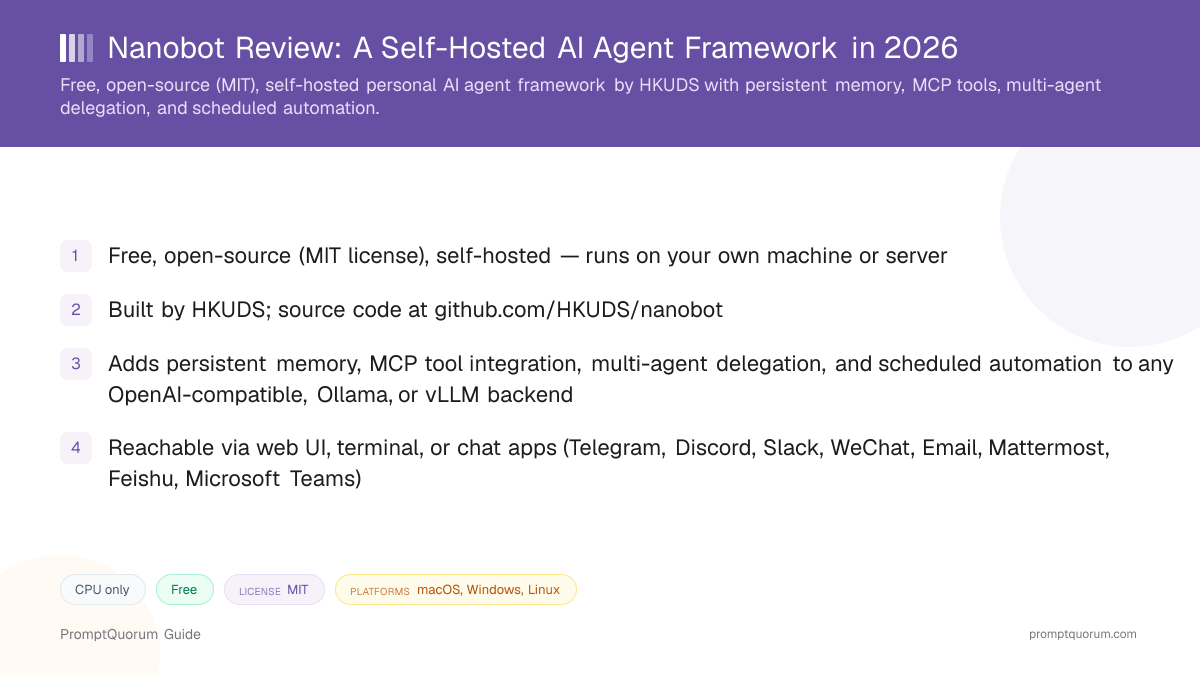
What Is nanobot?
nanobot is a free, open-source, self-hosted personal AI agent framework written in Python, built by HKUDS. It does not run its own language model — instead it wraps memory, tool access, multi-agent coordination, and scheduling around a model you connect, and exposes the result through a web UI, a terminal, or chat-app integrations.
- Product type: an agent framework / orchestration layer, not a packaged end-user app or a model
- Creator: HKUDS (GitHub organization)
- Repository: github.com/HKUDS/nanobot, created February 1, 2026
- License: MIT, confirmed via the GitHub repository's license field
- Documentation: nanobot.wiki
- Scale, per the GitHub API as of this review: 49,657 stars, 8,700 forks (roughly a 18% fork ratio), 868 open issues, 207 subscribers, 100+ contributors, latest tagged release v0.4.0 (October 28, 2026)
What Does nanobot Actually Do?
nanobot layers four capabilities on top of a model you already have access to: persistent memory, MCP tool integration, multi-agent delegation, and scheduled automation.
- Persistent memory: per nanobot.wiki, session history and long-term memory (documented under the name "Dream") let an agent retain context across conversations instead of starting from zero every session
- MCP tool integration: connects to Model Context Protocol (MCP) servers through an "Apps" interface in the WebUI, with preset integrations and support for adding custom MCP servers
- Multi-agent delegation: nanobot can hand off sub-tasks to other agents rather than handling every step inside a single agent loop, per its own documentation
- Scheduled automation: agents can run on a schedule, not only in response to a live chat message
- Model routing: supports OpenAI-compatible APIs, local Ollama, and local vLLM backends, plus fallback model routing described in its documentation
- Three access modes: a browser-based WebUI (launched with
nanobot webui), a native terminal mode (launched withnanobot), and integrations with Telegram, Discord, Slack, WhatsApp, WeChat, Email, Mattermost, Feishu, Microsoft Teams, Linear, and QQ
What the nanobot Docs Document (and What They Don't)
The README documents MCP, attachments, and chat channels but not prompt caching, WhatsApp, or benchmarks; the repository docs add WhatsApp, streaming, and heartbeat. This section checks the README at github.com/HKUDS/nanobot, the docs folder in the same repository (chat-app reference and configuration guide), and nanobot.wiki for the features people search for most, so you can tell documented behavior from assumption.
- Architecture: the README says the Python gateway "owns agent execution, sessions, tools, memory, and security policy" for the WebUI, terminal, and chat apps, and that the core agent loop "builds context, calls the model, executes requested tools, and returns the result." It also lists "Small core: readable internals with MCP, memory, deployment, and automation built in." It makes no line-count claim.
- MCP support: in the WebUI, "Apps" connect MCP servers, enable Agent Plugins, and manage local CLI App adapters; in the terminal,
@can mention an app, MCP server, or saved session. No MCP-specific reliability guarantees or test results are documented. - Prompt caching: the README and the configuration guide do not mention
cache_controlor Anthropic prompt caching, and publish no cache-hit figures. They say only that the WebUI context indicator shows "cache reuse when the provider reports it," that cache hits "still depend on the provider," and that the idle-compaction timeout can be raised if your provider keeps its prompt cache longer. - Streaming: the README does not name it, but the chat-app reference and configuration guide do: Discord and Feishu replies stream by default (
streamingdefaults totrueand can be switched off), and model calls use a stream idle timeout of 90 seconds by default (NANOBOT_STREAM_IDLE_TIMEOUT_S). - Multimodal and files: the WebUI lets you "Attach documents or images," the terminal accepts pasted clipboard images (
Ctrl+VorAlt+V), and the tool list includes image generation. The v0.4.0 release notes add local-file and video attachments, image thumbnails, and file cards in the WebUI. - Chat channels: the repository's chat-app reference covers Telegram, Discord, Slack, Feishu, WhatsApp (linked by QR code), WhatsApp Agent Platform, WeChat, QQ, Email, Mattermost, and Linear, among others. The README itself names Telegram, Discord, Slack, WeChat, Email, Mattermost, and Linear plus "other channels", and its "Why nanobot" list adds Feishu and Microsoft Teams.
- Heartbeat: documented in the configuration guide, not the README. A built-in heartbeat job is on by default under
nanobot gateway, checksHEARTBEAT.mdevery 1,800 seconds (gateway.heartbeat.intervalS), and sends only actionable results to the most recently active chat. - Reliability: the docs describe an ordered fallback-model chain (
agents.defaults.fallbackModels) and message-delivery retries (3 attempts by default, with 1 s then 2 s backoff). They also state limits: missed scheduled times are not replayed after a gateway restart, and interrupted subagent tasks are not relaunched automatically. The v0.4.0 release moves conversation history into SQLite. - Benchmarks: neither the README nor the docs pages this review read claim any, and this review ran none.
Platform, Pricing, and Licensing
Platform
- What nanobot states:
- Self-hosted on Linux, macOS, or Windows via install scripts, or deployed with Docker / Docker Compose as a persistent service, per the GitHub repository.
Cost
- What nanobot states:
- Free and open source. You pay only for whichever backend model or API you connect (or nothing, if you run a local Ollama or vLLM model) — there is no separate paid nanobot tier.
Licensing
- What nanobot states:
- MIT license, confirmed via the GitHub repository's license field.
Hardware
- What nanobot states:
- No GPU or minimum RAM requirement of its own — it is an agent loop that calls out to a model, not an inference engine. Actual hardware need depends entirely on the backend model you choose.
Install method
- What nanobot states:
- Per nanobot.wiki and the GitHub README: a one-line install script for macOS/Linux and Windows PowerShell, or via
pip install nanobot-ai/uv tool install nanobot-ai. See the Install nanobot section below.
Verify current install and deployment instructions directly on nanobot.wiki before running any command, since install steps can change between releases.
Install nanobot
nanobot installs free via a one-line script, a package manager, or from source — there is no paid tier or license key.
Install method | Command |
|---|---|
| macOS / Linux (install script) | curl -fsSL https://raw.githubusercontent.com/HKUDS/nanobot/main/scripts/install.sh | sh |
| Windows (PowerShell) | irm https://raw.githubusercontent.com/HKUDS/nanobot/main/scripts/install.ps1 | iex |
| Via uv | uv tool install nanobot-ai |
| Via pip | python -m pip install nanobot-ai |
| From source | git clone github.com/HKUDS/nanobot, create a virtual environment, then pip install -e . |
| Docker / Docker Compose | Documented on GitHub for persistent-service deployment — see the repo for the current compose file. |
| Website and docs | nanobot.wiki |
Requires Python 3.11 or newer per the GitHub README; Git and Bun are needed only for a from-source install. After installing, run nanobot webui for the browser interface or nanobot for the terminal mode.
Who Should Use nanobot?
nanobot fits people who already run or call a language model and want persistent memory, tool access, and automation wrapped around it, rather than a packaged, all-in-one assistant app.
Use nanobot if you
- Already have access to an OpenAI-compatible API, or run local models via Ollama or vLLM, and want an agent layer on top rather than a full inference stack
- Want an agent that remembers past sessions instead of starting fresh every conversation
- Need to connect MCP tool servers so the agent can act on external systems, not just answer questions
- Want to reach the same agent from a browser, a terminal, and chat apps like Telegram or Slack, instead of being tied to one interface
- Are comfortable self-hosting a Python service and are not looking for a hosted, managed product
Look elsewhere if you
- Want a single downloadable desktop app with no setup — nanobot is a self-hosted framework, not a one-click installer for a finished product
- Need a vendor-backed product with a support contract and SLA — this review found no funding round or commercial company behind nanobot
- Are not comfortable running install scripts, pip packages, or Docker containers
- Want a long, independently audited track record — nanobot's repository is roughly nine months old as of this review
What nanobot Is Not Good For
nanobot is not a good fit if you want a finished, packaged assistant app, or if you need a long, independently verified track record before adopting a tool.
- Not an inference engine — it has no GPU/VRAM requirement of its own, but it also does no model inference itself; you still need Ollama, vLLM, or an API key for the model doing the actual reasoning
- Not a polished, all-in-one desktop app — it is a self-hosted framework you configure, closer to CrewAI or agent-zero in setup effort than to a one-click chat app
- Not backed by a funding round or company that this review could verify — treat it as an independently maintained, community-driven project
- Not free of the star-count caveat covered above — this review found copycat repositories using identical marketing text elsewhere on GitHub, so verify you are looking at github.com/HKUDS/nanobot specifically before trusting any star count you see quoted for "nanobot"
- Not a long-established project — the repository was created February 1, 2026, so it lacks the multi-year track record of frameworks like AutoGPT or Open Interpreter
Common Mistakes When Evaluating nanobot
Most confusion about nanobot comes from mixing it up with an unrelated, same-named project, or from misreading its growth numbers.
Mistake 1: Confusing it with nanobot-ai/nanobot
A separate, unrelated GitHub project — nanobot-ai/nanobot, described as "Build MCP Agents" by the Obot team, created around May 16, 2025, with roughly 1,343 stars — shares the same name. This review covers HKUDS/nanobot only; check the organization name in the GitHub URL before installing either one.
Mistake 2: Treating the star count as an audited growth signal
49,657 stars on a repository created in February 2026 is unusually fast, and a GitHub search turns up copycat repositories using the same marketing description. Fork count (8,700), open issues (868), and contributor count (100+) suggest largely organic activity, but this review has not independently audited the star history — verify current numbers on GitHub directly rather than citing this review's snapshot as current.
Mistake 3: Expecting nanobot to run models itself
nanobot is CPU-only because it does not perform inference — it calls out to an OpenAI-compatible API, a local Ollama server, or a local vLLM server. Your hardware requirements come from whichever backend model you choose, not from nanobot.
Mistake 4: Assuming a paid tier exists
nanobot is free and open source under the MIT license, with no separate paid tier. Any cost comes from the backend model or API you connect it to.
Competitors and Alternatives
nanobot is most often compared to other self-hosted agent frameworks like AutoGPT, Open Interpreter, agent-zero, and CrewAI — its main differentiator is combining persistent memory, MCP tools, multi-agent delegation, and chat-app integrations in one framework rather than specializing in just one of those.
Tool | Best known for | Link |
|---|---|---|
| AutoGPT | One of the earliest autonomous-agent frameworks, focused on goal-driven task chains | AutoGPT review |
| Open Interpreter | Lets a model execute code locally to complete tasks, popular for its simplicity | Open Interpreter review |
| agent-zero | Self-hosted, Docker-based general-purpose agent framework with a persistent environment | agent-zero review |
| CrewAI | Multi-agent orchestration framework focused on role-based agent teams | CrewAI review |
This list reflects tools commonly compared to nanobot in the same self-hosted agent-framework segment, not an independent PromptQuorum ranking — verify each tool's current feature set before choosing.
Frequently Asked Questions
What is nanobot?
nanobot (nanobot.wiki) is a free, open-source (MIT), self-hosted personal AI agent framework built by HKUDS that adds persistent memory, MCP tool integration, multi-agent delegation, and scheduled automation to a model you connect.
Is nanobot free?
Yes, nanobot itself is free and open source under the MIT license, with no separate paid tier. You pay only for whichever backend model or API you connect it to.
How do I install nanobot?
Per nanobot.wiki and the GitHub README: run the one-line install script for macOS/Linux or Windows PowerShell, or install via pip install nanobot-ai or uv tool install nanobot-ai. Requires Python 3.11 or newer.
Does nanobot run its own AI model?
No. nanobot is an agent framework, not an inference engine — it calls out to an OpenAI-compatible API, a local Ollama server, or a local vLLM server. It has no GPU requirement of its own; hardware needs depend on the backend model you choose.
Which chat apps does nanobot integrate with?
Per the repository's chat-app reference: Telegram, Discord, Slack, Feishu, WhatsApp, WeChat, QQ, Email, Mattermost, and Linear, among others. The README also lists Microsoft Teams, alongside the web UI and terminal mode.
Is nanobot the same as nanobot-ai/nanobot?
No. nanobot-ai/nanobot is a separate, unrelated, smaller "Build MCP Agents" project from the Obot team (around 1,343 stars, created May 16, 2025). This review covers HKUDS/nanobot specifically — check the GitHub organization name before installing.
Why does nanobot have so many GitHub stars for such a new project?
49,657 stars on a repository created February 1, 2026 is unusually fast, and a GitHub search finds copycat repositories using identical marketing text. Its ~18% fork ratio, hundreds of open issues, and 100+ contributors suggest largely organic activity, but this review has not independently audited the star history — verify current figures directly on GitHub.
What is MCP and how does nanobot use it?
MCP (Model Context Protocol) is a standard that lets an AI agent connect to external tools and data sources through dedicated servers. nanobot connects to MCP servers through an "Apps" interface in its WebUI, with preset integrations and support for custom servers.
Does nanobot support multi-agent workflows?
Yes. Per nanobot's own documentation, it can delegate sub-tasks to other agents rather than handling every step inside a single agent loop.
Has PromptQuorum independently tested nanobot's claims?
This review is based on nanobot's GitHub README, nanobot.wiki documentation, and the GitHub API, rather than hands-on benchmarking of memory recall or multi-agent task performance by PromptQuorum.
Does nanobot support prompt caching?
Not as a documented feature. The README and the configuration guide do not mention cache_control or Anthropic prompt caching. The only related wording is "cache reuse when the provider reports it" in the WebUI context indicator, plus a note that cache hits "still depend on the provider." Check your model provider's documentation before assuming caching is applied.
Does nanobot support WhatsApp?
Yes, per the repository's chat-app reference: a WhatsApp channel linked by scanning a QR code (nanobot channels login whatsapp) and a separate WhatsApp Agent Platform channel that uses an agent API token. The README does not name WhatsApp, so check the docs for the version you install.
Does nanobot support streaming responses?
Partly, per the chat-app reference and configuration guide rather than the README. Discord and Feishu replies stream by default (streaming defaults to true), and model calls use a 90-second stream idle timeout (NANOBOT_STREAM_IDLE_TIMEOUT_S). The pages this review read do not say whether every other channel streams token by token.
Does nanobot support images and files (multimodal)?
Partly documented. The WebUI lets you attach documents or images, the terminal accepts pasted clipboard images, and the tool list includes image generation. Which image inputs actually work depends on the backend model you connect, since nanobot itself does not run inference.
What is nanobot's architecture?
Per its README, a Python gateway owns agent execution, sessions, tools, memory, and security policy, and the WebUI, terminal, and chat apps are clients of that one runtime. The core agent loop builds context, calls the model, executes requested tools, and returns the result. nanobot does not run models itself: it calls an OpenAI-compatible API, a local Ollama server, or a local vLLM server.
Does nanobot have benchmarks?
The nanobot README claims no benchmarks, and PromptQuorum has not run any. Treat any performance figure quoted for nanobot elsewhere as unverified.