From Minimal Agent to Linux Desktop
Agent Zero's GitHub repository was created in June 2024 under the original owner frdel, and quickly built a following as a lightweight, transparent, general-purpose autonomous agent — one built around a minimal core and a subordinate-agent delegation pattern rather than a large, rigid feature set.
The repository has since been transferred to the agent0ai GitHub organization: fetching the old frdel/agent-zero URL now returns an HTTP redirect to github.com/agent0ai/agent-zero. The project is maintained by a company, Agent Zero, s.r.o. (a Czech limited-liability entity), named as the copyright holder in the repository's MIT license file, while remaining fully open source under that same license.
The scope of the project has grown substantially alongside that transfer. Where the original framing emphasized a minimal agent with coding ability, the current release ships a Docker-based Linux desktop the agent can operate directly, a browser with DOM-level annotation and control, live co-editing of Markdown and office documents, a Plugin Hub with over 100 community extensions, and a companion desktop installer (A0 Launcher) and terminal installer (A0 Install).
This puts Agent Zero in a different position from most other frameworks in this series. LangChain, CrewAI, and AutoGen are developer libraries you import into your own Python application. Agent Zero ships as a runnable, self-hosted product with a Web UI you open in a browser — closer in that respect to Leon AI or SuperAGI than to a code-first orchestration library.
Repository created
- Date:
- 2024-06
- What it means:
- GitHub repository frdel/agent-zero is created as a minimal, transparent autonomous agent
Organization transfer
- Date:
- Before 2026-09
- What it means:
- Repository moves to agent0ai/agent-zero; the old frdel/agent-zero URL now redirects there
Linux desktop + Canvas added
- Date:
- 2026
- What it means:
- The agent gains a real in-browser Linux desktop, DOM-annotating browser control, and document co-editing
19,000+ GitHub stars
- Date:
- 2026-09
- What it means:
- agent0ai/agent-zero passes 19,000 stars and 3,700+ forks; latest tagged release is v2.12
📌Note: The MIT license has not changed through the organization transfer or the scope expansion — Agent Zero remains free and open source, with Agent Zero, s.r.o. named as copyright holder in the current license file.
What Is Agent Zero?
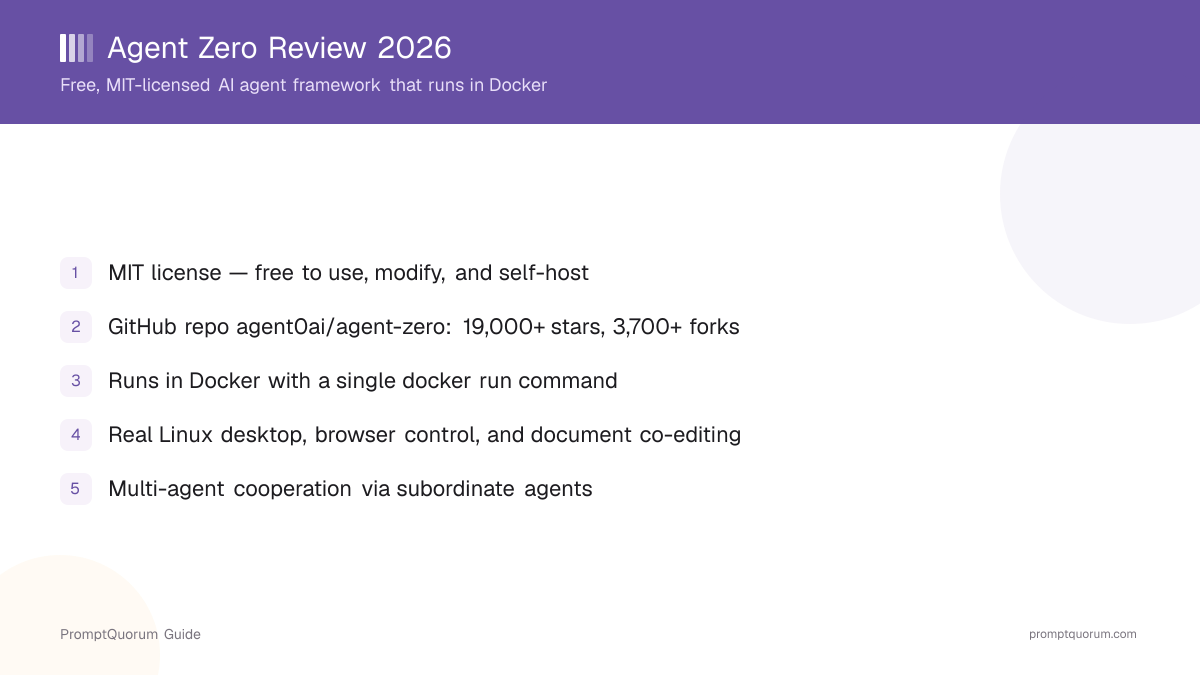
Agent Zero is an open-source, self-hosted AI agent framework (MIT license, github.com/agent0ai/agent-zero) that runs as a Docker container and gives an agent a working environment closer to a real computer than a chat window — a Linux desktop, a browser, document editors, and the ability to create subordinate agents.
- Full Linux desktop: a real XFCE desktop session runs inside the Docker container and appears in the Web UI's Canvas panel, so the agent can open real GUI applications, terminals, and files
- Browser with DOM annotation: the agent can open pages, click, type, upload files, and take screenshots; an Annotate mode turns clicked page elements into change, inspect, lift, or comment instructions
- Document co-editing: a Markdown editor and LibreOffice Writer, Calc, and Impress integration let a person and the agent edit the same file at the same time, in ODT/ODS/ODP formats
- Plugin Hub: a built-in catalog of over 100 community plugins covering development frameworks, memory backends, tool integrations, UI extensions, and workflow automation, installable from the Web UI
- Projects, Skills, Agent Profiles, and Model Presets: projects isolate memory, secrets, files, and model choices per workspace; skills are on-demand procedures; profiles change working style; presets are named model-setup shortcuts
- Multi-agent cooperation: any agent can create subordinate agents to delegate research, coding, analysis, or review work, keeping each subagent's context focused before it reports back
- A0 CLI Connector: an optional host-machine bridge (installed outside the Docker container) that lets the same running Agent Zero instance work on real local files and repositories on your computer
- Time Travel: snapshot history, diff inspection, and revert for the agent's own
/a0/usrworkspace — a recovery layer, not a replacement for Git or backups
Model-agnostic by design
Agent Zero connects to model providers you configure rather than shipping one built-in model — OpenAI, Anthropic, Google Gemini, and other providers are supported through Model Presets, and the project has added an OAuth-based connection for an existing OpenAI Codex plan as one specific integration. Whether a deployment runs fully local or calls a cloud provider depends entirely on which model you configure it to use.
# Run Agent Zero directly (Docker required)
docker run -p 80:80 -v a0_usr:/a0/usr agent0ai/agent-zero

# Open the Web UI
# http://localhost (or the port you mapped)
# Configure your LLM provider, then give it a task
How Much Does Agent Zero Cost?
Agent Zero itself is free under the MIT license — there is no confirmed subscription or paid tier for running the framework. You pay for your own hardware or server, and separately for any cloud model-provider API usage if you configure the agent to call a remote model instead of a local one.
- Agent Zero (the open-source framework): free forever under the MIT license, self-hosted, no usage caps, no account required to run it
- No confirmed general paid product: the official website references an in-development, unpriced "LLM API" beta in its navigation, but does not publish pricing or scope for it as of this review — treat it as unconfirmed, not as an existing paid tier
- Optional cost: your own hardware or server to run the Docker container, plus any API fees from a remote model provider if you configure one instead of a local model
- Project funding is partly community-based: the repository accepts contributions through GitHub Sponsors
How Do You Install and Get Started With Agent Zero?
Agent Zero runs in Docker — the fastest path on a machine with Docker already installed is a single docker run command; the project also ships a desktop installer (A0 Launcher) and a terminal installer (A0 Install) that handle Docker setup for you.
- 1Make sure Docker is installed and running (Docker Desktop on macOS/Windows, or the Docker daemon on Linux).
- 2Run the official image directly:
docker run -p 80:80 -v a0_usr:/a0/usr agent0ai/agent-zero. - 3Open the Web UI at
http://localhost(or the port you mapped, if you changed-p). - 4Complete onboarding and configure your model provider (OpenAI, Anthropic, Google Gemini, or another supported provider).
- 5Give the agent a concrete task to start — the in-repo Quickstart guide has example prompts for the Browser, Desktop, and document co-editing features.
Guided installers instead of a bare Docker command
For a less manual setup, the project offers two guided installers that both still run Agent Zero in Docker underneath.
- A0 Launcher (desktop app): downloads Agent Zero, checks or sets up Docker, and manages Instances — available for macOS, Linux, and Windows, x86 and ARM64, from the A0 Launcher releases page.
- A0 Install (terminal script), macOS/Linux:
curl -fsSL https://bash.agent-zero.ai | bash. - A0 Install (terminal script), Windows PowerShell:
irm https://ps.agent-zero.ai | iex. - Headless/scripted install for a server:
curl -fsSL https://bash.agent-zero.ai | bash -s -- --quick-start --name agent-zero --port 5080. - Optional: install the A0 CLI Connector on your host machine (not inside the container) with
curl -LsSf https://cli.agent-zero.ai/install.sh | sh, then runa0to bridge a running instance to your real local files.
Do I need Docker to run Agent Zero?
Yes. Agent Zero runs as a Docker container by design — this is how it provides an isolated Linux desktop, browser, and file system for the agent to work in. There is no non-Docker install path documented.
Which install method should I use?
A direct docker run -p 80:80 -v a0_usr:/a0/usr agent0ai/agent-zero command is the fastest path if Docker is already set up. The A0 Launcher desktop app or the A0 Install terminal script are better if you want Docker detection and setup handled for you.
Who Should Use Agent Zero?
Agent Zero fits developers and technical users who want a self-hosted, general-purpose agent with a real desktop and browser environment, and who are comfortable running it inside Docker. It is a narrower fit for anyone who wants a lightweight code library to embed inside their own application.
Use Agent Zero if
- You want an agent that can drive a real Linux desktop, browser, and document editors, not only reply with text
- You want to delegate parts of a task to subordinate agents and review their reports rather than manage one long single-agent context
- You are comfortable running Docker and configuring your own model provider (local or cloud)
- You want an extensible platform with a plugin ecosystem (100+ community plugins) rather than a fixed feature set
Avoid Agent Zero if
- You need a lightweight Python or JavaScript library to compose LLM calls inside your own application — LangChain or LangGraph are built and documented for that instead
- You need role-based multi-agent coordination with a defined crew structure as the core abstraction — CrewAI is purpose-built for that pattern
- You cannot or do not want to run Docker — Agent Zero has no documented non-container install path
- You need enterprise support or an SLA — as of this review, Agent Zero has no confirmed commercial support tier
When Should You NOT Use Agent Zero?
Skip Agent Zero when Docker is not an option, when you need an embeddable code library instead of a standalone application, or when you need a documented, mature multi-agent framework with a stable API contract.
- A team without Docker access or with policies against running third-party containers with desktop and browser automation capability
- A team building a custom LLM application that needs to import an orchestration library into existing code — a library like LangChain or Semantic Kernel is a more direct fit
- A team that needs a long-lived, versioned API contract for automation pipelines — Agent Zero has changed scope substantially between its original minimal-agent framing and its current desktop-and-browser feature set, and continues to release frequently (v2.12 as of September 2026)
- A team that specifically needs persistent, self-editing long-term agent memory as a mature, documented core feature — Letta is built and documented specifically for that
- Use Agent Zero instead when the defining requirement is a self-hosted agent that can operate a real desktop, browser, and documents, and you are comfortable running it in Docker
Agent Zero vs. Alternatives
Agent Zero competes with other self-hosted and autonomous agent frameworks, each optimizing for a different interface — a Docker-based desktop-and-browser agent versus a talk-to-it personal assistant versus a GUI console versus a code-first orchestration library.
Tool | Interface | License | Backing | Best For |
|---|---|---|---|---|
| Agent Zero | Web UI + Docker | MIT | Agent Zero, s.r.o. (company) | Self-hosted desktop + browser agent |
| Leon AI | Voice/text app + CLI | MIT | Louis Grenard (independent) | Self-hosted personal assistant |
| SuperAGI | Web GUI console | MIT | TransformerOptimus (independent) | GUI-based autonomous agents |
| CrewAI | Python code | MIT | CrewAI, Inc. (VC-backed) | Role-based multi-agent crews |
| AutoGen | Python code | MIT / CC BY 4.0 | Microsoft (maintenance mode) | Existing AutoGen apps only |
Common Mistakes When Evaluating Agent Zero
These mistakes come from evaluating an outdated description of the project, or from treating it as an embeddable library rather than a self-hosted application.
Mistake 1: Judging Agent Zero by its original "minimal coding agent" description
Older write-ups, including some directory listings, still describe Agent Zero as a minimal autonomous agent focused on coding ability. The current release adds a full Linux desktop, browser automation with DOM annotation, document co-editing, and a 100+ plugin ecosystem — check the live GitHub repository rather than an older summary.
Mistake 2: Expecting Agent Zero to work like an importable Python library
Agent Zero is a self-hosted, Docker-based application with a Web UI, not a package you pip install into an existing codebase. For a code-first library you compose calls with, LangChain or CrewAI are built and documented for that instead.
Mistake 3: Confusing the old frdel/agent-zero URL with the current repository
The project moved from the individual maintainer frdel to the agent0ai GitHub organization. The old URL redirects, but bookmarks, citations, and search results referencing frdel/agent-zero point to a URL that now forwards to github.com/agent0ai/agent-zero — use the current URL going forward.
Frequently Asked Questions
Is Agent Zero free to use?
Yes. Agent Zero is open-source under the MIT license and free to self-host, including for commercial use. As of this review there is no confirmed paid tier for the framework itself, though the project website references an in-development, unpriced "LLM API" beta.
Do I need Docker to run Agent Zero?
Yes. Agent Zero runs as a Docker container by design — the official image is agent0ai/agent-zero, and this is the only documented install path.
Who maintains Agent Zero?
The project is maintained by Agent Zero, s.r.o., a Czech company named as copyright holder in the repository's MIT license. The GitHub organization is agent0ai; the original repository was created under the individual maintainer account frdel and later transferred.
Can Agent Zero access my host computer's real files?
Only if you install the optional A0 CLI Connector on your host machine (outside the Docker container) and connect it to a running Agent Zero instance. Without it, Agent Zero works inside its own isolated Docker environment.
How many GitHub stars does Agent Zero have?
The agent0ai/agent-zero repository has passed 19,000 GitHub stars and 3,700 forks, as of September 2026.
What license is Agent Zero released under?
The MIT license, which permits free commercial use, modification, and self-hosting. Agent Zero, s.r.o. is named as the copyright holder in the current license file.
Does Agent Zero support local AI models?
Yes — Agent Zero is model-agnostic and connects to whichever model provider you configure through its Model Presets, including local model servers as well as cloud providers like OpenAI, Anthropic, and Google Gemini.
What is the A0 CLI Connector?
It's an optional bridge, installed on your host machine rather than inside the Docker container, that connects a running Agent Zero instance to your real local files, repositories, and terminal — used with the a0 command once installed.
Can multiple agents work together in Agent Zero?
Yes. Any agent can create subordinate agents to delegate research, coding, analysis, or review work; the coordinating agent assigns tasks and receives reports back while each subagent keeps its own focused context.
Is Agent Zero actively maintained?
Yes — the repository shows frequent commits and tagged releases, with v2.12 published in September 2026, alongside companion projects like the A0 Launcher and A0 CLI Connector.