From Intent Assistant to Agentic 2.0
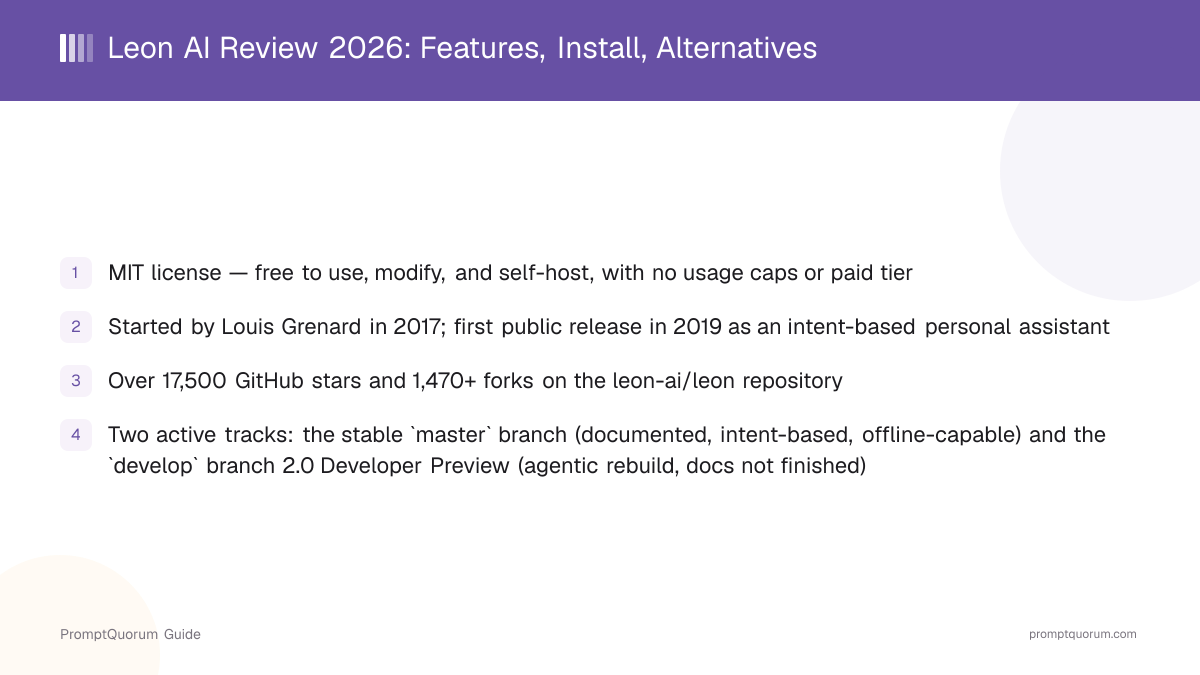
Leon AI started as a hobby project by French developer Louis Grenard in 2017 and has been in active, largely spare-time development since its first public release in 2019. For most of its life, Leon has been a classic intent-classification personal assistant: you talk or type to it, it matches your request against trained intents, and a matching skill executes the action — built to run offline so requests do not have to leave the machine.
As of a March 2026 notice in the GitHub repository, Leon is in the middle of a 2.0 Developer Preview — a rebuild of the core around tools, context, memory, and agentic execution rather than fixed intents alone. The develop branch, now the repository's default, carries this new core; the older, more stable, intent-based version remains available on the master branch for anyone who wants the documented, pre-agentic assistant instead of the in-progress rewrite.
This history sets Leon apart from the other frameworks in this series. LangChain, CrewAI, AutoGen, and Semantic Kernel were built from the start as developer libraries for composing LLM calls into applications. Leon began as an end-user personal-assistant product — something you install and talk to directly — and its 2.0 rebuild is adding agentic capability on top of that assistant framing, not the other way around.
Project started
- Date:
- 2017
- What it means:
- Louis Grenard begins building Leon as a personal, self-hosted assistant
First public release
- Date:
- 2019
- What it means:
- Leon opens up on GitHub under the MIT license as an intent-based assistant with voice and text
2.0 Developer Preview begins
- Date:
- 2026-03
- What it means:
- Repository notice marks a from-scratch rebuild around tools, context, memory, and agentic execution on the develop branch
17,500+ GitHub stars
- Date:
- 2026-09
- What it means:
- leon-ai/leon passes 17,500 stars and 1,470+ forks
📌Note: The MIT license has not changed between the stable version and the 2.0 Developer Preview — both are free, and there is still no paid Leon product or hosted cloud service.
What Is Leon AI?
Leon AI is an open-source personal assistant framework (MIT license, github.com/leon-ai/leon) that you install and run yourself, either as the stable intent-based assistant or the in-progress 2.0 Developer Preview. Both tracks are built around a skills structure — modular capabilities you can install, write, or share — rather than one fixed feature set.
- Two execution tracks in the same repository: the documented, intent-based
masterbranch, and thedevelopbranch 2.0 Developer Preview (the repository default) rebuilding the core around tools, context, memory, and agentic execution - Voice and text interaction: Leon can be talked to or texted, and can reply by voice or text depending on configuration
- Offline-capable by design on the stable branch: the intent-matching NLU can run fully on-device, so requests never have to leave the machine Leon runs on
- 2.0 Developer Preview execution modes:
smartmode lets Leon choose how to handle a request,controlledmode follows deterministic native skills, andagentmode lets Leon plan multi-step actions - 2.0 Developer Preview skills: native skills for controlled, deterministic actions, and agent skills backed by a
SKILL.mdfile for more open-ended workflows - Layered memory in the 2.0 Developer Preview: separate handling for durable preferences, day-to-day context, and recent discussion history
- Model-agnostic in the 2.0 Developer Preview: supports both local and remote AI providers, so a self-hosted deployment can stay fully offline or call out to a cloud model when configured to
Why two branches matter
The master branch stays useful for anyone who wants a working, documented assistant today. The develop branch 2.0 Developer Preview is where Louis Grenard is rebuilding Leon's core, and its documentation is explicitly not finished yet — the repository points to core/context/LEON.md and core/context/ARCHITECTURE.md inside the codebase itself as the most accurate current reference.
# Install the Leon CLI (stable branch)
npm install --global @leon-ai/cli

# Create a Leon instance
leon create birth

# Check the setup
leon check

# Run Leon
leon start
# Leon is now running at http://localhost:1337
How Much Does Leon AI Cost?
Leon AI is free under the MIT license, for both the stable version and the 2.0 Developer Preview — there is no paid tier, subscription, or hosted Leon Cloud product. You pay only for your own hardware and, if you connect the 2.0 Developer Preview to a remote AI provider, that provider's own usage costs.
- Leon AI (stable or 2.0 Developer Preview): free forever under the MIT license, self-hosted, no usage caps, no account required
- No official hosted cloud offering — self-hosting on your own Linux, macOS, or Windows machine is the only way to run Leon
- Optional cost: your own hardware to self-host, plus any remote model-provider API fees if you configure the 2.0 Developer Preview to use a remote AI provider instead of a local one
- Project funding comes from GitHub Sponsors rather than product revenue — Louis Grenard has stated in the repository that Leon is still largely developed in spare time
How Do You Install and Get Started With Leon AI?
Installing Leon depends on which track you want: the documented stable branch takes one global npm install, while the 2.0 Developer Preview requires cloning the repository directly and using pnpm. Both run self-hosted with no account or cloud sign-up.
- 1Check prerequisites: Node.js >= 16 and npm >= 8, on Linux, macOS, or Windows.
- 2Install the Leon CLI globally:
npm install --global @leon-ai/cli. - 3Create a Leon instance:
leon create birth(add--dockerto install into a Docker container instead). - 4Verify the setup:
leon check. - 5Start Leon:
leon start, then openhttp://localhost:1337in a browser. - 6Read the stable-branch documentation for skill configuration, voice setup, and the full CLI reference.
Installing the 2.0 Developer Preview instead
The 2.0 Developer Preview is not distributed through the CLI installer — it runs directly from a full clone of the repository, and needs a newer Node.js version than the stable branch.
- Install Node.js >= 24.0.0 (the project recommends managing versions with Volta) on Linux, macOS, or Windows.
- Clone the repository:
git clone https://github.com/leon-ai/leon.gitandcd leon. - Install pnpm globally:
npm install --global pnpm@latest. - Install dependencies:
pnpm install. - Verify the setup:
pnpm run check. - Start Leon:
pnpm start, then openhttp://localhost:5366in a browser. - Read
core/context/LEON.mdandcore/context/ARCHITECTURE.mdin the repository for the current architecture, since the public documentation site has not been updated for 2.0 yet.
Do I need an account to run Leon?
No. Leon only runs self-hosted — there is no account, sign-up, or cloud service required for either the stable branch or the 2.0 Developer Preview.
Which install method should I use if I just want a working assistant today?
The stable master branch, installed with npm install --global @leon-ai/cli followed by leon create birth, is the documented, more mature option. The 2.0 Developer Preview on the develop branch is for people who want to follow or contribute to the in-progress rebuild.
Who Should Use Leon AI?
Leon AI fits developers who want a self-hosted, extensible personal assistant they fully control, especially if offline operation and privacy matter more than a polished, finished product. It is a narrower fit for anyone who wants a maintained, general-purpose LLM application framework rather than an end-user assistant product.
Use Leon AI if
- You want a self-hosted personal assistant you can talk to or text, with voice and offline capability on the stable branch
- You want to build and share modular skills rather than working inside a general LLM orchestration library
- You are comfortable with a project that has a small number of contributors, including reading source code directly when documentation is incomplete
- You want to follow or experiment with an in-progress agentic rebuild (the 2.0 Developer Preview) rather than only using a finished product
Avoid Leon AI if
- You need a documented, production-ready framework for composing LLM calls into a custom application — LangChain or LangGraph are built and documented specifically for that
- You need role-based multi-agent coordination between several specialized agents — CrewAI or AutoGen are designed for that pattern, which is not Leon's focus
- You need an agent with persistent, self-editing long-term memory as the core, already-documented product — Letta is built specifically around that
- You need enterprise support, an SLA, or a hosted product — Leon has no commercial tier or hosted cloud service at all
When Should You NOT Use Leon AI?
Skip Leon AI when you need a mature, fully documented framework or product, or when the 2.0 rebuild's incomplete documentation would block your team.
- A team that needs stable, versioned documentation today — the 2.0 Developer Preview explicitly has no finished docs yet, and the repository points you to source files instead
- A team building a custom LLM application rather than deploying an assistant product — a library like LangChain or LlamaIndex is a more direct fit for composing calls into your own app
- A team that needs an actively large contributor base and frequent third-party skills — the project describes itself as still developed largely in spare time by a small group, with 2.0 contribution deliberately staged while the core stabilizes
- A team that needs persistent, self-editing agent memory as a mature, documented feature — Letta is built and documented specifically for that, while Leon's 2.0 memory layer is still new
- Use Leon AI instead when the defining requirement is a self-hosted, talk-to-it personal assistant with offline capability, and you are comfortable with a smaller, evolving open-source project
Leon AI vs. Alternatives
Leon AI competes with other self-hosted agent and assistant frameworks that each optimize for a different part of the problem — a talk-to-it personal assistant versus multi-agent orchestration versus long-term agent memory.
Tool | Interface | License | Backing | Best For |
|---|---|---|---|---|
| Leon AI | Voice/text app + CLI | MIT | Louis Grenard (independent) | Self-hosted personal assistant |
| Letta | Python / TS code | Apache 2.0 | Letta Inc. (VC-backed) | Single-agent long-term memory |
| Hermes Agent | Self-hosted app | MIT | Independent | Self-improving personal agent |
| AutoGen | Python code | MIT / CC-BY | Microsoft Research | Multi-agent conversation patterns |
| SuperAGI | Web GUI console | MIT | TransformerOptimus (independent) | GUI-based autonomous agents |
Common Mistakes When Evaluating Leon AI
These mistakes come from treating Leon as a finished, documented LLM framework, or from missing that the stable and 2.0 tracks are two different codebases in the same repository.
Mistake 1: Following stable-branch tutorials against the 2.0 Developer Preview
The docs.getleon.ai documentation and older tutorials describe the stable master branch's intent-based assistant. The develop branch 2.0 Developer Preview has a different install process, a different Node.js requirement, and different internal architecture — check which branch a guide targets before following it.
Mistake 2: Expecting Leon to work like a general-purpose LLM orchestration library
Leon AI is an end-user personal-assistant product you install and talk to, not a Python or JavaScript library for composing LLM calls inside your own application. For that use case, LangChain or LangGraph are built and documented specifically for it.
Mistake 3: Assuming a hosted Leon Cloud product exists
There is no official hosted version of Leon. Every deployment — stable or 2.0 Developer Preview — is self-hosted on your own Linux, macOS, or Windows machine.
Frequently Asked Questions
Is Leon AI free to use?
Yes. Leon AI is open-source under the MIT license and free for any use, including commercial use, with no usage limits, on both the stable branch and the 2.0 Developer Preview. There is no paid tier or hosted cloud product.
What is the difference between the stable version and the 2.0 Developer Preview?
The stable version, on the master branch, is the original intent-based personal assistant with voice and text, documented at docs.getleon.ai. The 2.0 Developer Preview, on the develop branch (the repository default), is an active rebuild of Leon's core around tools, context, memory, and agentic execution, with its own documentation not finished yet.
Who created Leon AI?
Louis Grenard, a French developer, started Leon as a personal project in 2017 and released it publicly on GitHub in 2019.
Can Leon AI run fully offline?
On the stable branch, yes — the intent-matching NLU can run entirely on-device, so requests never have to leave the machine. On the 2.0 Developer Preview, offline operation depends on which AI provider you configure: a local model provider keeps it offline, while a remote provider sends requests out.
What license is Leon AI released under?
The MIT license, covering both the stable branch and the 2.0 Developer Preview, which permits free commercial use, modification, and self-hosting.
How many GitHub stars does Leon AI have?
The leon-ai/leon repository has passed 17,500 GitHub stars and 1,470 forks.
Does Leon AI support voice interaction?
Yes. Leon can be talked to or texted and can reply by voice or by text, depending on configuration.
What is a "skill" in Leon AI?
A skill is a modular capability Leon executes. The 2.0 Developer Preview distinguishes native skills (deterministic, controlled actions) from agent skills (backed by a SKILL.md file, for more open-ended, agent-planned workflows).
Do I need an account or cloud subscription to use Leon AI?
No. Leon only runs self-hosted, on your own Linux, macOS, or Windows machine — there is no account, sign-up, or cloud subscription for either track.
Is Leon AI actively maintained?
Yes — the repository shows ongoing commits into September 2026, and it is currently in the middle of the 2.0 Developer Preview rebuild. The project is largely developed in spare time by a small group of contributors, which the maintainer has stated openly in the repository.