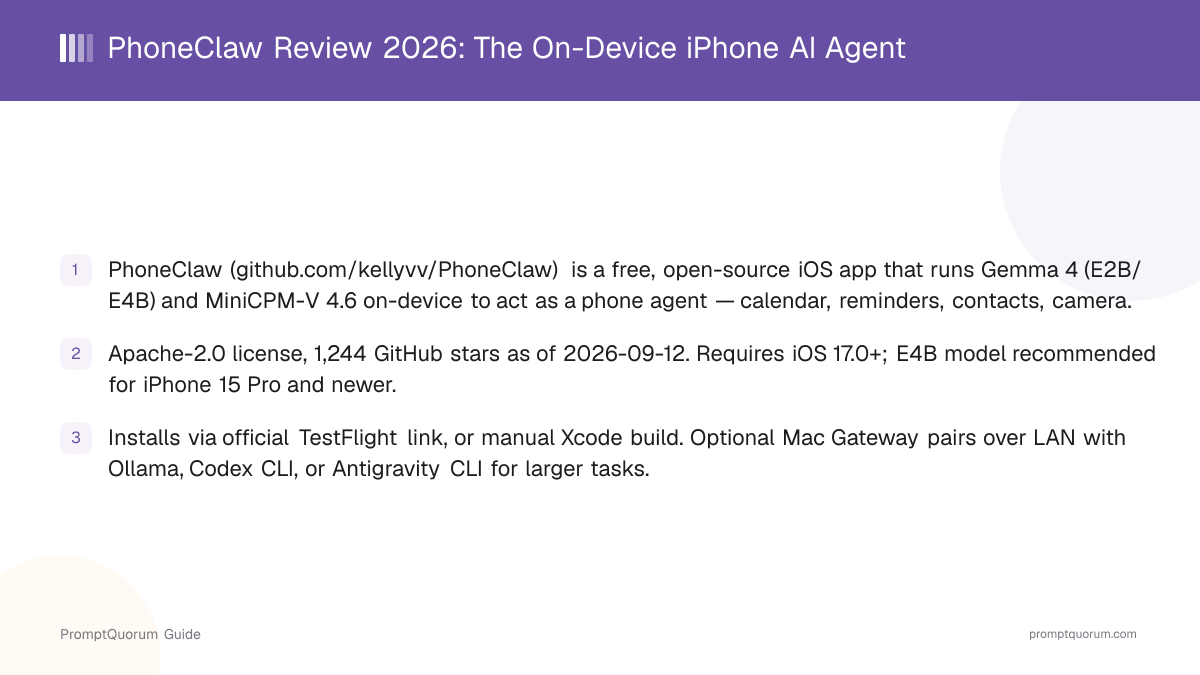
What Is PhoneClaw?
PhoneClaw is an iOS app that turns an iPhone into a local AI agent runtime. Its GitHub repository describes it as software that "turns phones into local AI agent runtimes with on-device models, native mobile Skills, LiveLand, and optional Mac Gateway inference."
- Core function: run an AI agent directly on an iPhone, using on-device models to read and act on calendar, reminders, contacts, clipboard, health data, and live camera input
- Inference: Gemma models run via Google's LiteRT-LM format (
.litertlmfiles); voice-related models use the ONNX format - Distribution: an iOS app, distributed primarily via Apple TestFlight, with the source available to build manually
- Developer: an individual open-source maintainer (GitHub user
kellyvv), not a company - Licensing: Apache-2.0, a permissive open-source license
Which Models Does PhoneClaw Run On-Device?
PhoneClaw ships with three on-device model options, each suited to a different hardware tier and task, per its own GitHub README.
Gemma 4 E2B
- Best For / Hardware:
- Lightweight: chat, translation, single-turn queries. Runs on iPhones with an A16 chip or newer.
Gemma 4 E4B
- Best For / Hardware:
- Full-featured: multi-turn tool conversations and complex agent flows. Recommended for iPhone 15 Pro and newer.
MiniCPM-V 4.6
- Best For / Hardware:
- Multimodal: image Q&A and real-time camera understanding in LIVE Mode. An A17 Pro chip or newer is recommended.
One documented limitation: on sideloaded (non-Xcode, non-TestFlight) installations, the memory cap imposed by sideload signing means the E4B model can only run on CPU — GPU acceleration fails in that configuration. PhoneClaw's own README recommends the E2B model for sideloaded installs and a proper Xcode or TestFlight build for the best performance with E4B.
What Can You Do With PhoneClaw?
Beyond running models on-device, PhoneClaw wraps them in several agent-oriented features, quoted below from its own GitHub README.
- LiveLand — launch PhoneClaw from the Dynamic Island, home screen widgets, lock screen widgets, Shortcuts, or Control Center; the on-device model "listens, understands your request, runs the task, and shows the result right there"
- LIVE Mode — a real-time voice interaction mode with natural conversation flow and barge-in interruption, plus live camera input so the model can recognize objects and scenes in real time
- Native mobile Skills — a file-driven system using Markdown definitions to extend what the agent can do
- Mac Gateway — pairs with a Mac on the same local network to route requests to Mac-side Ollama, Codex CLI, or Antigravity CLI models for tasks too large for on-device inference
- Device integrations — calendar, reminders, contacts, clipboard, and health data, each requiring explicit user authorization per Apple's permission system
- Resumable model downloads — large model files can be downloaded directly on-device, with the download resumable if interrupted
- Bilingual UI — English and Chinese interface language support
Get PhoneClaw (TestFlight or Manual Build)
PhoneClaw is distributed primarily through Apple TestFlight, with the source code also available to build manually for developers comfortable with Xcode.
TestFlight (recommended)
- Steps:
- Join via the official TestFlight link and install through the TestFlight app.
Manual build
- Steps:
git clone https://github.com/kellyvv/phoneclaw.git, thencd phoneclaw,pod install, andopen PhoneClaw.xcworkspacein Xcode; sign with your own Apple ID and deploy to a connected device.
Model download (manual build only)
- Steps:
- Install the Hugging Face CLI (
brew install hf), then runhf download litert-community/gemma-4-E2B-it-litert-lm gemma-4-E2B-it.litertlm --local-dir ./Models(or the equivalent for other models) before building.
Requirements: iOS 17.0 or later to run the app; macOS with Xcode 16 or later, plus CocoaPods, if building manually. A real physical device and an Apple Developer account (free or paid) are needed for manual builds, since PhoneClaw is not available on general App Store. There is no Android version.
Platform and Licensing
Platform
- Detail:
- iOS 17.0 or later only. No Android, Mac (standalone app), Windows, or Linux client — though a Mac companion app exists solely to serve as a Gateway for remote inference.
Cost
- Detail:
- Free. There is no paid tier or subscription for PhoneClaw itself.
License
- Detail:
- Apache-2.0, a permissive open-source license, per the repository.
On-device models
- Detail:
- Gemma 4 E2B, Gemma 4 E4B (via LiteRT-LM), and MiniCPM-V 4.6 (multimodal).
GitHub activity
- Detail:
- 1,244 stars, 168 forks, last code push August 6, 2026, per the GitHub API.
Verify current requirements and the TestFlight link directly on the GitHub repository before installing — a TestFlight beta can reach its tester-slot limit or be replaced with a new link, and a small, individually maintained project can change its setup steps between releases.
PhoneClaw vs. Other AI Agent Tools
PhoneClaw sits in the broader category of autonomous AI agents — tools that let a model take actions rather than just answer questions — though it is unusual in targeting a phone's own native functions specifically. Here is how it compares to other agent tools in the Local LLM Software Directory.
- Msty Go — a cross-platform local AI chat and agent app; unlike PhoneClaw, it is not focused on controlling a phone's native calendar/reminders/camera functions specifically. See the Msty Go review.
- Open Interpreter — an open-source agent framework that lets a model execute code and control a computer via natural language, aimed at desktops rather than phones. See the Open Interpreter review.
- Agent Zero — a general-purpose, self-hosted autonomous agent framework for computer tasks, not phone-specific device integrations. See the Agent Zero review.
- Leon AI — an open-source personal assistant framework you self-host on a server, rather than an on-device iPhone app. See the Leon AI review.
Who Should Use PhoneClaw?
Whether PhoneClaw fits depends on whether you own a compatible iPhone, want an agent that acts on native phone functions, and are comfortable with a small, individually maintained open-source project.
Try PhoneClaw if
- You own an iPhone with an A16 chip or newer (ideally iPhone 15 Pro or newer for the full-featured E4B model)
- You want an AI agent that can act on your calendar, reminders, contacts, or camera feed without sending that data to a cloud server
- You are comfortable installing a TestFlight beta, or building an open-source app from source with Xcode if you want more control
- You want the option to pair with a Mac for larger local models via Ollama, Codex CLI, or Antigravity CLI when a task exceeds what the phone can run alone
Wait, or look elsewhere, if
- You use Android — PhoneClaw is iOS-only with no Android version
- You need an App Store release rather than a TestFlight beta — PhoneClaw is not currently distributed through the general App Store
- You have an older iPhone below the A16 chip — PhoneClaw's on-device models will not run at a usable level
- You need a vendor-backed product with formal support — PhoneClaw is a small, individually maintained open-source project, not a company-backed app
Common Mistakes When Evaluating PhoneClaw
Most confusion around PhoneClaw comes from underestimating its hardware requirements or misunderstanding its distribution method.
Mistake 1: Assuming PhoneClaw is on the general App Store
PhoneClaw is distributed through Apple TestFlight, a beta-testing platform, not the general App Store. Install it via the official TestFlight link, and be aware that TestFlight betas can have tester-slot limits or expire.
Mistake 2: Expecting the full E4B model to run well on older iPhones
PhoneClaw's README specifically recommends the E4B model for iPhone 15 Pro and newer; on older or sideloaded devices, memory constraints can force it to run CPU-only, or it may not run usably at all. Use the lighter E2B model on less capable hardware.
Mistake 3: Assuming PhoneClaw has an Android version
PhoneClaw is iOS-only. There is no Android release, and its GitHub repository does not indicate one is planned.
Mistake 4: Thinking Mac Gateway sends your data to a cloud service
The Mac Gateway feature pairs with a Mac on the same local network, not a remote cloud server — it routes requests to models running locally on that Mac (via Ollama, Codex CLI, or Antigravity CLI). It requires explicit pairing and Local Network permission, and is a user-triggered feature, not automatic.
Frequently Asked Questions
What is PhoneClaw?
PhoneClaw (github.com/kellyvv/PhoneClaw) is a free, open-source iOS app that runs Gemma 4 and MiniCPM-V AI models on-device to act as a local agent, handling calendar, reminders, contacts, clipboard, health data, and camera input on the phone itself.
Is PhoneClaw free?
Yes. PhoneClaw is free, open-source software licensed under Apache-2.0. There is no paid tier.
How do I install PhoneClaw?
The recommended method is joining via the official TestFlight link. Developers can also build it manually from source using Xcode 16 or later.
Does PhoneClaw work on Android?
No. PhoneClaw is iOS-only, requiring iOS 17.0 or later. There is no Android version.
What iPhone do I need for PhoneClaw?
An iPhone with an A16 chip or newer runs the lightweight Gemma 4 E2B model. The full-featured Gemma 4 E4B model is recommended for iPhone 15 Pro and newer, and the MiniCPM-V 4.6 multimodal model recommends an A17 Pro chip or newer.
Does PhoneClaw send my data to a server?
PhoneClaw's on-device models process calendar, reminders, contacts, clipboard, health data, and camera input locally on the phone. The optional Mac Gateway feature sends requests only to a Mac on the same local network that you explicitly pair, not to an external cloud service.
What is Mac Gateway?
Mac Gateway is an optional PhoneClaw feature that pairs your iPhone with a Mac on the same local network, so PhoneClaw can route larger requests to Mac-side Ollama, Codex CLI, or Antigravity CLI models when a task exceeds what the phone can run on its own.
How many GitHub stars does PhoneClaw have?
The GitHub API showed 1,244 stars and 168 forks as of September 12, 2026. Check the repository directly for the current count.
Has PromptQuorum tested PhoneClaw hands-on?
This review is based on PhoneClaw's own repository, README documentation, and license file, cross-checked against the GitHub API for star count and license — it does not claim independent benchmarking of PhoneClaw's on-device model performance.
What are the closest alternatives to PhoneClaw?
Broader AI agent tools covering some overlapping ground include Msty Go, Open Interpreter, Agent Zero, and Leon AI — though none of them target an iPhone's native calendar/reminders/camera functions the way PhoneClaw does. See the comparison section above and the Local LLM Software Directory for more.