RTX 3060 12GB: Best GPU Under $300 for Local LLMs (2026)?
The used NVIDIA RTX 3060 12GB is the best GPU under $300 for local LLMs. Its 12GB of VRAM runs every 7B model and most 14B models at Q4, and NVIDIA CUDA works out of the box with Ollama — no driver hunting. Check today's used price rather than trusting an old number: a 2026 memory shortage has pushed GPU prices up, and the AMD RX 6700 XT (the usual budget alternative) is no longer meaningfully cheaper.
This page contains links to third-party products for reference. PromptQuorum is not enrolled in any affiliate program — these are plain links that earn no commission. Clicking links and your next steps are entirely your own responsibility. These links do not represent any endorsement or verification by PromptQuorum.
Quick Answer
A used RTX 3060 12GB is the best GPU under $300 for local LLMs — 12GB VRAM runs all 7B and most 14B models, and CUDA works with Ollama with no setup. Check the current used price rather than an old figure — GPU pricing has moved a lot in 2026.
- ▸RTX 3060 12GB runs Llama 3 8B Q4_K_M at roughly 25 tok/s and Qwen 14B Q4_K_M at roughly 15 tok/s.
- ▸RX 6700 XT 12GB matches the VRAM but needs ROCm on Linux — and as of this check, it's no longer meaningfully cheaper than the RTX 3060.
- ▸Avoid 8GB GPUs at this price point — the VRAM ceiling blocks 14B models entirely.
Key Takeaways
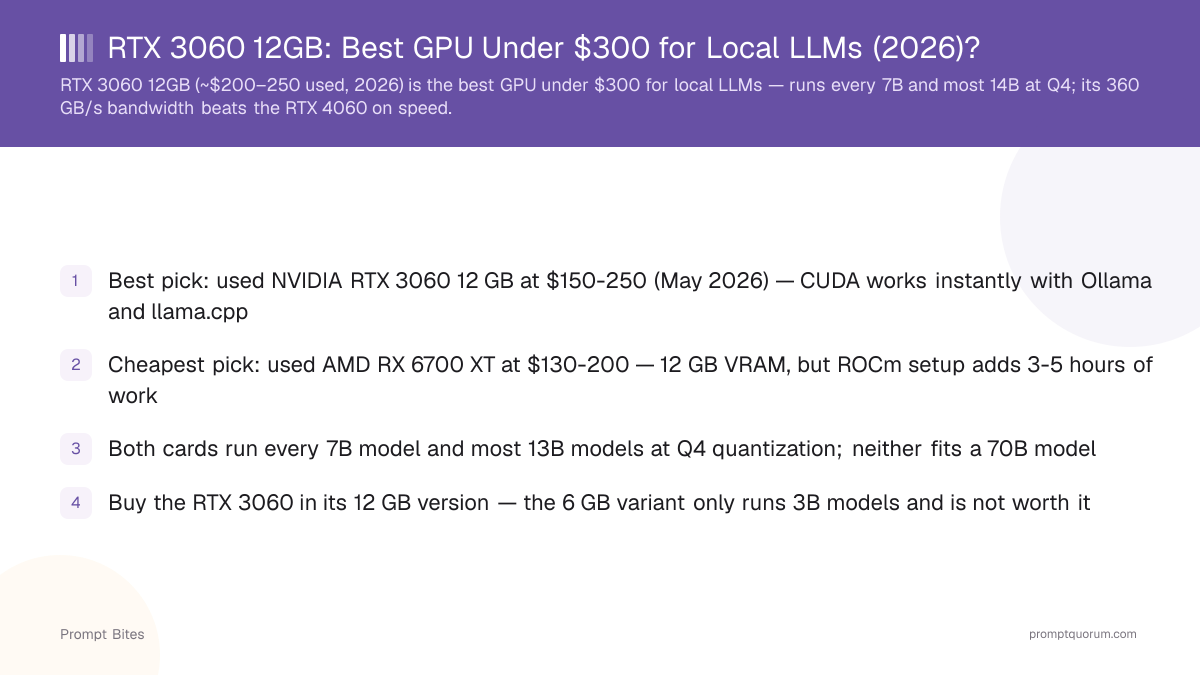
- ✓Best pick: used NVIDIA RTX 3060 12GB — CUDA works instantly with Ollama and llama.cpp
- ✓Alternative: used AMD RX 6700 XT — same 12GB VRAM, but ROCm setup adds hours of work, and it's no longer meaningfully cheaper in 2026
- ✓Both cards run every 7B model and most 13B–14B models at Q4; neither fits a 70B model
- ✓Buy the RTX 3060 in its 12GB version — the 6GB variant only runs 3B models and looks identical in listings
Best Pick: Used NVIDIA RTX 3060 12GB
The used NVIDIA RTX 3060 12GB is the best GPU under $300 for local LLMs because 12GB of VRAM plus zero-setup CUDA support gives you a working LLM box in minutes. It runs Mistral Small, Llama 3 8B, and Qwen3 8B at 15–20 tokens per second, and most 13B–14B models at Q4.
The RTX 3060 wins on software, not just VRAM. Ollama and llama.cpp detect NVIDIA GPUs via CUDA automatically on Windows and Linux — no driver hunting, no ROCm. The AMD RX 6700 XT matches the 12GB capacity, but as of this check its used price has converged with the RTX 3060's — the 2026 memory shortage narrowed the price gap that used to make it the budget pick. Choose it only if you already prefer Linux/ROCm; the cost savings that used to justify it mostly aren't there anymore.
Whichever you buy, avoid the 6GB RTX 3060 variant — it looks identical in listings but only fits 3B models.
RTX 3060 12GB vs RX 6700 XT for Local LLMs
Both cards carry 12GB of VRAM, so model capacity is identical — the real decision is CUDA versus ROCm. Check current prices for each before buying; the 2026 memory shortage keeps used GPU pricing volatile and has already erased most of the price gap between these two.
| GPU | VRAM | Setup | Best for |
|---|---|---|---|
| RTX 3060 12GB | 12GB | CUDA, instant | Best pick — no setup friction |
| RX 6700 XT | 12GB | ROCm, hours | Only if you already prefer Linux/AMD |
What Can You Run?
A 70B model at Q4 needs roughly 40GB of VRAM, so a 12GB card at this price tier isn't the right hardware for it — see the full GPU buying guide linked below for the tiers that fit larger models.
| Model size | Verdict |
|---|---|
| 7B–8B | 🟢 Excellent |
| 13B–14B (Q4) | 🟢 Very practical |
| 20B+ | 🟡 Memory becomes restrictive |
| 70B | 🔴 No |
Related Reading
- ▸Best GPU Under $600 for Local LLMs — the next tier up: RTX 4060 Ti 16GB
- ▸Best Ollama Models for RTX 3060 12GB — which models to pull once you have the card
- ▸Need more than 12GB VRAM? See the full GPU Buying Guide for Local LLMs — the complete comparison across every budget tier
Quick Answers About Sub-$300 GPUs for Local LLMs
Can a $300 GPU run local LLMs well?▾
Why pick the RTX 3060 over the RX 6700 XT if they cost about the same now?▾
Should I buy the 6GB or 12GB RTX 3060?▾
Can a sub-$300 GPU run a 70B model?▾
Want the full breakdown?
Read the complete guide →