Can You Run a Local LLM on a Raspberry Pi 5?
Yes — a Raspberry Pi 5 runs a local LLM today, and Ollama is the easiest way to do it: the 8GB board handles 1B-3B models like Llama 3.2 1B, Llama 3.2 3B, or Qwen3 1.7B on its CPU alone. For real GenAI acceleration and larger models, add the official Raspberry Pi AI HAT+ 2 — its Hailo-10H NPU is purpose-built for on-device LLM inference and ships with its own Hailo Ollama server.
This page contains links to third-party products for reference. PromptQuorum is not enrolled in any affiliate program — these are plain links that earn no commission. Clicking links and your next steps are entirely your own responsibility. These links do not represent any endorsement or verification by PromptQuorum.
Quick Answer
Yes. The Pi 5 (8GB) runs 1B-3B models via Ollama or llama.cpp on its CPU alone — that is roughly the practical ceiling. Add the official Raspberry Pi AI HAT+ 2 (Hailo-10H NPU) for dedicated GenAI acceleration, its own Hailo Ollama server, and headroom for larger models.
- ▸Best budget setup: Pi 5 8GB + active cooling — the cheapest way to experiment with tiny models.
- ▸Best AI setup: Pi 5 + Raspberry Pi AI HAT+ 2 — a dedicated Hailo-10H NPU built for GenAI workloads.
- ▸Pi-alone model range: roughly 1B-3B parameters at Q4 — do not expect desktop-GPU speed.
- ▸Best use: a private always-on assistant, home automation, or offline experimentation — not a fast daily chatbot.
Key Takeaways
- ✓Yes — the 8GB Raspberry Pi 5 runs 1B-3B models via Ollama or llama.cpp on its CPU alone
- ✓The official Raspberry Pi AI HAT+ 2 adds a Hailo-10H NPU built specifically for on-device GenAI, with its own Hailo Ollama server
- ✓Buy the 8GB configuration — 4GB leaves too little headroom for a model plus the OS
- ✓Active cooling is worth adding for any sustained inference workload, not just brief tests
- ✓Best use: a private always-on assistant, home automation, or offline experimentation — not a fast daily chatbot
- ✓For serious 7B+ local LLM work, a GPU PC or mini PC will outperform any Pi 5 configuration
Budget Setup: Raspberry Pi 5 Alone
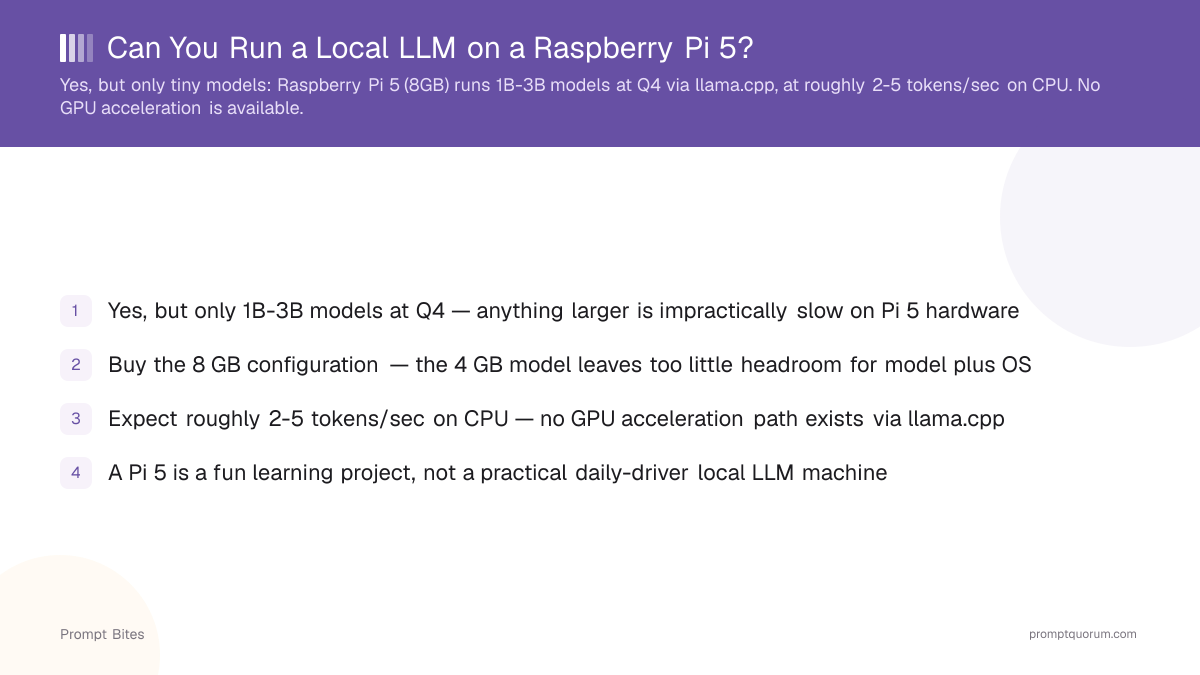
A bare Raspberry Pi 5 (8GB) runs 1B-3B parameter models at Q4 quantization through Ollama or llama.cpp — models like Llama 3.2 1B, Llama 3.2 3B, or Qwen3 1.7B. Everything runs on the quad-core CPU: the Pi 5's integrated VideoCore GPU is not a practical llama.cpp accelerator, so there is no meaningful GPU speedup on the bare board.
Community benchmarks put small Q4 models at roughly 4-9 tokens per second on Pi 5 CPU, depending on the exact model and runtime — noticeably slower than desktop-GPU inference, but usable for short queries and casual experimentation.
Best for: offline assistants for simple queries, Home Assistant experiments, automation scripts, and learning how local inference works. Buy the 8GB configuration — the 4GB model leaves too little headroom for a model plus Raspberry Pi OS.
Better: Pi 5 + Raspberry Pi AI HAT+ 2
The official Raspberry Pi AI HAT+ 2 turns a Pi 5 into a purpose-built edge-AI system by adding a Hailo-10H NPU and 8GB of dedicated memory. Raspberry Pi's own documentation confirms GenAI/LLM support through a Hailo GenAI Model Zoo, including a Hailo Ollama server you can query over the network or through a browser-based chat UI.
The Hailo-10H delivers 40 TOPS of INT4 inference performance and ships with several ready-to-run small models (roughly 1B-1.5B parameters, including Qwen2 and Llama 3.2 variants) — a meaningfully different, faster path than CPU-only inference for anyone who wants a real edge-AI device rather than a hobby experiment.
Buy this if you want dedicated GenAI acceleration and are comfortable with a still-maturing software stack — Raspberry Pi launched the AI HAT+ 2 in January 2026, and its documented package version can lag Hailo's own release cadence.
Pi 5 vs. Pi 5 + AI HAT+ 2 vs. a GPU PC
Adding the AI HAT+ 2 closes some of the gap to a GPU, but a discrete GPU or GPU PC still wins on raw model size and speed.
| Setup | Local-AI capability | Best for |
|---|---|---|
| Pi 5 alone | 1B-3B models, CPU only | Cheapest experiment, learning |
| Pi 5 + AI HAT+ 2 | Dedicated NPU, 1B-1.5B GenAI models | Real edge-AI device, GenAI focus |
| GPU PC / mini PC | 7B+ models, much faster | Serious daily-driver local LLM use |
Cooling for Sustained Inference
Sustained CPU- or NPU-heavy inference runs hotter than casual Pi use — the official Raspberry Pi Active Cooler (a clip-on heatsink with a temperature-controlled fan) is a cheap, well-documented addition if you plan to run inference for extended periods rather than brief tests.
NVMe Storage for an Always-On Server
If the Pi becomes an always-on local-AI server, NVMe storage via the official Raspberry Pi M.2 HAT+ (which uses the Pi 5's PCIe interface) is more reliable under sustained read/write load than a microSD card — worth adding once you move past casual testing.
What Can You Actually Build?
A Pi 5 local-LLM setup fits private home-assistant experiments, home-automation integrations (see our guide to building a local voice assistant for realistic latency expectations on Pi-class hardware), simple document classification, and always-on offline services that do not need fast responses.
Bottom Line
Cheapest: a bare Pi 5 8GB for 1B-3B models and experimentation. Best Pi-based AI setup: Pi 5 + the official AI HAT+ 2 for dedicated Hailo-10H acceleration. Best performance overall: a GPU PC or a mini PC built for local LLMs — for 7B+ models, no Pi configuration comes close.
Related Reading
- ▸Edge AI Silicon for Local LLMs 2026 -- What actually fits in a shipping product: power budget, thermal design, joules per token, not desktop tokens/sec.
- ▸Best Local LLM for 6 GB VRAM — a genuinely practical low-budget GPU alternative
- ▸How Much RAM Does a 7B Model Need? — why 7B is out of reach for a Pi 5 CPU
- ▸Best Mini PC for an Always-On Ollama Server — a more practical always-on alternative
- ▸Build a Local Voice Assistant — realistic latency across Pi, mini PC, and GPU hardware tiers
Frequently Asked Questions
Does the Raspberry Pi 5 need active cooling for LLM inference?▾
Does the Raspberry Pi AI HAT+ 2 actually support LLMs?▾
Is Ollama the best way to run an LLM on a Raspberry Pi 5?▾
Is a Raspberry Pi 5 good for a voice assistant with a local LLM?▾
What is the minimum RAM for any local LLM on a Pi 5?▾
Related Prompt Bites