Key Takeaways
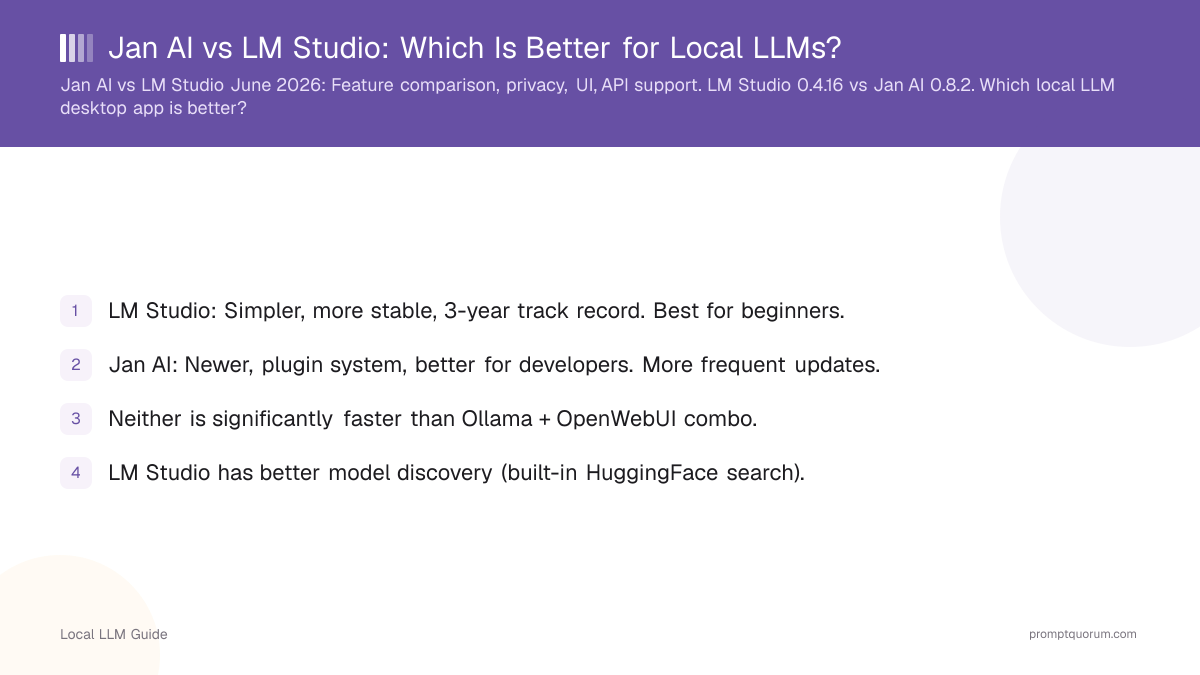
- LM Studio: Simpler, more stable, 3-year track record. Best for beginners.
- Jan AI: Newer, plugin system, better for developers. More frequent updates.
- Neither is significantly faster than Ollama + OpenWebUI combo.
- LM Studio has better model discovery (built-in HuggingFace search).
- Jan AI has better API endpoint management (multiple servers on different ports).
- Both support OpenAI-compatible API for IDE/IDE integration.
- For production: use Ollama or vLLM, not desktop apps.
- For desktop GUI: LM Studio if beginner, Jan AI if developer.
📍 In One Sentence
LM Studio (v0.4.16) is the simpler, more stable desktop app for beginners with built-in model discovery, while Jan AI (v0.8.2) is the fully open-source, plugin-friendly option for developers who want finer API control -- neither is faster than a plain Ollama + OpenWebUI setup.
💬 In Plain Terms
Both are free desktop apps for running AI models on your own computer without touching a command line. LM Studio has a more polished, beginner-friendly interface and has been stable for years. Jan AI is fully open-source with no telemetry and lets developers customize things more, like running multiple model servers on different ports. Pick LM Studio if you just want it to work; pick Jan AI if you want to tinker.
Feature Comparison Table: LM Studio 0.4.16 vs Jan AI 0.8.2
LM Studio wins on simplicity and model discovery; Jan AI wins on openness and developer control.
Feature | ||
|---|---|---|
| License | Proprietary (free personal) | MIT open-source |
| Interface | Native Electron app | Electron-based app |
| Built-in chat | ✓ | ✓ |
| Model browser | ✓ (HuggingFace search) | Manual (.gguf copy) |
| API endpoint | OpenAI-compat (port 1234) | OpenAI-compat (port 1337) |
| Plugin system | No | ✓ (extensions) |
| Telemetry | Optional (off by default) | No telemetry |
| Multiple model servers | No (one active model) | ✓ (multiple ports) |
| RAG support | No | ✓ (knowledge base plugin) |
| AMD GPU (ROCm) | ✓ (Linux) | ✓ (via llama.cpp HIP) |
User Interface & Ease of Use
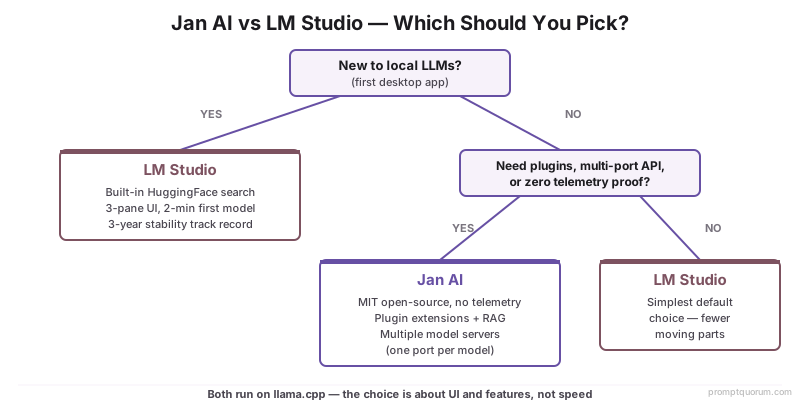
LM Studio: Simple 3-pane layout (model browser → settings → chat). Takes 2 min to load first model. Stable UI, no surprises.
Jan AI: More feature-rich sidebar with plugins. Takes 5 min to understand plugin system. More clicks to reach common actions.
Winner: LM Studio for beginners. Faster onboarding, less cognitive load.
Speed & Performance
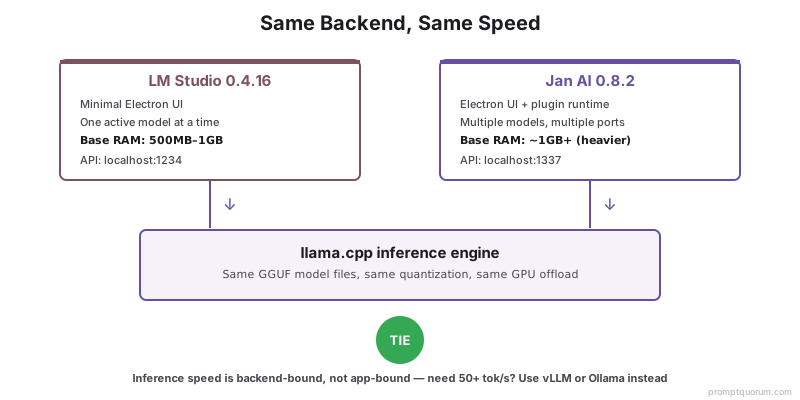
Both apps use the same llama.cpp backend. No inherent speed difference.
LM Studio: Slightly lower overhead (minimal UI, fewer features = lighter memory footprint).
Jan AI: Heavier UI (Electron-based), uses more RAM. Inference speed identical.
Real difference: If you need 50+ tok/s, neither app is optimal. Use vLLM or Ollama for performance.
Winner: Tie. Speed is backend-dependent (llama.cpp), not app-dependent.
Model Library & Download Management
LM Studio: Integrated HuggingFace search. Browse & download models without leaving app.
Jan AI: Manual model management (copy .gguf to folder, refresh). More work.
Both support GGUF format (llama.cpp quantizations).
Winner: LM Studio for ease of model discovery and management.
API Support & Integrations
LM Studio: Single OpenAI-compatible `/v1/chat/completions` endpoint per session.
Jan AI: Multiple API endpoints, each running model independently. Better for parallel workflows.
Both work with VS Code Copilot, Cursor, and other IDE extensions.
For production API server: skip both, use Ollama or vLLM.
Winner: Jan AI for developers needing multiple concurrent models.
Privacy & Data Handling
LM Studio: All data stays local. No telemetry. Built-in privacy.
Jan AI: All data stays local. No telemetry claims. Both equally private.
Real privacy benefit over cloud APIs: inference never leaves your machine.
Winner: Tie. Both are private, but so is Ollama (which is free).
Common Misconceptions
- LM Studio and Jan AI are faster than Ollama. False. Both use llama.cpp backend, same speed.
- Jan AI is better because it's newer. False. Older ≠ worse. LM Studio's stability is an advantage.
- These apps are production-grade. False. For real servers, use vLLM or Ollama CLI.
Frequently Asked Questions
Which should I choose for my first local LLM?
LM Studio. Simpler UI, faster setup, built-in model discovery. Jan AI if you want to tinker with plugins.
Can I use LM Studio API with VS Code Copilot?
Yes. Start LM Studio server, copy endpoint URL into Copilot extension settings.
Is Jan AI's plugin system production-ready?
No. Good for experimentation. Production use requires dedicated backend (vLLM, Ollama).
Do I need both LM Studio and Jan AI?
No. Pick one. If you want a GUI and API, LM Studio is sufficient.
How much RAM do LM Studio and Jan AI use?
Base: 500MB-1GB each. With 7B model running: 8GB-12GB total (model + UI). Jan AI slightly heavier.
Can I run both simultaneously?
Yes, on different ports. But pointless--use one app for inference, one for other work.
Is Jan AI truly open-source?
Yes. Jan AI is MIT-licensed and available on GitHub (janhq/jan). LM Studio is proprietary (free for personal use but closed-source). This makes Jan AI more auditable for privacy-sensitive deployments.
Which app is faster -- LM Studio or Jan AI?
Neither is meaningfully faster than the other. Both use llama.cpp as the inference backend. Speed is determined by your GPU, model size, and quantization level -- not the app layer.
Does Jan AI support AMD GPUs?
Yes, through llama.cpp HIP backend. AMD ROCm support improved in 2025. LM Studio also supports AMD ROCm on Linux. Both require ROCm-compatible drivers (Ubuntu recommended).
Can I use Jan AI for local RAG (Retrieval-Augmented Generation)?
Yes. Jan AI includes a knowledge base plugin for local RAG. Upload documents and Jan AI indexes them for context. LM Studio does not include RAG.
Sources
- LM Studio official documentation and GitHub
- Jan AI official documentation and plugin marketplace
- llama.cpp backend: shared foundation for both apps
- Both tools run identical models, so output quality depends entirely on how you structure your prompts. For a structured approach to better results: prompt engineering guide covers frameworks, techniques, and evaluation methods.