Key Takeaways
- Core idea: speaking is faster than typing and lets you express your views better, so each AI request carries more context and gets a better result
- Author use: basic dictation into Claude Code, WhatsApp and other AI tools on a MacBook; works perfectly, with reliable voice-to-text capture
- Languages: German, English, French and Russian all understood in the author's tests
- Limits: the target window must be active; occasional drift into translation mode, reduced by locking the language in settings
- Privacy: audio and text are sent to AquaVoice's servers; where they are hosted is not published and EU hosting is not stated, so check confidential use individually first
- Pricing in US dollars: Free (1,000 words), Pro $8 per month billed annually ($10 monthly), Max $24 per month billed annually ($30 monthly)
📍 In One Sentence
AquaVoice is a voice-dictation app that inserts spoken text into the active app, and its main benefit for AI work is that speaking lets you give a model much more context per request than typing does.
💬 In Plain Terms
You talk, AquaVoice types for you in whatever window is active, such as Claude Code or WhatsApp. Because talking is quicker than typing, you explain more, and an AI that knows more about your situation answers better.
📌Note: AquaVoice gave PromptQuorum free access for this review and pays nothing else. If you prefer fully local speech-to-text, see the MacWhisper review.
What Is AquaVoice?
AquaVoice, branded Aqua, is a dictation app at aquavoice.com. Its site describes it as turning your voice into clear text in real time, "for everything from AI prompts to essays", using its own speech model called Avalon. On Mac you hold the space key and speak; on other devices you press and speak. The text then appears in the app you are using, including editors and AI tools such as Claude, Cursor and ChatGPT, plus messaging apps.
- Real-time dictation: speech becomes text as you talk, inserted into the active app
- Languages: the site states 49 supported languages
- Platforms: macOS (primary), iOS, Android and Windows, per the site
- Tiers: Free (1,000 words), Pro (unlimited words, custom instructions), Max (adds Realtime Mode and voice commands), Business (team plans)
- Privacy: dictation is sent to AquaVoice's servers; an optional Privacy Mode limits storage of transcripts, and the hosting location is not published
Why Dictation Gives AI More Context
Speaking is faster than typing, and most people express their views better out loud than in writing, so a dictated prompt contains more of what the AI needs to know. A model can only work with the context in the request. When writing is slow, people shorten the request, leave out background and constraints, and get a more generic answer. When speaking is easy, they explain the situation, the goal, what they already tried and what matters — a bigger context, which tends to give better information and a better result.
- Typing pressure: slow typing makes you cut background and detail from a prompt
- Speaking habit: you naturally explain the situation, the reason and the goal
- Result: more context in each request, so the AI has less to guess
- Where it helps most: long coding tasks in Claude Code, messages that need nuance, and any prompt where the "why" matters
Daily Use: What Works and What Does Not
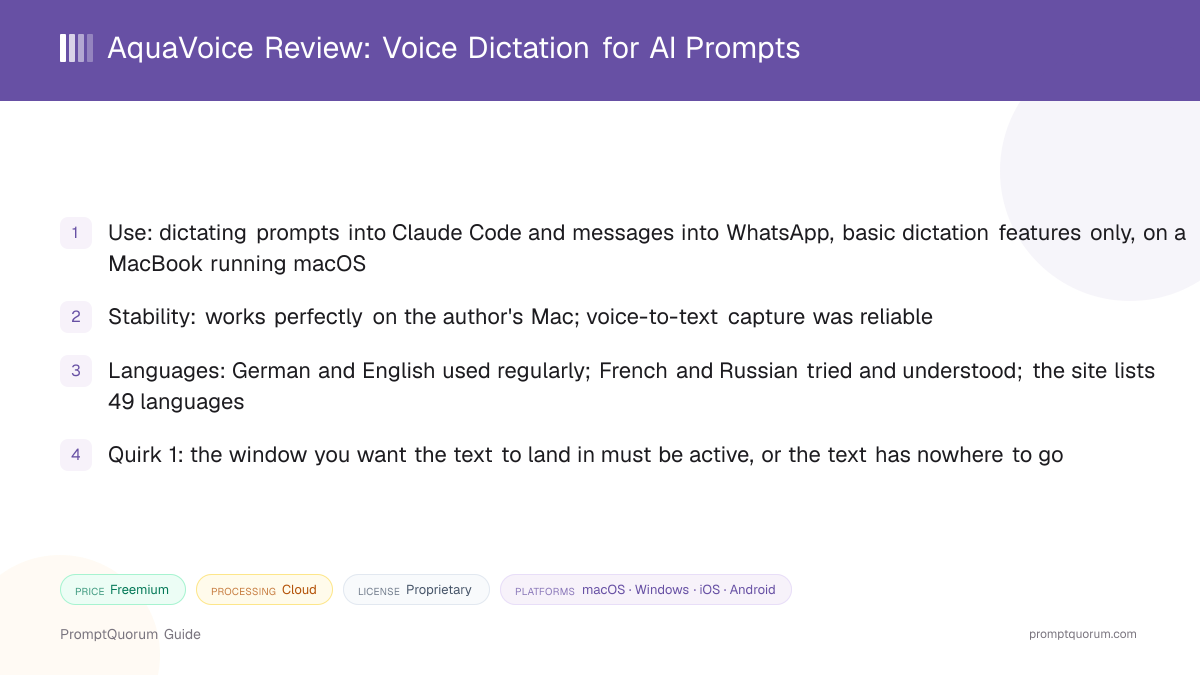
The author uses AquaVoice on a MacBook running macOS for basic dictation: speaking text and having it inserted into WhatsApp, Claude Code and other AI tools. It works perfectly on that setup. This is informal daily use on the basic functions, not a benchmark.
What works
- Stability: no problems in the author's daily use on the MacBook; the tool runs totally stable
- Capture: the copying of the voice text works perfectly
- Languages: German and English without problems; French understood in light testing; Russian also understood
What to watch for
- Active window: the window where the text should go must be active. If it is not, AquaVoice does not know where to put the text
- Translation drift: two or three times, while dictating in one language, the output came out translated into another. The cause is not yet known to the author
- Fix that helped: AquaVoice has settings to lock dictation to one language, and doing so reduces the drift a lot
How Much Does AquaVoice Cost?
AquaVoice's pricing page lists a free tier and three paid options in US dollars: Pro at $8 per month billed annually, Max at $24 per month billed annually, and Business at $19 per seat per month billed annually. Monthly billing costs more, and the iOS App Store charges different, higher in-app prices. The page shows no regional pricing or VAT information, and the author saw the same US-dollar prices from Germany.
Free
- Price and what is included:
- $0: 1,000 free words with the Avalon transcription model, no credit card required
Pro
- Price and what is included:
- $8 per month billed annually ($96 per year) or $10 monthly: unlimited words, Custom Instructions, Expanded Custom Dictionary
Max
- Price and what is included:
- $24 per month billed annually ($288 per year) or $30 monthly: everything in Pro plus Realtime Mode, the "Send it" voice command and early access to new features
Business
- Price and what is included:
- $19 per seat per month billed annually or $24 monthly, minimum 2 seats: everything in Max plus SSO/SAML, SCIM, advanced reporting and Zero Data Retention
Student discount
- Price and what is included:
- 70% off Pro and Max, per the pricing page
iOS App Store (US store)
- Price and what is included:
- Pro $12.99 monthly or $119 per year; Max $39.99 monthly or $374.99 per year, higher than the website prices
Prices from the pricing page and the US iOS App Store listing, checked on 2026-10-03; both are in US dollars and may change. Taxes such as VAT are not mentioned on the page, so the final price in your country may differ. Check the checkout before you buy.
Download AquaVoice
Sign up and download from the official site. This review links to AquaVoice's own pages; always confirm you are on the official domain before signing in.
What | Link |
|---|---|
| Official site | aquavoice.com |
| Sign up and download | app.aquavoice.com/sign-up |
PromptQuorum has no commercial arrangement beyond free access to the product; these are plain links and earn no commission.
Platforms and Privacy
AquaVoice lists macOS, iOS, Android and Windows, and it is a service that sends your voice data to its servers, so treat confidential content with care. The author runs it on a MacBook under macOS, where it works perfectly. The company is Aqua Voice, Inc.; its terms of service place disputes in binding arbitration in Delaware, United States, and public company profiles describe a San Francisco base. None of AquaVoice's own pages reviewed state where its servers are or where audio and transcripts are processed, no EU hosting or data-residency option is mentioned, and the speech and AI sub-processors involved in transcription are not named.
Does data leave my device?
- What the published pages say:
- Yes: the privacy policy refers to transcript data stored on AquaVoice's servers when Privacy Mode is disabled, and the iOS App Store labels list audio data as user content linked to you
Where is it hosted?
- What the published pages say:
- Not stated: no hosting provider, country or region is published
Is EU hosting offered?
- What the published pages say:
- Not stated anywhere reviewed
Which company is responsible?
- What the published pages say:
- Aqua Voice, Inc.; terms point to arbitration in Delaware, US; registered address not published
Is my audio used to train AI models?
- What the published pages say:
- The terms say content is not used to train, or allowed to be used by third parties to train, AI models unless you explicitly agree
What does Privacy Mode do?
- What the published pages say:
- With it enabled, transcript data is not collected; the default setting is not stated
Zero data retention?
- What the published pages say:
- Listed for the Business plan; not stated for individual plans
Based on aquavoice.com, its privacy policy (effective 2026-07-29), its terms of service and its iOS App Store listing, checked on 2026-10-03. For confidential, client, health or personal data, do not assume it is safe to use: review it individually before use. Ask AquaVoice for its data-processing terms, hosting location, sub-processor list and international-transfer safeguards, involve your data-protection officer where GDPR applies, and enable Privacy Mode. This is not legal advice. For fully on-device transcription see MacWhisper.
Who Should Use AquaVoice?
AquaVoice suits people who write many prompts or messages and want to give AI more context without typing it all. It is a poor fit if your data must stay on your device or in a specific jurisdiction, unless an individual review says otherwise.
Use AquaVoice if
- You work with AI tools such as Claude Code and want to give longer, richer requests
- You send many messages (for example in WhatsApp) and prefer talking to typing
- You switch between languages such as German and English
Avoid AquaVoice if
- Your content is confidential, regulated or must stay in the EU; AquaVoice sends data to servers whose location is not published, so review it individually first or use a local tool
- You expect text to land in an app that is not active; the target window must be in front
Alternatives
AquaVoice is a dictation tool. MacWhisper is the closest same-category review on this site, but it targets a different job: local transcription of files and meetings, plus dictation on Mac. The open-source options below are developer tools.
Tool | Main job | Where it runs | Platforms |
|---|---|---|---|
| AquaVoice | Real-time dictation into any app | AquaVoice servers (location not published) | macOS, iOS, Android, Windows |
| MacWhisper | Local transcription of files and meetings, plus dictation | On your Mac | macOS |
| whisper.cpp | Developer speech-to-text library | On your device | Mac, Windows, Linux |
| faster-whisper | Python speech-to-text library | On your device | Mac, Windows, Linux |
The author has used AquaVoice but did not run a head-to-head test against the others, so this table compares what each tool is for, not which is better.
Common Mistakes When Using AquaVoice
Most problems come from the active-window rule and from leaving the language on automatic.
Mistake 1: Dictating while another window is active
The text goes to the active window. Click into the app where the text should land before you start speaking.
Mistake 2: Leaving the language unlocked when you only use one
Occasional translation-mode drift happened in the author's use. Locking dictation to one language in settings reduced it a lot.
Mistake 3: Treating it as a local or EU-hosted tool
Your voice data is sent to AquaVoice's servers, their location is not published and no EU hosting is stated. Review confidential use individually, check the privacy documentation and enable Privacy Mode before dictating sensitive content.
Frequently Asked Questions
Why dictate prompts instead of typing them?
Speaking is faster than typing, so you give the AI more context per request, and more context generally gives a better result.
Does AquaVoice work in German and French?
In the author's use it handled German and English well and understood French and Russian; the site lists 49 languages.
Why did my dictation come out in another language?
The author saw this two or three times; locking dictation to a single language in settings reduced it a lot. The cause is not yet known.
Why did the text not appear anywhere?
The window where the text should go must be active; otherwise AquaVoice does not know where to put it.
How much does AquaVoice cost?
There is a free tier with 1,000 words; Pro is $8 per month billed annually ($10 monthly) and Max is $24 per month billed annually ($30 monthly), in US dollars.
Is my dictated data sent to the cloud, and where is it hosted?
Yes, it is sent to AquaVoice's servers; the hosting location is not published and EU hosting is not stated, so review confidential use individually first.
Can I dictate confidential data with AquaVoice?
Not by default: assess it individually first, including its data-processing terms, hosting location and sub-processors, and enable Privacy Mode.
Was this review paid for?
AquaVoice gave PromptQuorum free access to the product; PromptQuorum receives no payment and no commission.