What Is Askimo?
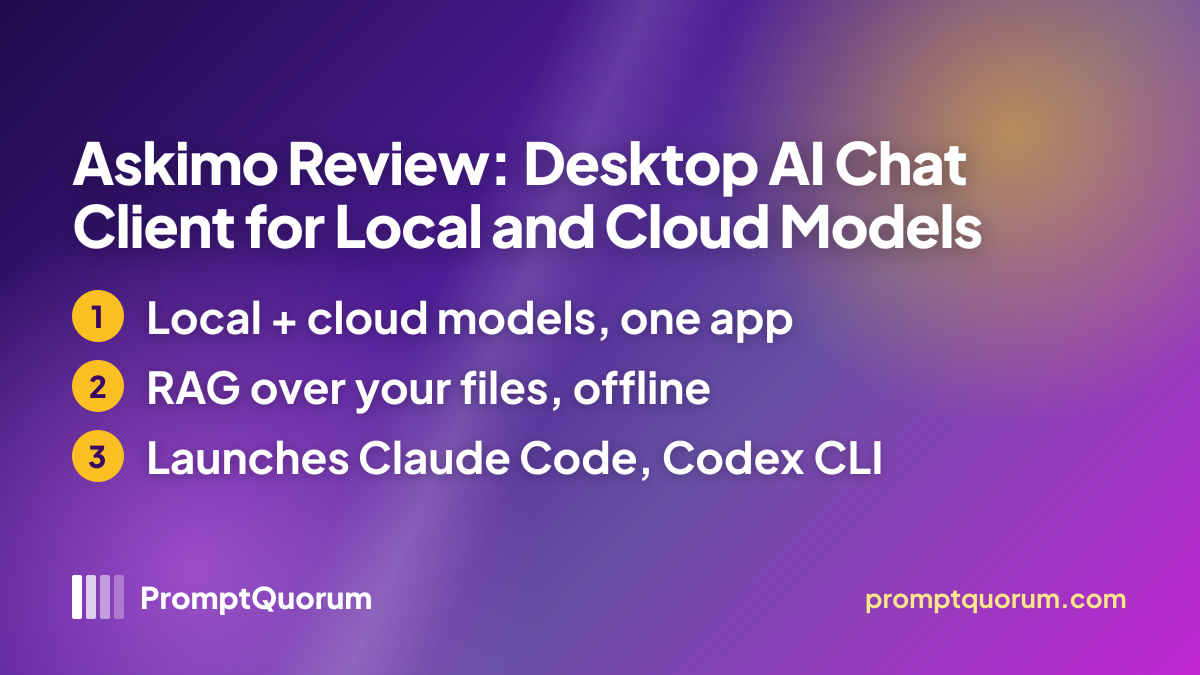
Askimo's own homepage positions it as a single desktop app that combines a multi-provider chat client with file search, external coding agents, and automation, rather than a chat window for one AI provider.
- Core idea: one desktop install that can talk to a built-in local model, a self-hosted local backend, or a cloud provider, switching providers without switching apps, per the homepage and docs
- Ships as a desktop app for macOS, Windows, and Linux, plus a documented command-line interface for "scripting, CI/CD pipelines, and DevOps tasks," per the docs
- Maturity: the repository has roughly 0+ GitHub stars and is on release v1.5.5 as of this check
- What it is not: Askimo does not run external coding agents itself — per its own docs, it launches the chosen agent CLI (Claude Code, Codex CLI, or Antigravity CLI) as a separate subprocess and streams its output back, rather than reimplementing agent behavior
How Askimo Works: Projects, Agents, and MCP
Per askimo.chat/docs, Askimo's features beyond plain chat fall into three groups.
- Providers — a user configures one or more AI providers: a built-in local model, a local backend (Ollama, LM Studio, LocalAI, Docker AI, or any OpenAI-compatible endpoint), or a cloud API (OpenAI, Anthropic Claude, Google Gemini, xAI Grok), plus an optional LiteLLM "Team Gateway" setup
- Projects (RAG) — a user points Askimo at a folder of documents or code; it indexes the content locally (the security page names Apache Lucene and jvector, with on-device embeddings) so chat answers can cite retrieved snippets instead of relying only on the model's training data
- Agents — a user picks an external coding CLI (Claude Code, Codex CLI, or Antigravity CLI), each authenticated separately (an Anthropic account/
claude loginfor Claude Code, an OpenAI API key added in Askimo for Codex CLI, or a Gemini API key shared with Askimo's own Gemini provider for Antigravity CLI), and a workspace folder; Askimo launches that CLI as a subprocess with approval prompts bypassed and streams its tool calls and output into an Agents view in real time - Skills library — before launching an agent, Askimo copies or symlinks a user's own
SKILL.md-based skill folders into the runtime's own skill directory (for example.claude/skills/), so the same skill definitions can be reused across the three supported agent CLIs - MCP Integration — a documented set of Model Context Protocol connections that the docs describe as reaching "GitHub, databases, APIs, and real-world tools"
- Recipes — described in the docs as "declarative automation chains combining prompts and commands," for repeating a multi-step task without re-typing each prompt
Get Askimo
Askimo installs with a single downloaded installer on every supported OS — a DMG on macOS, an MSI on Windows, and a .deb package on Linux — per the per-OS installation guides, checked 2026-11-18.
Platform | How to get it |
|---|---|
| macOS (Apple Silicon or Intel) | DMG from the macOS install guide |
| Windows | MSI from the Windows install guide |
| Linux (x64 or arm64) | .deb package from the Linux install guide |
| Any OS (fallback) | A "Universal JAR" needs Java 25+, see install guide |
| Website | askimo.chat |
| Security and data-handling page | askimo.chat/security |
| Source code (GitHub) | github.com/askimo-ai/askimo |
The current version is 1.5.5, per github.com/askimo-ai/askimo/releases, checked 2026-11-18. Askimo did not state a dedicated privacy-policy page separate from its Terms and Security pages as of this check.
Privacy and Data Handling
Per askimo.chat/security, checked 2026-11-18, Askimo describes itself as keeping nearly everything on the user's own machine.
- Askimo states it does not collect API keys, conversations, documents, or personal information, and runs no backend servers that collect user data
- On first launch, one anonymous install-count ping is sent, containing only the app version and OS family (for example "macOS"); the page states this ping cannot be disabled and retains no device ID or IP address
- Optional usage analytics are off by default; if a user opts in, anonymous feature signals (such as provider type or whether RAG is enabled) are sent and can be turned off again in Settings
- All local data lives under
~/.askimowith no cloud sync: API keys in the OS keychain (or an AES-256-GCM fallback), chat history in a local SQLite database, the RAG index built with Apache Lucene and jvector, and preferences in a local YAML file - For Projects (RAG), indexing and embeddings run on-device; the security page states only relevant retrieved snippets, not the full documents, are sent to whichever AI provider is asked a question
- Prompts and context sent to a cloud provider (OpenAI, Anthropic, Gemini, xAI) are visible to that provider under its own privacy policy — Askimo's local-first claims apply to Askimo itself, not to what a chosen cloud provider does with a request
Askimo License and Pricing
Askimo's current product, the Individual edition, is free; a second, paid tier is announced but does not exist yet.
- License: AGPL-3.0, per the GitHub repository
- Individual edition: free, no account required, and no usage cap stated by Askimo itself — any AI usage cost comes from whichever provider's API key a user supplies, or is free for a local backend like Ollama
- Team Edition: announced on askimo.chat/pricing for a planned later release (H2 2026 per the page), adding shared knowledge bases, role-based access, audit logs, and optional encrypted cloud sync; its price is listed only as "TBD / seat / month" and it is not launched as of this check
Who Should Use Askimo?
Whether Askimo fits depends mainly on whether you want one desktop app that spans local and cloud providers, rather than a client dedicated to a single backend.
Use Askimo if
- You want to switch between a local model, a self-hosted backend like Ollama, and cloud providers from the same app without switching tools
- You want to chat with your own indexed documents or code locally, with embeddings computed on-device
- You already use an external coding-agent CLI (Claude Code, Codex CLI, or Antigravity CLI) and want one interface to launch and monitor it across projects
- You want a free, AGPL-3.0, no-account desktop app to evaluate before any paid tier exists
Wait, or look elsewhere, if
- You need the agent runner to never bypass approval prompts for file writes or shell commands — Askimo's own docs state prompts are bypassed once a run starts
- You need a stated company, support contact, or legal jurisdiction behind the product — none is published as of this check
- You specifically need the already-priced Team Edition features (shared knowledge bases, audit logs) today — that tier is announced but not launched
- You want a client built around one specific provider or backend rather than a multi-provider switcher — see Askimo vs. Other Desktop Chat Clients below
Askimo vs. Other Desktop Chat Clients
Askimo is one of several desktop chat clients that connect to both local and cloud AI providers. Here is how it compares to others in the same general-purpose chat-client segment — see the Local AI Directory for the full catalog.
- Cherry Studio — an AGPL-3.0, open-source desktop client for Windows, macOS, and Linux that also connects to local backends like Ollama and cloud providers, with MCP support; unlike Askimo, Cherry Studio does not launch a separate external coding-agent CLI.
- AnythingLLM — an MIT-licensed desktop and self-hosted RAG chat client with a built-in local engine, multi-format document chat, and MCP support, aimed more squarely at knowledge-base chat than at launching external coding agents. See the AnythingLLM review.
- Chatbox — a GPL-3.0, open-source desktop and web chat client that connects to Ollama and other providers, with file chat and MCP support, but without Askimo's dedicated external coding-agent runner.
Frequently Asked Questions
Does Askimo require a cloud account to use?
No. Per the homepage, Askimo requires no account; a user supplies their own provider API keys for cloud models, or points it at a local backend such as Ollama or the built-in local model, with no sign-up step.
Can Askimo run entirely offline?
Only if every provider in use is local — the built-in local model or a self-hosted backend like Ollama, LM Studio, LocalAI, or Docker AI. Using a cloud provider (OpenAI, Anthropic, Gemini, xAI) requires an internet connection and sends that request to the provider.
Does Askimo run Claude Code or Codex itself?
No. Per Askimo's own documentation, it launches the separately installed and authenticated CLI (Claude Code, Codex CLI, or Antigravity CLI) as a subprocess in a chosen workspace and streams its output back — it does not reimplement the agent.
Is Askimo free?
The current Individual edition is free with no account and no usage cap stated by Askimo itself. A paid Team Edition is announced for a planned later release but is not launched or priced as of this review (checked 2026-11-18).