What Is exo?
exo is a framework for connecting multiple devices you already own into one AI inference cluster, so that models too large to fit in any single device's memory can still run, by splitting the model across the group. It is maintained by exo labs and its own repository description reads simply: "Run frontier AI locally."
- Core function: automatic device discovery plus topology-aware model sharding — point several devices at the same cluster and exo works out how to split the model across them
- Inference backend: MLX, Apple's open-source array-computing framework, used both for running the model and for the MLX-distributed communication layer between devices
- Deployment model: run from source (macOS or Linux), via the Nix package manager, or — macOS only — as a background app you install with Homebrew or a downloadable
.dmg - Developer: exo-explore / exo labs on GitHub; the repository's LICENSE file lists the copyright holder as Exo Technologies Ltd
- Canonical repository: github.com/exo-explore/exo, created June 2024 per GitHub's own repository metadata, with a push recorded as recently as 2026-08-25 at the time of this review
Install exo: Setup Options
exo's own README documents three ways to run it: building from source on macOS or Linux, running it through the Nix package manager, or — macOS only — installing a prebuilt background app. There is no pip install exo package; source installs use uv for Python dependencies.
- This starts the exo dashboard and OpenAI-compatible API at
http://localhost:52415, per exo's own README - On Linux, the equivalent commands use
uv sync --extra mlx-cpu(or--extra mlx-cuda13/--extra mlx-cuda12where applicable); exo's own README states that on Linux, exo currently runs on CPU only, with GPU support "under development" - If Nix is already installed,
nix run .#exoskips most of the manual dependency setup on macOS - On macOS, exo also ships a prebuilt background app requiring macOS Tahoe 26.2 or later — install it with
brew install --cask exoor download EXO-latest.dmg directly, per exo's own documentation - Two configuration flags exist for source installs, per the README:
--no-worker(run a coordinator-only node without local inference — useful for a machine with good network connectivity but limited GPU/memory) and--legacy-daemon(run as a background daemon for older init systems)
Build from source (macOS)
Requires Xcode (for the Metal toolchain), Homebrew, uv, Node.js, and a nightly Rust toolchain, per exo's own prerequisites list. Run the following from a terminal:
git clone https://github.com/exo-explore/exo
cd exo/dashboard && npm install && npm run build && cd ..
uv sync --extra mlx
uv run exo
How exo's Clustering Actually Works
exo's own README documents four mechanisms that together let a group of separate devices behave as one inference cluster, rather than requiring you to manually decide which layers run where.
- exo's own caveats for RDMA: every device in the cluster must be directly cabled to every other device with Thunderbolt-5-rated cables, and all devices must run the exact same macOS version, including beta build numbers
- A
--no-workerflag lets a device join a cluster as a coordinator only, without running inference locally — useful for a machine with strong networking but weak compute - The
EXO_OFFLINEenvironment variable runs a cluster without an internet connection, using only models already cached locally
Automatic device discovery
Devices running exo on the same network find each other without manual configuration, using a peer-to-peer discovery layer — exo's own configuration docs reference this as libp2p-based, exposed through the EXO_LIBP2P_NAMESPACE environment variable for isolating multiple clusters on one network.
Topology-aware auto parallel
exo builds a real-time view of the cluster's topology — each device's available memory plus the latency and bandwidth of the network links between them — and uses that view to decide how to split a model across devices, per exo's own README.
Tensor parallelism
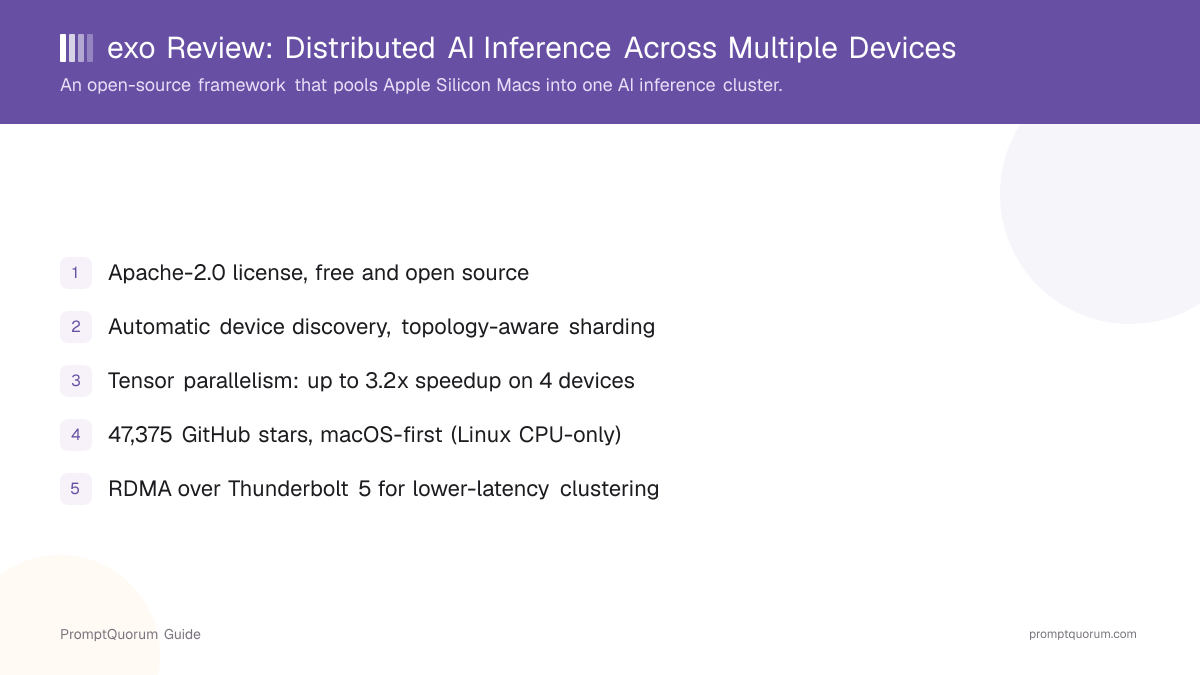
On top of splitting a model's layers across devices, exo applies tensor parallelism within that split, which exo's own README credits with up to a 1.8x speedup on 2 devices and a 3.2x speedup on 4 devices, relative to a naive layer split without it.
RDMA over Thunderbolt 5
On Macs with Thunderbolt 5 (M4 Pro Mac Mini, M4 Max Mac Studio/MacBook Pro, M3 Ultra Mac Studio) running macOS 26.2 or later, exo supports Remote Direct Memory Access over Thunderbolt, which its own documentation describes as a 99% reduction in inter-device latency. Enabling it requires entering macOS Recovery mode and running rdma_ctl enable from the Recovery Terminal, per exo's own setup steps.
Supported Models and Platforms
exo loads models from the Hugging Face Hub through its MLX inference backend, and exo's own README does not document support for GGUF-format models — that distinguishes it from llama.cpp-based tools like Ollama or LM Studio, which are GGUF-first.
Model loading
exo's own README documents loading custom models directly from the Hugging Face Hub, plus support for custom local model cards stored under ~/.local/share/exo/custom_model_cards/ on Linux (or the macOS equivalent). exo's own configuration docs list EXO_ENABLE_IMAGE_MODELS as a flag for enabling image-model support, off by default.
macOS platform tiers
exo's own PLATFORMS.md lists Apple Silicon Macs as "Tier 1" (tested and maintained) support, naming the Mac Studio M3 Ultra, Mac Mini M4 Pro, and MacBook Pro M5/M4 Max specifically as tested hardware. Apple has since released the Mac mini (M6/M5 Pro) and Mac Studio (M5 Max/M5 Ultra); check exo's PLATFORMS.md directly for its current tested-hardware list.
Linux support
exo's own README and PLATFORMS.md are explicit that Linux currently runs on CPU only; GPU support (CUDA and Vulkan are both listed as planned, not shipped) is described as "under development," with Linux CUDA and CPU support both listed under exo's own "Planned — Tier 1" roadmap section as of this review.
Windows support
exo's own PLATFORMS.md lists Windows CUDA and Windows CPU support only under a "Longer term!" heading, separate from and after the near-term Linux roadmap items — Windows is not currently supported.
Performance: What the Benchmarks Show
exo's own README links to third-party benchmarks rather than publishing first-party numbers for every configuration; PromptQuorum has not independently re-run these tests and reports them here as exo's own cited sources, not as PromptQuorum's own measurements.
- exo's README shows a dashboard screenshot of 4 × 512 GB M3 Ultra Mac Studios running DeepSeek-V3.1 (8-bit) and Kimi-K2-Thinking (4-bit) simultaneously, as an illustration of the memory pooling exo enables
- A cited benchmark from Jeff Geerling's blog covers Qwen3-235B (8-bit) run across 4 × M3 Ultra Mac Studios with tensor-parallel RDMA
- The same cited source also covers DeepSeek-V3.1 671B (8-bit) and Kimi K2 Thinking (native 4-bit) on the same 4-device cluster configuration
- exo's own README states the general multipliers of up to 1.8x (2 devices) and 3.2x (4 devices) from tensor parallelism specifically, separate from the third-party large-model benchmarks above
Usage Examples
These are workflows built from exo's own documented features above, not hypothetical use cases.
Run a model too large for any one Mac
Install exo on two or more Apple Silicon Macs on the same network, start uv run exo (or the macOS app) on each, and load a model whose full weights exceed any single device's unified memory — exo's automatic discovery and topology-aware sharding split it across the cluster without manual layer assignment.
Point an existing OpenAI-compatible tool at a local cluster
Because exo exposes an OpenAI Chat Completions-compatible API at http://localhost:52415 (or a cluster device's address), an existing client built for the OpenAI API, the Ollama API, or Anthropic's Claude Messages API can be redirected to an exo cluster with a base-URL change rather than a rewrite.
Develop offline against cached models
Set EXO_OFFLINE=true before starting exo to run entirely against models already downloaded and cached locally, useful for testing a cluster configuration without depending on network access to Hugging Face during development.
Who Should Use exo?
Whether exo fits depends heavily on the hardware you already have and whether it is macOS-based — exo's clustering is built around and tested on Apple Silicon first.
Use exo if
- You own two or more Apple Silicon Macs and want to run models larger than any single Mac's unified memory can hold, instead of buying one very large-memory machine or renting cloud GPU time
- You want automatic device discovery and topology-aware sharding instead of manually deciding which model layers run on which device
- You have Thunderbolt-5-capable Macs on macOS 26.2+ and want the lowest-latency clustering option exo currently documents (RDMA)
- You want a permissive open-source license (Apache-2.0) with no vendor lock-in
- You are comfortable building from source with
uv, or using the prebuilt macOS app if you prefer a background service without a terminal
Wait, or look elsewhere, if
- Your cluster hardware is Linux-only and you need GPU acceleration — exo's own PLATFORMS.md still lists Linux GPU support as under development, with CPU-only support shipped today
- You are on Windows — exo's own roadmap lists Windows support only as a "longer term" item, not currently available
- You need GGUF-format model support — exo's documented model-loading path is MLX/Hugging Face Hub, not GGUF; see llama.cpp or GPUStack instead
- You only have one device and do not need clustering at all — a single-machine tool like Ollama or LM Studio is a simpler fit
- You need an established enterprise support organization — exo is developed by a small team (exo labs), so support runs through GitHub Issues and community channels, not a formal SLA
exo vs. Other Distributed Inference Tools
exo sits in the distributed/cluster local-inference segment, alongside other projects that split a model across multiple machines rather than serving it from one. Here is how it compares — see the Local LLM Software Directory for the full catalog.
- GPUStack — an open-source GPU cluster manager (Apache-2.0) that pools GPUs across Linux, Windows, and macOS and can serve models through Ollama, vLLM, or llama.cpp as backends; a broader, backend-agnostic cluster manager compared to exo's MLX-specific, Apple-Silicon-first design. GPUStack has its own entry in PromptQuorum's Local LLM Software Directory.
- llama.cpp's RPC backend — llama.cpp ships an experimental
ggml-rpc-serverthat offloads computation to remote hosts for distributed inference; its own maintainers label it a "proof-of-concept" that is "fragile and insecure" and warn never to expose it on an open network, a materially different maturity and security posture than exo's documented clustering. - Petals — a research project from the BigScience workshop that runs large models "BitTorrent-style" across a public, volunteer-run swarm of consumer GPUs, rather than a private cluster of devices you own; a different trust model from exo's LAN-based clustering, aimed at collaborative inference across strangers' hardware rather than your own local network.
Common Mistakes When Evaluating exo
Most confusion about exo comes from assuming it behaves like a single-device chat app, or expecting Linux/Windows to match macOS's feature set.
Mistake 1: Expecting GGUF model support
exo loads models via MLX from the Hugging Face Hub, per its own README; it does not document GGUF import. Anyone with an existing library of GGUF files should check a GGUF-first tool like llama.cpp, Ollama, or GPUStack instead.
Mistake 2: Assuming Linux gets the same GPU acceleration as macOS
exo's own PLATFORMS.md is explicit that Linux currently runs on CPU only, with GPU (CUDA/Vulkan) support listed as planned, not shipped. Clustering multiple Linux GPU boxes for GPU-accelerated inference is not yet what exo's Linux path documents.
Mistake 3: Expecting near-linear speedup from any network connection
exo's own documented speedup figures (up to 1.8x on 2 devices, 3.2x on 4) and the third-party RDMA benchmarks it cites both assume Thunderbolt-class links, in several cases with RDMA specifically enabled. A cluster connected over regular Wi-Fi or gigabit Ethernet will not necessarily see the same numbers — exo's own docs do not publish figures for that configuration.
Mistake 4: Treating exo as a single-device desktop app
exo is a clustering framework you install and run on each device that joins the cluster, not a one-click chat application — though the prebuilt macOS background app lowers the setup bar on a single Mac considerably compared to building from source.
Frequently Asked Questions
What is exo?
exo (exolabs.net, source at github.com/exo-explore/exo) is an open-source, Apache-2.0 licensed framework for connecting multiple devices — primarily Apple Silicon Macs — into one distributed AI inference cluster, so models too large for any single device can still run by being split across the group.
Is exo free?
Yes. exo is open source under the Apache-2.0 license, verified against the repository's own LICENSE file — there is no separate paid tier or field-of-use restriction beyond the standard Apache-2.0 terms.
What license does exo use? Has it changed?
exo is licensed under the Apache License 2.0, copyright Exo Technologies Ltd, per the current LICENSE file in the repository, checked directly on 2026-09-12. PromptQuorum found no additional field-of-use or commercial-use restriction layered on top of the standard Apache-2.0 text in the current repository.
How does exo's clustering actually work?
Per exo's own README, devices running exo automatically discover each other on the same network, exo builds a real-time view of each device's memory and the network links between them, and it splits a model's layers across the cluster accordingly, adding tensor parallelism for a further speedup. On supported macOS hardware, it can additionally use RDMA over Thunderbolt 5 for lower-latency links between devices.
What model formats does exo support?
exo's own README documents loading models from the Hugging Face Hub through its MLX inference backend; it does not document support for GGUF-format models, which distinguishes it from GGUF-first tools like llama.cpp or Ollama.
Does exo run on Windows?
Not currently. exo's own PLATFORMS.md lists Windows CUDA and Windows CPU support only under a "Longer term" roadmap heading, separate from its near-term plans.
Does exo run on Linux?
Yes, but CPU-only today. exo's own README and PLATFORMS.md are explicit that GPU support for Linux (CUDA and Vulkan) is under development and not yet shipped, as of this review.
How do I install exo?
Build from source with git clone https://github.com/exo-explore/exo, build the dashboard, run uv sync --extra mlx (macOS) or uv sync --extra mlx-cpu (Linux), then uv run exo. On macOS, you can alternatively install a prebuilt background app with brew install --cask exo or by downloading EXO-latest.dmg — it requires macOS Tahoe 26.2 or later.
How many GitHub stars does exo have?
exo had 47,375 stars and 3,508 forks on GitHub, verified via the GitHub API on 2026-09-12. Check the live repository for the current count, since star counts change continuously.
Who develops exo?
exo is developed by exo-explore / exo labs on GitHub; the repository's LICENSE file lists the copyright holder as Exo Technologies Ltd. The repository was created in June 2024, per GitHub's own metadata.