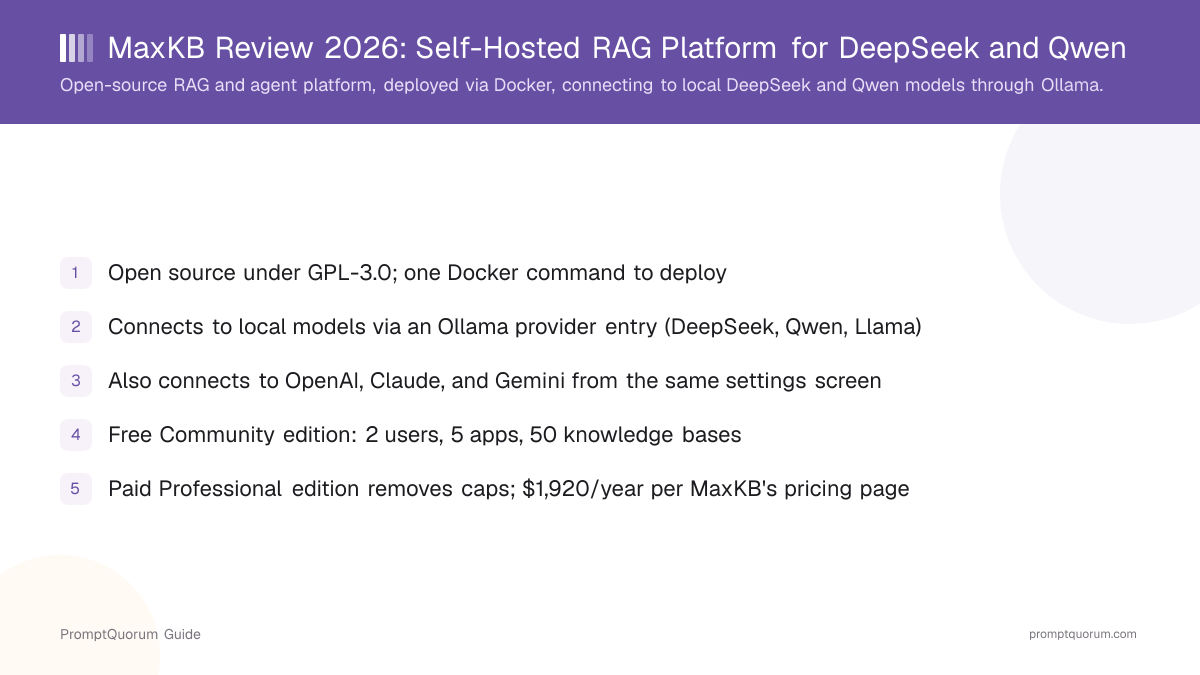
What Is MaxKB?
MaxKB — short for "Max Knowledge Brain" per its own GitHub description — is an open-source platform for building RAG applications and agents that you host yourself. It bundles document ingestion, a retrieval pipeline, an agent/workflow builder, and Model Context Protocol (MCP) tool support into one Docker-deployed application, rather than requiring you to assemble a vector database, an embedding pipeline, and a chat frontend separately.
- Core function: ingest documents into a knowledge base, then answer questions against that knowledge base through a chat interface, an embeddable widget, or an API
- Agent layer: chain retrieval steps, tool calls, and conditional logic into multi-step workflows, not just single-turn question answering
- Model access: "model-agnostic" per MaxKB's own documentation — connects to private models (DeepSeek, Llama, Qwen, and others) as well as public cloud models (OpenAI, Claude, Gemini, and others)
- Developer: 1Panel-dev, also known for the 1Panel open-source Linux server management panel
- Canonical repository: github.com/1Panel-dev/MaxKB — the active home of MaxKB's source code, issue tracker, and release notes
How Do You Self-Host MaxKB with Docker?
MaxKB's documented quick-start install is a single Docker command that starts the full application, including its bundled database. No separate Python environment or database server setup is required for a first run.
- 1Install Docker on your server or workstation (Linux, macOS, or Windows with WSL2).
Why it matters: MaxKB ships as a container image; Docker is the only hard prerequisite for the base install. - 2Run:
docker run -d --name=maxkb --restart=always -p 8080:8080 -v ~/.maxkb:/var/lib/postgresql/data -v ~/.python-packages:/opt/maxkb/app/sandbox/python-packages 1panel/maxkb
Why it matters: This single command pulls the official `1panel/maxkb` image, maps port 8080, and persists both the database and Python sandbox packages to your host filesystem so data survives a container restart. - 3Open
http://<your-server-ip>:8080in a browser once the container reports healthy.
Why it matters: This loads the first-run setup screen where you create an administrator account. - 4Add a model provider under system settings — either Ollama (for local models) or a cloud provider (API key required).
Why it matters: MaxKB has no built-in inference engine of its own; every model, local or cloud, is added as a separate provider entry before you can build a knowledge base or agent. - 5Create a knowledge base, upload documents, then create an application that points at that knowledge base and your chosen model.
Why it matters: This is the minimum path from a fresh install to a working RAG chatbot.
How Does MaxKB Connect to Local DeepSeek and Qwen Models?
MaxKB does not run model inference itself — it connects to a separate local inference server, most commonly Ollama, through a model-provider entry in its settings. To use a local DeepSeek or Qwen model, you first pull that model into Ollama, then register it inside MaxKB.
- In MaxKB's model settings, choose "Add Model" and select the Ollama provider
- Enter a display name for the model (any label you choose) and the base model name that matches what Ollama is serving (for example, a DeepSeek or Qwen model tag)
- Enter the Ollama API domain — the address of the Ollama server, for example
http://127.0.0.1:11434for a local install, or a LAN/remote address if Ollama runs on a different machine - Enter any value in the API Key field if Ollama is not configured to require one — Ollama's default setup does not enforce API-key authentication
- Once added, the model appears in the same model picker as any connected cloud model, so a knowledge base or agent can use it identically
What Can You Build With MaxKB?
MaxKB's feature set centers on turning a document collection into a queryable knowledge base, then optionally extending that into an agent that can call tools. Details below are drawn from MaxKB's own GitHub README and documentation.
- Knowledge base ingestion — upload documents (common office and text formats) or crawl a site, and MaxKB chunks, embeds, and indexes the content for retrieval
- RAG chat applications — build a chat application backed by one or more knowledge bases, deployable as a hosted chat page, an embeddable website widget, or an API endpoint
- Agent / workflow builder — chain retrieval, tool calls, and conditional branches into multi-step workflows rather than single-turn Q&A
- Model Context Protocol (MCP) support — connect MaxKB to MCP-compatible tools and data sources for agent-style, tool-using workflows
- Model-agnostic model settings — add local models (via Ollama) and cloud models (OpenAI, Claude, Gemini, and others) side by side, and switch which model an application uses without redeploying
- Multi-user access (Professional edition) — user accounts and permissions beyond the Community edition's 2-user cap
MaxKB Pricing: Community vs. Professional
MaxKB Community edition is free forever but capped at 2 users, 5 applications, and 50 knowledge bases; the paid Professional edition removes those caps. Per MaxKB's own pricing page, the Professional edition is sold as an annual subscription license.
Edition | Price | Users | Apps | Knowledge Bases |
|---|---|---|---|---|
| Community | Free | 2 | 5 | 50 |
| Professional | $1,920/year | Uncapped | Uncapped | Uncapped |
Pricing per maxkb.pro as of this review — MaxKB offers short trial licenses for the Professional edition on request; check the official pricing page directly before budgeting, since vendor pricing can change without notice.
Who Should Use MaxKB?
MaxKB fits teams that want a self-hosted RAG and agent platform they can point at a local model, without assembling a vector database and chat frontend from separate pieces.
Use MaxKB if
- You want to self-host a RAG and agent platform via Docker rather than assembling a vector database, embedding pipeline, and chat UI yourself
- You already run — or are willing to run — Ollama for local DeepSeek, Qwen, or Llama inference, and want a knowledge-base layer on top of it
- A 2-user, 5-app, 50-knowledge-base free tier covers your team size and use case
- You need MCP tool support for agent-style workflows alongside document retrieval
Avoid MaxKB if
- You need more than 2 users, 5 applications, or 50 knowledge bases and cannot budget for the Professional edition's annual license
- You want a single downloadable desktop app with no server or Docker setup — MaxKB is a self-hosted platform, not an end-user installer
- You need a code-first framework with full programmatic control over retrieval logic rather than a UI-driven platform
- GPL-3.0's copyleft terms are incompatible with how you plan to distribute a modified version of the software
MaxKB vs. RAGFlow, Dify, and AnythingLLM
MaxKB overlaps with several other self-hosted RAG and agent platforms — the difference is licensing, document-parsing depth, and how much of the stack ships in one product.
Tool | Interface | License | Best For |
|---|---|---|---|
| MaxKB | Web UI + RAG + agents | GPL-3.0 | Docker-deployed RAG/agent platform with local model support |
| RAGFlow | Web UI + document parsing | Apache 2.0 | Citation-grade retrieval on complex documents (tables, footnotes) |
| Dify | Visual + RAG + agents | Modified Apache 2.0 | All-in-one workflow, RAG, and agent platform |
| AnythingLLM | Chat + RAG | MIT | Lightweight self-hosted document chat |
All four tools can run entirely against local models: MaxKB and AnythingLLM both add Ollama as a model provider; RAGFlow and Dify connect to any OpenAI-API-compatible local endpoint.
Common Mistakes When Evaluating MaxKB
Mistake 1: Assuming MaxKB runs models itself
MaxKB has no built-in inference engine. Local model support means connecting to a separately-running Ollama instance (or a cloud API) — Ollama, not MaxKB, determines which models you can run and how much VRAM they need.
Mistake 2: Treating GPL-3.0 like a permissive license
GPL-3.0 is copyleft: distributing a modified version of MaxKB's source generally requires releasing your modifications under the same license. This differs meaningfully from the MIT or Apache 2.0 licenses used by several MaxKB alternatives — check GPL-3.0's actual terms before building a derivative product on top of it.
Mistake 3: Ignoring the Community edition caps until they are hit
The free tier's 2-user, 5-app, 50-knowledge-base limits are easy to exceed once a pilot project expands to a full team. Check current caps on maxkb.pro before committing to Community edition for anything beyond a small pilot.
Frequently Asked Questions
Is MaxKB free?
The Community edition is free and open source under GPL-3.0, capped at 2 users, 5 applications, and 50 knowledge bases. A paid Professional edition removes those caps; MaxKB's own pricing page lists it as a $1,920-per-year subscription license.
What license does MaxKB use?
GPL-3.0, per the LICENSE file in the official GitHub repository (github.com/1Panel-dev/MaxKB). GPL-3.0 is copyleft — distributing a modified version generally requires releasing your changes under the same license.
Does MaxKB support local models like DeepSeek and Qwen?
Yes. MaxKB connects to local models by adding Ollama as a model provider in its settings — you supply the Ollama server address and a model name, and MaxKB routes requests to whatever model Ollama is serving, including DeepSeek, Qwen, and Llama.
Does MaxKB need a GPU?
MaxKB itself does not require a GPU — it orchestrates retrieval and calls out to whatever model provider you configure. A GPU only matters if you separately run Ollama (or another local inference server) with a GPU-accelerated model.
How do you install MaxKB?
With a single Docker command: docker run -d --name=maxkb --restart=always -p 8080:8080 -v ~/.maxkb:/var/lib/postgresql/data -v ~/.python-packages:/opt/maxkb/app/sandbox/python-packages 1panel/maxkb. This starts the full application, including its bundled database, on any host running Docker.
Who develops MaxKB?
1Panel-dev, the team also known for the 1Panel open-source Linux server management panel. The MaxKB source repository is github.com/1Panel-dev/MaxKB.
How popular is MaxKB?
MaxKB's GitHub repository shows roughly 22,700 stars as of this review, with new releases shipping every few weeks according to its GitHub releases page.
What are the main alternatives to MaxKB?
RAGFlow (Apache 2.0, citation-grade document parsing), Dify (modified Apache 2.0, broader workflow/agent platform), and AnythingLLM (MIT, lighter-weight self-hosted document chat) are the closest self-hosted RAG/agent alternatives.