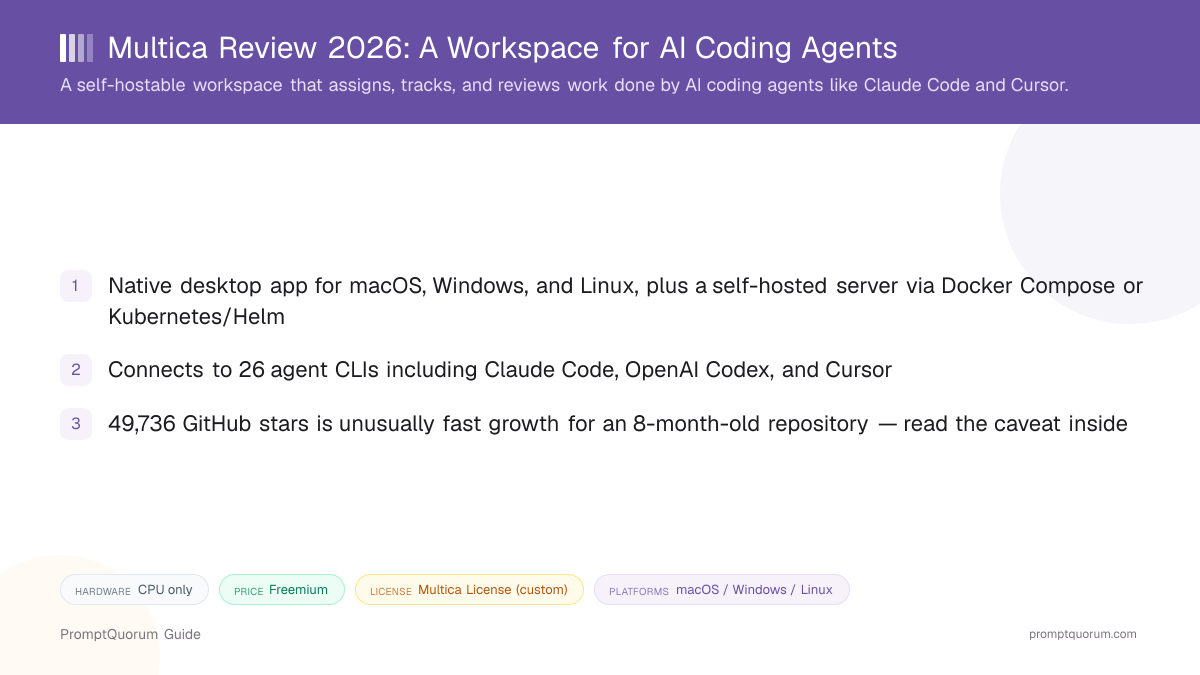
What Is Multica?
Multica is a workspace that treats AI coding agents as assignable team members rather than tools you operate one at a time in a terminal. A person opens an issue, assigns it to an agent CLI (Claude Code, Codex, Cursor, or one of over 20 others), and Multica tracks that work through its full lifecycle — enqueue, claim, start, complete or fail — while the agent reports progress and submits results for human review, per Multica's own README and homepage copy.
- Core function: assign, monitor, and review coding tasks carried out by external AI agent CLIs, rather than run or fine-tune models itself
- Two deployment paths: a native desktop app that talks to Multica's hosted service, and a fully self-hosted server (Docker Compose, single binary, or Kubernetes/Helm) that keeps data on your own infrastructure
- Developer: listed under the multica-ai GitHub organization — PromptQuorum could not independently verify a separate corporate entity name or founding team beyond that organization page
- Canonical repository: github.com/multica-ai/multica, created on January 13, 2026, per GitHub's own repository metadata
- As of this review, the repository has shipped 5,281+ commits from 30 contributors, with releases roughly every 1–3 days and the latest tagged release, v0.4.43, dated September 11, 2026
Is Multica's Star Count Reliable?
Treat Multica's 49,736 GitHub stars with more scrutiny than a typical repository's star count — the growth rate is unusually fast for a project created on January 13, 2026, roughly eight months before this review. A GitHub search for "multica" conducted for this review surfaced at least eight near-identical repositories with zero stars, carrying the exact same marketing description as the main project — a pattern commonly associated with artificial star inflation ("repo-farming"). Finding that pattern is not proof that Multica's own star count is inflated, but it is a reason to weigh the number carefully rather than cite it as an unqualified popularity metric.
- Repository age: created January 13, 2026 — about eight months old as of this review, which is fast for a project to reach nearly 50,000 stars organically
- Related-repo pattern found: at least eight zero-star forks/clones of Multica with an identical marketing description surfaced in a GitHub search run for this review, a known signature of coordinated star-farming campaigns
- Corroborating organic-scale signals: 6,424 forks (a roughly 13% fork-to-star ratio — forks require more deliberate effort than a star click and are harder to fake at scale), 1,566 open issues, 5,281+ commits, and 30 contributors
- Release cadence: new tagged releases roughly every 1–3 days, with the latest (v0.4.43) shipped September 11, 2026 — a pattern more consistent with an actively used, actively maintained project than a dormant one propped up by purchased stars
What License Does Multica Use?
Multica is not released under plain Apache-2.0 — GitHub's own API reports the repository's license as NOASSERTION, meaning GitHub could not classify it as a standard, recognized open-source license. The project describes its own terms as the "Multica License," an Apache-2.0-derived license with additional conditions covering hosted services and commercial embedding, per the repository's LICENSE file.
- GitHub's repository metadata API classifies the license as NOASSERTION — not "Apache-2.0," and not any other SPDX-recognized identifier
- The project's own LICENSE file describes it as a custom "Multica License": Apache-2.0 as a base, with extra conditions layered on top
- The documented extra conditions concern hosted services (running Multica as a service for others) and commercial embedding (bundling Multica inside another commercial product) — read the repository's LICENSE file directly for the exact terms before either use case
- Practical implication: permissions you might assume come free with "Apache-2.0" — such as unrestricted redistribution as a hosted service — do not necessarily carry over to Multica's modified terms
What Can You Do With Multica?
Multica's feature set covers assigning work to agents, watching them execute it, and reviewing the result — across whichever agent CLIs and Git/chat tools your team already uses, per its own README and homepage.
- Task assignment via issues — open an issue, assign it to an agent CLI the way you would assign it to a person; the agent works autonomously and reports back
- 26 supported agent CLIs — including Claude Code, OpenAI Codex, Cursor, GitHub Copilot, Kimi, OpenCode, CodeBuddy, Qwen Code, and DeepSeek Harness, per Multica's own README and homepage; Multica's local daemon auto-detects which of the 26 are installed on a machine
- Real-time task lifecycle tracking — a WebSocket-powered dashboard shows each task moving through enqueue, claim, start, and complete-or-fail states as the agent works
- Reusable Skills — codified capabilities that any team member (human or agent) can invoke, intended to compound as new solutions get added over time
- Unified runtime dashboard — monitors both local daemons and cloud runtimes together, with online/offline status, usage charts, and activity heatmaps per Multica's homepage description
- Git-host integration — GitHub, GitLab, Gitea, and self-hosted Forgejo, so agents can open branches, commits, and pull/merge requests against your existing repositories
- Chat-app integration — Slack, Lark, DingTalk, WeCom, and Telegram, for assigning or getting notified about agent work from inside a team's existing chat tools
- Persistent context and audit trails — per Multica's README, task history and agent actions are retained rather than lost when a terminal session ends
How Do You Install Multica?
Multica installs two different ways depending on what you want: a native desktop app (macOS, Windows, Linux) that connects to Multica's hosted service, or a fully self-hosted server you run yourself via Docker Compose, a single binary, or Kubernetes/Helm. Desktop-app links below are direct GitHub release URLs for version v0.4.43 — always check the releases page for the current version, since release URLs change with each tag.
Self-host Multica with Docker
For the server component, Multica publishes an install script rather than requiring a manual Docker Compose file from scratch: curl -fsSL https://raw.githubusercontent.com/multica-ai/multica/main/scripts/install.sh | bash -s -- --with-server followed by multica setup self-host. On Windows, the equivalent is a PowerShell installer run with $env:MULTICA_MODE="with-server". Self-hosting requires Docker; Multica's repository also documents a Kubernetes/Helm deployment path for larger teams — see SELF_HOSTING.md in the repository for the current, version-specific steps before running either script.
Platform | Download |
|---|---|
| macOS — Apple Silicon | .dmg / .zip |
| macOS — Intel | .dmg / .zip |
| Windows — x64 | .exe |
| Windows — ARM64 | .exe |
| Linux — x86_64 | .AppImage / .deb / .rpm |
| Linux — ARM64 | .AppImage / .deb / .rpm |
The desktop app and the self-hosted server are not mutually exclusive — Multica's own marketing copy describes the self-hosted deployment as keeping data "on your own infrastructure," which matters if your team's policy requires code and task data to stay off Multica's hosted service entirely.
Is Multica Free?
Partially, and it depends which deployment path you use — PromptQuorum found no published pricing table on multica.ai at the time of this review, only a "start free trial" prompt, which implies a paid tier exists behind that trial for the hosted service. The source code itself is publicly available under the custom Multica License described above, and self-hosting via Docker Compose, a single binary, or Kubernetes/Helm does not require a Multica-hosted account for the software to run.
- No public pricing page or tier table was found on multica.ai during this review — only a "start free trial" call to action for the hosted offering
- Self-hosting the server component yourself does not require signing up for Multica's hosted service, per the project's own self-hosting documentation
- Source-available under the custom Multica License, not plain Apache-2.0 — the license's added conditions specifically address hosted-service and commercial-embedding use cases (see the license section above), which is a different question from whether self-hosting for your own team costs money
- If a specific budget or compliance decision depends on exact current pricing, check multica.ai directly — this review could not locate a dedicated pricing page to cite
Who Should Use Multica?
Whether Multica fits depends on whether your team already runs multiple AI coding-agent CLIs and needs one place to assign, watch, and review their output, rather than a single agent tool used by one person.
Use Multica if
- Your team already uses two or more agent CLIs (for example Claude Code and Cursor) and wants one dashboard instead of separate terminal sessions per person
- You want task assignment and review to work like it does for human developers — an issue, an assignee, a status, a review step — applied to AI agents
- Your organization requires code and task data to stay on infrastructure you control, and the self-hosted Docker/Helm deployment path fits that requirement
- Your team already lives in Slack, Lark, DingTalk, WeCom, or Telegram and wants agent-work notifications inside that existing chat tool rather than a separate app
- You want a native desktop client rather than a browser tab for day-to-day monitoring
Wait, or look elsewhere, if
- You use a single agent CLI by yourself and do not need cross-team assignment or review — that use case may not need an orchestration layer at all
- A commercial-hosting or embedding decision depends on exact license terms — read Multica's own LICENSE file first, since it is not plain Apache-2.0
- You need a tool that runs or fine-tunes AI models directly rather than orchestrating existing agent CLIs — see PromptQuorum's Local LLM Software Directory for that category instead
- You want a single-file, minimal-dependency agent tool rather than a full workspace with a server component and dashboard — see the lighter-weight alternatives below
Multica vs. Other Agent Orchestration Tools
Multica sits in a broader category of tools for running or coordinating autonomous AI agents. Here is how it differs from four other tools PromptQuorum has reviewed in the same space — see the Local LLM Software Directory for the full catalog.
- AutoGPT — a single autonomous-agent framework that plans and executes its own multi-step goals; Multica does not plan goals itself, it assigns and tracks work performed by separate agent CLIs like Claude Code, so the two solve different problems (autonomous goal-chasing vs. human-directed task assignment).
- CrewAI — a Python library/framework for building your own multi-agent systems in code; Multica is a ready-made workspace with a UI and dashboard, not a library you write agent logic against.
- Open Interpreter — a single local agent that executes code directly on your machine through natural-language instructions; Multica does not execute code itself, it coordinates and reviews work done by whichever agent CLI (potentially including tools like Open Interpreter) you assign a task to.
- Aider — a terminal-based AI pair-programming tool for one developer working with one model at a time; Multica can assign work to Aider-style CLI tools as one of its 26 supported agents but adds team-level assignment, tracking, and review on top.
Common Mistakes When Evaluating Multica
Most confusion about Multica comes from assuming it runs AI models itself, or from citing its headline metrics without the caveats above.
Mistake 1: Assuming Multica runs or hosts the AI models
Multica orchestrates and reviews work done by external agent CLIs — Claude Code, Codex, Cursor, and 20-plus others — which you install and authenticate separately. Multica itself has no documented GPU or model-hosting requirement because it does not run inference.
Mistake 2: Citing 49,736 stars as an unqualified popularity ranking
The repository is roughly eight months old, and a GitHub search for "multica" surfaces multiple near-identical zero-star clones — a pattern associated with repo-farming. The fork, issue, and commit volume corroborate real activity, but the star count alone should not be repeated as a clean, audited metric.
Mistake 3: Assuming "Apache-2.0-derived" means plain Apache-2.0 permissions
GitHub classifies the license as NOASSERTION precisely because Multica's custom license adds conditions Apache-2.0 alone does not have, specifically around hosted services and commercial embedding. Read the LICENSE file before relying on Apache-2.0-level permissions.
Mistake 4: Treating the desktop app and self-hosted server as the same deployment
The desktop app connects to Multica's hosted service by default; keeping data entirely on your own infrastructure requires the separate self-hosted server path (Docker Compose, single binary, or Kubernetes/Helm), not just installing the desktop client.
Frequently Asked Questions
What is Multica?
Multica (multica.ai, source at github.com/multica-ai/multica) is a self-hostable workspace for assigning, tracking, and reviewing work done by AI coding agents such as Claude Code, OpenAI Codex, and Cursor, with a native desktop app and Git-host/chat-app integrations.
Is Multica free?
Partially. PromptQuorum found no published pricing page on multica.ai during this review, only a "start free trial" prompt for the hosted service, which implies a paid tier exists. Self-hosting the server component does not require a Multica-hosted account.
Does Multica require a GPU?
No. Multica orchestrates external coding-agent CLIs rather than running AI models itself, so it has no documented GPU or VRAM requirement of its own.
What license does Multica use?
Not plain Apache-2.0. GitHub's API reports the license as NOASSERTION because Multica uses a custom, Apache-2.0-derived "Multica License" with added conditions on hosted services and commercial embedding — read the repository's LICENSE file for exact terms.
Is Multica's 49,736-star GitHub count trustworthy?
Treat it with caution. The repository was created January 13, 2026, and a GitHub search for "multica" surfaced at least eight near-identical zero-star clones — a pattern associated with repo-farming. Corroborating signals (6,424 forks, 1,566 open issues, 5,281+ commits, 30 contributors) suggest largely organic activity, but PromptQuorum did not run an independent star-history audit.
Which AI coding agents does Multica support?
Multica's README lists 26 supported agent CLIs, including Claude Code, OpenAI Codex, Cursor, GitHub Copilot, Kimi, OpenCode, CodeBuddy, Qwen Code, and DeepSeek Harness, auto-detected by a local daemon.
Can I self-host Multica?
Yes. Multica ships an install script (install.sh --with-server on macOS/Linux, a PowerShell installer on Windows) for a self-hosted server deployable via Docker Compose, a single binary, or Kubernetes/Helm, separate from the desktop app that talks to Multica's hosted service.
What Git hosts and chat apps does Multica integrate with?
GitHub, GitLab, Gitea, and self-hosted Forgejo for Git hosting; Slack, Lark, DingTalk, WeCom, and Telegram for chat-app integration, per Multica's own documentation.
Who develops Multica?
The project is published under the multica-ai GitHub organization. PromptQuorum could not independently verify a separate corporate entity or founding team beyond that organization page.