Best Cloud GPU for LLM Fine-Tuning Under $1/Hour (2026)
By Hans Kuepper · Founder of PromptQuorum · Discovery engine for open-weight & open-source AI
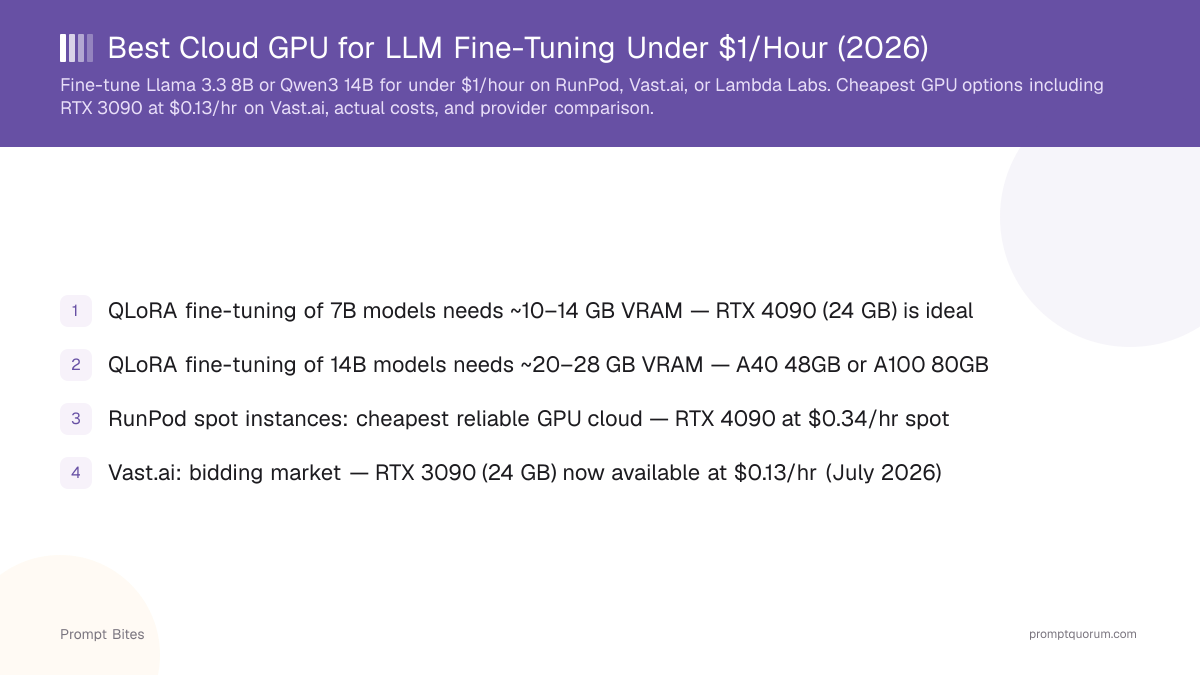
For QLoRA fine-tuning of Llama 3.1 8B or Qwen3 14B in 2026, an RTX 4090 24GB on RunPod Community Cloud at $0.34/hr or an A40 48GB at $0.35/hr both stay well under $1/hour. Vast.ai RTX 3090 (24 GB) listings are a marketplace option for 7B runs; their rates were not verified for this update. RunPod rates are per RunPod's pricing page as of 2026-11-22; a typical fine-tuning run costs roughly $0.70–$1.40 at those rates.
Key Takeaways
- ✓QLoRA needs at least 5–6 GB VRAM for 7B–8B models and 8.5 GB for 14B (Unsloth); a 24 GB RTX 4090 leaves room for realistic batch size and context
- ✓A 48 GB A40 adds headroom for longer contexts and 30B-class models; 70B QLoRA needs about 41 GB at minimum, so an 80 GB A100
- ✓RunPod Community Cloud: RTX 4090 $0.34/hr, A40 $0.35/hr, RTX 3090 $0.22/hr
- ✓Vast.ai marketplace: rate not verified; price and host reliability vary
- ✓Full run (1K steps, 1K samples): 2–4 hours at $0.34/hr = $0.68–$1.36
- ✓Unsloth's official Docker image gives a working QLoRA environment in minutes
This page contains links to third-party products for reference. PromptQuorum is not enrolled in any affiliate program — these are plain links that earn no commission. Clicking links and your next steps are entirely your own responsibility. Any recommendation on this page reflects our own reading of the vendors' public pages, not a vendor endorsement or a test.
Best Cloud Platforms for LLM Fine-Tuning Under $1/Hour
📍 In One Sentence
RunPod Community Cloud (RTX 4090 at $0.34/hr, A40 at $0.35/hr, per RunPod's pricing page as of 2026-11-22) has the lowest fixed-price rates among the listed options for QLoRA fine-tuning of 7B–14B models in 2026. Vast.ai is an alternative; its rate was not verified here.
💬 In Plain Terms
Fine-tuning adapts a pre-trained AI model to your specific data using a process called QLoRA — which freezes most of the model in compressed form and only trains small adapter layers, cutting VRAM use by 4–8×. This makes it affordable to fine-tune on rented GPUs for a few dollars.
RunPod — Best Overall (Community Cloud + Secure Cloud)
RunPod combines fixed, predictable prices with good developer UX for fine-tuning. Community Cloud: RTX 3090 $0.22/hr, RTX 4090 $0.34/hr, A40 48GB $0.35/hr. Secure Cloud (data-center hosts): RTX 4090 $0.89/hr, A40 $0.59/hr. Both support persistent network volumes and Docker-based templates, so you can run Unsloth's official image or an Axolotl container. Community Cloud hosts are third-party machines: save checkpoints to a volume every few hundred steps.
Vast.ai — GPU Marketplace
Vast.ai is a peer-to-peer GPU marketplace where hosts set prices. Its pricing page lists on-demand, interruptible and reserved tiers, but per-GPU hourly rates were not verified for this update, and host reliability, bandwidth, and storage fees vary, so check each listing before renting. Best for: short runs with checkpointing. Not recommended for runs over 12 hours without a checkpoint strategy.
Lambda — Reliable On-Demand, Above the $1 Line
Lambda sells on-demand GPUs with no interruption risk, but its current cards no longer fit a $1/hr budget: A10 24GB $1.29/hr, RTX A6000 48GB $1.09/hr, A100 40GB $1.99/hr. Only older cards such as the Quadro RTX 6000 24GB ($0.69/hr) and V100 16GB ($0.79/hr) are below $1/hr. Choose Lambda when guaranteed availability matters more than price; a 4-hour run on an A10 costs about $5.16.
Real Fine-Tuning Cost Estimates
Estimated compute costs for common QLoRA scenarios with Unsloth, using the prices above (storage not included): Prices come from the providers' public pricing pages and third-party price trackers; they change frequently, so confirm on the provider's site before renting.
| Task | GPU Needed | Duration | Platform | Total Cost |
|---|---|---|---|---|
| Llama 3.1 8B QLoRA, 1K samples, 1K steps | RTX 4090 (24 GB) | ~2 hrs | RunPod Community ($0.34/hr) | ~$0.68 |
| Qwen3 14B QLoRA, 5K samples, 3K steps | A40 48GB | ~5 hrs | RunPod Community ($0.35/hr) | ~$1.75 |
| Llama 3.3 70B QLoRA-4bit, 1K samples | A100 80GB | ~8 hrs | RunPod Community ($1.19/hr) | ~$9.52 |
| Qwen2.5-Coder 7B, SQL dataset, 10K steps | RTX 3090 (24 GB) | ~4 hrs | Vast.ai (rate not verified) | not verified |
How to Rent a GPU for Fine-Tuning in 5 Steps
Renting a GPU for fine-tuning takes about 15 minutes of setup: pick a card by VRAM, rent a pod with a persistent volume, start from a prebuilt training image, run a short test, then launch the full job and stop the pod when it finishes.
Fast Fine-Tuning Environments for a Budget
**The fastest budget setup is a prebuilt training image on a 24 GB card: Unsloth's official Docker image, an Axolotl container, or LLaMA-Factory.** All three package CUDA, PyTorch, and Hugging Face PEFT so a pod is ready to train within minutes, and all support QLoRA on a single consumer-class GPU.
Unsloth's catalog lists 4-bit checkpoints for Llama 3.1 8B and Qwen3 14B, and also newer releases such as Qwen3.5, Qwen3.6, Qwen3.8, and Llama 4. For dense models of the same size the VRAM tiers above still apply; Llama 4 and large MoE models need far more memory and fall outside a $1/hr budget.
For provider details, read the RunPod review, the Vast.ai review and the Clore.ai review; more options are in cloud GPU providers for fine-tuning.
Related Guides
- ▸RunPod vs Vast.ai Pricing: Which Is Cheaper? -- GPU cloud pricing comparison
- ▸Cloud GPU Cost per Hour -- cloud GPU pricing
- ▸DeepSeek-R1 Distill VRAM Cheatsheet -- VRAM requirements
- ▸Best DeepSeek Distill for Your GPU -- DeepSeek distill guide
- ▸Cloud GPU providers for fine-tuning — RunPod review — Vast.ai review — Clore.ai review
Quick Answers
Can I fine-tune a 14B model for under $1?▾
What software do I need for QLoRA fine-tuning on a cloud GPU?▾
Is fine-tuning worth it vs using a larger base model?▾
What is the cheapest cloud GPU for fine-tuning a local LLM?▾
How do I rent GPUs to fine-tune an LLM affordably?▾
Which GPU environments are optimized for fine-tuning on a budget?▾
Want the full breakdown?
Read the complete guide →