llama-bench: The Best Tool for Benchmarking Local LLM Speed
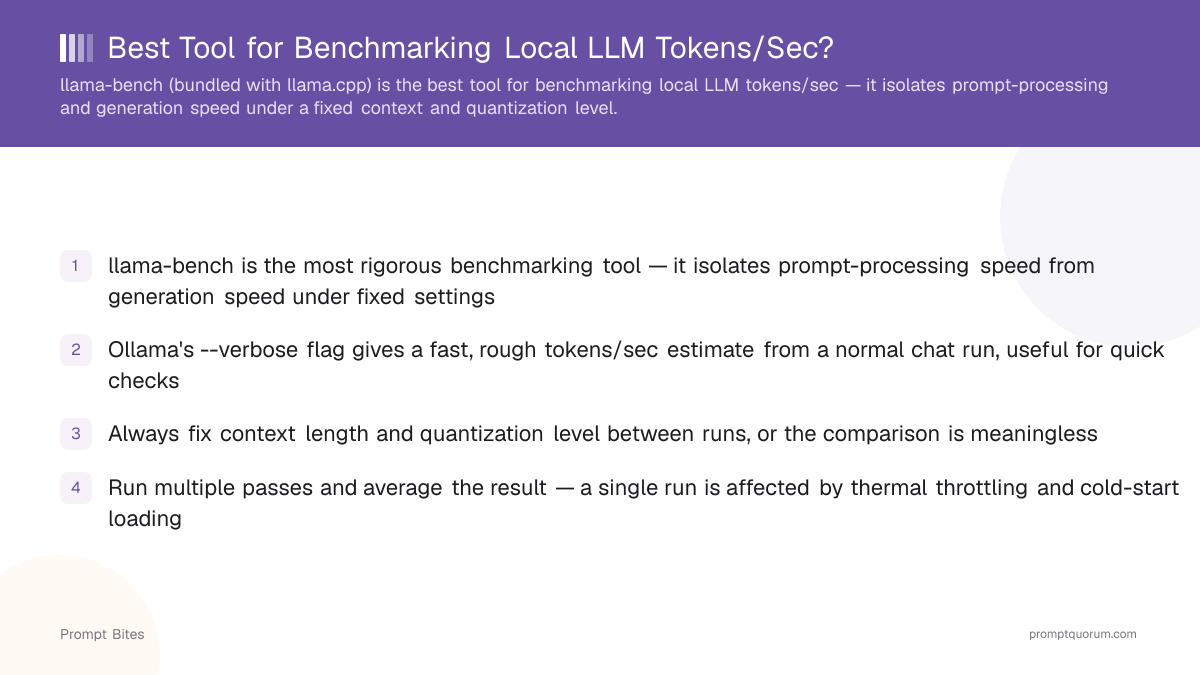
Use llama-bench, the benchmarking utility bundled with llama.cpp, to measure and compare local LLM speed. It reports prompt-processing speed and generation speed as two separate numbers under a fixed context length and quantization level, so results are directly comparable across hardware. For a faster, less rigorous reality check, use Ollama's `--verbose` output instead.
This page contains links to third-party products for reference. PromptQuorum is not enrolled in any affiliate program — these are plain links that earn no commission. Clicking links and your next steps are entirely your own responsibility. These links do not represent any endorsement or verification by PromptQuorum.
Quick Answer
llama-bench, included with llama.cpp, is the best tool for benchmarking local LLM speed — it separates prompt-processing speed from generation speed under a fixed context length and quantization level. For a fast reality check on your setup, use Ollama's `--verbose` output instead.
- ▸Best overall benchmark: llama-bench — separates prompt-processing speed from generation speed, controls context length and quantization.
- ▸Fastest reality check: Ollama --verbose — a rough tokens/sec reading from a normal chat reply, no separate benchmark harness needed.
- ▸Best GUI option: LM Studio — a live tokens/sec readout while you test and compare models, no command line required.
- ▸Best for hardware comparisons: llama-bench — the only option here built for controlled, repeatable side-by-side runs.
Key Takeaways
- ✓llama-bench is the best overall benchmarking tool — it separates prompt-processing speed from generation speed under fixed, repeatable settings
- ✓Ollama's --verbose flag is the fastest reality check for "is my setup fast enough," not a substitute for a controlled hardware comparison
- ✓LM Studio is the best GUI option for quick tests, model experimentation, and viewing live performance without the command line
- ✓Keep model, quantization, and context length identical between runs — comparing mismatched settings produces a meaningless number
- ✓Run multiple passes and average the result, and never trust a bare tokens/sec figure found online without its settings attached
Best Pick: llama-bench
llama-bench is the right default for anyone who needs a repeatable, hardware-comparable speed number. It ships as part of llama.cpp, runs from the command line, and reports two separate figures for every test: prompt-processing speed (how fast the model reads the input) and generation speed (how fast it produces new tokens). These two numbers behave very differently under load, so a tool that combines them into a single figure is hiding half the picture.
Reach for llama-bench when comparing two GPUs before a purchase, testing a new Mac or PC, comparing quantization levels, publishing results publicly, or deciding whether a hardware upgrade is worth the cost. It repeats each test automatically and reports the average, so you do not need to run it five times by hand.
The most common follow-up question is what the context-length and prompt/generation-length options actually control. In short: llama-bench lets you fix how long the test prompt is and how many tokens it generates, independent of each other, so you can test a short chat-style exchange or a long document-style prompt without changing anything else about the run — that separation is what makes two results comparable in the first place.
llama-bench is not a commercial product — it is a free, open-source part of the llama.cpp project on GitHub, included automatically whenever you build or install llama.cpp.
Quick Reality Check: Ollama --verbose
Ollama's `--verbose` flag is the fastest way to check whether your setup feels fast enough — not a replacement for llama-bench. Running ollama run <model> --verbose prints a tokens/sec figure at the end of a normal chat reply, with no separate benchmark step required.
The number comes from a single, uncontrolled generation, not a repeated fixed-context run, so it is noisier and not suitable for comparing two different pieces of hardware. Use it to answer "is this usable for chat right now," and use llama-bench when the answer needs to hold up against another machine.
Ollama is free and open source — see the Ollama site for setup instructions.
Best GUI Option: LM Studio
LM Studio is the best choice if you want a live tokens/sec readout without touching a terminal. Its chat interface shows generation speed in real time, which is convenient for quick hardware checks, model experimentation, and comparing quantizations side by side while you work.
Like Ollama's `--verbose` flag, LM Studio's live readout is convenient rather than rigorous — it does not expose the run-count or context-length controls that make a llama-bench result trustworthy for a hardware-purchase decision. LM Studio has a free tier; see the LM Studio site for downloads.
Benchmark Before You Buy
The real question behind most benchmarking searches is not "which tool should I use," it is "which hardware should I buy." A generic tokens/sec figure from a stranger's post does not answer that — run the same model, quantization, and context length on both GPUs you are actually considering before deciding.
Once you have real numbers from your own llama-bench runs, compare them against options in our best GPUs for local LLMs guide if you are staying on a desktop, our best mini PCs for local LLMs guide for a compact always-on box, or our Apple Silicon vs. NVIDIA GPU comparison if you want unified memory instead of a discrete GPU.
What Makes a Benchmark Useful
A useful comparison holds model, quantization level, context length, and prompt content constant between runs, and reports prompt-processing speed and generation speed separately. Without those controls, a single tokens/sec figure says almost nothing about how the same setup performs on a longer prompt or a different quantization.
Run several passes and average the result — a single run is skewed by thermal throttling, background processes, and cold-start model loading. Treat an unattributed tokens/sec number from a forum or social post as a rough anecdote, not a benchmark, unless the model, quantization, and context length are stated alongside it.
Bottom Line
For a serious, hardware-comparable benchmark, use llama-bench. For a quick check of your setup, use Ollama's `--verbose` output. For the easiest GUI experience with live performance viewing, use LM Studio. And if the real goal is deciding what to buy, benchmark the exact model and quantization you care about on both machines before you commit — then compare the winner against our GPU, mini PC, or Mac guides.
Frequently Asked Questions
What do llama-bench's context-size and prompt/generation options control?▾
Why do benchmark results vary between runs?▾
Is prompt-processing speed or generation speed more important?▾
Can I compare a tokens/sec number I found online to my own hardware?▾
Related Prompt Bites