Best Local LLM for a MacBook Air Without an eGPU in 2026
The M5 MacBook Air is one of the best portable local-LLM laptops you can buy without needing an eGPU — for local AI, configure 24GB or 32GB unified memory, not the 16GB base model. Apple Silicon has no PCIe path to an external GPU, so the missing eGPU option is not a workaround you need — unified memory capacity is the actual lever, and it cannot be added after purchase.
This page contains links to third-party products for reference. PromptQuorum is not enrolled in any affiliate program — these are plain links that earn no commission. Clicking links and your next steps are entirely your own responsibility. These links do not represent any endorsement or verification by PromptQuorum.
Quick Answer
The M5 MacBook Air with 32 GB unified memory is the best configuration for local AI use; 24 GB is the best-value pick if budget matters more. Skip the 16 GB base model if local LLMs are a primary reason you're buying. An eGPU cannot help on Apple Silicon — buy on memory, not on an upgrade path that doesn't exist.
- ▸M5 MacBook Air ships with 16 GB unified memory standard, configurable to 24 GB or 32 GB
- ▸M5 brings 153 GB/s of memory bandwidth (28% faster than M4) and dedicated Neural Accelerators Apple markets specifically for on-device LLMs
- ▸24 GB is the best-value pick for 7B-14B class models; 32 GB is the best configuration if local AI is a primary use case
- ▸No eGPU upgrade path exists on Apple Silicon — unified memory bought at purchase time is the only lever
- ▸MacBook Air pricing varies by configuration and retailer — check current price rather than trusting a fixed figure
Key Takeaways
- ✓M5 MacBook Air: 24 GB unified memory is the best-value configuration for local LLMs; 32 GB is the best configuration if local AI is a primary reason you're buying
- ✓Skip the 16 GB base model if local AI matters to you — unified memory cannot be upgraded after purchase
- ✓No eGPU upgrade path exists on Apple Silicon — this isn't a workaround you're missing, unified memory is the actual lever
- ✓M5's 153 GB/s memory bandwidth and Neural Accelerators are a real generational step up from M4 for on-device inference
Best MacBook Air Configuration for Local LLMs
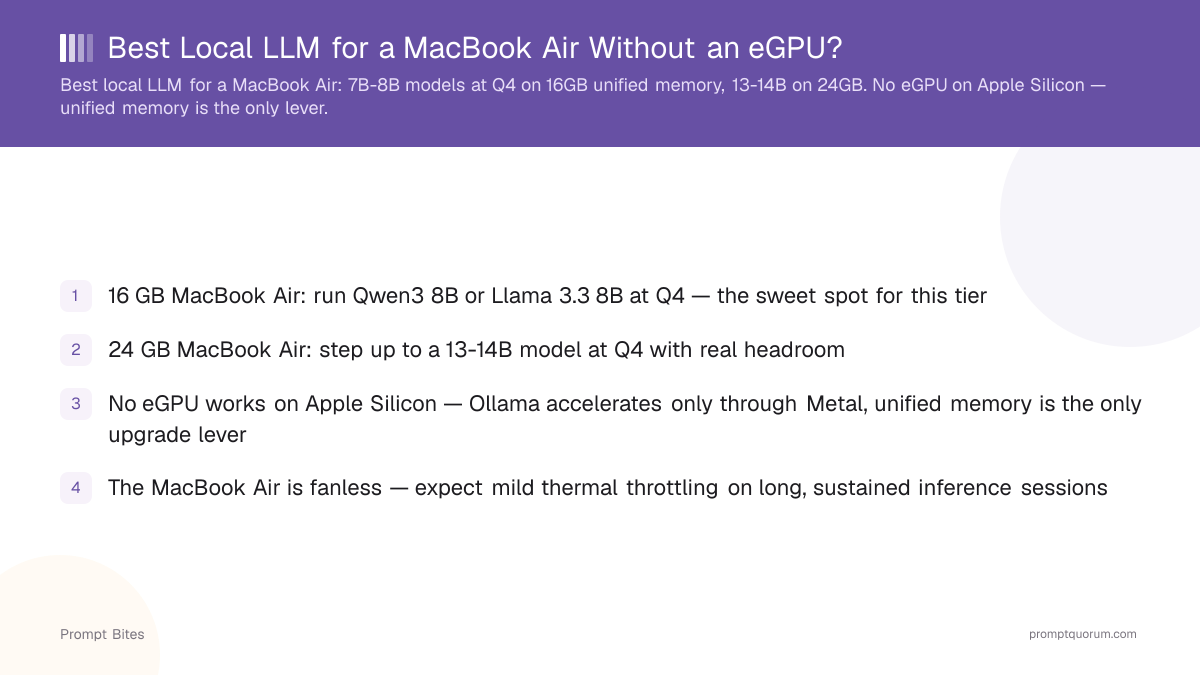
If local AI is one of the main reasons you're buying an M5 MacBook Air, configure it with 32 GB of unified memory. Apple Silicon shares memory between CPU and GPU, so the unified-memory figure on the spec sheet — not a separate VRAM number — is what determines which models fit. 32 GB gives comfortable headroom for 14B-class models and room to experiment with larger quantized models.
If budget matters more than maximum headroom, 24 GB is the practical sweet spot: enough for 7B-14B class models with room left for macOS and a browser, at a real price step down from 32 GB. Skip the 16 GB base configuration if local LLMs are a genuine reason you're buying the Air — it handles small models fine, but memory can't be added after purchase, so buying too little now is a decision you're stuck with.
M5 itself is a real upgrade for this, not just a name change: Apple's M5 GPU adds a Neural Accelerator to every core, and Apple markets the chip specifically around running large language models on-device, backed by 153 GB/s of memory bandwidth — about 28% faster than M4.
24 GB vs 32 GB MacBook Air for Local LLMs
The 16 GB base configuration is the practical minimum only if local AI is a minor, occasional use case — it runs 7B-class models but leaves little room for anything else. Since unified memory can't be upgraded after purchase, match your configuration to your actual use case now rather than planning to "upgrade later" — that option doesn't exist on a MacBook Air.
An eGPU won't extend any of these ceilings, either. Apple Silicon has no PCIe path to an external GPU regardless of configuration, so don't factor a future eGPU purchase into this decision at all.
| Model size | On 24GB | On 32GB |
|---|---|---|
Related Reading
- ▸Can You Run Local LLMs with an eGPU on a MacBook? — why eGPUs don't work on Apple Silicon
- ▸Is the Mac Mini M4 Good for Local LLMs? — a desktop alternative with more memory headroom
- ▸Best Local LLM for a 32 GB Unified Memory Mac — the same memory tier, desktop form factor
Frequently Asked Questions
Can I add an eGPU to a MacBook Air, MacBook Pro, or iMac for local LLMs?▾
Is the 16 GB base MacBook Air enough for local LLMs?▾
Does the MacBook Air throttle during long LLM inference?▾
Should I buy a MacBook Pro instead for local LLMs?▾
Does Ollama or MLX run better on a MacBook Air?▾
Want the full breakdown?
Read the complete guide →