Is the Mac Mini M4 Good for Local LLMs in 2026?
Yes, the Mac Mini M4 is still a good choice for local LLMs, especially at a discounted price. Unified memory is shared between CPU and GPU, so there is no separate VRAM ceiling — buy 24GB if you want room for 14B-class models, since memory cannot be upgraded later. Apple announced a new Mac mini generation (M6 and M5 Pro chips) on August 25, 2026, shipping September 22, 2026 — compare its price to a discounted M4 before you buy.
This page contains links to third-party products for reference. PromptQuorum is not enrolled in any affiliate program — these are plain links that earn no commission. Clicking links and your next steps are entirely your own responsibility. These links do not represent any endorsement or verification by PromptQuorum.
Quick Answer
Yes, for compact local-LLM use at a good price — especially now that Apple has announced a newer generation, which should push M4 prices down. Best value config: M4 with 24GB unified memory. For anything past 14B-class models, prioritize memory over CPU speed.
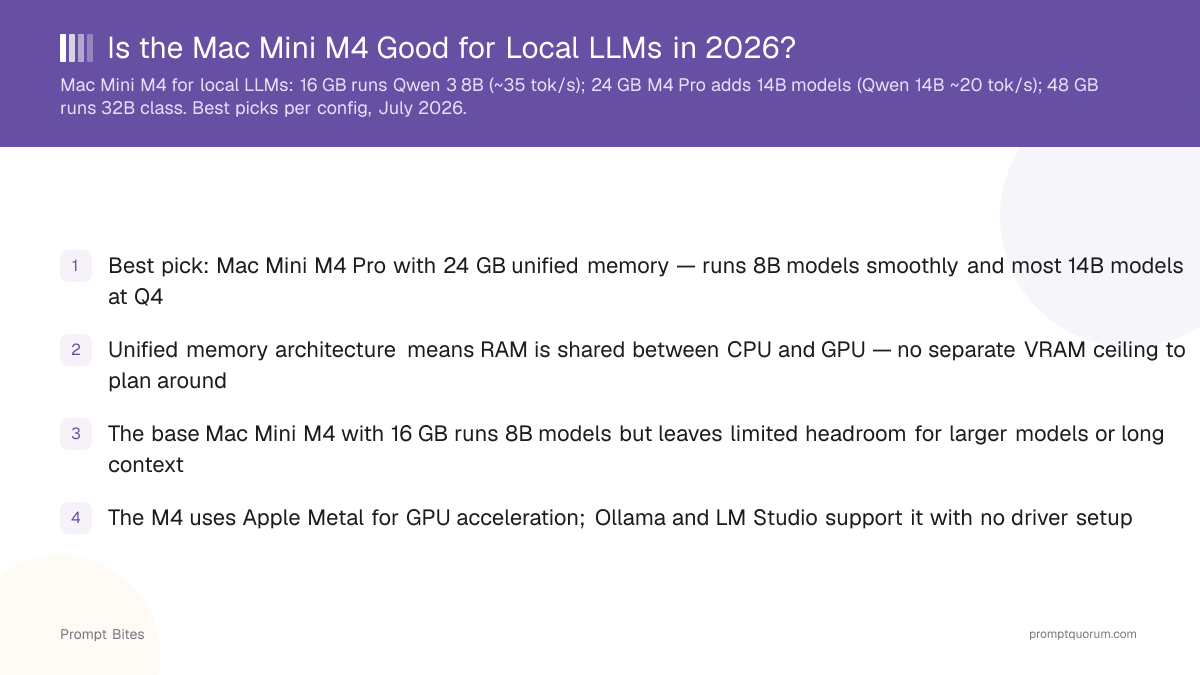
- ▸Base M4 (16GB) runs 7-8B models comfortably; 24GB gives real headroom for 14B models.
- ▸Main advantage: unified memory shared between CPU and GPU — no separate VRAM ceiling.
- ▸Main disadvantage: memory is fixed at purchase and cannot be upgraded later.
- ▸Works out of the box with Ollama, LM Studio, and MLX via Apple Metal — no driver setup.
- ▸A next-gen Mac mini (M6 / M5 Pro) was announced Aug 25, 2026, shipping Sept 22 — compare prices before buying an M4.
Key Takeaways
- ✓Best value: Mac Mini M4 with 24GB unified memory — comfortably fits 7-8B models with real headroom for 14B at Q4.
- ✓Budget option: base M4 16GB if you only plan to run 7-8B models and want the lowest entry price.
- ✓Larger-model tier: M4 Pro with 48GB reaches 32B-class models; a discrete NVIDIA GPU is faster if raw speed matters more than size/efficiency.
- ✓Supported software: Ollama, LM Studio, and MLX all run natively via Apple Metal — no CUDA setup.
- ✓Memory is not upgradeable after purchase — buy for the largest model you expect to run, not just today's needs.
- ✓Apple announced a next-generation Mac mini (M6 / M5 Pro chips) on August 25, 2026, shipping September 22, 2026 — check its price before buying an M4.
Best Configuration for Local LLMs
The Mac Mini M4 with 24GB of unified memory is the target configuration for local LLMs — if it is priced well below the newer M6 generation. 24GB comfortably runs 7-8B models and leaves headroom for most 14B models at Q4 quantization, plus context window and OS overhead.
Buy this if: you mainly run 7B-14B models, want Ollama or LM Studio working with zero driver setup, and the current-gen M4 24GB is discounted meaningfully below Apple's new M6 starting price ($899 for 16GB).
Skip this if: you plan to run 30B+ models regularly (get 48GB or a discrete NVIDIA GPU instead), or the M4's price has not dropped enough to make sense next to the new generation — check current listings before buying.
16GB vs 24GB vs 48GB: Which Memory Tier Fits Your Models
Buy the memory you expect to need — it is not upgradeable after purchase on Apple Silicon. The numbers below are approximate Q4-quantization footprints; actual usable headroom depends on context length, quantization level, and runtime overhead, so leave a margin rather than buying exactly to the edge.
| Memory | Fits comfortably | Best for |
|---|---|---|
| 16GB (M4 base) | 7-8B models (Q4) | Lowest price, single small model at a time |
| 24GB (M4 or M4 Pro) | 7-8B with headroom, most 14B (Q4) | Best value — the recommended tier |
| 48GB (M4 Pro) | 14B with full headroom, 30-32B (Q4) | Power users; consider a discrete GPU if speed matters more than size |
Mac Mini M4 vs. M4 Pro
Base M4 is the value pick; M4 Pro adds a faster GPU and access to the 48GB memory tier. Both chips support 16GB or 24GB configurations, so "24GB" alone does not tell you which chip you are buying — check the listing.
Choose base M4 if your budget is tight and you stay in the 7-14B range. Choose M4 Pro if you want more GPU throughput today or plan to step up to 48GB for 30B-class models without buying a second machine.
What About the Newer Mac Mini?
Apple announced a new Mac mini generation on August 25, 2026, built around a new M6 chip and an M5 Pro chip, shipping from September 22, 2026. Apple lists the M6 model starting at $899 and the M5 Pro model starting at $1,699 in the US — both higher than the outgoing M4 lineup's starting prices.
Do not automatically buy an M4 just because this page recommends it as the value pick. Compare the current, likely-discounted M4 price against the new M6/M5 Pro starting prices before you buy — if the gap is small, the newer chip with a longer support runway is usually worth it. If the M4 is discounted well below the new lineup, it remains a legitimate buy for local LLM work.
Local LLM Software: Ollama, LM Studio, MLX
Ollama, LM Studio, and Apple's own MLX framework all run natively on Apple Silicon via Metal GPU acceleration — no separate VRAM pool to configure and no CUDA drivers to install.
The typical flow: install Ollama or LM Studio, pull a model, and run it — the app handles Metal acceleration automatically. MLX is the fastest option for power users comfortable with Python, but Ollama is the simplest starting point.
Is the Mac Mini M4 Right for You?
Buy an M4 Mac Mini if you want a quiet, compact, low-power machine for local AI, are already invested in the Apple ecosystem, and your target models fit in 24-48GB.
Choose a PC with a discrete GPU instead if you need maximum tokens-per-second (CUDA has broader inference-engine support and often outperforms Apple Silicon at the same price point), want upgradeable RAM/VRAM over time, or need a large multi-GPU setup for 70B+ models.
Bottom Line
If the M4 24GB is discounted meaningfully below the new M6 generation, it is still a solid local-LLM buy. If its price has crept up close to the new lineup's starting price, buy the newer Mac mini instead — you get a longer support runway for the same or a small premium. If your priority is maximum local-LLM performance over size and power efficiency, a discrete NVIDIA GPU system will outperform any Mac mini at a given price; see our Apple Silicon vs. NVIDIA GPU comparison for the full trade-off.
Related Reading
- ▸Best Mini PC for Local LLM — Mac Mini M4 compared with AMD mini PCs
- ▸Best eGPU for Ollama on a MacBook — why eGPUs do not help Apple Silicon LLM inference
- ▸Apple Silicon vs. NVIDIA GPU for Local LLMs — when a discrete GPU beats a Mac mini
Quick Answers About the Mac Mini M4 for Local LLMs
Can the Mac Mini M4 run 8B models?▾
What does unified memory mean for local LLMs?▾
How much memory should I buy in a Mac Mini M4 for LLMs?▾
Should I buy an M4 Mac mini now or wait for the new generation?▾
Do I need extra software to run LLMs on a Mac Mini M4?▾
Want the full breakdown?
Read the complete guide →Related Prompt Bites